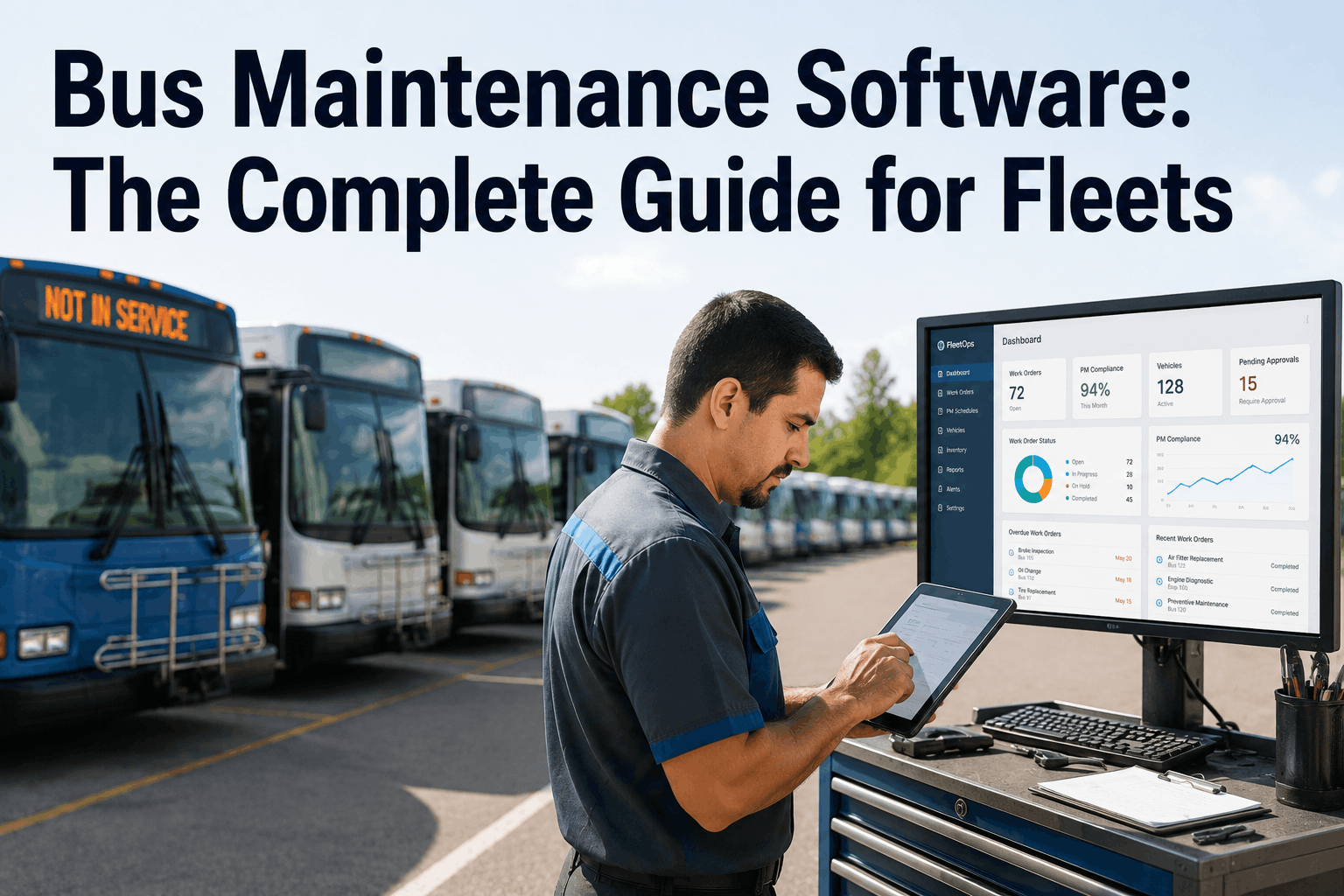
Bus maintenance software has evolved from simple work order tracking to comprehensive fleet management platforms that integrate inspections, preventive maintenance, parts inventory, fuel management, and compliance reporting. In 2026, fleets that still rely on paper or disconnected spreadsheets face a 40% higher cost per bus and significantly higher audit risk. Digital maintenance management is no longer optional for fleets of any size. This guide covers everything you need to know about selecting and implementing bus maintenance software, based on real-world data from over 5,000 bus fleets using modern CMMS platforms. Schedule a demo of Bus CMMS.
What Is Bus Maintenance Software (CMMS)?
A Computerized Maintenance Management System (CMMS) for bus fleets centralizes all maintenance activities into a single digital platform. Unlike generic maintenance software, bus-specific CMMS platforms include DOT-compliant inspection forms, driver vehicle inspection reports (DVIR), parts inventory optimized for bus components, and preventive maintenance schedules based on mileage, engine hours, or calendar intervals. The software eliminates paper binders and disconnected Excel files, replacing them with mobile-accessible work orders, automated reminders, and real-time dashboards. For fleet managers, this means knowing exactly which bus needs service, when, and at what cost. For mechanics, it means receiving digital work orders on tablets, attaching photos to repairs, and closing tasks with electronic signatures. For drivers, it means completing DVIRs on mobile devices with instant defect alerts going directly to maintenance.
Core Features Every Bus CMMS Must Have
Not all maintenance software is built for bus fleets. The list below represents non-negotiable features based on FMCSA regulations and real fleet operations.
Deployment Options: Cloud vs. On-Premise
Modern bus maintenance software is predominantly cloud-based (Software as a Service). Cloud deployment offers several advantages for bus fleets: no server hardware to maintain, automatic updates, access from any device with internet connection, and built-in data backup. Mechanics in the shop use tablets. Drivers complete DVIRs on phones in the yard. Managers review dashboards from any location. On-premise deployment is rarely chosen by new implementations because it requires IT staff, server maintenance, and manual software updates. Cloud platforms also offer faster implementation—typically 2-4 weeks versus 3-6 months for on-premise systems. Security concerns about the cloud have been resolved with SOC 2 Type II certification, encryption in transit and at rest, and role-based access controls that exceed what most fleets implement on their own servers.
Integrations That Unlock Fleet Data
The real power of bus maintenance software emerges when it connects to other systems in your fleet ecosystem. A modern CMMS should integrate with:
Cost Analysis and ROI Calculation
The average bus fleet using modern CMMS reports a 4-month payback period. This ROI comes from several measurable sources. First, preventive maintenance scheduling reduces emergency repairs by 35-50%. A single unplanned engine failure costs $15,000-$30,000 plus downtime. Second, optimized parts inventory reduces stock holding costs by 20-30% while eliminating rush orders. Third, digital inspections reduce administrative time by 15-20 hours per week across maintenance and driver teams. Fourth, fuel management features identify inefficient vehicles, delivering 8-12% fuel savings. Fifth, warranty claim documentation improves recovery by $20,000-$50,000 annually. When calculating ROI for your fleet, include: software subscription cost, implementation and training, hardware (tablets for mechanics and drivers), and ongoing support. Most fleets see positive ROI within 4-6 months and 3-5x annual return thereafter.
Implementation Roadmap: 90 Days to Digital
Successful CMMS implementation follows a structured approach. Month 1: Data collection and setup. Export existing bus records—VINs, current odometer readings, last service dates, open work orders. Configure PM schedules based on manufacturer recommendations. Set up parts inventory with current stock levels and reorder points. Train maintenance supervisors on the platform. Month 2: Pilot deployment. Select 5-10 buses and 3-5 mechanics for pilot. Run parallel paper and digital to catch gaps. Adjust workflows based on mechanic feedback. Train remaining maintenance staff. Month 3: Full deployment and driver rollout. Launch driver DVIR app with training sessions. Go live with all work orders and PM schedules. Monitor adoption metrics and provide daily support. By day 90, the fleet should be fully digital with all buses in the system and all mechanics using tablets for work orders.
Measuring Success: Key Performance Indicators
After implementation, track these KPIs to measure improvement. Mean Time Between Failures (MTBF) should increase as preventive maintenance catches issues early. Mean Time To Repair (MTTR) should decrease with better parts availability and work order tracking. Preventive Maintenance Compliance (percentage of PMs completed on time) should exceed 95%. Cost per Mile or Cost per Bus should trend downward quarter over quarter. DOT Audit Findings related to maintenance records should drop to zero. Driver Defect Report response time (from driver report to work order creation) should be under 2 hours. Most fleets see 40-60% improvement in these metrics within 6 months of going digital.
Frequently Asked Questions — Bus Maintenance Software
How long does it take to implement bus maintenance software?
Typical implementation takes 60-90 days from contract to full deployment, including data migration, pilot testing, and staff training on digital workflows.
Can the software work offline in areas with poor internet?
Yes. Mobile apps support offline mode. Drivers and mechanics can complete inspections and work orders offline, syncing automatically when connectivity returns.
Does bus maintenance software integrate with our existing GPS tracking?
Most modern CMMS platforms integrate with GPS telematics to automatically update odometer readings and engine hours, triggering PM schedules without manual entry.
What is the average ROI for bus maintenance software?
Fleets report average 4-month payback period with 3-5x annual return through reduced emergency repairs, lower parts costs, and improved fuel efficiency.
Is training included with the software implementation?
Yes. Implementation includes administrator training, mechanic tablet training, driver DVIR app training, and ongoing support resources.
Can we generate audit-ready reports for FMCSA compliance?
Yes. Export complete maintenance history, DVIR records, PM completion reports, and parts usage logs formatted for FMCSA and FTA auditors.
Does the software handle both preventive and corrective maintenance?
Yes. Automated PM scheduling plus corrective work orders generated from inspection defects, driver reports, or manual entry for breakdowns.
How does Bus CMMS compare to generic CMMS products?
Bus CMMS includes bus-specific features: DOT inspection forms, school bus emergency exit checks, wheelchair lift inspections, and compliance reporting not found in generic platforms.
Bus maintenance software has matured significantly over the past five years. What was once an expensive, complex IT project is now an accessible cloud platform that any fleet can implement within 90 days. The business case is clear: 30% lower maintenance costs, 99% service reliability, and complete FMCSA audit readiness. The fleets still using paper or spreadsheets are losing money every day through missed PMs, emergency repairs, and administrative overhead. The question is not whether to adopt maintenance software, but how quickly your fleet can make the transition. Start with a pilot on 5-10 buses. Measure the results. Then expand fleet-wide. The ROI will justify the investment before the pilot ends. Schedule a personalized demo of Bus CMMS today.