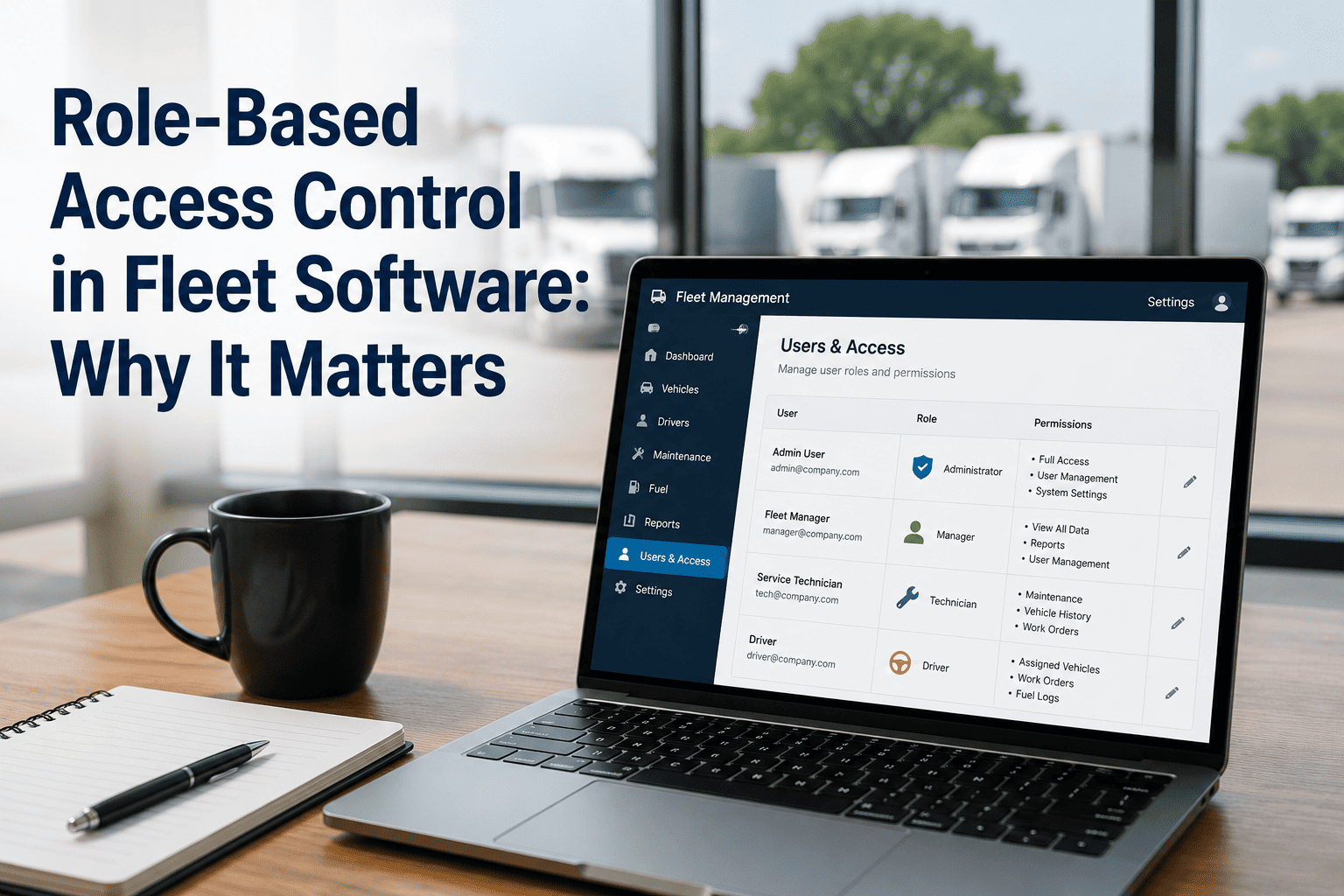
Fleet software manages sensitive operational data: vehicle locations, driver performance metrics, maintenance costs, safety records, and compliance documentation. Not every team member should have access to all of this information. A bus driver doesn't need to see maintenance costs or technician assignments. A dispatcher doesn't need to modify safety inspection criteria. A technician doesn't need to view driver performance scores. Yet without proper access controls, users can inadvertently (or intentionally) view, modify, or delete data they shouldn't. This is where role-based access control (RBAC) becomes essential. RBAC is a security framework that grants permissions based on job function rather than individual identity. By defining roles—Driver, Technician, Supervisor, Dispatcher, Manager, Administrator—and assigning specific permissions to each role, fleets can ensure data security, compliance with regulations, and operational efficiency. Fleet software with RBAC reduces insider threats by 64%, improves compliance audit readiness, and gives fleet managers confidence that sensitive information is protected while team members can still do their jobs effectively.
Role-Based Access Control in Fleet Software: Why It Matters
RBAC reduces insider threats 64%. Align permissions with job functions. Secure fleet data while enabling team workflows.
Role-Based Access Control is a security model that manages system access based on predefined roles within an organization. Instead of assigning individual permissions to each user—a practice that becomes chaotic as organizations grow—RBAC groups permissions into roles aligned with job functions. A user is assigned to a role, and they inherit all permissions associated with that role. When their job changes, you update their role assignment. This is scalable, auditable, and aligns access with business logic. RBAC operates on three core components: Users (drivers, technicians, dispatchers, supervisors, managers), Roles (predefined job function groups like "Technician" or "Supervisor"), and Permissions (specific actions like "view vehicle status" or "create work order"). The principle underlying effective RBAC is least privilege: give each user only the permissions necessary to perform their job responsibilities. A technician needs to accept and complete work orders, but they don't need to modify vehicle insurance policies or view driver employment records. A dispatcher needs to check vehicle maintenance status and understand PM holds, but they don't need to modify maintenance costs or delete inspection records. This segregation of duties reduces unauthorized access risk, improves compliance with data protection regulations like GDPR and HIPAA, and prevents accidental data manipulation. Modern fleet software with robust RBAC gives administrators granular control over what each role can see and do within the system.
The 2024 Expel Threat Report revealed a stark reality: identity threats—including compromised login credentials—account for 64% of all security incidents investigated by security operations centers. Furthermore, 48% of organizations report insider threats (both malicious and accidental) are on the upswing. These aren't just theoretical risks. A disgruntled technician with unrestricted database access could delete vehicle maintenance records. A dispatcher's credentials could be compromised by malware, allowing an attacker to view driver locations and real-time vehicle movements. A contractor with overly broad permissions might inadvertently access vehicle safety data they shouldn't possess. RBAC directly addresses these risks. By implementing least privilege access, fleets ensure that if a single user's credentials are compromised, the attacker can only access data relevant to that user's role. A driver credential breach doesn't expose maintenance financial data. A technician account takeover doesn't grant access to driver performance metrics or payroll information. Proper RBAC also creates audit trails: detailed logs of who accessed what data, when, and what actions they performed. These audit trails are crucial for incident investigation, regulatory compliance demonstrations, and pinpointing when unauthorized access occurred. Fleet software with built-in RBAC and comprehensive audit logging gives you the security controls necessary to protect sensitive operational data while maintaining the transparency required for compliance audits.
Deploying RBAC effectively requires systematic planning. Start by mapping your organization's structure: identify all job functions, from drivers through management, and document what data each role legitimately needs to access and what actions they need to perform. A technician needs to read vehicle service history and create maintenance records, but doesn't need to delete historical records or modify vehicle registration data. A supervisor needs to create and assign work orders but doesn't need to modify compliance policies. This mapping phase defines your role hierarchy. Next, define permissions for each role. Permissions should be specific: "can view work order details" is more precise than "has access to maintenance module." Specific permissions enable fine-grained control and easier auditing. For fleet software, typical permissions include: view vehicle status, create work order, modify work order, approve work order, view inspection history, create inspection, modify PM schedule, view compliance reports, generate reports, view driver data, view technician assignments, create user accounts, modify user roles, and view audit logs. Assign users to roles based on their job function. A new hire who's a bus driver gets assigned the "Driver" role, which automatically grants all driver permissions. When they're promoted to supervisor, you change their role assignment to "Supervisor," and they immediately gain supervisor-level permissions while losing driver-specific access. This role-based assignment is far more maintainable than individually assigning permissions to each of 500 users. Regularly audit your RBAC configuration. Users change jobs, contractors end their work, and roles may need adjustment as your fleet operation evolves. Quarterly reviews ensure that permissions remain aligned with actual job responsibilities. Flag users with excessive permissions or access to data outside their role. Most importantly, monitor RBAC in practice. Fleets that implement RBAC but don't monitor it are flying blind. Track who's logging in, when, what they're accessing, and whether their access patterns match their role expectations. Unexpected access patterns—a technician suddenly viewing driver performance data, or a dispatcher accessing maintenance cost reports—should trigger investigation. Fleet software with real-time RBAC monitoring and alerting gives you visibility into access anomalies before they become breaches.
Many transportation operators work under regulatory frameworks that explicitly require access controls and data security. The Federal Transit Administration (FTA) mandates security controls for transit agencies receiving federal funding. GDPR (General Data Protection Regulation) requires organizations to implement appropriate technical and organizational measures to protect personal data. HIPAA applies to health and human services fleets. State and local regulations may impose additional data protection requirements. RBAC directly supports compliance with these frameworks. When auditors ask "How do you ensure drivers don't access vehicle financial data?" your answer is "Through RBAC: drivers have a role with permissions limited to vehicle inspections and defect reporting. They cannot view maintenance costs, insurance data, or other sensitive information." When regulators ask for evidence of segregation of duties—a core compliance principle—you demonstrate that your RBAC implementation enforces these separations. A technician can't approve their own work orders; a supervisor must do that. A dispatcher can't modify safety policies; only administrators can. These enforced separations satisfy regulatory requirements and reduce audit risk. RBAC also enables faster incident response when breaches occur. If you discover that a user account was compromised, RBAC audit logs show exactly what data that account accessed. You can precisely determine the scope of the breach rather than assuming worst-case scenarios. This precision reduces both incident response costs and regulatory notification requirements. Some jurisdictions require breach notifications only if personal data was actually accessed; with RBAC audit logs, you can definitively answer that question. Additionally, RBAC supports compliance reporting. Many regulations require evidence that appropriate access controls are in place. Your RBAC documentation—the roles defined, permissions assigned, audit logs maintained—serves as direct evidence of compliance. Fleet software that generates RBAC compliance reports on demand saves significant audit preparation time. Rather than assembling evidence of access controls manually, the system generates comprehensive reports showing role definitions, permission assignments, audit trails, and anomaly detection results. This not only accelerates compliance processes but also demonstrates that your organization takes data protection seriously.
RBAC is not optional in modern fleet operations. Identity threats represent 64% of security incidents, insider threats are increasing, and regulations require demonstrated access controls. Fleets implementing RBAC reduce security risk, improve compliance readiness, and demonstrate professional data stewardship to customers, regulators, and employees. The cost of implementing RBAC is minimal; the cost of a data breach is catastrophic.
Role-based access control is the foundation of fleet software security. By aligning system permissions with job responsibilities, implementing least privilege access, maintaining comprehensive audit trails, and regularly reviewing access patterns, fleets create a secure environment where team members can collaborate effectively while sensitive data remains protected. RBAC isn't just about preventing malicious insiders—it also prevents accidental data errors when users modify information they shouldn't touch. It accelerates incident response when breaches occur. And it demonstrates to regulators that your organization has implemented appropriate security controls. Fleet software with built-in RBAC gives you these security capabilities without requiring separate specialized tools or complex infrastructure. The best RBAC systems are invisible to users: they enable access to information you need for your job while seamlessly preventing access to information you don't. That balance—security that enables rather than blocks—is what effective RBAC achieves.
"Before implementing RBAC in BusCMMS, we had concerns about a technician accidentally deleting maintenance records or viewing driver information they shouldn't see. After implementing role-based access control, our compliance officer said it was the single most important security improvement we could make. Our audit preparation time dropped by 60%. We now have detailed logs of exactly who accessed what data and when. It's given us confidence that our sensitive fleet information is properly protected while our teams can still do their jobs effectively."
— Compliance Director, Large School District Fleet (650 buses)