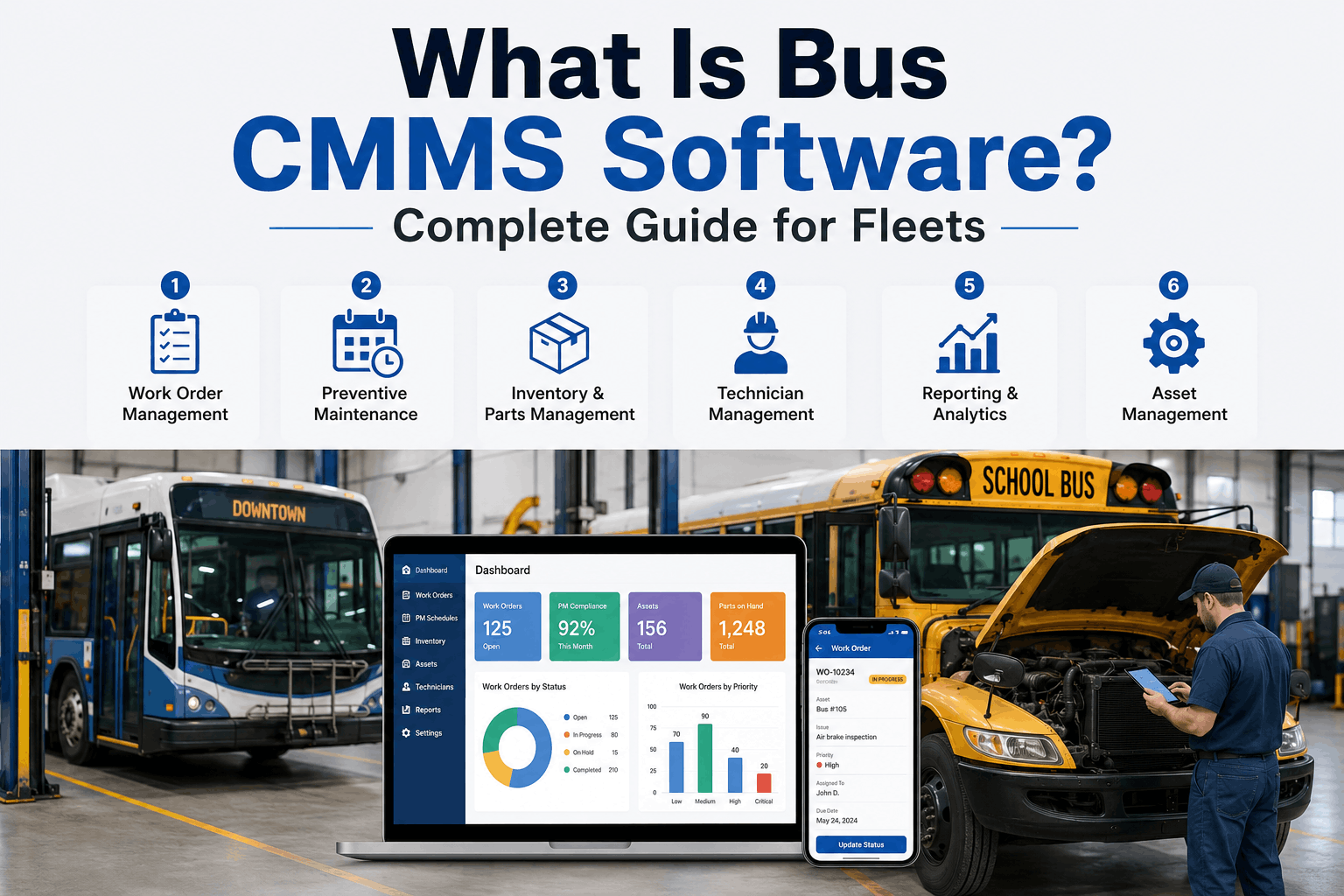
What Is Bus CMMS Software? Complete Guide for Fleets
Bus CMMS (Computerized Maintenance Management System) software is a purpose-built platform that helps fleet operators schedule, track, and optimize maintenance activities across their school and transit bus fleet. Unlike generic maintenance software, bus CMMS platforms are engineered for the unique demands of continuous-duty vehicles that log 40,000–60,000 miles annually, operate on tight schedules, and require compliance with strict safety regulations.
SOFTWARE & CMMS · GUIDE · 2026
What Is Bus CMMS Software? Complete Guide for Fleets
Learn the 6 core modules that cut maintenance costs, extend equipment life, and keep buses safe and roadworthy year-round.
Why Bus Fleets Need CMMS Software—Not Generic Maintenance Tools
School and transit fleets operate under strict regulatory requirements: commercial driver's license (CDL) endorsements, Federal Motor Carrier Safety Administration (FMCSA) compliance, Department of Transportation (DOT) safety inspections, and state emissions standards. A generic maintenance app designed for car shops won't handle these compliance requirements.
Bus CMMS software is built for fleet-scale operations: multiple buses, multiple technicians, predictable mileage-based maintenance intervals, integration with driver DVIR (Daily Vehicle Inspection Report) forms, parts inventory management, and labor cost tracking. The software bridges the gap between operations (dispatchers need buses ready), maintenance (technicians need schedules and parts), and compliance (auditors need proof of inspections and repairs).
Fleet-Specific CMMS Features
Mileage-Based PM Scheduling
Core Module
Automatically triggers preventive maintenance based on miles, not time. Example: Oil changes at 15K-mile intervals, transmission service at 100K miles, coolant flush at 200K miles. Bus CMMS knows exactly which buses are due for which services.
DVIR Integration
Core Module
Drivers submit daily vehicle inspection reports via mobile app. Software flags defects automatically (check engine light, air leaks, brake issues) and routes them to maintenance queues. Critical issues halt buses from leaving the lot until repaired.
Parts Inventory & Ordering
Core Module
Track critical spare parts (brake pads, coolant, filters, belts). Set reorder points. Vendor integration for automatic purchase orders. Prevents work stoppages caused by missing parts.
Labor & Cost Tracking
Core Module
Log technician hours by bus, by task, by repair type. Calculate cost per mile. Identify high-maintenance vehicles early. Benchmark labor costs against industry standards.
Generic Maintenance Software Gaps
No Fleet Compliance Context
Major Gap
Car shop software doesn't track FMV (Federal Motor Carrier Safety Administration) records, DOT safety inspection schedules, or CDL requirements. Audit trails are incomplete or missing.
Poor DVIR Integration
Major Gap
No native DVIR forms. Manual workarounds (emails, paper forms) delay defect reporting and create compliance gaps. Critical safety issues slip through.
Time-Based Maintenance Only
Major Gap
Generic software schedules maintenance by calendar date (e.g., "service in June"), not by miles. A bus that sits idle misses scheduled service while one that runs hard gets serviced late.
No Mobile Driver App
Major Gap
Drivers can't submit defects from the lot. Maintenance communication is delayed. Safety issues aren't escalated in real-time.
The 6 Core Modules of Bus CMMS Software
A complete bus CMMS platform includes six interconnected modules. Each solves a specific operational problem. Together, they create a closed-loop maintenance system that prevents breakdowns, extends vehicle life, and ensures compliance.
1. PM Scheduling & Alerts
Triggers preventive maintenance based on mileage, hours, or date thresholds. Creates work orders automatically. Prevents technicians from missing critical services. Example: "Bus #42 is at 14,950 miles—oil change due at 15,000."
2. DVIR & Driver App
Mobile app for drivers to submit daily vehicle inspections. Captures photos, notes, location, timestamp. Automatically routes defects to maintenance. Critical safety issues flag for immediate repair before bus leaves.
3. Work Order Management
Create, assign, schedule, and track maintenance work orders. Technicians access job details, parts lists, and procedures from mobile app. Real-time status updates. Automatic closeout with labor hours and cost data.
4. Parts Inventory
Central repository of spare parts, filters, fluids, belts, hoses. Auto-reorder alerts when stock hits minimum. Vendor integration for purchase orders. Tracks parts cost and usage trends by bus and repair type.
5. Reporting & Analytics
Dashboards showing fleet health, mean-time-between-failures (MTBF), cost per mile, technician productivity, parts usage. Identifies problem buses early. Benchmarks performance against fleet averages and industry standards.
6. Compliance & Audits
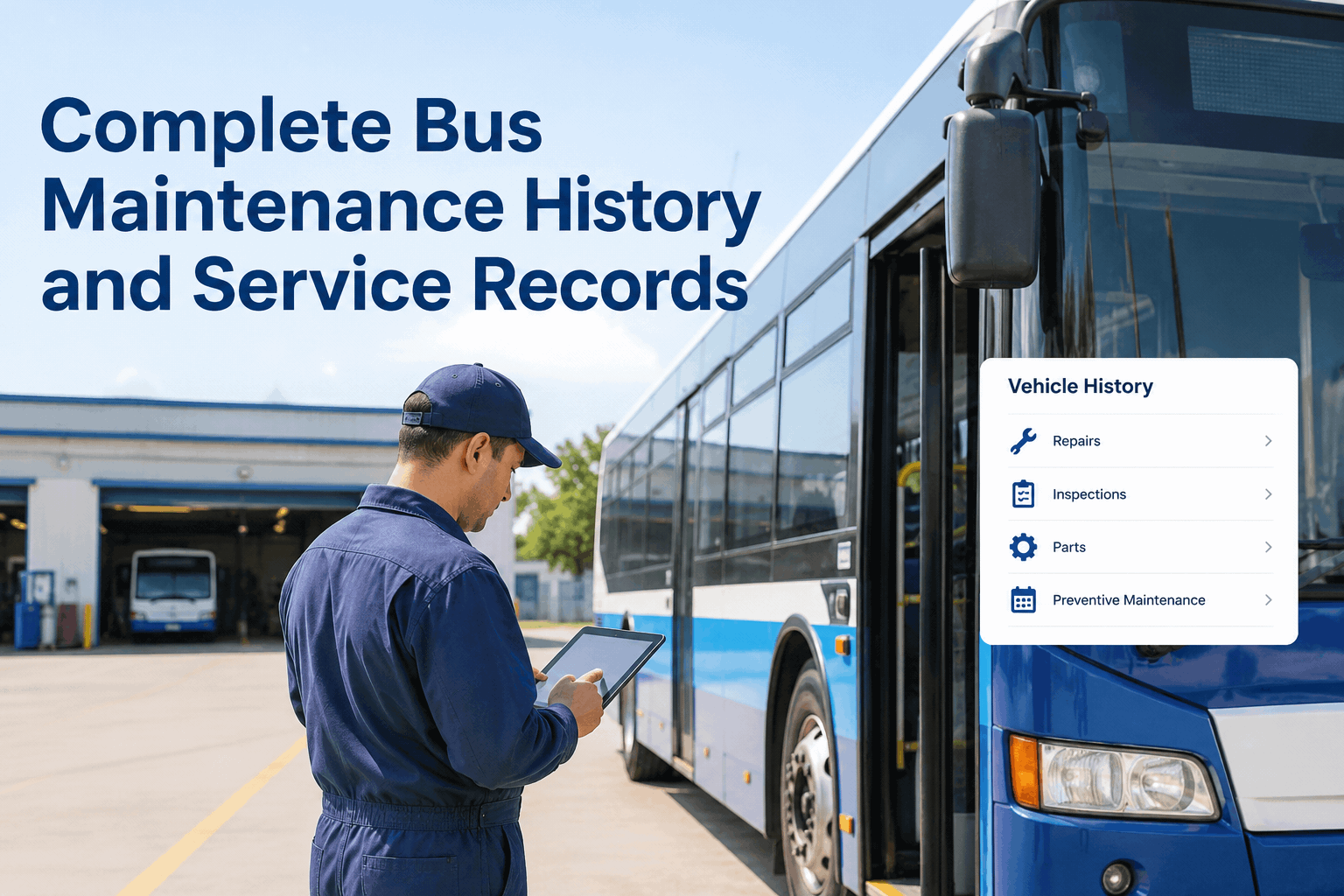
Automatic tracking of DOT safety inspections, FMV records, emissions compliance, driver CDL requirements. Generates audit reports for regulatory inspections. Maintains complete maintenance history for each bus.
How Bus CMMS Software Delivers ROI
The business case for CMMS is straightforward: prevent expensive repairs by completing maintenance on time. A 40-bus fleet running 50,000 miles annually generates significant maintenance costs. The software captures this value in three ways.
Preventing Breakdowns
Cost Avoidance
A missed oil change leads to engine sludge ($8K repair). A delayed transmission service leads to slipping ($6K overhaul). CMMS ensures PM happens on schedule. Average savings: $15K–25K per bus annually.
Extending Vehicle Life
Capital Deferral
Well-maintained buses stay roadworthy 500K+ miles. Poorly maintained buses fail at 300K. Each additional year of vehicle life defers $80K–120K replacement cost. CMMS extends fleet lifespan by 2–3 years on average.
Reducing Unplanned Downtime
Revenue Protection
A school bus out of service costs $300–500/day in charters and lost reliability reputation. Transit buses lose fare revenue. CMMS schedules maintenance during low-demand periods. Reduces downtime 30–50%.
"Before CMMS, we were reactive. Buses broke down, we fixed them. We had $140K in emergency repairs one year. After implementing CMMS, we moved to planned maintenance. Last year: $35K in repairs, zero roadside breakdowns. The software paid for itself in 4 months."
— Fleet Director, Midwest School District, 100+ buses
CMMS Software Implementation—Timeline & Adoption
Phase 1: Setup (Week 1–2) Import bus inventory, maintenance schedules, and technician rosters. Configure PM intervals based on your fleet's operational profile. Average implementation time: 30–40 hours for IT setup.
Phase 2: Driver Training (Week 3) Train drivers on DVIR mobile app. Establish daily inspection routine. Drivers submit defects digitally instead of paper. First 2 weeks have higher adoption friction.
Phase 3: Technician Onboarding (Week 4) Technicians access work orders via mobile app. Log hours, parts, and defect closeouts. Integration with your repair bay workflow.
Phase 4: Full Operation (Week 5+) System runs autonomously. PM schedules auto-generate work orders. Drivers submit DVIRs daily. Maintenance team completes work, system logs data, reports update automatically.
Typical adoption curve: 60% of users comfortable by week 3. 85% by week 6. Full ROI visible by month 4 (data sufficient for meaningful trend analysis).
CMMS Implementation Checklist
6-week timeline from kickoff to full operational automation and reporting.
WEEK 1–2
System setup, bus inventory, PM schedules, user accounts, integration testing
WEEK 3
Driver DVIR training, mobile app familiarization, first defect submissions
WEEK 4
Technician work order workflow, parts inventory, labor hour logging
WEEK 5–6
Full automation, PM scheduling runs live, first compliance reports generated
Bus CMMS Software Pricing & Vendor Comparison
CMMS pricing ranges from $100–500/bus/month depending on platform maturity, feature set, and vendor support level. Purpose-built bus platforms (like BusCMMS, Verizon Connect, Samsara) cost $150–400/bus/month. Generic fleet software (Fleetio, Fleet Complete) costs $80–250/bus/month but requires manual workarounds for bus-specific compliance.
Cost factors: Number of buses, technician seats, mobile users, integrations, reporting complexity, and support SLA. Most vendors offer annual pricing discounts (5–15% reduction for prepay) and offer free trials (14–30 days) to test-drive functionality.
Compare CMMS Platforms for Your Fleet
See detailed feature comparisons, pricing breakdowns, and implementation timelines for bus-specific CMMS platforms side-by-side.
No. CMMS scales from 5 buses to 500+. Small fleets (5–20 buses) see immediate ROI because reactive maintenance is expensive at any scale. One engine overhaul ($15K) costs as much as 1 year of CMMS for a 10-bus fleet. Smaller fleets benefit even more from preventing catastrophic failures.
Can I use CMMS with a manual maintenance shop?
Yes. CMMS works whether you maintain buses in-house or contract external shops. You enter labor hours and parts data manually if needed. However, automation requires integration—CMMS truly shines with in-house technicians using the mobile app. External shops can submit repair reports that feed into your CMMS database.
How long does it take to see ROI from CMMS?
Most fleets see measurable ROI in 3–6 months. One prevented engine failure (average $12K) covers 1–2 years of software costs. Fleets with high emergency repair rates see ROI in weeks. Fleets with good existing maintenance habits see ROI in 6–12 months through optimized scheduling and parts management.
Does CMMS replace technician expertise?
No. CMMS is a scheduling and tracking tool. It tells technicians when to perform maintenance but not how. Technicians still need certification and experience. CMMS prevents them from forgetting steps and losing critical information—it augments their expertise, not replaces it.
What if my fleet uses multiple vehicle types (buses + support vehicles)?
Most bus CMMS platforms support mixed fleets. You configure PM schedules separately for each vehicle type. A bus might have oil change at 15K miles; a support van at 5K miles. CMMS handles both without confusion.
Start Preventing Maintenance Crises with Bus CMMS
Move from reactive emergency repairs to planned, cost-effective maintenance that keeps buses roadworthy and your fleet budget predictable.