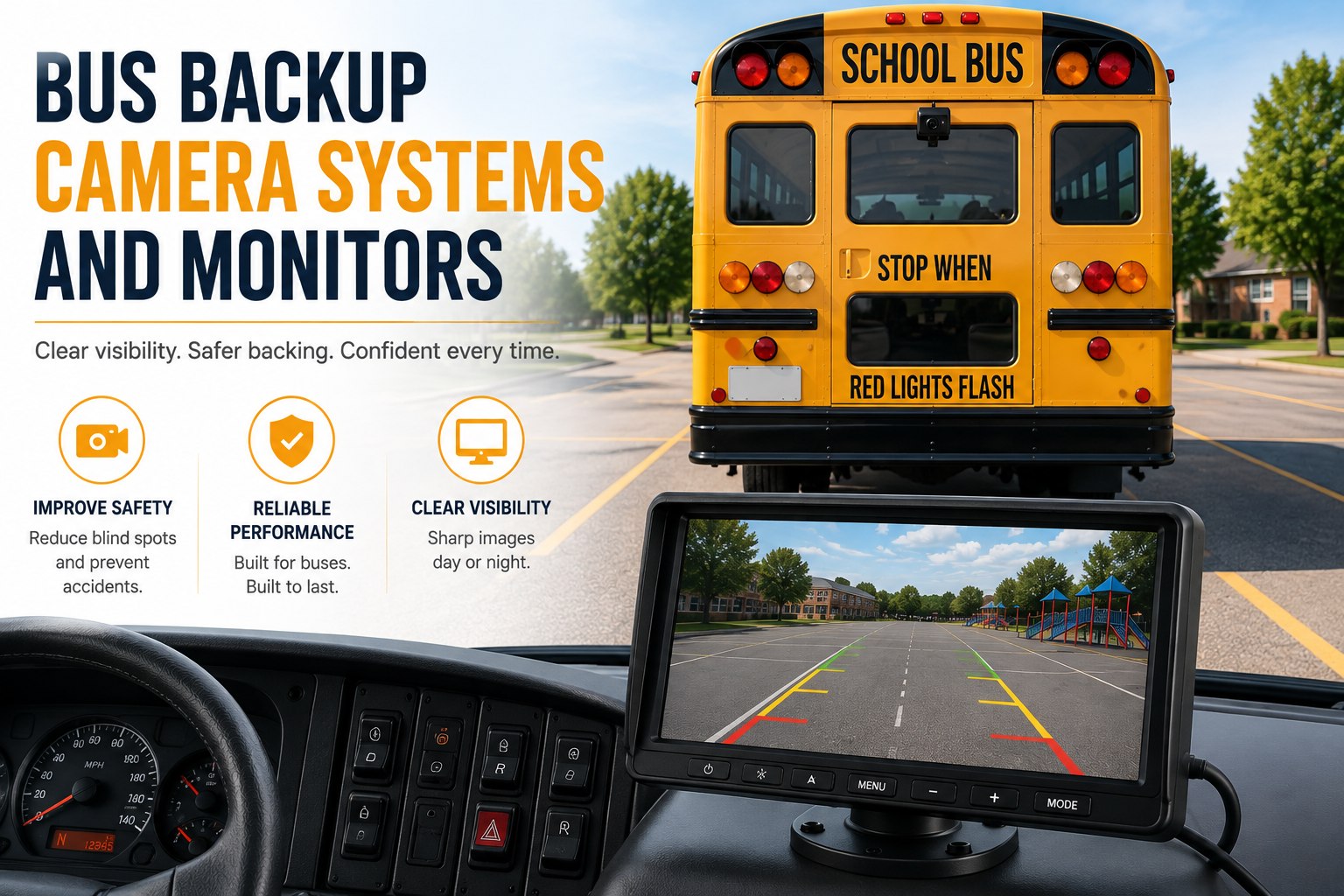
Ask five fleet managers whether FMVSS 111 requires a backup camera on their buses and you'll get five different answers — mostly wrong. The real line is 10,000 lb GVWR: under it, a rear camera is mandatory; over it, where most Type C and D buses live, it is a mirror requirement and the camera is entirely your call. This is the practical guide to specifying that camera correctly once you're making the call yourself. See backup camera events tied to work orders in BusCMMS → book a demo.
Bus Backup Camera Systems and Monitors
The regulation most people misquote, the activation and placement details that actually matter, and the depot-yard failure mode nobody specs for until it costs them.
"Federal law requires backup cameras on all school buses."
Mandatory only at or under 10,000 lb GVWR. Most Type C and D buses sit above that line and remain on the mirror-based visibility standard.
Where FMVSS 111 and FMVSS 108 Actually Apply
Two standards, two different jobs — worth keeping straight before a capital request.
FMVSS No. 111, Rear Visibility (49 CFR 571.111), was retitled from "Rearview Mirrors" to "Rear Visibility" and requires a rear-mounted camera on vehicles at or under 10,000 lb GVWR, effective 1 May 2018 (NHTSA, via School Transportation News, retrieved August 2026). That threshold catches some Type A-1 mini buses, but most Type C and D buses — the bulk of a typical fleet — stay on the mirror requirement instead. Separately, FMVSS No. 108 governs the bus's lighting systems, which is relevant here because auxiliary reverse lighting and how it interacts with a low-light camera feed both fall under that standard, not FMVSS 111.
The practical takeaway: on most of your fleet, a backup camera is a safety investment you're choosing to make, not a box a federal inspector checks. That's exactly why it's worth spec'ing carefully — nobody else is auditing the install quality for you. Walk through a properly spec'd system on a BusCMMS demo before signing with a vendor.
The Activation Chain: Gear to Glass
Three links. If any one is missing, the system doesn't do its job when it matters.
Reverse Gear Signal
Wired directly to the transmission's reverse signal — not a switch a driver has to remember to press.
Sub-Second Activation
The camera feed should appear on the monitor within roughly a second of the gear shift — any slower and the driver's already backing blind.
Clean Return to Standby
Feed clears automatically once the bus exits reverse, so the dash isn't cluttered with an idle screen mid-route.
A manual-toggle backup camera fails at link one — if the driver has to remember to turn it on, you've bought a screen, not a safety system. See the full activation chain demonstrated live → book a demo.
Monitor Placement: The Field-of-View Audit
A five-question walk-around any shop supervisor can run on one bus in ten minutes.
Placement matters as much as the camera hardware. A monitor mounted for convenience rather than sightline turns a safety upgrade into a distraction — the driver has to search for it instead of glancing at it the way they'd glance at an existing mirror. Run this audit on one bus before approving a fleet-wide install:
Near the rearview mirror position, not off to the side requiring a head turn.
Fixed brightness washes out in daylight glare or goes dark in a dim yard.
A screen the driver has to lean toward defeats the speed advantage of a quick glance.
The most commonly missed coverage gap — see section 05 below.
Not a vendor's daytime demo reel — your own yard, your own lighting.
Low-Light Performance: Where Daytime Demos Lie
Most backing happens in a depot at dawn or after dark — not on a sunny test lot.
Depot lighting is rarely even. Bright under one sodium lamp, nearly dark a few feet away — exactly the uneven condition that exposes a camera without real low-light sensitivity or dynamic range handling. A unit that looks sharp in a vendor's daytime parking lot demo can produce a washed-out, unusable feed at 5:45 AM in your own yard. Before a fleet-wide purchase, insist on footage shot in your actual conditions, not theirs.
The Coverage Gap: Straight-Back vs the Loading Door
A backup camera aimed for the easiest parking-lot angle misses the zone where students actually stand.
Here's the failure worth naming directly: installers working fast across a large fleet often mount the rear camera purely for the easiest straight-back parking angle, which sits directly behind the bus. The loading door is off to the side, outside that frame entirely. A stop-arm violation or a student safety concern at the door needs its own dedicated coverage — asking one rear-facing lens to also catch a side zone it was never aimed at is how that gap goes unnoticed for months.
Walk one bus yourself and check the actual recorded frame against both zones before signing off on a fleet-wide install. See a full coverage audit on a live demo →
Camera Alone vs Camera Plus Proximity Sensing
A screen shows distance. A sensor tells you distance. That difference matters most at a crowded depot.
Driver still has to judge distance visually from a screen — workable on an open road with rare, slow backing maneuvers.
Ultrasonic or radar alerts remove the visual guesswork entirely — the recommended combination for tight depot spacing with staff and other buses nearby.
A Scenario From a Real Bus Operation
The same 38 buses, before and after AI defect detection ran ahead of the manual review.
A district running 38 buses had backup cameras fleet-wide, but reviews only happened reactively — after an incident was reported. A camera with a slowly failing connector or a cracking lens housing could go unnoticed for weeks under that model. After moving camera health checks into an AI-driven defect pass that ran automatically ahead of any human review, the platform surfaced which specific bus had the worst pattern of intermittent camera dropouts and which route showed the most near-miss proximity alerts at the depot — before a shop supervisor ever opened a report. That's the shift that matters: catching the riskiest bus and route first, instead of waiting for a complaint to point at them.
We had backup cameras for years and never once tested them in our own yard at dusk. Took a close call backing between two buses with a washed-out feed to realize the hardware was fine — nobody had asked the right question before buying it. Every camera purchase now starts with footage from our actual lot, our actual time of day. That one change caught more than any spec sheet number would have.
Not sure your current cameras cover the loading door zone? That's worth checking before your next audit. Sign up free and run a camera coverage check →
Quick Spec Reference
Scannable on a phone during a vendor call.
| Spec | What to actually check |
|---|---|
| Regulation status | Mandatory under 10,000 lb GVWR (FMVSS 111); voluntary for most Type C/D buses |
| Activation | Automatic on reverse gear signal, sub-second delay, not a manual switch |
| Monitor placement | Within the driver's mirror-check sightline, auto-brightness |
| Low-light rating | Tested in your own yard's dawn/dusk conditions, not a vendor demo |
| Proximity sensing | Recommended add-on for tight depot backing maneuvers |
| Loading door coverage | Confirmed separately — a rear camera alone rarely reaches this zone |
Frequently Asked Questions
Does FMVSS 111 require backup cameras on all school buses?
No. FMVSS No. 111, Rear Visibility (49 CFR 571.111), requires a rear-mounted camera only on vehicles at or under 10,000 lb GVWR, effective 1 May 2018. That threshold captures some Type A-1 mini buses, but most Type C and D buses stay under the mirror-based visibility requirement instead of a mandated camera.
How should a backup camera monitor be triggered and placed?
The monitor should activate automatically when the bus shifts into reverse, wired to the reverse gear signal directly rather than a manual switch. It should be positioned within the driver's existing mirror-check sightline so glancing at it is quick, not a search across the dash or a full head turn.
Why does low-light performance matter more for backup cameras than road-facing ones?
Most backing maneuvers happen in a depot yard at dawn or after dark, where lighting is often uneven. A camera that looks sharp in a daytime demo can produce a washed-out or unusable feed under real yard lighting conditions, which is exactly when a clear feed matters most.
Do backup cameras replace the need for proximity sensors at a depot?
Not entirely. A camera still requires the driver to judge distance visually from a screen. Proximity sensors add audible distance alerts that remove that guesswork, which matters more in a tight depot with buses and staff nearby than on an open road with rare, slower backing maneuvers.
How does BusCMMS use backup camera data differently from a standalone system?
BusCMMS runs AI defect and event detection first, surfacing the riskiest bus and route based on patterns like intermittent camera dropouts or frequent proximity alerts, before anyone manually opens a report. Any camera-flagged mechanical issue routes directly into the same maintenance work order system rather than a separate camera portal.







