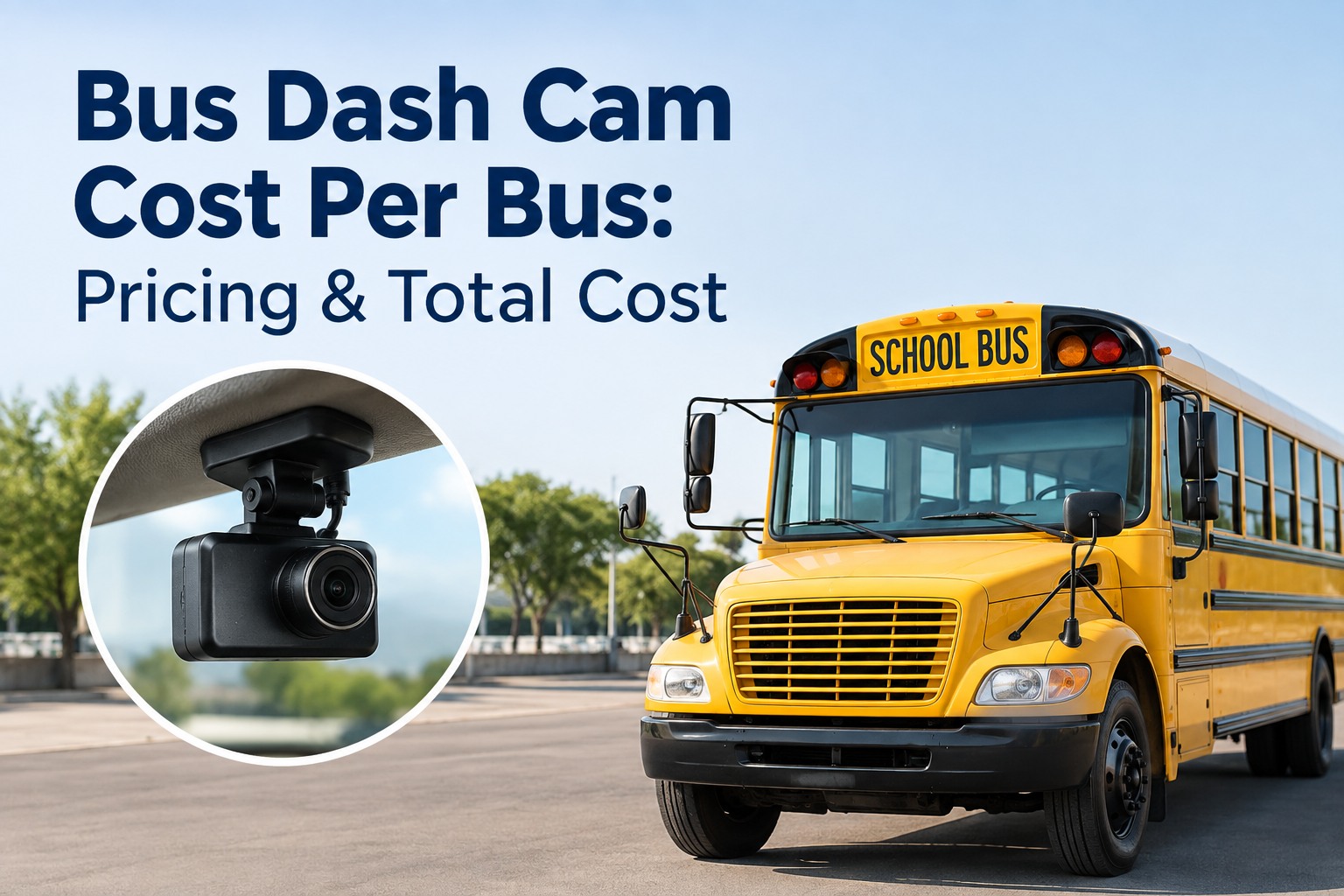
A bus dash cam typically costs far more than the camera on the windshield: once you add installation, cellular data, cloud storage, software, and the staff time to review footage, realistic all-in figures land somewhere around $300 to $1,000+ per bus in the first year, then a recurring monthly cost after that. The camera hardware is often the smallest line on the invoice — the ongoing infrastructure and review time are what actually drive the total.
Bus Dash Cam Cost Per Bus: Pricing and Total Cost
The sticker price is the camera. The real price is everything behind it. Here is the honest per-bus cost — and where the money quietly goes.
Updated September 2026 · Figures are illustrative 2026 ranges, not quotes; prices vary by vendor, region, and configuration.Camera adoption on buses has jumped from roughly 15% of fleets in 2019 to around 68% in 2025, and with it a lot of budgets have been blown by teams who priced the hardware and forgot everything else. To budget honestly, you have to see the full cost stack — because the recurring pieces, not the camera, decide what a program really costs over three to five years.
The seven things in a per-bus cost
A bus dash cam is a system, not a device, and each layer carries cost. Price a quote against all seven and you will not be surprised later.
Camera hardware
The cameras themselves — forward, driver-facing, interior, stop-arm. A single unit runs $200-$450; a full multi-camera bus setup is more.
Installation
Wiring, mounting, and commissioning per bus — often a few hundred dollars, and a real line item whether turnkey or district-installed.
Connectivity
Cellular data to upload events and enable live view. Usually a recurring per-bus charge, sometimes bundled, sometimes separate.
Cloud storage
Where footage lives, priced by retention — 30, 60, or 120+ days. Longer retention and more cameras mean more cost.
Software & AI
The platform, alerts, and any AI event detection. Typically $30-$100 per bus per month; the tier drives the price.
Monitoring & review
Staff hours spent watching and pulling footage. Rarely on the quote — and often the single largest ongoing cost.
Maintenance & replacement
Camera failures, warranty gaps, and eventual replacement. A 3-year hardware warranty is a baseline worth insisting on.
Notice where the recurring cost sits: connectivity, storage, software, and review repeat every month, while hardware and install are mostly one-time. Over five years, the recurring stack dwarfs the upfront — which is why a low hardware price can hide an expensive program. Pilot on 10 buses and see the full cost picture
How cost scales: 10, 50, 100, 200 buses
Per-bus cost usually improves with fleet size — volume discounts on hardware and software — but total budget and review burden grow with every bus added. These illustrative ranges show the shape of it, not a quote.
The trap hides in that last column. As the per-bus price drops, the total review burden rises — a 200-bus fleet generates far more footage than any team can watch. That is exactly where the cost of a system without AI event detection stops being the subscription and becomes the payroll. Start free and see cost per bus for your fleet size
The hidden costs that wreck a budget
The gap between the quote and the real bill is almost always in these. Ask about every one before you sign.
Installation priced separately from hardware, per bus, and sometimes per camera.
Data plans billed monthly on top of the software fee, or throttled unless you upgrade.
Retention beyond the base tier — keeping footage 90 or 120 days costs more.
Out-of-warranty camera failures and the hardware refresh at end of life.
Multi-year terms and minimum bus counts that lock in spend regardless of use.
Per-clip video retrieval fees, extra user seats, or charges to export evidence.
None of these are unusual — they are standard, and a good vendor will answer all of them plainly. A quote that only shows hardware and a monthly fee is not a complete quote. Pilot on 10 buses with the hidden costs on the table
A realistic scenario: a 50-bus district
Numbers make it concrete. Take a district putting a dual-facing AI dash cam on 50 buses. These figures are illustrative — the point is the shape of the budget, and where the biggest number really is.
The lesson every experienced buyer learns: budget for the recurring stack and the review time, not just the install. A program that looks cheap on hardware can be the expensive one once a team is drowning in footage nobody has time to watch. Start free and model your own three-year cost
The buyer checklist: comparing vendor quotes
When two quotes look different, it is usually because they include different things. Run every quote through the same questions so you are comparing programs, not just prices.
- Is installation included, or priced per bus?
- Is cellular data in the fee or billed separately?
- What retention is included, and what does more cost?
- Are there per-clip retrieval or extra-seat charges?
- What is the contract term and minimum bus count?
- Does it flag events with AI, or must staff watch everything?
- How long does the hardware warranty run?
- Do camera events connect to maintenance work orders?
- Can it unify cameras from more than one vendor?
- What does the evidence export and review workflow look like?
The value column is where total cost of ownership is really decided. A quote that is a little more per month but flags events with AI and feeds your maintenance system can cost far less over three years than a cheaper one that buries your team in review. Pilot on 10 buses and run us through your checklist
How BusCMMS compares
Most camera pricing is framed as a per-camera subscription. BusCMMS is priced and built differently — as an AI-native fleet operations platform that works with the cameras you already have and cuts the biggest hidden cost.
The difference that moves total cost is the last three rows: AI that decides what to review, and events that flow into maintenance instead of a separate portal. That is how BusCMMS attacks the review-time cost that no camera quote ever shows you. Start free and connect your existing cameras
Are bus dash cams required?
A quick note before you budget: there is no single federal mandate requiring bus dash cameras nationwide. Cameras are largely an operational and safety decision, not a blanket legal requirement.
While no federal rule requires dash cameras across the board, fleet operators still need to consider applicable state requirements and district policy, which vary widely, and the maintenance and recordkeeping obligations under 49 CFR Part 396 that apply to the vehicles regardless. If you do run cameras, treating camera health as a maintenance item and keeping the records tidy supports those obligations. This page is a practical buyer's guide, not legal advice — confirm what applies to your operation.
So the budget question is not "what does compliance force me to buy" but "what program gives me the safety, evidence, and accountability I want at a cost I can defend." That is a total-cost decision, which is exactly what this guide is for. Pilot on 10 buses and build a defensible budget
Pilot BusCMMS on 10 buses
See your true cost per bus with AI event detection cutting the review time that no quote shows — and camera events flowing straight into maintenance work orders. BusCMMS works with the cameras you already run, so there is no rip-and-replace. Start with a 10-bus pilot and prove the cost and the value on your own fleet.
Works with your existing cameras · AI prioritizes what to review · Events become work orders
Frequently asked questions
How much does a bus dash cam cost per bus?
All-in, a bus dash cam commonly lands somewhere around $300 to $1,000 or more per bus in the first year once hardware, installation, connectivity, cloud storage, and software are included, followed by a recurring monthly cost after that. As illustrative 2026 ranges, camera hardware runs roughly $200-$450 per unit (more for a full multi-camera school-bus setup, often $500-$2,000 installed), and software subscriptions typically fall between $30 and $100 per bus per month depending on features and AI. These are ranges, not quotes — actual pricing varies by vendor, region, camera configuration, retention, and contract terms, so budget against the full cost stack rather than the hardware alone.
What is the biggest hidden cost of a bus camera program?
Usually the staff time to monitor and review footage — a cost that rarely appears on any quote. A fleet of cameras generates far more video than a team can realistically watch, and as fleet size grows the review burden grows with it, so the true cost drifts from the subscription toward payroll. Other common hidden costs include installation priced separately, cellular data billed on top of the software fee, storage beyond the base retention tier, out-of-warranty replacement, contract minimums, and per-clip retrieval or extra-seat charges. The single most effective way to control the review-time cost is AI event detection that surfaces the risky buses and events first, so people review what matters instead of scrubbing everything.
Does the cost per bus go down with a bigger fleet?
Generally yes for the per-bus rate, but not for the total or the review burden. Larger fleets usually unlock volume pricing on hardware and software, so a 200-bus fleet often pays less per bus than a 10-bus fleet. However, the total budget rises with every bus added, and the amount of footage — and therefore the review time — grows even faster. That is the trap in fleet-wide rollouts: the per-bus price looks better while the operational cost of reviewing all that video quietly becomes the largest expense. Modeling both the per-bus rate and the total review load for your specific fleet size gives a far more accurate budget than a per-bus number alone.
Are bus dash cameras required by law?
There is no single federal mandate requiring bus dash cameras nationwide, so for most fleets cameras are an operational and safety decision rather than a blanket legal requirement. That said, applicable state requirements and district policies vary and may apply to your operation, and the maintenance and recordkeeping obligations under 49 CFR Part 396 apply to the vehicles regardless of whether they carry cameras. If you do run cameras, treating camera health as a maintenance item and keeping records organized supports those obligations. Because requirements differ by state and district, confirm what applies to you; this is a practical buyer's guide and does not provide legal advice.
Do we have to replace our cameras to use BusCMMS?
No. BusCMMS is an AI-native bus fleet operations platform designed to work with the MDVR or AI camera systems you already run, without a rip-and-replace deployment. It connects camera events to bus asset records and maintenance work orders and uses AI event detection to prioritize the risky buses and routes so staff review what matters first, rather than watching everything. That directly targets the review-time cost that dominates most camera programs. Because you keep your existing hardware, the cost conversation shifts from buying new cameras to getting far more value and lower total cost from the footage you already capture — which is what a 10-bus pilot is designed to demonstrate.