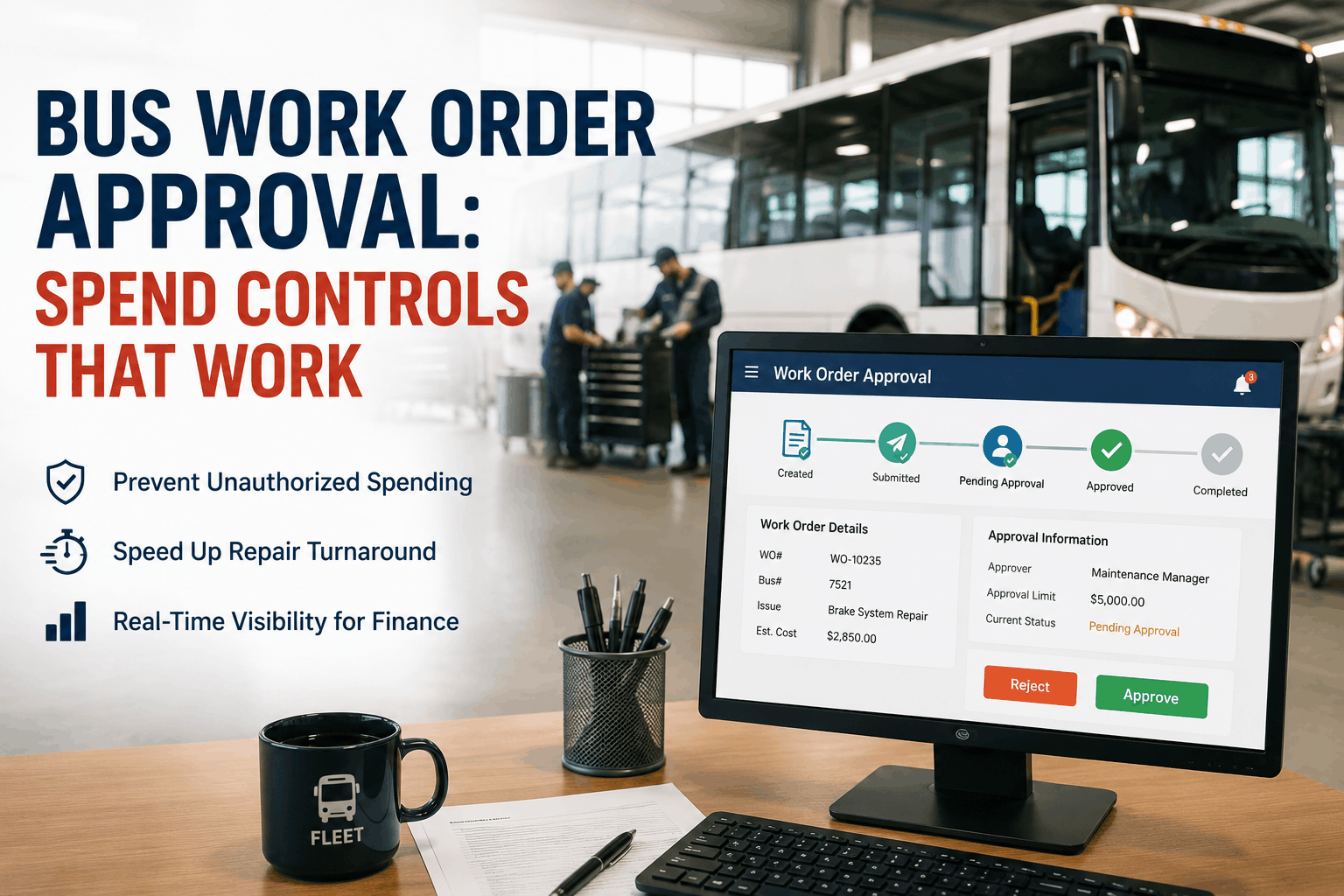
In March 2025, the transportation director for a 44-bus school district in Houston received her quarterly budget review from finance. Maintenance spend was $71,000 over budget. When she traced the overage, 80% of it came from one source: Bus 14. Her mechanics had spent $47,000 on Bus 14 over 18 months -- an aging bus with a fair market value of $28,000. No individual work order had been large enough to trigger a review. A $1,200 injector replacement. A $1,800 transmission service. A $2,600 turbo rebuild. Each one looked reasonable in isolation. None required authorization. Nobody connected the cumulative cost to the vehicle's value until finance asked the question three months too late. A work order approval workflow would have flagged Bus 14 for a repair-vs-replace conversation at month 9, when cumulative spend crossed $22,000 -- saving $25,000 in additional repairs on a bus that should have been replaced instead. This is the problem that spend controls solve: not individual unauthorized purchases, but the cumulative, invisible cost accumulation that happens when every repair decision is made in isolation without financial visibility. This guide explains how to design a work order approval workflow for your bus fleet that stops unauthorized spending, accelerates urgent repairs through fast-track protocols, and gives finance real-time budget visibility -- without adding friction that slows down the shop. BusCMMS approval workflow is configurable in one afternoon and activates spend controls across every work order from day one.
See BusCMMS work order approval workflow in a live demo -- book 20 minutes
Bus Fleet Work Order Approval: How to Design Spend Controls That Work Without Slowing Down the Shop
A 4-tier approval matrix, fast-track protocols for urgent repairs, real-time budget visibility for finance, and the configuration settings that make it all work automatically. Built for bus fleet managers who need control without bureaucracy.
Most bus fleet budget overruns are not caused by single large unauthorized purchases -- they are caused by systematic gaps in the approval architecture that allow small to medium-sized spending to accumulate without visibility. Understanding which failure mode your fleet is experiencing determines which approval workflow component to fix first. Schedule a demo to see how BusCMMS closes all three gaps simultaneously.
No Spend Thresholds: Every Repair Approved Implicitly
When there are no dollar thresholds requiring authorization, mechanics and supervisors make financial decisions they were not hired to make. A mechanic ordering a $1,800 part has no context for whether the bus receiving that part is worth $4,000 at current market or has already absorbed $14,000 in repairs this fiscal year. No threshold means no visibility and no decision point before spending occurs. Industry data shows fleets without spend thresholds run 18-24% over maintenance budget annually -- not from fraud or waste, but from information asymmetry between the shop and finance.
Cumulative Cost Blindness: Approving Each Repair in Isolation
The Bus 14 scenario from the lead -- $47,000 in repairs on a $28,000 bus -- is not unusual. It is the default outcome of approval workflows that evaluate each work order individually without context about the vehicle's cumulative spend history. A $1,200 injector repair is reasonable on a bus with $2,000 in prior-year costs. The same $1,200 repair on a bus with $19,000 in prior-year costs is a replacement trigger. BusCMMS surfaces vehicle cumulative cost data at the point of approval, not at month-end budget review -- so the repair-vs-replace decision happens before the invoice, not after.
Approval Workflow That Slows Urgent Repairs: Compliance Without Functionality
Many bus fleets that have attempted approval workflows abandoned them after the first school year because the process slowed down safety-critical repairs to the point of operational disruption. A brake system failure at 6 PM needs a repair authorization that can be granted in 15 minutes, not 24 hours. A transmission fault on a Monday morning cannot wait for a Tuesday approval meeting. An approval workflow that does not have an expedited path for Level 1 safety repairs creates compliance theater -- managers bypass the process for urgency, which defeats the entire purpose. BusCMMS approval workflow has a built-in 15-minute SMS fast-track for any work order flagged as safety-critical by the initiating mechanic.
A functional bus fleet approval workflow uses four spend tiers, each with defined dollar thresholds, defined approvers, defined turnaround time targets, and defined BusCMMS system behaviors. The tiers are calibrated to place decision-making authority at the lowest level that has adequate budget context -- mechanics handle routine supplies, supervisors handle non-routine repairs, fleet managers handle major repairs, and finance approves capital-level decisions. Sign up free to configure your fleet's specific dollar thresholds in BusCMMS today.
Dollar thresholds alone do not prevent the Bus 14 scenario. A $28,000 bus can absorb $47,000 in individually-approved repairs, each one below the Tier 3 threshold, without any single transaction triggering escalation. The second layer of spend control is the cumulative cost trigger -- a configurable threshold that automatically elevates any new work order to a higher approval tier when a vehicle's year-to-date repair cost exceeds a defined percentage of its fleet book value. This is the mechanism that converts individual repair approvals into repair-vs-replace decisions at the right moment.
Configure the Cumulative Cost Threshold
In BusCMMS, set a cumulative cost trigger for each vehicle or vehicle class. Common settings: any bus whose annual repair costs exceed 40% of fleet book value gets automatically elevated to Tier 3 approval for all subsequent work orders that year, regardless of individual work order size. A bus worth $25,000 hits this threshold at $10,000 annual spend. Every work order after that point is automatically reviewed by the transportation director with full cost history displayed before approval.
Repair-vs-Replace Flag at Approval Point
When any work order on a vehicle crosses the cumulative cost trigger, BusCMMS generates an automatic repair-vs-replace comparison at the approval interface. The approver sees: vehicle book value, total repair cost to date this year, projected annual repair cost if trend continues, and estimated replacement cost for a comparable bus. This is the conversation that prevented $25,000 in avoidable Bus 14 spending -- and BusCMMS puts it in front of the decision-maker at exactly the right moment rather than three months later in a budget review.
Month-to-Date and Year-to-Date Budget Tracking
Every approval action in BusCMMS updates the fleet's real-time spend dashboard visible to finance and fleet management simultaneously. Finance no longer receives a monthly surprise from maintenance -- they see approved spend, pending approval spend, and committed budget variance in real time throughout the month. The 18-24% budget variance typical of uncontrolled fleets drops to 4-6% average variance for fleets using BusCMMS approval workflow, because finance can intervene before overspend occurs rather than reviewing it after the fact.
Vendor Work Authorization Controls
For outsourced repairs (dealer service, specialty vendors, body shops), BusCMMS generates a Purchase Order number at the Tier 3 or Tier 4 approval stage. Vendors are required to reference the PO number on invoices. Any invoice received without a valid BusCMMS PO number is flagged automatically for finance review before payment. This closes the most common unauthorized spending loop: the verbal approval for vendor work that has no paper trail and arrives as an invoice surprise 30 days later.
The reason most bus fleet approval workflows fail is not poor design -- it is the absence of a legitimate fast-track pathway for urgent safety repairs. When the only options are "wait for approval" or "bypass the process," mechanics and supervisors will choose the bypass for any urgent situation. After enough bypasses, the entire approval system loses credibility and is abandoned. BusCMMS resolves this with two separate fast-track mechanisms that maintain accountability while delivering authorization within 15 minutes for genuine safety-critical situations. Book a demo to see the fast-track workflow in action.
When a mechanic flags a work order as "Safety-Critical" in BusCMMS, the system immediately bypasses the standard 2-4 hour queue and sends an SMS with a one-tap approve/deny link to the designated emergency approver (typically the transportation director or an on-call supervisor). The SMS includes a 2-sentence summary: vehicle, fault, and recommended repair. One tap to approve. The work order is authorized, the mechanic proceeds, and a full audit trail is created automatically. The emergency fast-track is not a bypass -- it is an accelerated approval pathway that maintains accountability at full speed.
For Tier 2 repairs flagged as "Operational Urgent" (bus needed for tomorrow morning's routes), BusCMMS sends an escalated push notification to the supervisor with a 2-hour response window. If the supervisor does not respond within the window, the work order automatically escalates to the fleet manager for approval. This two-step escalation ensures that time-sensitive repairs are never delayed because a single approver is unavailable -- the system finds the next available authorized approver automatically. Operationally urgent work orders that are not safety-critical still go through approval, but the turnaround window is compressed and escalation is automatic.
The final piece of a functional approval workflow is the reporting layer that makes spend visible to finance in real time rather than as a monthly budget surprise. BusCMMS generates three reports that give finance the visibility they need to manage maintenance budgets proactively rather than reactively. Sign up free to see all three in your BusCMMS finance dashboard from day one.
Pending Approval Spend Report
Every morning, finance receives an automated summary of all work orders pending approval: the number of pending items, total dollar value awaiting authorization, oldest pending item (flag for bottleneck), and any items approaching escalation threshold. Finance can see committed budget impact before approvals are granted, allowing proactive intervention on large pending items before they become approved spend.
Approved Spend vs Budget Variance Report
Weekly summary of approved maintenance spend versus budget, showing fleet-wide and per-vehicle variance. Includes trending: is spend tracking to overage or underage by month-end? Flags any vehicle whose cumulative spend has crossed 30%, 40%, or 50% of fleet book value. This is the replacement decision dashboard -- the vehicles above the line are your repair-vs-replace candidates before the next work order arrives.
Fleet Maintenance Budget Reconciliation
Complete month-end report suitable for finance and board presentation: total approved spend, total parts cost, total labor cost, total vendor spend, cost-per-bus comparison to prior period, variance from budget, and top 5 cost vehicles with cumulative history. Everything finance needs to approve next month's maintenance budget -- generated automatically from BusCMMS work order and approval data with no manual data assembly required.
"Before BusCMMS, every month was a surprise at budget review. Our mechanics were ordering parts and scheduling vendor visits without any authorization. We had $47,000 in work orders on Bus 14 over 18 months -- a bus worth $28,000. Nobody connected the dots. BusCMMS approval workflow shows me every pending repair before a dollar is spent. I see that Bus 14 already has $18,000 in repairs this year and make the replacement decision before the next invoice arrives. Our maintenance budget variance went from plus or minus 22% to plus or minus 4%. Finance stopped asking me to explain repair invoices and started asking me to present at board meetings instead."
General CMMS platforms like OxMaint manage work orders and PM schedules across multiple asset types. They provide work order tracking and status management. What they lack for bus fleet financial control is the bus-specific layer: cumulative vehicle cost history displayed at the point of approval, automatic repair-vs-replace flags when vehicle cost exceeds fleet book value thresholds, and the bus-specific escalation rules that connect individual work order approvals to fleet budget management. OxMaint can tell you a work order exists. BusCMMS tells you whether approving it is financially rational given the vehicle's full cost history -- and presents that decision to the right person with the right context at exactly the right time.
A bus fleet work order approval workflow that works has four elements: dollar thresholds that route each repair to the right decision-maker, cumulative cost triggers that convert individual repair approvals into repair-vs-replace decisions, fast-track protocols that keep urgent safety repairs moving at speed, and real-time finance visibility that eliminates monthly budget surprises. BusCMMS implements all four in one afternoon of configuration. The average bus fleet reduces maintenance budget variance from 18-24% to 4-6% within the first year of approval workflow activation. Sign up free, configure your first spend tier threshold today, and stop the next Bus 14 before the invoices arrive.
$47,000 on a $28,000 Bus.
Never Again With Approval Workflow.
4-tier spend matrix. Cumulative vehicle cost triggers. Repair-vs-replace flags at point of approval. 15-minute emergency fast-track. Real-time finance visibility. Daily, weekly, and monthly spend reports. Configurable in one afternoon. Built for USA bus fleets.







