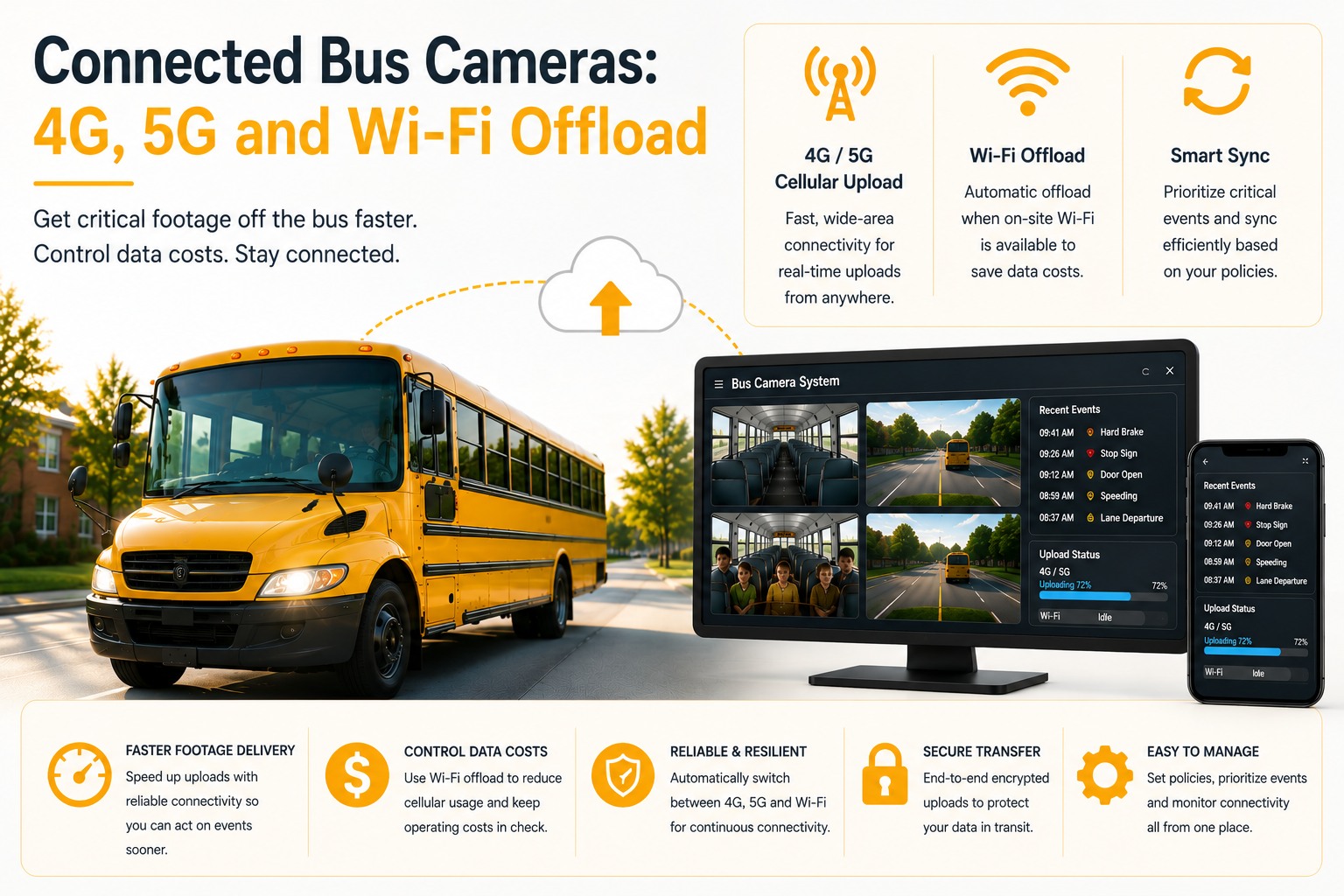
A connected bus camera isn't defined by having cellular hardware installed — it's defined by whether the data plan behind it can actually handle event uploads all month without a surprise overage bill. Cellular data budgeting per bus is the real decision here: how much data a bus consumes depends entirely on whether it's uploading event clips over 4G/5G or bulk-syncing overnight on depot Wi-Fi, and most fleets get this wrong by not separating the two. Talk to the team about a pilot on ten buses.
Connected Bus Cameras: 4G, 5G and Wi-Fi Offload
How to budget cellular data per bus, when to rely on overnight depot Wi-Fi instead, and designing a camera system that still works on a route with no signal at all.
Cellular Data Budgeting Per Bus: What Actually Consumes the Plan
Not all camera activity costs the same amount of cellular data — knowing which does changes the entire budget.
No single federal mandate governs connected camera or cellular data specifications on buses; the compliance bar here is 49 CFR 396 maintenance record requirements and district policy, which means cellular budgeting is purely an operational and financial decision for each fleet to make. The reality is that a handful of short event clips a day consumes a small, predictable amount of cellular data, while continuous live-view streaming or full continuous footage upload over cellular can consume the entire monthly plan in a fraction of the month. Budgeting per bus means deciding upfront which activities are allowed to run over cellular and which are deferred to Wi-Fi, rather than discovering the answer from an unexpectedly large data bill.
Depot Wi-Fi Bulk Offload: The Overnight Workhorse
The single most cost-effective way to move large volumes of footage without touching a cellular plan.
Once a bus returns to the depot at the end of a shift and connects to depot Wi-Fi, it can bulk-upload continuous footage, full-day event logs, and any camera diagnostic data without consuming a single byte of cellular data. This overnight window is where the bulk of a fleet's total footage volume should move, reserving cellular bandwidth specifically for the small number of things that genuinely need to travel in near real time — a critical safety alert, a stop-arm violation clip, or a live-view request during an active incident. Designing the system this way keeps cellular costs proportional to actual urgent events rather than total footage volume.
Live-View Bandwidth: The Feature Most Likely to Blow the Budget
Watching a bus in real time is the single most expensive thing a connected camera can do.
Live-view — the ability for a dispatcher or safety coordinator to watch a bus's camera feed in real time over cellular — is a genuinely useful feature during an active incident, but it is also by a wide margin the most cellular-data-intensive activity a connected camera system performs. Continuous video streaming consumes bandwidth at a completely different order of magnitude than periodic event-clip uploads. Fleets that enable live-view without restricting when and how it can be triggered often find it's the single largest driver of an unexpectedly high cellular bill, because it's easy for a feature that should be reserved for genuine emergencies to get used more casually than intended.
Coverage Gaps on Rural Routes: Designing for the Signal You Don't Have
A connected camera system has to work even where there's nothing to connect to.
Rural and long-haul routes routinely pass through stretches with no cellular coverage at all, sometimes for extended periods. A camera system designed with the assumption of constant connectivity fails exactly in these gaps — either dropping event alerts entirely or queuing so much data that the eventual reconnection creates its own bandwidth spike. The correct design assumption is the opposite: treat connectivity as intermittent by default, with the camera and its onboard storage doing the real work locally, and any cellular or Wi-Fi connection treated as an opportunistic upload window rather than a constant, reliable pipe the system depends on to function at all.
The Install Mistake That Undermines Every Connectivity Plan
A well-budgeted data plan doesn't matter if the camera isn't capturing the right zone in the first place.
Here's the objection worth naming directly: install positions get chosen for convenience — wherever a bracket fits easily — rather than for the field of view that actually matters, and the loading door zone is the most commonly missed coverage gap as a result. All the cellular budgeting and Wi-Fi offload planning in the world doesn't help if the camera's mounting angle simply doesn't include the zone where an incident happens. Connectivity design and physical coverage design are two separate problems, and solving one well doesn't compensate for getting the other wrong.
A Scenario From a Real Bus Operation
One connectivity redesign, a predictable bill instead of a monthly surprise.
A transit agency running 38 buses had enabled continuous cellular upload for all camera channels on every bus, assuming that was simply what "connected cameras" meant. The resulting monthly cellular bill was unpredictable and, on several months, dramatically higher than budgeted, driven largely by a handful of buses on routes with marginal signal that kept attempting to re-upload interrupted continuous streams. After restructuring the system to rely on event-clip cellular upload only, with all continuous footage and full diagnostic data deferred to overnight depot Wi-Fi, the monthly cellular cost became predictable and dropped substantially, while the buses on marginal-signal routes stopped generating retry-driven data spikes entirely.
Our first cellular bill after installing connected cameras was almost triple what the vendor had estimated. Turned out we had continuous streaming turned on by default on every bus, including three routes with terrible signal that just kept retrying all day. Once we switched to event-only over cellular and let everything else wait for the depot Wi-Fi overnight, the bill became something I could actually predict month to month.
Not sure whether your current setup is quietly running up cellular costs? That's worth checking before the next bill. Talk to the team about a connectivity review →
Quick Spec Reference
Scannable on a phone during a vendor call.
| Spec | What to actually check |
|---|---|
| Cellular data budget | Event-clip upload only by default, not continuous streaming |
| Depot Wi-Fi offload | Bulk footage and diagnostics sync overnight, zero cellular cost |
| Live-view restrictions | Reserved for genuine incidents, not open for casual use |
| Rural coverage design | System functions fully offline; connectivity treated as opportunistic |
| Mounting position | Confirm field of view includes the loading door zone, not just convenience |
| Regulation status | No federal mandate; governed by 49 CFR 396 records and district policy |
Frequently Asked Questions
How much cellular data does a connected bus camera actually use?
It depends entirely on what's configured to run over cellular. Event-clip uploads consume a small, predictable amount of data per day. Continuous footage streaming or live-view over cellular can consume an entire monthly data plan in a fraction of the time. Budgeting per bus means deciding upfront which activities run over cellular and which wait for Wi-Fi, rather than discovering the cost from a large bill.
Why is depot Wi-Fi offload important if a bus already has cellular connectivity?
Depot Wi-Fi allows bulk upload of continuous footage and diagnostic data at no cellular cost, since the bus is stationary and connected once it returns at the end of a shift. Reserving cellular bandwidth for time-sensitive items like event clips or emergency live-view, while deferring bulk data to overnight Wi-Fi, keeps cellular costs proportional to urgent activity rather than total footage volume.
Why does live-view feature use so much more data than event clips?
Live-view requires continuous real-time video streaming over cellular, which consumes bandwidth at a much higher rate than periodic short event-clip uploads. Without restrictions on when live-view can be triggered, it can become the single largest driver of unexpected cellular costs, since it's easy for a feature meant for emergencies to get used more casually than intended.
How should a connected camera system be designed for routes with poor cellular coverage?
The system should assume intermittent connectivity by default rather than depending on a constant connection. Onboard storage should handle the core recording function locally, with any cellular or Wi-Fi connection treated as an opportunistic upload window. This avoids dropped alerts in coverage gaps and prevents bandwidth spikes from large data queues suddenly uploading once signal returns.
Can poor camera mounting position undermine a well-planned connectivity budget?
Yes. Cellular and Wi-Fi budgeting only matters if the camera is actually capturing the zones that need coverage. Install positions chosen for mounting convenience rather than verified field of view commonly leave the loading door zone uncovered, which defeats the purpose of an otherwise well-designed connectivity plan.







