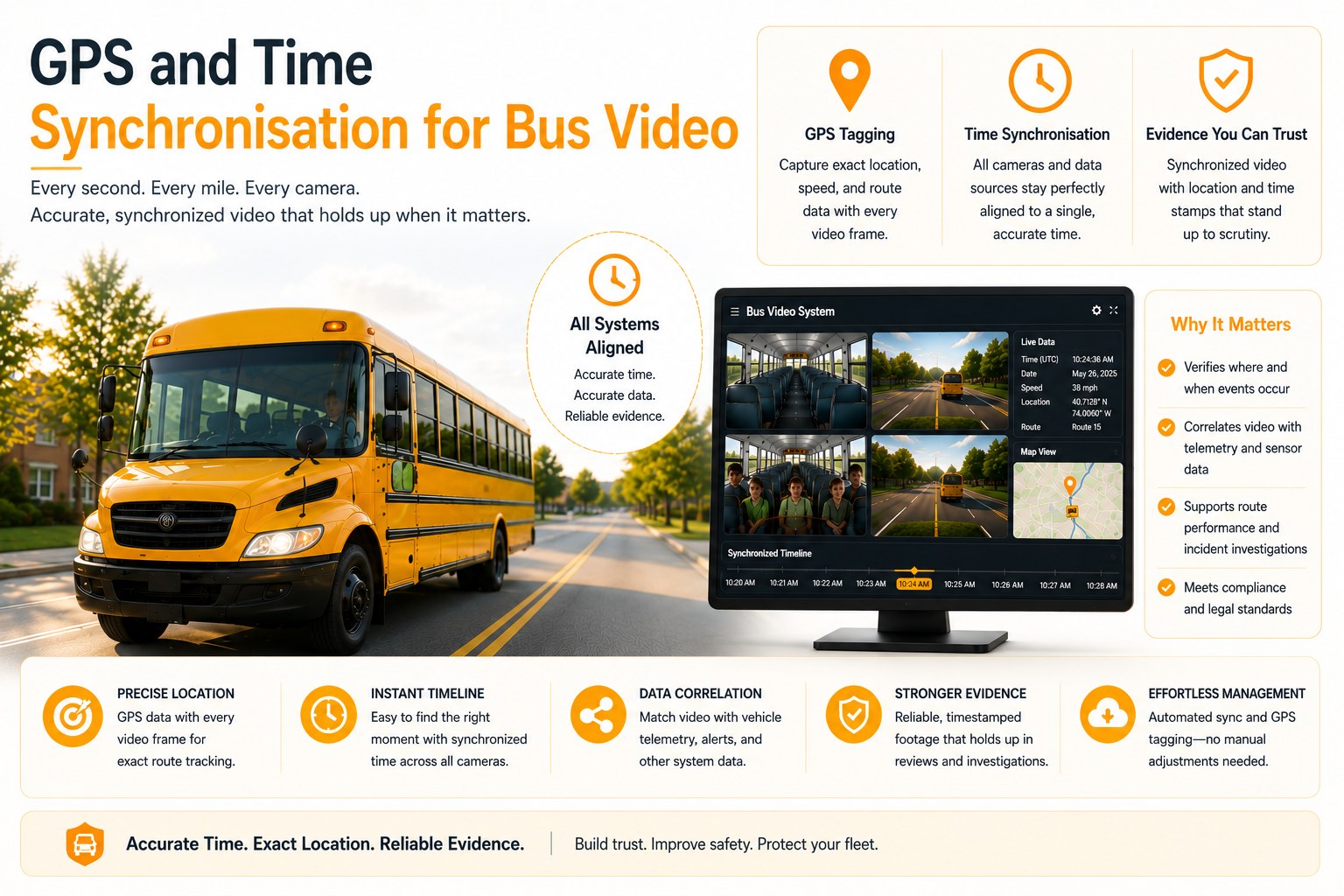
A perfectly clear video clip with a wrong timestamp or no GPS position attached is weak evidence — it shows something happened, but not reliably when or where, which is exactly what a stop-arm referral, an insurance claim, or a safety committee review needs to hold up. Dash cam GPS sync solves the "where," and time sync solves the "when" — two separate technical problems that both need to be right before a clip is actually useful. Connect your first bus and see synced clips in BusCMMS.
GPS and Time Synchronisation for Bus Video
Why a clip without accurate time and position is weak evidence, how NTP and GNSS sync actually work together, and reconciling clock drift across mixed camera vendors.
Why a Clip Without Accurate Time and Position Is Weak Evidence
Video alone answers "what happened." It doesn't answer "when" or "where" without metadata attached.
No single federal mandate governs GPS or time synchronisation specifications on bus cameras; the compliance bar here is 49 CFR 396 maintenance record requirements and district policy, which puts the responsibility for getting this right entirely on the fleet and its vendor choices. But the underlying safety motivation connects directly to 49 CFR 673.25, which requires large urbanized area transit providers and their safety committees to consider mitigations that reduce operator visibility impairments — and a committee reviewing footage as part of that process needs to trust the timestamp and location on the clip, not just the image itself.
A stop-arm violation referral to law enforcement, an insurance claim following a collision, or an internal safety review all depend on being able to say with confidence exactly when and where an event occurred. A clip with an inaccurate timestamp can place the same footage on the wrong day entirely, and a clip with no GPS data can't confirm which stop, intersection, or route segment is shown. Both gaps independently weaken the evidentiary value of otherwise perfectly clear video.
NTP and GNSS Sync: How Each One Actually Works
Different technologies solving different halves of the same problem.
GNSS (Global Navigation Satellite System, which includes GPS) provides position by triangulating signals from orbiting satellites, and most GNSS receivers also provide a highly accurate time signal as a byproduct of that same satellite triangulation. NTP (Network Time Protocol) is a separate mechanism that synchronises a device's internal clock against a trusted time server over a network connection, correcting for the natural drift that any onboard clock accumulates over weeks or months of operation. A well-designed camera system uses GNSS for position and as a primary time reference when satellite signal is available, with NTP sync over cellular or Wi-Fi as a secondary correction whenever the camera reconnects to a network — so the clock stays accurate even during stretches where GNSS signal is weak, like a covered depot bay or a route through a dense urban canyon.
Matching Video Timestamps to Route Logs
A camera's clock and a telematics system's clock need to agree, or the two records can't be cross-referenced.
Most fleets already run GPS-based route tracking separately from their camera system, and the value of both together depends entirely on whether their timestamps agree closely enough to cross-reference. If a camera's internal clock has drifted by even a minute or two relative to the route-tracking system, matching a specific video clip to the correct point on a route log becomes a manual, error-prone exercise instead of an automatic lookup. This is a real, common failure point specifically when the camera and the telematics unit are different products from different vendors, each maintaining its own independent clock without any shared reference point.
Reconciling Clock Drift Across Mixed Camera Vendors
A fleet with cameras from multiple manufacturers has multiple clocks to keep aligned.
Many fleets accumulate camera hardware from different vendors over successive purchase cycles rather than standardising on one system all at once. Each vendor's units may synchronise time slightly differently — different NTP servers, different sync intervals, different tolerance for drift before a correction is applied — which means two cameras on the same bus, or two buses on the same route, can genuinely disagree by a meaningful margin if nothing forces them onto a common reference. The practical fix is treating time synchronisation as a fleet-wide policy rather than a per-vendor default: standardising on a specific NTP source and sync frequency across every camera system, regardless of manufacturer, so that footage from any unit on any bus can be trusted to align with any other.
The Failure That Shows Up After the Cameras Are Installed
A camera can look perfectly healthy while its clock quietly drifts out of sync for months.
Here's the objection worth naming directly: cameras get installed and largely forgotten, with no routine check confirming the GNSS signal is still locking properly or the NTP sync is still succeeding on schedule. On a fleet without automated health monitoring, it's common to find a meaningful share of units with a degraded GNSS signal or a clock that has drifted well past NTP's correction tolerance, and this typically isn't discovered until a specific clip is needed and its timestamp or location turns out to be unreliable. A camera that's recording fine but tagging that footage with the wrong time or no position at all is arguably worse than a camera that's visibly failed, because nobody knows to distrust it until it's too late.
A Scenario From a Real Bus Operation
The clip that looked right and was wrong by exactly one day.
A transit agency running 42 buses received a complaint about a specific incident and pulled the corresponding video clip based on the reported date and approximate time. The footage showed a plausible-looking event, but a route-log cross-reference revealed the camera's internal clock had drifted nearly 26 hours out of sync after a firmware update reset its NTP configuration weeks earlier without anyone noticing. The clip everyone initially reviewed was actually from the previous day, not the day in question, and the agency had to identify the correct clip manually by working backward from GPS position data instead. Following that incident, the agency implemented a standing NTP sync verification check across the fleet, catching two additional units with smaller but still meaningful drift before either caused a similar problem.
We spent an entire afternoon convinced we had the right clip for an incident review, and it turned out the camera's clock had drifted a full day off after some update nobody flagged. Nothing about the footage looked wrong — it just was wrong. Now we check clock sync the same way we check anything else mechanical, on a schedule, not just when something goes badly enough to force the question.
Not sure your current cameras are still syncing time correctly? That's worth checking before a clip is actually needed. Talk to the team about a sync audit →
Quick Spec Reference
Scannable on a phone during a vendor call.
| Spec | What to actually check |
|---|---|
| GNSS accuracy | Position lock quality and time-to-fix, especially in dense urban routes |
| NTP sync | Regular scheduled correction against a trusted time server, not one-time setup |
| Cross-vendor alignment | Fleet-wide standard NTP source, not each vendor's independent default |
| Route-log matching | Confirm camera timestamps align closely enough to cross-reference telematics data |
| Drift monitoring | Automated alerts for clock drift, not a manual check after an incident |
| Regulation status | No federal mandate; governed by 49 CFR 396 records and district policy |
Frequently Asked Questions
Why is a video clip without accurate GPS and time data considered weak evidence?
A stop-arm referral, insurance claim, or safety review depends on confirming exactly when and where an event occurred. A clip with an inaccurate timestamp can appear to show the wrong day entirely, and a clip without GPS data can't confirm which stop, intersection, or route segment is shown. Both gaps independently weaken otherwise clear footage.
What's the difference between GNSS and NTP synchronisation?
GNSS (which includes GPS) provides position by triangulating satellite signals and typically provides an accurate time reference as a byproduct. NTP synchronises a device's internal clock against a trusted network time server, correcting drift that accumulates over weeks or months. A well-designed system uses both together, since GNSS signal can be weak in covered areas or urban canyons where NTP correction over cellular or Wi-Fi fills the gap.
Why do cameras from different vendors sometimes show conflicting timestamps?
Different camera vendors may use different NTP servers, sync intervals, and drift tolerances by default. Without a fleet-wide standard, two cameras on the same bus or on different buses can genuinely disagree on time by a meaningful margin. Standardising on one NTP source and sync frequency across all camera hardware, regardless of manufacturer, keeps footage comparable across the fleet.
How can a fleet detect a camera's clock has drifted before it causes a problem?
Without automated health monitoring, a drifted clock or degraded GNSS lock can go unnoticed for months, since the camera continues recording normally and the issue only surfaces when a specific clip's timestamp or location turns out to be unreliable. A standing, scheduled check on sync status catches drift before it affects an actual incident review.
Is GPS or time sync required by federal regulation for bus cameras?
No single federal mandate specifically requires GPS or time synchronisation on bus cameras. The compliance bar for bus records is set by 49 CFR 396 maintenance requirements and district policy. The underlying safety motivation connects to 49 CFR 673.25, which requires transit safety committees to consider visibility-impairment mitigations, though it doesn't mandate specific synchronisation technology.







