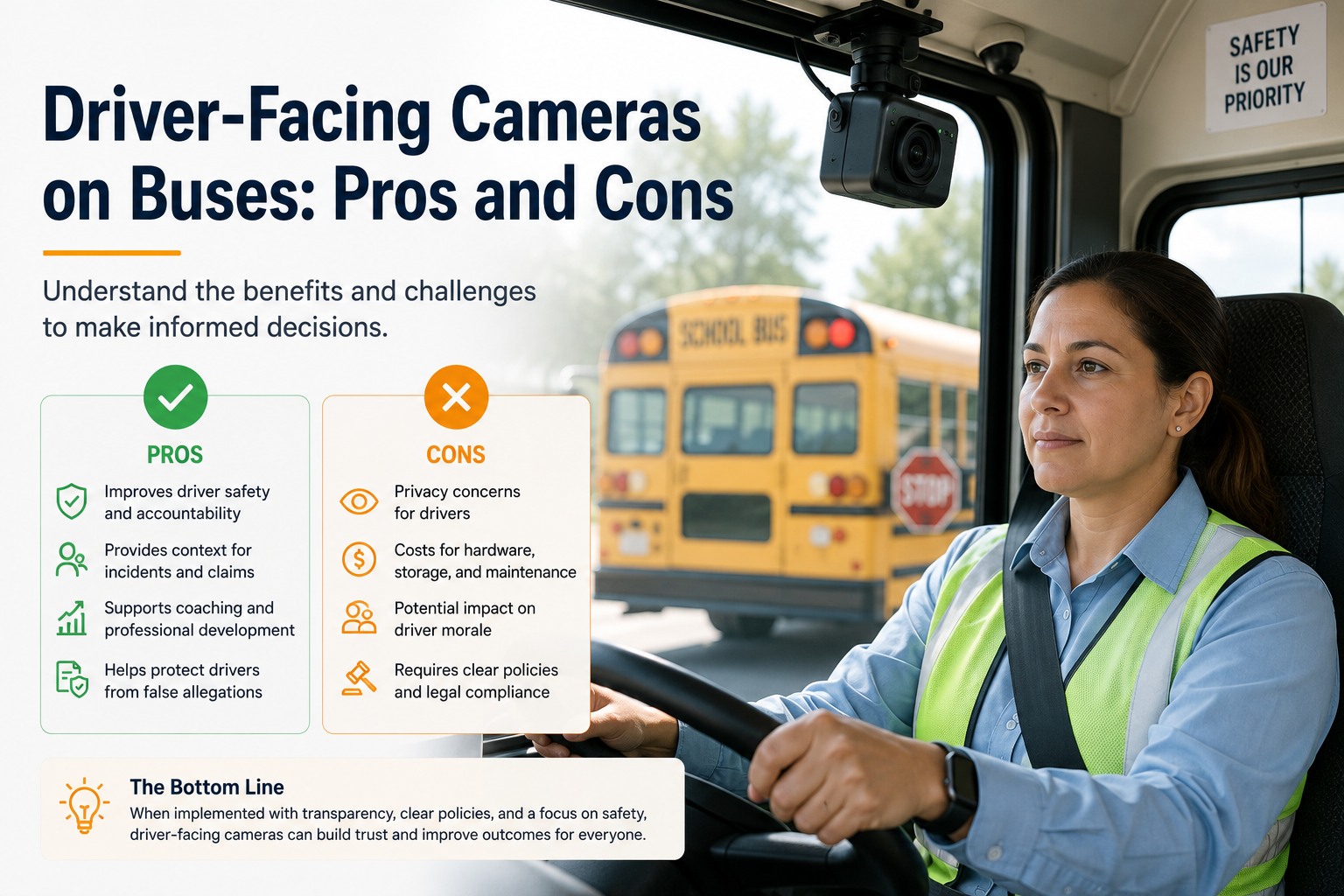
A driver-facing camera watches the one thing every other camera on the bus can't: the driver. That's the entire pitch and the entire controversy in one sentence — the same lens that catches a fatigue event before a swerve is the lens your most senior driver will ask you about at the next staff meeting. This is the honest pros-and-cons breakdown of driver-facing cameras on buses: what they actually detect, where the consent law gets specific, and the install failure that quietly defeats the whole point. See a driver-facing event become a closed work order in BusCMMS → book a demo.
Driver-Facing Cameras on Buses: Pros and Cons
What a cab-facing lens actually detects, the trust cost nobody budgets for and where districts have actually settled between always-on and event-only capture.
Fatigue & distraction caught early
Eyelid closure, phone use, and head-nodding patterns flagged before they become a road event.
Driver trust & grievance risk
Rolled out without a clear framing, it reads as surveillance aimed at the driver, not a safety tool.
Exoneration on disputed incidents
Direct visual confirmation of what the driver actually did, not just an inferred GPS reading.
Health monitoring gets skipped
A camera installed but never checked for failure is recording nothing exactly when it matters.
What a Cab-Facing Lens Actually Detects
Not general surveillance footage — a narrow, defined event set scored against a threshold.
A driver-facing camera on a bus isn't recording for the sake of recording. The value is entirely in a specific, narrow event set: fatigue indicators (eyelid closure duration, head-nodding patterns), distraction (phone use, extended eyes-off-road duration), and depending on the unit, seatbelt compliance and unauthorized cab behavior like smoking. Under 49 CFR 673.25, large urbanized area transit providers and their safety committees are required to consider mitigations that reduce operator visibility impairments — explicitly including retrofits to buses already in revenue service and specifications written into future procurements (eCFR, current as of July 2026). A driver-facing camera with fatigue and distraction detection is one of the concrete mitigations that requirement points toward.
Fatigue Indicators
Eyelid closure duration and head-nodding cadence, scored against a threshold — not a single flagged frame, a pattern over time.
Distraction Events
Extended eyes-off-road duration and handheld device use, cross-checked against speed and route position.
Seatbelt Compliance
Driver restraint status confirmed at the moment the bus is in motion, not just at pre-trip.
Cab Behavior
Smoking or other cab policy violations, where districts choose to configure detection for it.
A defined event set is what separates a safety tool from a surveillance system in practice, not just in marketing copy. See the exact event catalogue on a live BusCMMS demo →
The Pros and Cons, Side by Side
Neither list is theoretical — every item here is a real outcome districts have reported.
Pros
- Catches fatigue and distraction before an incident, not after
- Gives drivers direct exoneration on disputed claims
- Supports 49 CFR 673.25 visibility mitigation planning
- Coaching data replaces guesswork with a specific event and timestamp
- Compliance record builds itself from daily driving, no separate binder
Cons
- Rolled out poorly, it damages driver trust fast
- Union grievance risk if consent and use policy aren't clear upfront
- State two-party consent law can restrict onboard audio capture
- Cameras installed but never health-checked record nothing
- Ongoing review requires a named owner, or events pile up unactioned
Always-On vs Event-Only: Where Districts Have Actually Settled
The configuration decision that determines whether this becomes a trust problem or a safety win.
This is the decision that matters more than the hardware spec sheet. Always-on capture records continuously, which sounds thorough but means storing hours of a driver's normal shift for every minute that actually mattered — and it's the configuration most likely to read as surveillance to a driver who knows every second is being kept. Event-only capture records a short clip only when a threshold is crossed, plus a few seconds of buffer before and after. Most districts that have run this for more than a year have settled on event-only as the default, reserving continuous capture for a narrow list of exceptions like a documented post-incident review window.
Ask any vendor which model is the default before signing — that answer affects your bandwidth bill and your driver relations equally. See both capture modes explained on a BusCMMS walkthrough →
Consent, FERPA, and Retention: The Rules to Get Right Before Install
Name the actual rule, not a general privacy statement.
Onboard audio recording is governed by state wiretap and two-party consent statutes, and a meaningful number of states require all parties in a recorded conversation to consent — which directly affects whether interior audio can be captured at all, and how it must be disclosed if it is. This varies by state, so configuration has to happen per jurisdiction, not from a single national default a vendor ships out of the box. Because students are present on the bus, FERPA considerations also apply to how any identifiable student information captured on a driver-facing unit's wider field of view is stored, accessed, and shared. On top of both, your district's own video retention policy sets how long footage sits before it's purged, and that policy needs to line up with both the state consent law and FERPA rather than being set independently at whatever a vendor's default happens to be.
49 CFR 673.25
TRANSIT VISIBILITY MITIGATIONRequires safety committees to consider visibility-impairment mitigations, including driver-facing camera retrofits.
State Two-Party Consent
VARIES BY STATEA number of states require all-party consent for recorded conversations — no single national default is safe to assume.
FERPA Considerations
STUDENT RECORDSFootage capturing students can touch protected education records depending on what's shown and how it's used.
The Failure That Shows Up After the Camera's Already Paid For
The single most common way a driver-facing camera program quietly stops working.
Here's the objection worth naming directly instead of dodging it: cameras get installed fleet-wide, and nobody sets up health monitoring to confirm they're actually recording. Lenses fail, SD cards corrupt, power connections vibrate loose on a bus chassis — and on a large fleet, it's common to find roughly a third of units not actually capturing anything by the time someone checks, usually after an incident where the footage would have mattered most. The camera did its job for months. Nobody was watching whether it was still doing its job.
Install complete
Status: Camera installed, tested, recording confirmed on the bench.
No health check run
Status: Lens fogging, loose connector, or corrupted card — nobody's checked since install day.
Incident occurs
Status: Someone finally checks the unit — and finds it hasn't recorded usable footage in weeks.
No exoneration available
Status: The exact scenario the camera was bought for is the one it failed to capture.
A camera health check needs to be a routine, scheduled item — not something discovered by accident during an incident review. See how BusCMMS tracks camera health per bus → book a demo.
Quick Spec Reference: What to Ask Before You Sign
Scannable on a phone, worth having in the vendor call.
Detection Set
FATIGUE · DISTRACTION · SEATBELTConfirm exactly which events are detected, not just "AI-powered safety."
Capture Mode
EVENT-ONLY DEFAULT PREFERREDAsk whether always-on is the default and what it costs in storage and driver trust.
Audio Handling
STATE-CONFIGURABLEConfirm audio capture can be disabled or configured per your state's consent law.
Health Monitoring
AUTOMATED ALERTS REQUIREDAsk how the system tells you a unit has stopped recording, not whether you have to check manually.
A Scenario From a Real Bus Operation
Same technology, two very different rollouts.
A transit agency running 48 buses installed driver-facing cameras fleet-wide without a clear driver briefing beforehand. Within the first month, three grievances were filed over perceived surveillance, and adoption stalled — drivers covered lenses with gum wrappers rather than trust a system nobody explained. The agency paused, brought driver representatives into a second rollout conversation, switched the default to event-only capture, and named a specific supervisor as the sole reviewer of escalated events. Eight months later, fatigue-related coaching conversations were happening regularly, and the grievances had stopped — the technology hadn't changed, the framing and configuration had.
We installed cameras and told drivers almost nothing about how they'd be used. That was the mistake, not the camera. Once we switched to event-only recording and I became the one person who actually reviews flagged clips — not a committee, not "the office" — drivers stopped seeing it as a threat. I check the queue every morning. Most weeks it's quiet. When it's not, it's a real conversation, not a write-up out of nowhere.
Not sure a third of your fleet is even recording right now? That's the first thing worth checking. Sign up free and run a camera health check on your fleet →
Frequently Asked Questions
What does a driver-facing camera actually detect on a bus?
A driver-facing camera typically detects fatigue indicators (eyelid closure duration, head-nodding patterns), distraction (phone use, extended eyes-off-road time), seatbelt compliance, and sometimes unauthorized cab behavior like smoking. It's a narrow, defined event set scored against a threshold — not general surveillance footage reviewed after the fact. Under 49 CFR 673.25, this kind of camera is one of the concrete mitigations large urbanized transit providers are required to consider for reducing operator visibility impairments.
Is onboard audio recording legal with a driver-facing camera?
It depends on the state. State wiretap and two-party consent statutes govern onboard audio recording, and a number of states require all parties in a recorded conversation to consent — which affects whether and how interior audio can be captured and disclosed alongside driver-facing video. Configuration needs to be set per state rather than deployed with a single national default.
How do driver-facing cameras affect driver trust and union relations?
Poorly rolled out, driver-facing cameras generate real grievance risk and damage trust quickly, especially if drivers weren't briefed on what triggers a review or who sees the footage. Districts that involve driver representatives early, default to event-only capture rather than continuous recording, and name a specific reviewer for escalated events tend to see far less pushback than those that install cameras without a clear use policy.
What's the biggest failure mode with driver-facing camera programs?
Cameras installed but never health-monitored. It's common to find roughly a third of a fleet's units not actually recording usable footage by the time someone checks, often only after an incident where the footage would have mattered most — lens failures, corrupted storage, and loose connections go unnoticed without a routine, scheduled health check built into the maintenance process.
How does BusCMMS handle driver-facing camera compliance and events?
BusCMMS routes flagged driver-facing events into the same record as maintenance and driver files, so a fatigue or distraction pattern reaches a named reviewer automatically rather than sitting in a standalone camera portal. Camera health status is tracked per bus so recording gaps surface proactively instead of being discovered during an incident review, and compliance documentation generates as a by-product of that daily workflow — no separate binder, no month-end scramble to reconstruct records before an audit.







