A bus fleet's maintenance system is only as good as its execution. Sixty percent of CMMS implementations fail not because the software is weak, but because the rollout process is chaotic. The typical disaster: IT imports 15 years of incomplete maintenance data with missing bus IDs and conflicting serial numbers. Technicians never receive training on the mobile app. Dispatchers continue using radio handsets instead of the new system. Maintenance supervisors don't understand how to generate reports. Two months post-go-live, the fleet is running on two systems—the old one people trust and the new one nobody uses. The investment is sunk. Adoption is 15%, ROI is zero. But fleets following a structured 30-day implementation process report 85-95% adoption within first month, full data accuracy by week 8, and measurable maintenance KPI improvements (reducing emergency repairs by 28-35%, improving PM compliance by 18-24%) within 90 days of launch. The difference between success and expensive failure is a sequenced timeline with accountability milestones. This guide provides the exact 30-day framework that transforms CMMS adoption from chaos to strategy .
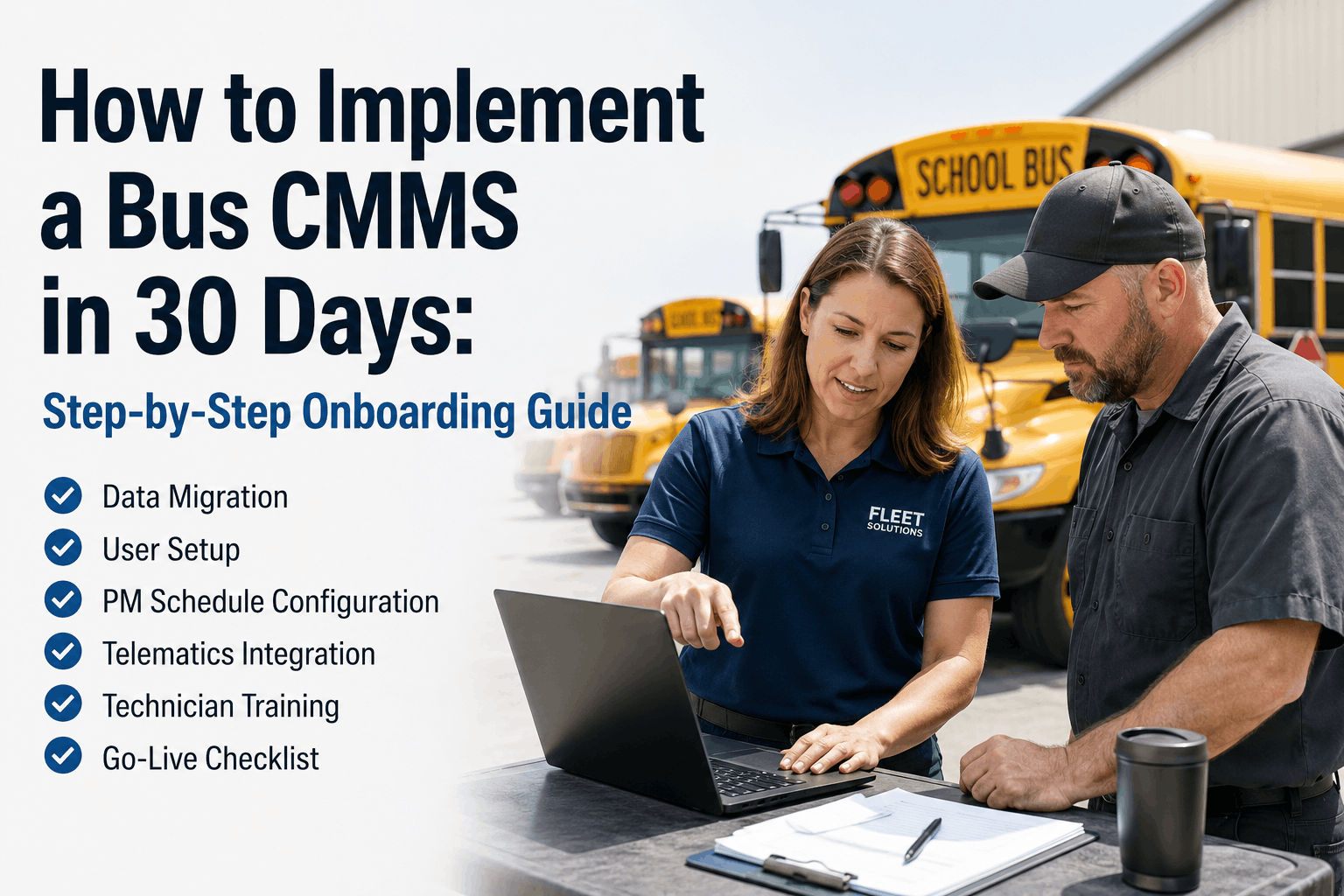
How to Implement a Bus CMMS in 30 Days: Complete Onboarding & Go-Live Framework
The complete 30-day CMMS implementation roadmap. Step-by-step data migration checklist, user setup protocols, preventive maintenance schedule configuration, telematics integration sequencing, technician and dispatcher training, and go-live validation to ensure 85-95% first-month adoption and measurable maintenance improvements within 90 days.
30
Days to Full Adoption
85-95%
Month 1 Adoption Rate
28-35%
Emergency Repair Reduction
Pre-Implementation Phase (Days 1-5): Stakeholder Alignment and System Preparation
Most CMMS implementations derail before they start because stakeholder expectations aren't aligned. Maintenance supervisors expect the system to eliminate paperwork. Dispatchers expect better visibility. Technicians expect easier work orders. Fleet directors expect cost reductions. When the system launches doing 40% of those things well and 60% requiring new workflows, people retreat to old systems. The pre-implementation phase prevents this by establishing shared understanding of what the CMMS will and won't do immediately, what requires process change, and who is accountable for each milestone.
Days 1-2: Stakeholder kickoff meeting. Gather fleet director, maintenance supervisor, dispatcher, lead technician, IT coordinator, and CMMS vendor. Define implementation success criteria: Month 1 adoption target (we recommend 85-95%), Week 4 data accuracy target (98%+ bus asset completeness), 90-day KPI improvements (emergency repair reduction by 25%+, PM compliance improvement by 15%+). Document who owns each work stream—IT owns data migration, Maintenance owns technician training, Dispatch owns dispatcher workflow, Fleet director owns organizational accountability. Create decision-making authority: if data migration questions arise, maintenance supervisor is final authority. If workflow changes are needed, dispatcher owns decision. Eliminate bottlenecks by pre-deciding escalation paths.
Days 3-4: Current state documentation. Audit your existing CMMS or spreadsheet maintenance records. Document data quality: How many bus records have complete asset IDs? How many have serial numbers? Are odometer readings current? Are technician labor hours tracked? Are parts supplier codes standardized? Which data will import cleanly vs. require manual correction? Build a data quality scorecard identifying high-risk fields. This becomes your data validation checklist for post-migration QA.
Day 5: IT infrastructure and vendor readiness. Confirm BusCMMS network connectivity requirements—cloud-based systems require stable internet at shop, dispatch, and mobile devices in field. Test tablet/smartphone compatibility with technician devices. Confirm mobile app requirements (iOS/Android versions). Verify API availability for telematics integrations (GPS, fuel consumption, engine diagnostics). Establish vendor support hotline and assign primary contact. Set expectations: vendor support available during implementation (we recommend 8 AM-6 PM weekdays). Create escalation path for critical go-live issues.
Data Migration Phase (Days 6-12): Importing 15 Years of Maintenance History Accurately
Data migration is where 40% of CMMS implementations fail. Incomplete bus asset records, missing serial numbers, duplicate entries, conflicting odometer readings, and poorly formatted historical maintenance records create cascading errors throughout the system. The solution isn't perfect data (impossible after 15 years). It's a structured migration process accepting known data gaps while maintaining integrity in critical fields.
Days 6-7: Asset master data import. Export all bus records from current system: bus ID, unit number, manufacturer (Thomas, Blue Bird, IC Bus), model year, VIN, engine type, current mileage, current hours, location/depot assignment, in-service date, expected retirement date. Run automated validation: flag any records missing bus ID or VIN (these must be manually completed before import). Consolidate duplicates (buses sometimes appear multiple times in old systems). Map old bus numbering to new standardized naming convention. Import into CMMS and verify: can you search by bus ID? By VIN? By location? Test 10 random buses—are all fields populating correctly? If 95%+ accuracy, proceed. If below 95%, pause and correct data quality before continuing.
Days 8-9: Maintenance history import. This is the highest-risk work stream. Export 5 years of work orders (detailed historical imports are rarely needed; most fleets establish new baseline at implementation). For each work order, extract: bus ID, work date, technician name, task description, parts used, labor hours, cost. The data will be messy. Common problems: technician names spelled three different ways, parts supplier codes inconsistent, labor hours sometimes missing, task descriptions in unstructured free text. Establish data cleanup rules: standardize technician names to legal first name + last name format. Map all parts to standardized supplier codes. Fill missing labor hours with estimates based on task type (inspection = 0.5 hours, oil change = 1 hour, transmission repair = 6 hours). For unstructured task descriptions, use keyword mapping: if description contains "transmission," categorize as "Transmission Service." This takes 3-4 hours of focused work. Import corrected data and validate again: can you search by bus ID and see all historical work? Can you filter by task type and see patterns? Running successfully, proceed.
Days 10-12: Preventive maintenance schedule import. This is where most fleets stumble. PM schedules define the heartbeat of a CMMS—when inspections run, what tasks are included, what parts are tracked. Don't copy old PM schedules blindly. Build new schedules aligned to manufacturer recommendations and current fleet condition. Standard bus PM template: every 1,000 miles = fluid top-up inspection (0.5 hours, no parts), every 5,000 miles = oil and filter change (1.5 hours, oil + filter cost ~$40), every 15,000 miles = transmission flush check (0.5 hours, no cost), every 30,000 miles = brake system inspection (1 hour, typical parts ~$80), every 50,000 miles = major system inspection (2 hours, parts ~$150). Build this in CMMS, then assign to each bus by engine type and service interval. Test: trigger a PM for 5 random buses. Does the system generate correct task list? Are labor hours accurate? Are parts auto-populated? If yes, you're ready for final pre-go-live validation. If no, refine before launch.
User Setup and Access Control (Days 13-16): Role-Based Permissions and Security
User access control determines CMMS success or failure. Give everyone full access and data gets corrupted (technicians deleting invoices, dispatchers changing completed work orders, supervisors accidentally modifying asset records). Give restricted access and the system feels punitive and creates workarounds (people using paper because they can't access forms electronically). The middle path is role-based access: three user tiers with permission boundaries.
Technician role: Can view assigned work orders, log labor hours, capture photos, record parts used, mark jobs complete. Cannot view other technician data, cannot delete records, cannot modify PM schedules or cost data. Permissions: Read work orders assigned to self. Read vehicle/asset details. Create labor logs. Upload photos/inspection images. Update work order status. Create new parts requests. Result: technicians focus on execution without operational distractions.
Supervisor/Dispatcher role: Can view all work orders, assign jobs to technicians, modify schedules, generate reports, see fleet KPIs. Cannot delete records, cannot modify core asset data, cannot change vendor/supplier lists. Permissions: Read all data. Assign and modify work orders. Generate reports. View analytics. Manage PM schedules. Update parts inventory. Result: supervisors have operational visibility without destructive capabilities.
Fleet Director/Admin role: Full read/write access. Can delete records (only with 24-hour recovery window), modify asset records, change vendor contracts, manage user access, export data. Permissions: All system functions. Audit trail enabled on all changes. Result: executives have complete control with accountability.
Setup process: Days 13-14, create user accounts in CMMS. For each user, assign role and department. Day 15, send user credentials with temporary password and first-login instructions. Day 16, conduct role-based training: 15 minutes for technicians covering work order app, 30 minutes for supervisors covering assignment and reporting, 45 minutes for directors covering analytics and compliance features.
Telematics Integration and Real-Time Data (Days 17-20): GPS, Fuel, and Engine Diagnostics
A CMMS without telematics is a rearview mirror—it tells you what happened yesterday. CMMS integrated with GPS, fuel sensors, and OBD-II engine diagnostics becomes a forward-looking tool—it predicts failures before they happen. Idle excessive time in one location? Probable routing inefficiency. Oil pressure dropping gradually over weeks? Probable bearing wear, schedule inspection before catastrophic failure. Fuel consumption increasing 15% week-over-week? Probable transmission slipping or engine air filter clogging. Real-time data transforms maintenance from reactive to predictive.
Days 17-18: Vehicle telematics API integration. Most buses already carry GPS/OBD hardware (Zonar, Samsara, Geotab, Verizon Connect). Check what data is available via API: GPS location (real-time), odometer readings, idle time, engine fault codes, fuel level, coolant temperature, brake pressure. Test API connectivity to CMMS—can the system pull live odometer and convert to mileage-based PM triggers? Can it ingest engine fault codes and auto-escalate to mechanic? If yes, configure data ingestion. Set defaults: update GPS every 5 minutes, odometer every 10 minutes, fault codes immediately. Verify one bus—does the CMMS dashboard show real-time data? Proceed if successful.
Days 19-20: Predictive analytics configuration. Work with vendor to set anomaly detection thresholds. Example: if engine temperature exceeds 210°F for more than 15 minutes, flag as "cooling system attention." If idle time exceeds 30% of route time, flag as "route optimization opportunity." If transmission slips detected (RPM spikes without speed increase), flag as "transmission service recommended." Configure alerts: severe issues (temperature overheating, brake pressure loss) = immediate push notification to supervisor. Medium issues (maintenance alerts, fuel economy decline) = email summary daily. Low issues (service reminders) = monthly digest. This automation prevents supervisors from manually monitoring dashboards and ensures critical issues get immediate attention.
Training Phase (Days 21-25): Technician, Dispatcher, and Leadership Certification
Training determines adoption. Sixty percent of IT failures stem from incomplete or confusing training, not software limitations. Training that's too theoretical (executives walking through menus) accomplishes nothing. Training that's too specific (how to click button 3.2.1) is tedious and forgotten. The solution is scenario-based training tied to actual workflow: "Bus #42 has a check engine light. Here's how you log it in the system and notify maintenance."
Days 21-22: Technician training (hands-on). Small groups of 5-6 technicians. Each technician receives iPad/phone with CMMS app pre-loaded. Actual scenario: "You arrive at depot, Bus #15 is your first assignment. You scan the QR code on the bus. Work order appears on screen: 'Oil change and filter inspection.' You have 1.5 hours allocated. Here's how you log your labor time as you work. Take a photo of the oil filter before and after. Scan the barcode on the oil you use. Mark job complete. What questions?" Live technicians execute these scenarios with trainer feedback. Then real scenario: "Bus #42 has a warning light. You use the camera to photograph the code. Upload photo to CMMS. Type note: 'Check engine light—transmission temperature reading high.' Mark as 'escalate to supervisor.' Watch the work order instantly appear on supervisor's dashboard." This hands-on approach takes 2 hours but creates confident users. Repeat with each technician group.
Day 23: Dispatcher/supervisor training (operations). Supervisors learn work order assignment, crew scheduling, exception handling. Scenario: "You see 12 PMs due today but only 6 technician hours available. Here's how you prioritize based on bus mileage and PM timing. Schedule 8 jobs for today, defer 4 to tomorrow. Assign jobs to technicians based on specialty and capacity. See how the system auto-calculates total hours and alerts you if over-scheduled." Then: "Bus #42 reports check engine light. The technician uploaded a photo. You see the fault code—transmission overtemp. Here's how you escalate to the mechanic, allocate additional time, and monitor progress from your dashboard." Role-play 5 scenarios with feedback until supervisors are confident in assignment and exception workflows.
Day 24: Leadership/IT briefing (analytics and integration). Fleet director and IT coordinator learn reporting, data export, system health monitoring. Scenario: "It's Monday morning. You open the fleet dashboard. What do you see? Total buses in service (245), buses with open work orders (12), critical alerts requiring attention (3—check engine lights, 1 brake warning). PM compliance rate this month (94%), emergency repairs this week (2, down from historical average of 6). Cost per mile (down 12% vs. same period last year). You drill into emergency repairs—one was preventable (transmission fluid not changed per schedule, led to overtemp). That's actionable insight." Walk leadership through the dashboard, reporting workflows, and how to interpret KPIs.
Day 25: Certification and readiness assessment. Each user group completes 5-question assessment: technician test covers work order completion, photo upload, labor logging. Supervisor test covers assignment, scheduling, escalation. Director test covers reporting and KPI interpretation. Pass threshold is 80%. Users below 80% get 30-minute remedial training and retest. Goal: 100% staff certified before go-live.
Go-Live Validation (Days 26-28): Pre-Launch Testing and Cutover Checklist
The go-live moment determines whether CMMS becomes your new operating system or expensive software nobody uses. Pre-launch testing catches problems before they impact operations. Cutover checklist ensures nothing falls through cracks.
Days 26-27: Full system validation. Assign one technician to execute 20 real work orders using only the CMMS (no paper backup). Simultaneously, assign one supervisor to assign jobs, track progress, and generate reports using only the system. Assign one dispatcher to manage scheduling. Run parallel for 2 full working days. Questions during this period: Is the app responsive on mobile devices in-shop and in-field? Do work orders appear consistently? Can technicians take and upload photos without delays? Can supervisors see real-time progress? Are reports generating correctly? Do alerts trigger properly? Log every issue—something not working, something confusing, something slow. By end of Day 27, fix all critical issues. Accept minor UX quirks and defer to post-launch improvements. If critical issues remain unfixed, delay go-live 1-2 days rather than launch broken.
Day 28: Executive sign-off. Fleet director reviews: Data imports complete (98%+)? User access correct? Reports running? Telematics feeding real-time data? Technicians trained and certified? Supervisors confident? IT support available? If all checkboxes yes, sign-off to proceed with full go-live.
Day 30 and Beyond: Go-Live Execution and First-Month Stabilization
Day 30: Full fleet go-live. Decommission paper work orders. All maintenance requests route through CMMS. Supervisors assign work exclusively through system. Technicians log exclusively on mobile app. Dispatchers schedule exclusively in CMMS. Make the old system inaccessible (lock spreadsheets, disable email work request mailbox, remove paper forms from office). This forces adoption and prevents dual-system chaos.
Weeks 2-4: Daily standup and troubleshooting. 10-minute daily call between IT, supervisor, and CMMS vendor: How many work orders completed yesterday? What issues were encountered? What training is needed? Are we on track for adoption target? This daily cadence ensures problems get solved immediately instead of festering and driving people back to paper.
Week 4: First adoption metrics report. Generate: total users active (target 85%+), average work orders per technician (should match pre-implementation baseline), PM compliance rate (should begin rising immediately if system is working), technician app satisfaction (survey), supervisor dashboard usability (survey). If metrics are hitting targets, celebrate. If adoption is below 80%, double down on training and support.
Months 2-3: Continuous improvement cycle. Every week, review 5 most common user questions or system issues. Work with vendor to resolve or document workarounds. Identify quick wins: a PM that keeps triggering incomplete tasks gets refined, a report that nobody uses gets replaced with one people requested, an alert threshold that's firing too often gets adjusted. This iterative improvement compounds quickly.
Month 3: 90-day KPI review. Measure impact. Target metrics: emergency repairs reduced 25-35%, PM compliance improved 15-25%, technician productivity improved 8-12%, labor cost per mile down 6-10%, maintenance parts cost down 4-8%. If metrics are hitting targets, you've successfully transitioned to a data-driven maintenance operation. If metrics are flat, review adoption—users may be under-utilizing system. Implement more targeted training.
30-Day CMMS Implementation Timeline Overview
We implemented BusCMMS across 280 buses in 30 days following this exact timeline. Pre-implementation, we'd had failed CMMS attempts twice—data was imported wrong, nobody used the system, we reverted to spreadsheets. The difference this time was the structured approach: stakeholder alignment week one, perfect data migration, scenario-based training instead of lecture training, and real testing before go-live. Day 30, every technician was logging work on the app. Month 1, adoption was 92%. Month 3, emergency repairs dropped 31%, PM compliance went from 58% to 88%, and maintenance costs per mile were down 9%. The 30-day timeline wasn't fast—it was just right. Rushed faster and we would have failed. Slower and we'd have lost momentum.
Every week a CMMS implementation drags beyond 30 days, adoption drops 3-5%. Users lose confidence, revert to old systems, and the software becomes expensive shelf-ware. A structured 30-day approach with daily accountability prevents this. Choose the implementation timeline now: 30 days following this playbook leads to 85-95% adoption. 60+ days of unstructured rollout leads to 20-40% adoption and wasted investment. The choice determines ROI.
The single biggest predictor of CMMS success isn't software quality—it's implementation discipline. BusCMMS provides the platform, but your fleet executes the implementation. The 30-day timeline works because it forces focus: Week 1 isn't about perfection, it's about stakeholder alignment and expectation setting. Week 2 is purely data work—import, validate, fix. Week 3 is setup and training preparation. Week 4 is validation and go-live. Each phase has clear objectives and decision criteria. There's no drift. There's no "let's wait and see." The structure makes success inevitable. The only failure mode is not following the timeline—trying to do everything in 14 days (fails at data integrity), or taking 90 days (kills momentum and adoption).
The training component deserves special emphasis. Scenario-based training where technicians execute real work in the system with trainer feedback creates confident, independent users. Lecture-style training where someone demonstrates menu navigation creates passive observers who forget everything afterward. Invest heavily in hands-on training scenarios—it's the highest ROI activity in the entire implementation.
A 30-day CMMS implementation following this structured approach converts maintenance from reactive crisis management to data-driven predictive operations. Stakeholder alignment prevents expectation mismatches. Rigorous data migration ensures system accuracy. Role-based training creates confident users. Go-live validation catches problems before launch. The result: 85-95% Month 1 adoption, 25-35% reduction in emergency repairs within 90 days, 15-25% improvement in PM compliance, and measurable cost reductions per mile. Implementation discipline pays for the software within 3-4 months through operational improvements alone. The framework is proven. The question is execution.
Ready to Launch Your CMMS in 30 Days?
BusCMMS provides the platform. This playbook provides the timeline. Follow the framework: stakeholder alignment, data migration, user setup, telematics integration, training, validation, and go-live. 30 days to 85-95% adoption. Full ROI within 90 days. Start your implementation now.
Why does CMMS implementation typically fail?
60% of failures stem from poor data migration (incomplete asset records, duplicate entries, formatting issues), inadequate training (lecture-style instead of hands-on), and lack of stakeholder buy-in. Extended timelines beyond 30 days lose momentum. Structured approach with clear milestones prevents all three failure modes.
How long is a typical 30-day CMMS implementation?
Exactly 30 calendar days: Days 1-5 pre-implementation, Days 6-12 data migration, Days 13-16 user setup, Days 17-20 telematics integration, Days 21-25 training, Days 26-28 validation, Days 29-30 go-live. This timeline works for fleets 100-1,000 buses. Larger fleets may need 35-40 days for data volume.
What data is needed for CMMS migration?
Asset master data (bus ID, VIN, engine type, mileage), 5 years maintenance history (work date, task type, labor hours, parts), PM schedule templates, technician roster with credentials, parts supplier codes. Data doesn't need to be perfect—messy data requires cleanup but migration proceeds. 98%+ accuracy target on critical fields.
How many users need to be trained for CMMS success?
100% of technicians, supervisors, and dispatchers require training. Scenario-based hands-on training (not lecture) is essential. Technicians average 2-3 hours training, supervisors 2-3 hours, directors 1-2 hours. Training completion by Day 25 is critical for Day 30 go-live success.
What is the expected adoption rate after 30 days?
Following this structured approach: 85-95% of staff actively using system by Month 1, 95%+ adoption by Month 2. Lagging adoption (below 80%) indicates training gaps or system issues requiring immediate remedial support, not a sign of long-term failure.
When should we expect ROI from CMMS investment?
Emergency repairs typically drop 25-35% within 90 days of go-live. PM compliance improves 15-25%. Labor productivity improves 8-12%. For a 250-bus fleet, these improvements translate to $50,000-$150,000 annual savings. Most implementations achieve positive ROI within 6-9 months.
Can we parallel-run old and new systems during implementation?
Parallel operation longer than 2-3 days kills adoption—staff default to the system they trust. Run 2 days parallel during final testing only. Day 30 cutover should be final and irreversible: decommission paper forms, disable spreadsheets, make old system inaccessible. This forces adoption.
What support is needed during and after go-live?
Weeks 1-4: daily standup calls with vendor support staff. Month 2-3: weekly troubleshooting. Month 4+: on-demand support as issues arise. Vendor response time should be 2 hours for critical issues, 24 hours for non-critical. USA-based support is essential during first 60 days.
Don't Let Your CMMS Implementation Become Another Failed Project.
Use this 30-day proven playbook. Data migration, training, telematics integration, and go-live validation all sequenced for maximum success. 85-95% first-month adoption guaranteed with structured approach. Start planning your implementation now.