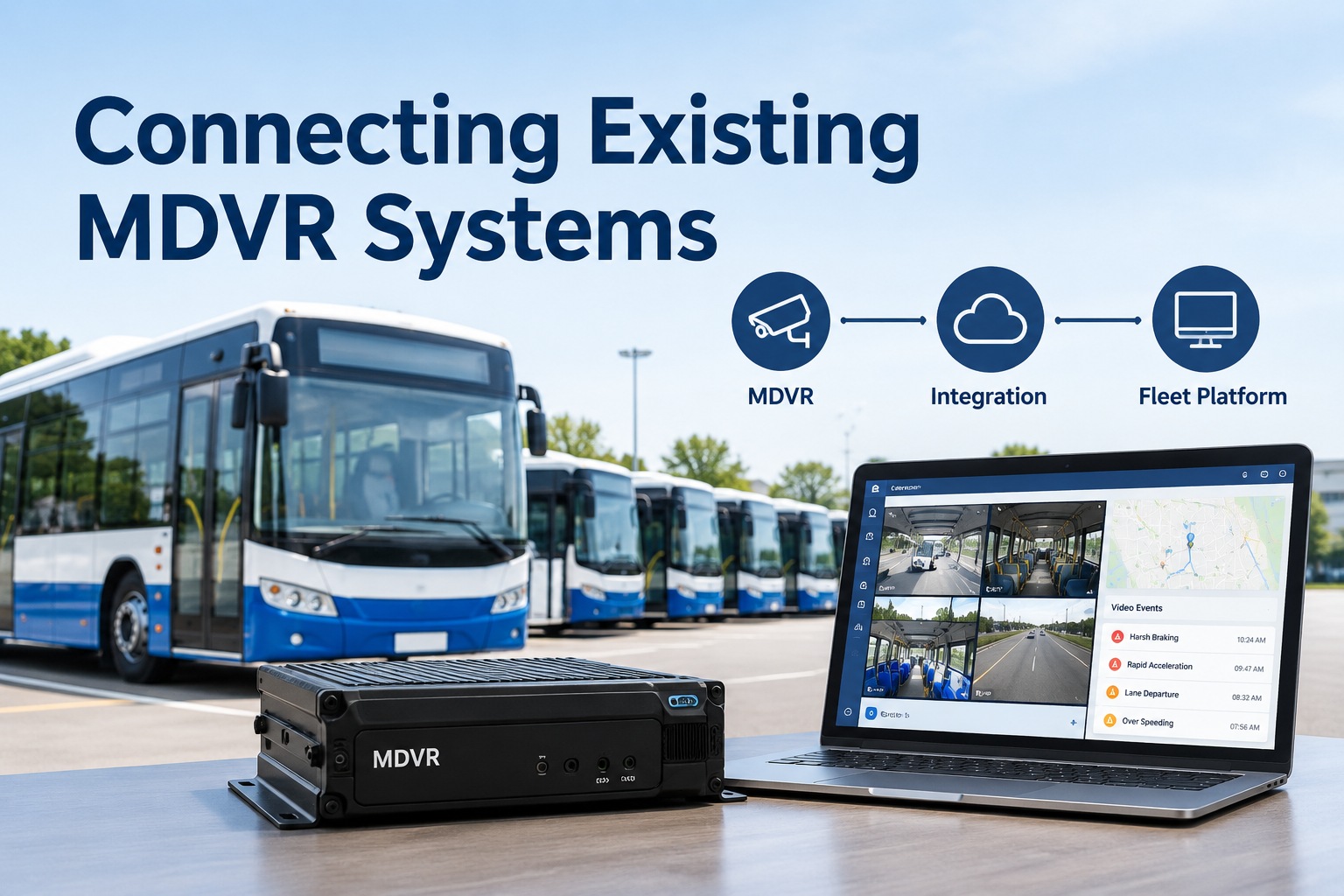
You already spent the money. There are cameras on every bus, an MDVR in each electrical bay, and a filing cabinet's worth of purchase orders that got them there. Now someone's telling you the only way to get modern fleet software is to rip it all out and start over. MDVR integration is the answer to that: it's the process of connecting your existing mobile digital video recorders to a bus fleet operations platform so their video events flow into your maintenance, safety, and inspection workflows — without replacing the hardware you already own. The goal isn't new cameras. It's making the cameras you have finally talk to the rest of your operation.
Connecting Existing MDVR Systems
How to modernize your installed camera estate — video events into maintenance and safety workflows — without a rip-and-replace
- KeepYour MDVR hardware
- 1:1Bus-to-asset mapping
- On requestClip retrieval option
- New cameras on every bus
- Fleet-wide install downtime
- Re-spend your camera budget
- Retrain everyone on new hardware
- Keep your existing MDVRs
- Buses stay in service
- Spend on software, not hardware
- Events flow into one platform
What MDVR Integration Actually Means
MDVR integration is connecting your installed mobile digital video recorders to a fleet operations platform so the events they capture — a harsh brake, a stop-arm pass, a collision, a passenger incident — stop living in an isolated camera portal and start flowing into the systems where you actually do work. Instead of a driver or safety lead logging into a separate vendor dashboard to hunt for a clip, the event lands on the right bus record, next to that bus's inspections, DVIRs, and work orders.
The buyer problem it solves is specific and common: you have a perfectly functional camera and MDVR estate that someone bought two, four, or six years ago, and it works — it just doesn't connect to anything. Every incident review is a manual, cross-system chore. Integration bridges that gap without asking you to throw away working hardware. For a school district, transit agency, or charter operator running on tight capital budgets, that distinction — software spend instead of a fleet-wide hardware re-buy — is often the entire decision. You can see how BusCMMS connects an existing MDVR without a rip-and-replace.
How Existing MDVRs Connect
There's no single wire that does this — integration uses whatever data interfaces your MDVR supports. The more modern the unit, the more options you have, but even older systems usually expose at least one path.
APIs
If the MDVR platform offers a REST API, the fleet platform pulls events, vehicle data, and clip references on request — the cleanest, most flexible path.
Webhooks
Where supported, the MDVR pushes an event the instant it fires, so a work order or safety review can start automatically without polling.
Network connections
Direct connections over the vehicle's cellular or depot Wi-Fi let the platform reach the recorder to sync events and pull footage.
Exported event data
For older units, scheduled or manual exports of event logs still get the metadata flowing, even without a live API.
Clip retrieval
The actual video is fetched on request via a reference in the event — you pull the footage you need rather than streaming everything.
Other data interfaces
Some MDVRs expose telematics triggers, GPS feeds, or partner connectors that carry event context into the platform.
Across those methods, a consistent set of information can flow: vehicle IDs, camera events, timestamps, GPS coordinates, event types, and the video clips themselves — joined, on the platform side, to inspection findings and maintenance records for that same bus. That last join is the whole payoff, because it's what turns a clip into a decision. If you want to see what your specific MDVR can hand over, that's worth a demo to review your hardware's supported interfaces.
Asset Mapping: Keeping Bus, MDVR, and Camera Linked
This is the part that quietly makes or breaks an MDVR integration, so it's worth slowing down on. A bus, its MDVR, and each camera are separate things with separate IDs. The MDVR has a device ID. The bus has your fleet number. The cameras have channels. If the integration treats every device ID it sees as a brand-new asset, you end up with a fleet record full of phantom "buses" that are really just recorders — and events landing on the wrong record. Clean asset mapping is what prevents that.
The rule is one bus record, with the MDVR and its cameras mapped underneath it as attached devices — never as separate assets of their own. When a recorder gets swapped to another bus (which happens constantly on bus fleets, especially with cameras moved to problem routes), you update one mapping, not your whole event history. Get this right and every event resolves to the correct bus, your reports stay honest, and no duplicates ever appear. Get it wrong and your history fractures across ghost assets. A platform that owns the bus asset record and treats the MDVR as a device on it sidesteps the whole issue — you can start free and see mapping handled without duplicates.
Retrieval-by-Request: For Fleets Where Streaming Everything Isn't Realistic
A lot of integration marketing assumes constant cloud upload — every camera streaming to the cloud all day. On a real bus fleet, that's often impractical: cellular coverage is spotty on rural routes, data costs add up fast across dozens of buses, and most footage is never watched. Retrieval-by-request is the realistic alternative.
Instead of uploading everything, the MDVR records locally and only the event metadata flows to the platform automatically — the what, when, where, and which bus. When someone actually needs the footage, the platform requests that specific clip, and it's retrieved on demand. You move a few megabytes of the clips that matter, not terabytes of video nobody reviews.
This model fits bus operations far better. The event still surfaces in real time so a work order or safety review can start, but the heavy video only moves when it's needed — typically when the bus is back in Wi-Fi range at the depot, or over cellular for an urgent incident. It respects your bandwidth budget and your rural dead zones instead of pretending they don't exist. For most fleets modernizing an existing estate, this is the sensible default rather than a costly all-cloud pipeline.
Evaluate Before You Deploy: The MDVR Integration Checklist
Before committing to integrate a given MDVR estate, run through this. It's the list to take to your camera vendor and your platform vendor — the answers decide whether integration is smooth, limited, or genuinely not worth it.
Supported hardware
Is your MDVR make and model on the platform's supported list, or reachable through a partner connector?
Firmware compatibility
Does the installed firmware expose the APIs and event data you need, or does it require an update first?
Available APIs
Is there a documented REST API, webhooks, or only manual exports? This sets how real-time the integration can be.
Camera channels & event triggers
How many channels, and which events (harsh braking, stop-arm, G-sensor) can the unit actually flag and export?
Video formats & connectivity
What clip formats does it produce, and what cellular or Wi-Fi does it need to move them?
Data ownership
Who owns the footage and event data, where does it live, and can you export it if you change vendors?
Data ownership is the one buyers skip and later regret — confirm you own your footage and can take it with you. Work through this list honestly and you'll know before you sign whether you're looking at a clean integration or a hardware limitation you'll have to design around.
The Operational Details: Storage, Bandwidth, Auth, and Monitoring
Integration isn't just the initial connection — it's what keeps running afterward. These are the details that decide whether it stays reliable in production.
Video storage & retention
Footage lives on the MDVR and loops over time. Decide how long clips are kept and pull anything you need to preserve before it ages out.
Bandwidth & cellular
Metadata is light; video is heavy. Plan clip retrieval around your data budget and where coverage actually exists on your routes.
Authentication & permissions
Secure API access, scoped credentials, and clear rules on who can pull footage — especially important with students on board.
API changes
Vendors update their APIs. A versioned, monitored integration absorbs that; an unwatched one silently breaks when a field changes.
Integration monitoring
Alert when event volume drops to zero or syncs fail, so you catch a broken connection early — not during an audit weeks later.
Failed events & troubleshooting
Queue and retry failed syncs, reconcile against the API to catch gaps, and keep a clear path to diagnose a recorder that goes quiet.
The thread through all six is that an integration is a living system, not a one-time hookup. This is exactly why many fleets prefer a platform that maintains these connections for them — so a vendor API change or a dropped sync is the platform's problem to absorb, not a silent gap in your safety records.
"Isn't It Easier to Just Replace Everything?"
This is the honest objection, and it deserves an honest answer rather than a sales dodge. Sometimes replacement is the right call. But the reflex to rip-and-replace usually overstates the difficulty of integration and understates the cost and disruption of a fleet-wide swap. Here's the straight comparison.
Integrate when…
- Your MDVRs work and aren't near end-of-life
- They expose an API, webhooks, or usable exports
- Capital budget is tight — software beats re-hardware
- You can't afford fleet-wide install downtime
- The cameras cover what you need; you just want them connected
Replace when…
- Hardware is failing or truly obsolete
- The MDVR exposes no data interface at all
- Camera coverage itself is inadequate for your needs
- Firmware can't be updated to expose events
- Data is locked and the vendor won't release it
The deciding question isn't "old vs. new" — it's "can this hardware hand over its events, and does it still cover what I need?" If yes, integration gets you modern workflows for a fraction of the cost and none of the downtime. If the hardware genuinely can't participate, that's when an upgrade earns its price. A good platform partner will tell you honestly which bucket your estate falls into rather than defaulting to "replace it all."
A Real Migration: MDVR Stays In, Events Start Flowing
Here's what a phased integration actually looks like for a district that doesn't want to touch a single camera. No downtime, no rip-out.
The existing MDVRs stay exactly where they are. The platform is connected to the MDVR vendor's API, and each recorder's asset_id is mapped to its bus — no duplicate assets created.
Event metadata starts flowing. A harsh-braking event on Bus #14 now appears on #14's record automatically, alongside its inspections and open work orders — buses never left service.
Clip retrieval-by-request goes live. When the safety lead needs footage for an incident, the specific clip is pulled on demand and attached to the incident record.
Workflows close the loop: a camera event with a mechanical cause auto-opens a work order; a stop-arm event becomes a documented safety record. Same hardware, new capability.
That's the whole promise of MDVR integration made concrete: the recorders never came off the buses, nobody lost a route to install day, and yet the fleet went from isolated camera footage to video events wired into maintenance and safety. The hardware you already own did the job — it just needed to be connected. That's exactly what fleets see when they see how BusCMMS connects an existing MDVR without a rip-and-replace.
MDVR Integration at a Glance
A one-screen reference for the transportation director or fleet owner weighing this decision.
| What it is | Connecting existing MDVRs to a fleet platform so video events flow into maintenance and safety workflows |
|---|---|
| Connection methods | APIs, webhooks, network connections, exported event data, clip retrieval |
| Data that flows | Vehicle IDs, events, timestamps, GPS, event types, video clips — joined to inspections & maintenance |
| Asset mapping | One bus record; MDVR and cameras attached as devices — no duplicate assets |
| Video model | Retrieval-by-request — metadata flows automatically, clips pulled on demand |
| Evaluate first | Supported hardware, firmware, APIs, channels, event triggers, formats, connectivity, data ownership |
| Integrate vs. replace | Integrate if hardware works and exposes data; replace if it's obsolete or fully closed |
| Best-fit fleets | School districts, transit agencies, charter and campus shuttle operators |
Where BusCMMS Fits
The reason to integrate rather than replace is simple: you want modern fleet workflows without re-spending your camera budget or pulling buses out of service. That's precisely what BusCMMS is built to do.
That's the role BusCMMS plays. BusCMMS is the AI-native bus fleet operations platform that works with your existing MDVR and camera infrastructure, connecting video events with inspections, safety records, and maintenance workflows on the same bus asset record. Your recorders stay on the buses. Events map to the correct bus with no duplicate assets, clips are retrieved on request instead of streamed wholesale, and the integration is maintained on the platform side so a vendor change doesn't silently break your safety records. A camera event becomes a work order; a stop-arm pass becomes a documented safety record; an inspection finding sits alongside both — all on one timeline per bus. No federal regulation requires any particular MDVR integration; this is about modernizing your operation without wasting the hardware you already bought.
The Bottom Line on MDVR Integration
So, what is MDVR integration? It's connecting the mobile digital video recorders you already own to a fleet operations platform so their video events flow into your maintenance, safety, and inspection workflows — through APIs, webhooks, network connections, or exports, with clips retrieved on request and every event mapped cleanly to the right bus. It's how you modernize an installed camera estate without the cost, downtime, and disruption of ripping it all out.
Replacement is the right move only when hardware is truly obsolete or fully closed off. For most fleets with working recorders that can hand over their data, integration delivers modern workflows for a fraction of the price and none of the install downtime — and that's exactly the gap BusCMMS was built to close, working with the MDVRs you already run. If you'd like a straight read on whether your estate should be integrated or upgraded, see how BusCMMS can connect your existing MDVR system without a rip-and-replace.
What is MDVR integration?
MDVR integration is connecting your existing mobile digital video recorders to a bus fleet operations platform so the events they capture, like a harsh brake, a stop-arm pass, or a collision, flow into your maintenance, safety, and inspection workflows instead of staying isolated in a separate camera portal. It uses whatever data interfaces your MDVR supports, such as APIs, webhooks, network connections, or exports, and it lets you modernize your camera estate without replacing the hardware you already own.
Do I have to replace my existing cameras to modernize?
Usually not. If your MDVRs work, aren't near end-of-life, and expose an API, webhooks, or usable event exports, integration connects them to a modern platform for a fraction of the cost of a fleet-wide replacement and with no install downtime. Replacement only makes sense when the hardware is failing or obsolete, exposes no data interface at all, has inadequate camera coverage, can't be updated to expose events, or has data locked by a vendor who won't release it. The deciding question is whether the hardware can hand over its events and still covers what you need.
How does asset mapping avoid duplicate records?
A bus, its MDVR, and its cameras are separate things with separate IDs, so the integration must link them deliberately. The rule is one bus record, with the MDVR and its camera channels mapped underneath it as attached devices, never as separate assets of their own. Every incoming event resolves its device ID to the correct bus rather than creating a new asset just because the ID is unfamiliar. When a recorder is swapped to another bus, you update one mapping instead of your whole event history, which keeps reports honest and prevents phantom duplicate buses.
What if my buses don't have reliable cellular coverage?
That's exactly what retrieval-by-request is for. Instead of streaming all footage to the cloud continuously, the MDVR records locally and only lightweight event metadata flows to the platform automatically. When someone actually needs a clip, the platform requests that specific video on demand, typically when the bus returns to depot Wi-Fi or over cellular for an urgent incident. You move a few megabytes of the clips that matter rather than terabytes of video nobody watches, which respects both your data budget and rural dead zones.
What should I check before integrating an MDVR?
Run through a short evaluation: supported hardware (is your make and model supported or reachable via a connector), firmware compatibility (does the installed firmware expose the data you need), available APIs (documented REST API and webhooks, or only manual exports), camera channels and event triggers (how many channels and which events it can flag), video formats and connectivity requirements, and data ownership (who owns the footage, where it lives, and whether you can export it if you change vendors). Data ownership is the one buyers most often skip and later regret, so confirm you own your footage and can take it with you.