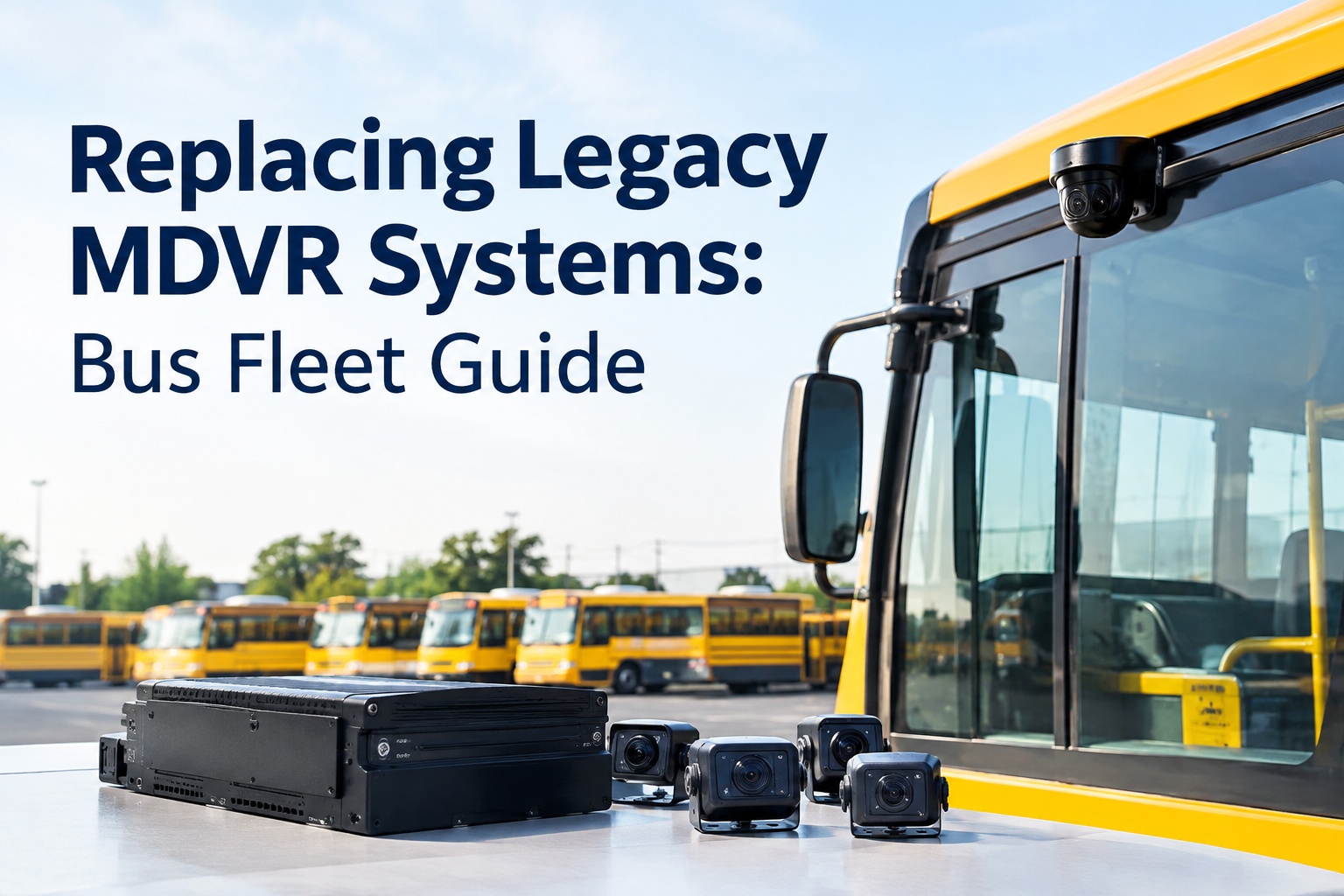
An MDVR system should be replaced when keeping it running costs more — in failed drives, lost footage, hard retrievals, and dead vendor support — than modernizing would, and the honest way to decide is a total-cost comparison, not a hardware price tag. Before you rip-and-replace, though, ask a cheaper question first: whether a modern, hardware-agnostic platform can work with the MDVRs you already have, so you upgrade the intelligence without scrapping the cameras.
Replacing Legacy MDVR Systems: Bus Fleet Guide
A dying MDVR does not fail all at once — it fails one drive, one retrieval, one unsupported firmware at a time. Here is how to know when to replace it, and what it truly costs.
Updated September 2026 · A practical buyer's guide, not legal advice; state and district requirements vary.Legacy MDVR systems rarely die on a schedule. They degrade — a drive here, a firmware dead end there, a retrieval that takes an afternoon instead of a minute — until one day you are spending more on keeping the old system limping than a modern one would cost to run. The trick is recognizing that tipping point before a failed recording during an incident makes the decision for you.
Signs your MDVR is at end of life
No single one of these is decisive, but they cluster. When several show up together, the system is telling you it is near the end — and continuing to nurse it is usually the expensive choice.
Gaps, corrupt files, or cameras that were not actually recording when you needed them.
Storage drives failing on the road, taking footage — and evidence — with them.
Pulling a clip means physically removing a drive or scrubbing hours of video by hand.
No more updates, so bugs never get fixed and new features never arrive.
Parts you can no longer buy, and units you can only replace with used stock.
No cellular upload or live view — everything is offline and after-the-fact.
Footage too grainy or dark to be useful when a real incident needs it.
No way to connect events to inspections, work orders, or the maintenance record.
Recurring service calls that quietly add up to more than a modern system's fee.
The vendor sunsetting the product, leaving you on your own when it breaks.
Watch especially for the combination of failed drives, ending support, and hard retrieval — that trio means every incident is now a gamble on whether the footage exists and whether you can get to it. That is the point where the risk alone justifies the move. Book an assessment of your current MDVR health
The real cost: keep it, or replace it?
Comparing camera prices misses the point. The real decision is total cost of ownership over the next three to five years — the cost of keeping the legacy system running versus the all-in cost of a modern one. Both have far more than hardware in them.
Run this across fleet sizes and the shape changes: a 10-bus fleet feels every hardware dollar, a 50-bus fleet starts to weigh the recurring software and storage heavily, and a 100-bus fleet finds that manual-retrieval labor and repair time dominate the keep-it column. Size the comparison to your fleet before you decide. Start free and model keep-versus-replace for your fleet
You do not have to replace everything at once
A full fleet-wide MDVR swap is expensive and disruptive, and it is rarely necessary all at once. A phased replacement, sequenced by what actually needs attention first, spreads the cost and the risk.
Replace the units already failing or unsupported first — the buses where the risk is real today.
Prioritize buses staying in service longest; a vehicle near retirement may not warrant new hardware at all.
Put modern recording on the highest-risk routes first, where a missing clip costs the most.
Align swaps with contract and warranty expirations so you are not paying twice for the same coverage.
Phasing also lets you validate the new system on a small group before committing the whole fleet — the difference between finding a problem on ten buses and finding it on a hundred. And a hardware-agnostic platform makes phasing far easier, because the software layer can unify old and new units during the transition. Book an assessment and get a phased plan
Do not lose the evidence in the move
The scariest part of an MDVR replacement is the historical footage and vehicle records — losing them mid-migration can leave a gap in exactly the evidence you may need later. A careful migration protects them.
Preserve existing evidence
Export and retain historical video and vehicle records before touching the old hardware.
Minimize downtime
Swap in batches so buses are never out of service waiting on a camera install.
Test the new equipment
Confirm recording, image quality, and upload on a pilot group before rolling out.
Train the staff
Make sure the people who pull and review footage know the new retrieval workflow.
Validate retrieval
Test finding, reviewing, and exporting a clip end to end before you trust it in production.
Notice the first and last steps: preserve the old evidence before you start, and prove you can retrieve from the new system before you rely on it. Skipping either is how a replacement leaves you worse off than the aging MDVR you left behind. Start free and validate retrieval before you commit
Legacy MDVR vs a modern platform
Laid out directly, the difference is not just newer cameras — it is what happens to the footage after it is recorded. This is where a modern platform earns the replacement.
The maintenance-workflow and AI-detection rows are where a legacy MDVR loses decisively: a modern platform does not just record better, it makes the footage do something — surfacing risk and connecting an event to a repair instead of a portal nobody watches. Book an assessment of legacy versus modern for your fleet
Four things to test before you replace
Do not judge a replacement on a spec sheet. Put it through the moments your fleet actually lives, on your own buses, before you commit.
Retrieve after a complaint
A parent reports an incident on a specific bus and run — how fast can you find, review, and export the footage?
Review a stop-arm event
A stop-arm event triggers — is the video captured, tied to the bus, and easy to act on?
Identify a high-risk vehicle
Which buses show the most risk events, and does the system surface them or make you go looking?
Connect an issue to maintenance
A confirmed issue from an event — does it link to an inspection or a work order, or stop at the video?
The fourth one is the test that separates a camera upgrade from a real operations upgrade — and it is the one most legacy replacements never even consider. Start free and run these on your fleet
Why BusCMMS may mean less to replace
Here is the reframe most MDVR-replacement guides miss. The problem is usually not the cameras — it is the aging brains and the isolation. BusCMMS addresses both without demanding you scrap everything.
Hardware-agnostic
Works with your existing MDVR or AI camera systems, so you may modernize the software layer without a full rip-and-replace.
AI-native
Adds AI event detection to surface high-risk buses and events, even on cameras that never had it.
Unified vehicle record
Camera events, inspections, defects, and maintenance on one record — not another isolated system.
Role-based views
Leadership, maintenance, operations, and administrators each see the view they need from the same underlying data.
So the replacement question becomes sharper and cheaper: which cameras genuinely need swapping, and where can a modern platform simply make the ones you have far more useful? That is what a replacement assessment is for. Book a BusCMMS replacement assessment
Book a BusCMMS replacement assessment
Find out which MDVR units genuinely need replacing and where a hardware-agnostic platform can modernize the cameras you already run — adding AI event detection, unified records, role-based views, and maintenance integration without a full rip-and-replace. Preserve your evidence, phase the change, and validate retrieval before you commit.
Hardware-agnostic · AI event detection · One vehicle record, role-based views
Frequently asked questions
When should you replace a legacy MDVR system?
Replace it when the cost and risk of keeping it running exceed the cost of modernizing. The clearest signals cluster together: unreliable recording with gaps or corrupt files, storage drives failing on the road, video retrieval that means physically pulling a drive or scrubbing hours of footage, obsolete firmware with no updates, hardware you can no longer source or support, no cellular connectivity or live view, image quality too poor to be useful, no way to connect events to maintenance, frequent repairs, and a vendor sunsetting the product. Any one of these is manageable; several together, especially failed drives plus ending support plus hard retrieval, means every incident is now a gamble on whether the footage exists and whether you can reach it. At that point the risk alone usually justifies the move, and the decision should be made on total cost of ownership rather than a hardware price comparison.
How much does replacing an MDVR system really cost?
Far more than the cameras, which is why comparing hardware prices alone is misleading. A full replacement cost includes cameras and MDVR hardware, installation, cellular connectivity, cloud storage, software licenses, video retention, replacement hardware over time, maintenance, support, contract terms, and the migration itself. The right comparison is total cost of ownership over three to five years for keeping the legacy system — replacement drives, recurring repairs, manual-retrieval labor, and the risk of a missing recording — versus modernizing. That balance shifts with fleet size: a 10-bus fleet feels every hardware dollar, a 50-bus fleet weighs recurring software and storage heavily, and a 100-bus fleet finds manual retrieval and repair labor dominating the cost of keeping the old system. There is also a lower-cost middle path worth pricing: a hardware-agnostic platform that works with existing cameras rather than replacing them.
How do you avoid losing video evidence during a replacement?
Treat evidence preservation as the first step, not an afterthought. Before touching the old hardware, export and retain the historical video and vehicle records you may need later, so the migration cannot leave a gap in exactly the footage that matters. Then swap equipment in batches to minimize downtime, test recording, image quality, and upload on a pilot group before rolling out, train the staff who pull and review footage on the new retrieval workflow, and validate the full find-review-export process end to end before you rely on the new system. The two bookend steps are the critical ones: preserve the old evidence before you start, and prove you can retrieve from the new system before you trust it. Skipping either is how a replacement can leave you worse off than the aging MDVR you left behind.
Can you upgrade without replacing all the cameras?
Often, yes — and it is worth pricing before committing to a full rip-and-replace. In many fleets the cameras still capture usable video; the real problems are aging recorder hardware, obsolete software, isolation from the rest of operations, and no AI to surface what matters. A hardware-agnostic platform can work with existing MDVR or AI camera systems, adding modern capabilities like AI event detection, unified vehicle records, maintenance integration, and role-based views on top of the hardware you already run. That reframes the replacement question from "scrap everything" to "which units genuinely need swapping, and where can a modern platform simply make the current ones far more useful," which is usually the lower-cost path. A replacement assessment is the way to work out which buses fall into which bucket.
How does BusCMMS fit an MDVR replacement decision?
BusCMMS is an AI-native, hardware-agnostic bus fleet operations platform that can work with your existing MDVR or AI camera systems rather than requiring a rip-and-replace. That means the replacement decision does not have to be all-or-nothing: units that are genuinely failing or unsupported get swapped, while cameras that still work can be modernized in place by connecting them to the platform. It adds AI event detection to surface high-risk buses and events, unifies camera events with inspections, defects, and maintenance on one vehicle record, and provides role-based views so transportation leadership, maintenance teams, operations staff, and administrators each see what they need from the same underlying data. The recommended starting point is a replacement assessment to determine which hardware to replace and where the existing cameras can simply be made far more useful.