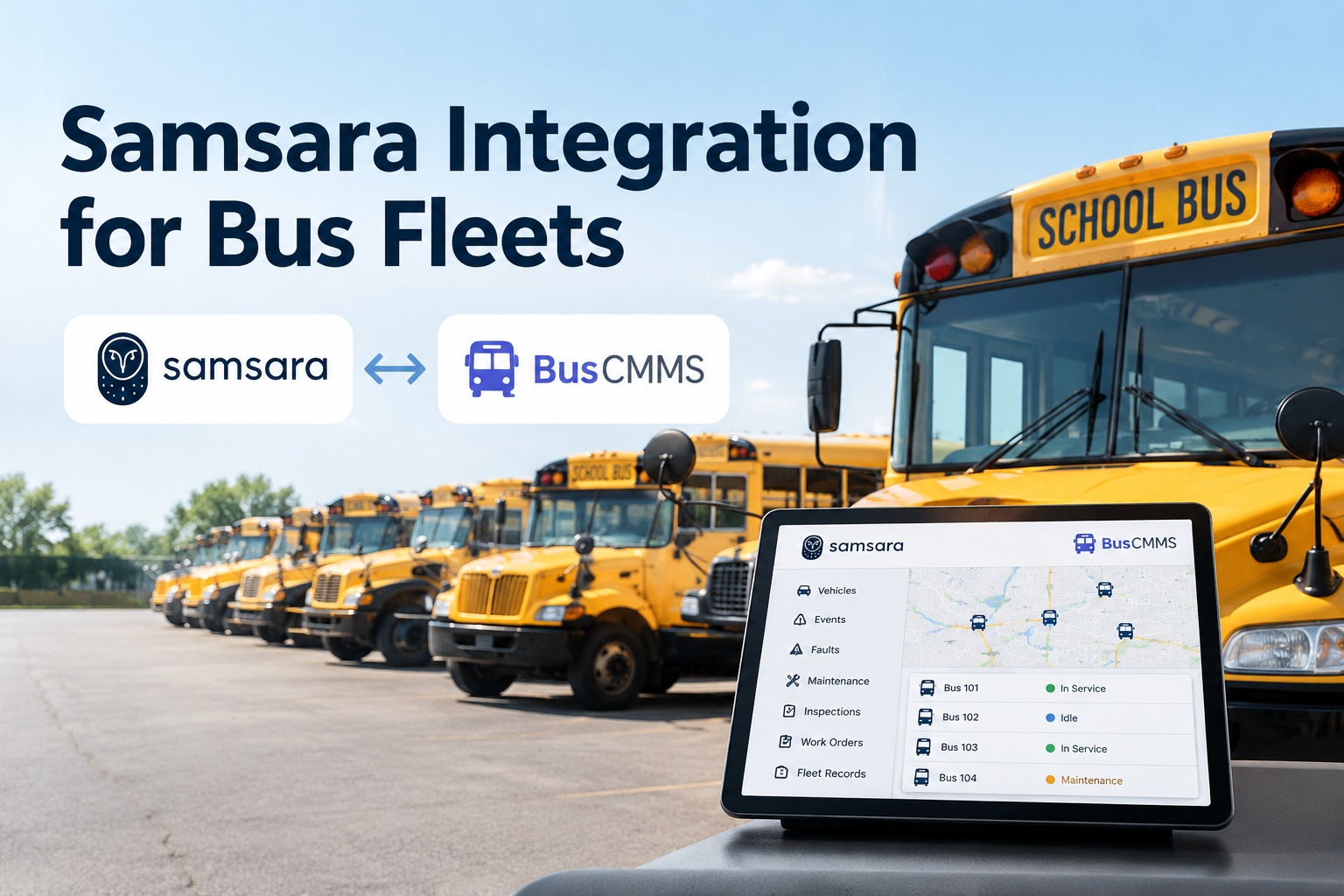
Samsara is the broad one. Where some telematics platforms specialize, Samsara does a bit of everything — GPS, ELD, AI dash cams, diagnostics, and even light maintenance tools. That breadth is a strength, but it creates a specific question no other integration raises: if Samsara already touches maintenance, and your shop runs a real CMMS, who owns what? A Samsara integration with BusCMMS answers that cleanly. Samsara does what it does best — watch the vehicle on the road and read the engine — and hands that data to BusCMMS, which does what it does best: run deep maintenance, work orders, and the full vehicle history. The point is not two systems doing the same job. It is one clear line so nobody works twice. See where the line is drawn in a demo
Updated September 2026 · Integration capabilities depend on your Samsara plan and API access; specifics are confirmed at setup. Data availability varies by vehicle diagnostic coverage.
Samsara Integration for Bus Fleets
Samsara is broad enough to blur the line with your maintenance system. The integration draws that line clearly — so telematics and the shop work together instead of twice.
The cleanest way to think about a Samsara integration is by responsibility, not data. Samsara is superb at capturing what happens to a vehicle in motion. BusCMMS is built to run everything that happens after — the diagnosis, the repair, the record. Draw the line by what each system is genuinely best at, and the integration becomes obvious: Samsara detects and reports, BusCMMS decides and resolves.
Who does what — and where they meet
- Read the engine through the Vehicle Gateway
- Capture fault codes, odometer, engine hours
- Track GPS, trips, idle, and driver behavior
- Handle ELD and in-cab camera events
- Turn a fault into a triaged, prioritized work order
- Drive preventive maintenance on real mileage and hours
- Hold inspections, repair history, and parts
- Keep the complete, auditable record per bus
This is the answer to the question Samsara's breadth always raises: you do not run maintenance in two systems. Samsara is the eyes on the vehicle; BusCMMS is the shop that acts on what those eyes see. The handoff is the integration, and once it is set, each side does only its job. Book a demo to see the handoff between telematics and the shop
The overlap trap, and how the integration avoids it
Because Samsara can do light maintenance tracking, fleets often drift into a bad middle state: some maintenance is tracked in Samsara, some in a separate tool, and the two never fully agree. A work order lives in one place, the repair history in another, and a technician is never sure which is current. That is not a Samsara flaw — it is what happens when two capable systems both half-own the same job. The integration fixes it by making the split explicit.
The rule of thumb is simple: let Samsara be the source of truth for what the vehicle is doing, and let BusCMMS be the source of truth for what was done to it. Once that is settled, the duplicate-workflow problem disappears, because there is only ever one place a maintenance action is created and closed. Start free and make BusCMMS your single maintenance record
A use case: one fault, one workflow
Here is the clean division at work. A bus fleet runs Samsara on every vehicle. One afternoon bus 12's ECU throws a fault code — one of the thousands of DTCs Samsara reads. Watch how the responsibility split means the fault is handled exactly once, in exactly one place.
The Vehicle Gateway reads the DTC from bus 12's ECU and reports it, with the odometer and engine hours attached.
The fault comes through the telematics data feed — Samsara's job here is done. It saw it and passed it on.
The fault becomes a single work order against bus 12, triaged by severity — created once, in the shop system.
The repair is scheduled, completed, and logged to bus 12's history — the one place the record lives.
At no point was the fault tracked twice or the work order duplicated. Samsara detected and reported; BusCMMS decided and resolved. That is the whole design — the same fault, one workflow, no re-keying and no divergence between two systems. Book a demo to see a fault handled once, end to end
How the integration is set up
The connection is a read link through Samsara's API, so your Vehicle Gateways and Samsara setup are untouched. Samsara's open platform is well-traveled ground for this — its marketplace has hundreds of pre-built connectors — and the setup follows four stages. The exact scope depends on your Samsara plan and API access, confirmed at setup.
Authorize BusCMMS with a Samsara API token. This is a read connection to your telematics data — nothing in Samsara changes.
Map each Samsara vehicle to its BusCMMS vehicle, by VIN, so data lands on the right bus and no duplicate records form.
Pull fault codes, odometer, and engine hours from Samsara's vehicle stats feed on a regular poll, so BusCMMS stays current.
Decide which faults open work orders and which mileage and hours drive PM — and confirm BusCMMS is the maintenance system of record.
Samsara-specific things to get right
Samsara notes that mileage can jump if a gateway is moved between vehicles without properly decoupling it. Handle gateway swaps cleanly so odometer-based PM stays accurate.
A bus created manually in BusCMMS and also imported from Samsara can duplicate. Match or merge on VIN at setup so each bus is one record.
Because Samsara also has maintenance features, decide explicitly that BusCMMS owns work orders and history. Ambiguity here is what recreates the overlap trap.
The connection depends on a valid API token and sensible polling of the stats feed. Use a maintained integration that respects rate limits rather than a fragile custom script.
Broad telematics, deep maintenance, one record
Samsara's breadth is genuinely useful — one platform watching the road, the engine, and the driver. But breadth and depth are different things, and deep maintenance is where a dedicated CMMS earns its place: the diagnosis-to-repair workflow, parts and labor, warranty, inspections, and a complete auditable history per vehicle. BusCMMS is an AI-native bus fleet platform that connects telematics, inspections, maintenance, driver records, and fleet history on one record per vehicle. Feeding it Samsara's fault codes, odometer, engine hours, and trip data means the vehicle signal Samsara captures so well flows into the shop system built to act on it — a fault becomes one work order, mileage drives preventive service, and the full history of a bus lives in a single place. It lets Samsara do what it is broad at and BusCMMS do what it is deep at, without the two overlapping or your team working the same maintenance twice, and without replacing the Samsara hardware your fleet already runs.
Draw one clear line between telematics and maintenance
Connect the fault codes, odometer, engine hours, and trip data Samsara already collects to BusCMMS, and keep Samsara as the eyes on the vehicle while BusCMMS owns work orders, PM, and the full record — a read connection through Samsara's API, hardware untouched, no duplicate workflows. Start a free trial or book a demo and we will walk a Samsara-to-BusCMMS flow on your own fleet.
Read-only API connection · Gateways unchanged · One maintenance system of record
Frequently asked questions
What does a Samsara integration with BusCMMS do?
It connects the vehicle data Samsara collects — fault codes, odometer, engine hours, and trip data from the Vehicle Gateway — to BusCMMS, so that data drives deep maintenance without duplicating work. Samsara stays the source of truth for what the vehicle is doing on the road; BusCMMS becomes the source of truth for maintenance, turning a fault into a single work order, driving preventive maintenance on real mileage and hours, and holding the full repair history per bus. The value is a clear division of labor: telematics detects and reports, the CMMS decides and resolves, so nobody manages the same maintenance in two systems.
Samsara already has maintenance features. Why add a CMMS?
Samsara's maintenance capabilities are real and useful for surfacing issues, but breadth and depth are different. A dedicated CMMS like BusCMMS is built for the full maintenance lifecycle: diagnosis-to-repair workflows, parts and labor tracking, warranty, inspections, and a complete auditable history per vehicle. The integration is not about replacing Samsara or duplicating it — it is about drawing a clear line so Samsara does what it is broad at (watching the vehicle) and BusCMMS does what it is deep at (running the shop). The mistake to avoid is letting both systems half-own maintenance, which creates diverging records; the fix is to make one system the definitive maintenance record.
What Samsara data flows into BusCMMS?
The data most useful for maintenance: engine fault codes (Samsara reads thousands of DTCs from the ECU), odometer, engine hours, engine state, and trip and usage data, available through Samsara's vehicle stats API feed. The integration routes these so fault codes become work orders, and mileage and engine hours drive preventive-maintenance intervals. Exactly which data is available depends on your Samsara plan and each vehicle's diagnostic coverage — for some vehicles Samsara falls back to GPS-based odometer when OBD odometer is not available — and the specifics are confirmed at setup. Engine faults, odometer, and engine hours are the core of a maintenance integration.
How do I avoid duplicate vehicle records and mileage errors?
Two practices handle most of it. First, match assets by VIN during setup so a bus imported from Samsara does not create a second record alongside one entered manually in BusCMMS — match or merge before data flows. Second, handle gateway swaps cleanly: Samsara notes that odometer readings can jump if a gateway is moved to a new vehicle without properly decoupling and re-enabling it, which can throw off mileage-based maintenance. Establishing VIN as the single asset identifier and a clean process for moving gateways keeps both the asset list and the odometer data accurate.
Do I need to replace my Samsara hardware?
No. The integration is a read connection through Samsara's API. Your Vehicle Gateways stay installed, your Samsara subscription and its ELD, camera, and telematics features continue unchanged, and your vehicles keep reporting exactly as they do now. BusCMMS reads the vehicle data to populate maintenance records, work orders, and preventive-maintenance triggers. You are adding a deep maintenance system that consumes Samsara's data, not swapping out the hardware or the platform your fleet already relies on.