A rear-facing camera on a school bus does more than catch backup accidents -- it settles bullying complaints, captures stop-arm violators for citation, and keeps the district out of court when a parent's story doesn't match the video. This guide covers what cameras belong on the bus, what the laws actually require, how long to keep footage, and how to handle evidence when subpoenas hit. Add camera event logs to your work orders → book a 20-min demo.
School Bus Rear-Facing Camera Guide
Camera coverage, state laws, DVR retention, audio rules, and evidence handling -- everything districts need to run a defensible camera program.
The 5 Cameras on a Fully-Equipped School Bus
Each has one job. Missing any one leaves a legal gap.
Forward Dashcam
- Collision defense & driver exoneration
- Weather & road condition evidence
- Route verification
Interior Cabin Cameras
- Bullying & fight investigations
- Discipline evidence, driver conduct
- Typically 2–4 cameras for full coverage
Side Blind-Spot Cameras
- Child-in-blind-spot detection
- Cyclist & pedestrian awareness
- Turn-signal aided visibility
Stop-Arm Cameras
- License plate & driver identification
- Front + rear stop-arm coverage
- Court-admissible HD footage required
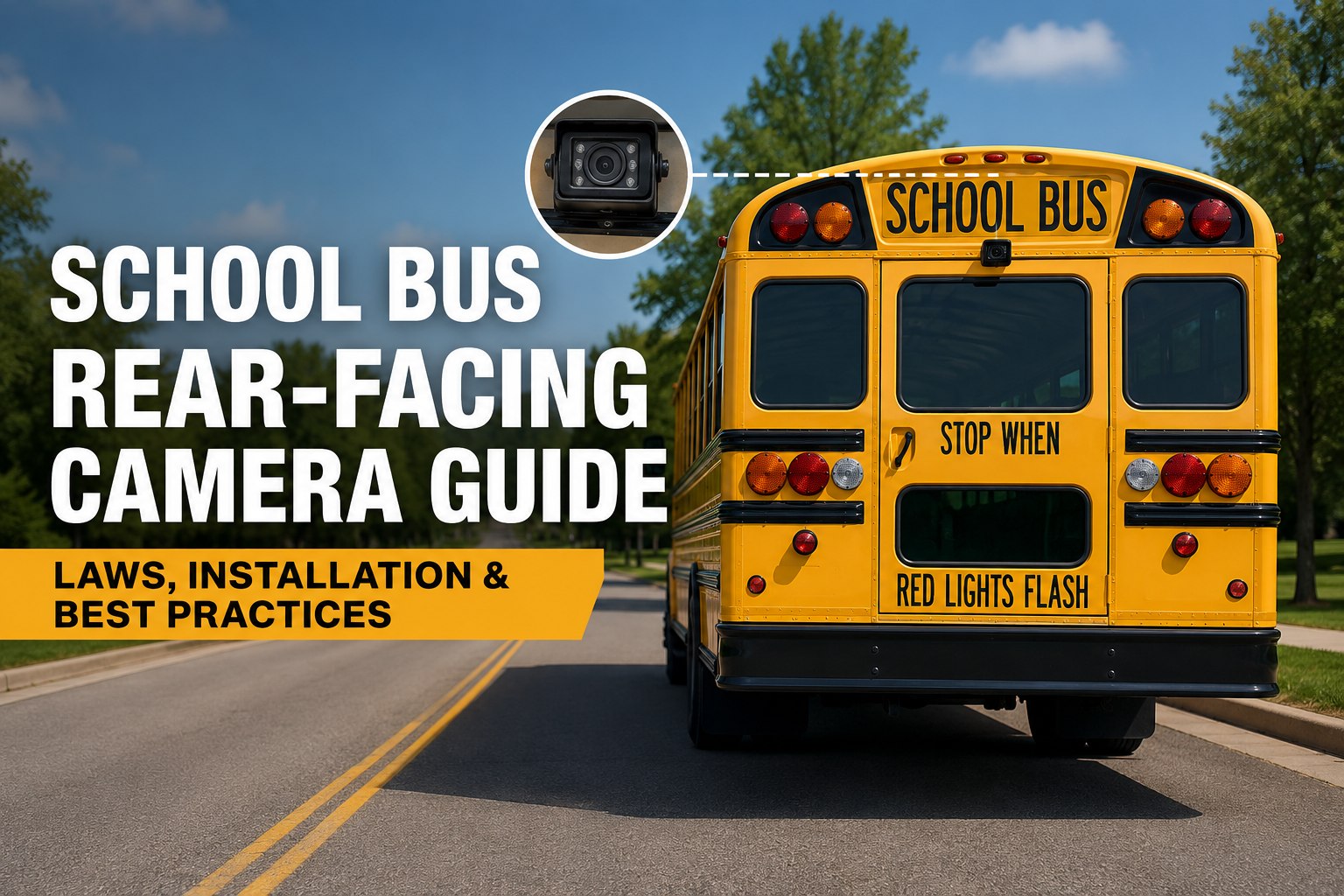
Rear-Facing Camera
- Backup safety -- eliminates rear blind spot
- Last-child-off verification (kill sweep evidence)
- Rear-passing vehicle capture at stop
- Rear-collision defense
Why rear-facing matters most: it's the single camera that answers "did the driver clear the bus?" -- the question that follows every child-left-onboard incident. Districts without rear-facing footage lose that argument every time.
State Law: Where Cameras Can Cite Drivers
Stop-arm citation authority isn't federal -- it's state-by-state.
Recent legislative activity
Signage Required
Most authorizing states require visible signage on buses declaring cameras in use.
Officer Review
Citations typically must be reviewed and issued by a certified law enforcement officer, not automated.
Image Retention Limits
Nevada mandates 90-day deletion post-violation. Many states set similar boundaries -- check yours.
Revenue Sharing
Fine proceeds often split between district and camera vendor. Contract terms matter significantly.
Camera law is a moving target. Track camera compliance dates per bus in one dashboard → book a demo.
Audio Recording: The Question That Trips Up Districts
Video is (almost) always OK. Audio depends on your state.
Should your buses record audio?
Extra Caution
Consent from all recorded parties is legally complex. Most districts default to video-only.
Audio Feasible
Audio can be enabled with parent/student notification. Still: policy required.
Compliance Step Met
Written notification each school year covers baseline transparency requirements.
Fix Before Recording
Notify in the handbook, at enrollment, and on bus signage before enabling.
The Practical Answer
Most districts choose video-only systems. Privacy concerns + higher storage cost + risk of FERPA complications usually outweigh audio evidence value.
DVR Retention: How Long to Keep Footage
Three windows every district's policy needs to define.
Routine Loop
Default DVR overwrite cycle. Typical 7–30 days depending on channel count & storage. No manual action.
Standard Retention
Set by district policy. Most set 30–90 days. Complaints, discipline reviews, and routine subpoenas fall here.
Incident Hold
Extended retention when flagged: bullying investigation, insurance claim, criminal referral. 365 days common.
Legal Hold
Litigation preservation. Kept until case closed or court releases. No auto-delete. Chain of custody required.
Auto-delete is your friend and your enemy
Delete too fast and you destroy evidence a court can compel. Keep too long and every request becomes a bigger data pull. A written retention policy that names each window is what saves districts in litigation.
Evidence Chain of Custody
The workflow that keeps footage admissible.
Preserve Immediately
Flag the footage in the DVR before it overwrites. Record the request timestamp.
Copy & Hash
Extract to secure storage with cryptographic hash. Original DVR file untouched.
Log Every Access
Who viewed, when, why. Signed log. Auto-tracked in a CMMS is easier than manual sheets.
Release Only to Court
Never hand parents copies. Direct requests to legal counsel. Comply with subpoena, not verbal demand.
Once footage becomes tied to a specific student's discipline, it becomes an education record. Multiple students in the same frame means shared privacy rights -- consult counsel before any release.
Installation & Policy Checklist
What every district needs before the first camera goes live.
Hardware
- Full HD 1080p DVR (not legacy D1)
- Minimum 4 channels; 8–12 for full coverage
- Interior + rear-facing + stop-arm minimum
- SD card + backup HDD
- GPS integration on DVR
- Live-look-in wifi capability
Policy
- Written retention schedule
- FERPA cross-reference
- Chain-of-custody procedure
- Access log requirements
- Audio decision documented
- Deletion / destruction protocol
Notification
- Signage on every bus (exterior)
- Annual parent handbook notice
- Student orientation mention
- Driver acknowledgement form
- Bus route notification (if audio)
- Website public policy posting
Operations
- Weekly DVR health check
- Monthly footage sample audit
- Camera lens cleaning PM item
- Storage capacity monitoring
- Firmware update schedule
- Incident export workflow
Miss one row and your program has a legal gap. Get the full installation checklist in your work orders → sign up free.
Where BusCMMS Fits Your Camera Program
Not a DVR replacement. The layer that ties camera events to the fleet.
Camera Fault Work Orders
Offline camera or full DVR = auto-generated work order. No more surprises at incident time.
Retention Reminders
Standard retention window tracking. Notification before flagged incident footage expires.
Chain-of-Custody Log
Every incident export logged with tech, timestamp, purpose. Court-ready audit trail.
Lens & Camera PM
Camera cleaning added to weekly bus inspection template. Blurry footage isn't evidence.
Stop-Arm Fault Alerts
Stop-arm not deploying = citation footage useless. BusCMMS flags it before the route runs.
Incident-to-Work-Order Link
Attach DVR export reference to work orders for bus damage, insurance claims, driver review.
We had a parent complaint about a bullying incident. Called up the DVR -- footage had rolled over three weeks earlier because nobody flagged it. That was the wake-up call. Now every incident report auto-flags the DVR window in the CMMS. Twelve months later, we've resolved every complaint with video, and we haven't had a single "we don't have that footage" conversation. Camera hardware was fine. The workflow around it was the problem.
Frequently Asked Questions
How many cameras should a school bus have?
A fully-equipped modern school bus typically runs 5 camera positions: a forward dashcam for road/collision evidence, 2–4 interior cabin cameras for student and driver behavior, one or more side blind-spot cameras for pedestrian and cyclist detection, front and rear stop-arm cameras for citation enforcement, and a rear-facing camera for backup safety, last-child-off verification, and rear-passer capture. Total camera count ranges from 4 to 12+ channels depending on district budget and DVR capacity. Rear-facing is often the single most-underestimated position -- it's the camera that answers "did the driver clear the bus?" after a child-left-onboard complaint.
Are school bus stop-arm cameras legal in my state?
As of July 2025, 26 states explicitly authorize school bus stop-arm cameras for automated citation enforcement, per the National Conference of State Legislatures. Recent additions include Delaware (2020), Michigan (2021), Florida and Tennessee (2023), Oregon (2024), and Nevada (July 2025, the 26th state). Most authorizing states require visible signage on the bus, review of citation footage by a certified law enforcement officer rather than automated ticketing, and defined retention limits (Nevada mandates 90-day deletion post-violation). Because state law changes frequently, verify current authority with your state DOT or transportation association before deploying a citation program.
Can school buses record audio?
Audio recording rules vary significantly by state. States with two-party consent laws make in-cabin audio legally complex, since every recorded person theoretically must consent. Most districts choose video-only systems to sidestep these issues, along with the higher storage costs and FERPA complications audio brings. If your district does enable audio, it needs written policy, annual parent notification, on-bus signage disclosing audio recording, and legal review of your specific state's wiretapping and eavesdropping statutes. Consulting district counsel before enabling audio is standard practice.
How long should school bus camera footage be retained?
Retention depends on district policy and state law. Most districts define four tiers: a routine loop of 7–30 days for standard footage that overwrites automatically, standard retention of 30–90 days for complaint and discipline review, incident hold of up to 365 days for flagged events like bullying investigations or insurance claims, and open-ended legal hold for footage under litigation preservation. Some states set specific limits: Nevada's 2025 stop-arm law requires 90-day deletion after a violation is processed. Written retention policy is critical -- deleting too fast destroys compelled evidence; keeping too long inflates every FOIA response.
What happens under FERPA when a parent requests bus camera footage?
Once bus footage becomes tied to a specific student's discipline or investigation, it becomes an education record under FERPA. That means confidentiality protections apply and disclosure to outside parties requires written parental consent or a valid FERPA exception. Districts generally do not hand parents copies of footage even when their own child appears -- because other students also appear in the frame and share the same privacy rights. Standard practice is to allow the parent to view the relevant portion in a controlled setting, and to release copies only under a lawfully issued subpoena or court order with proper notice. Always consult district legal counsel before release.