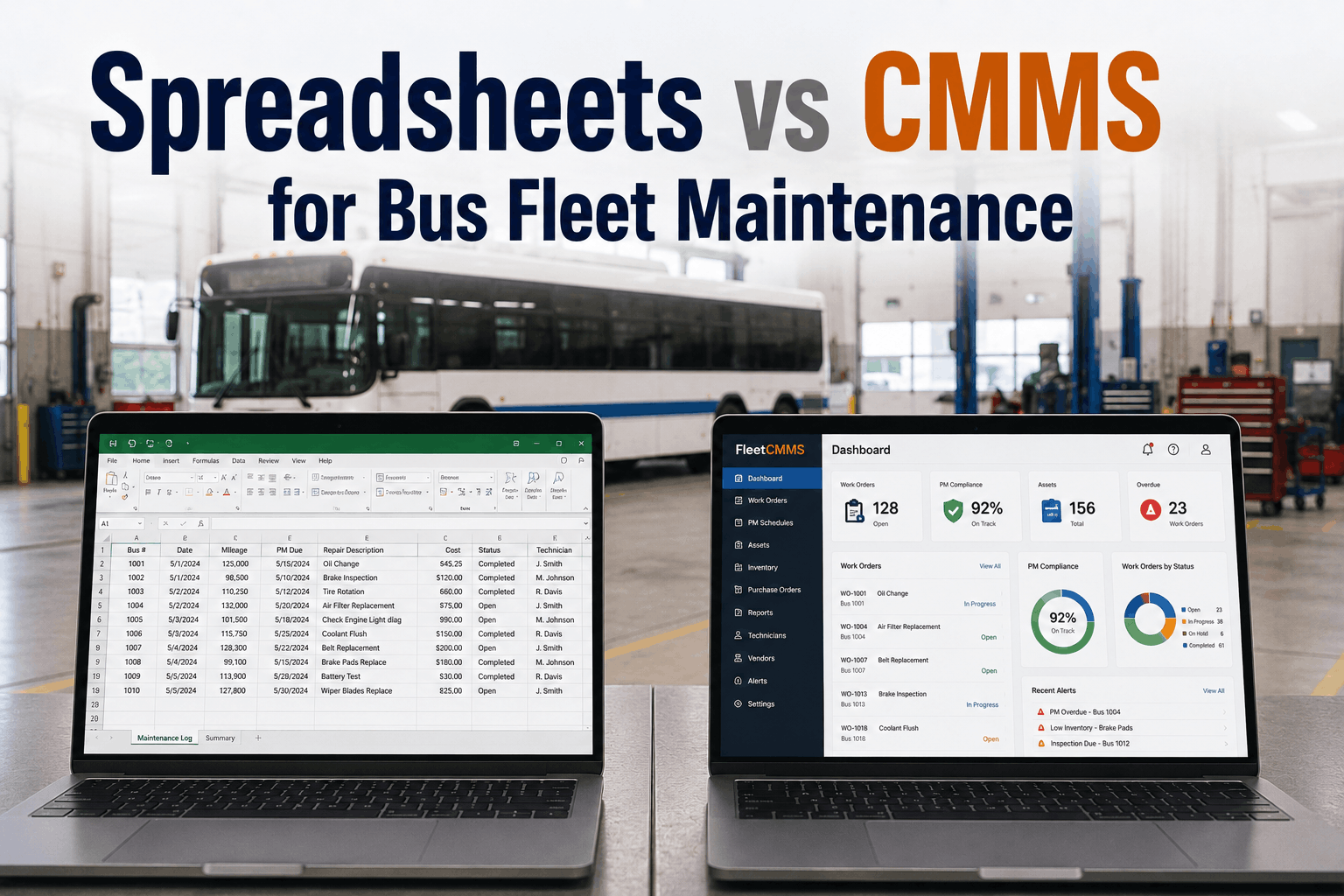
When managing a small or growing bus fleet, setting up a shared spreadsheet in Microsoft Excel or Google Sheets often feels like the easiest, cheapest way to track garage activity. In the early days, a basic grid can adequately log oil changes, record simple mileage intervals, and list basic parts purchases. However, as an operation scales past a handful of transit or school bus assets, this manual model inevitably encounters a breaking point. Spreadsheets are fundamentally passive systems; they cannot send automated reminders, track real-time inventory counts, or validate critical safety compliance windows. A single fat-finger data entry mistake, a broken cell formula, or a forgotten tab can lead to missed preventative maintenance (PM) cycles, catastrophic component failures on the road, and failed DOT safety audits. To protect fleet uptime and maintain absolute regulatory compliance, transportation operations must shift away from administrative paperwork and transition to dynamic, automated systems. This deep-dive comparison explores the invisible operational hidden costs of tracking assets on static sheets, contrasts key platform architectures, and offers a clear, step-by-step roadmap to migrate your shop safely into an advanced Fleet CMMS platform.
Software & CMMS
Spreadsheets vs CMMS for Bus Fleet Maintenance
Static grids quickly crumble under the weight of active shop floors. Compare spreadsheets and dedicated CMMS platforms across data accuracy, compliance readiness, parts optimization, and labor efficiency.
Four Critical Blind Spots of Spreadsheet Fleet Management
Relying on human memory to manually update a shared tracking document leaves your shop open to significant logistical and financial risks. Look closely at the primary structural limitations that slow down spreadsheet-dependent transit operations:
Reason 1: High Risk of Silent Data Corruption
A single accidental keystroke can overwrite a complex formula or delete an entire row of historical repair data. Because spreadsheets lack deep edit logs, discovering who corrupted the document—or finding the original figures—is nearly impossible.
Reason 2: Zero Real-Time Parts Inventory Sync
Spreadsheets cannot dynamically link parts tracking to live work orders. When a technician pulls a heavy-duty alternator or air filter from the shelf, your tracking sheet remains unchanged until someone manually drops the count, frequently leading to stockouts.
Reason 3: Complete Isolation from Live Vehicle Telematics
A tracking sheet cannot talk directly to your buses. Mechanics or drivers must manually type in current odometer readings and engine hour counts. If an update is forgotten, a vehicle can easily breeze past critical safety inspection parameters unnoticed.
Reason 4: Fragmented and Vulnerable Audit Trails
When state or federal DOT inspectors request detailed repair histories, a sprawling spreadsheet with multiple tabs and unlinked cells rarely satisfies compliance rules. Gathering matching paper invoices and signing off manually creates a major administrative burden.
Head-to-Head Comparison: Spreadsheet Reality vs. CMMS Efficiency
To properly evaluate your shop's software tools, look closely at how passive record-keeping stacks up against real-time workflow automation across core operational categories.
Operational Track Records: Manual Sheets vs. Dedicated CMMS
Category: Preventative Maintenance Scheduling
Spreadsheet: Entirely reactive. Requires a manager to manually check dates and mileage logs, then type out physical reminders.
CMMS: Automated scheduling. The system continuously syncs with live odometer feeds and triggers digital PM alerts before an asset falls behind.
Category: Technician Coordination & Work Orders
Spreadsheet: Inefficient. Technicians must write down their repairs on paper forms, which are piled on a desk until an administrator manually enters the details into the file days later.
CMMS: Mobile empowerment. Mechanics log labor times, check parts availability, and attach diagnostic photos directly from their tablets right at the vehicle bumper.
Category: Parts Optimization & Procurement
Spreadsheet: Disconnected tallying. Staff must manually guess stock counts or perform physical audits to find out if critical brake shoes or fuel filters are available in the back.
CMMS: Closed-loop control. Parts are instantly consumed when a work order closes out. The system automatically builds purchase orders when inventory levels fall below your custom minimum thresholds.
Category: Compliance reporting & Analytics
Spreadsheet: Static columns. Calculating your true cost per mile or total cost of ownership (TCO) requires manually building complex pivot tables that break easily.
CMMS: Single-click dashboard insights. Instantly export detailed DVIR reports, breakdown history trends, and comprehensive asset lifecycle metrics with total confidence.
The Fix: Migrating Your Fleet off Spreadsheets Smoothly
Moving your garage operations away from outdated manual trackers doesn't have to disrupt your daily workflows. Follow this proven framework to transition your data onto an automated CMMS platform without any shop downtime:
1
Consolidate and Clean Your Existing Legacy Data
Review your active asset tracking sheets. Remove duplicate records, fix typos in your VIN listings, and ensure your current odometer baselines are as accurate as possible before importing them.
2
Import Asset Profiles Directly into Your New Software
Use your cleaned records to instantly populate the core CMMS asset database. The platform will automatically map vehicle makes, models, and parts requirements based on your imported VIN history.
3
Map and Automate Your Preventative Maintenance Schedules
Translate your traditional mileage intervals (such as 5,000-mile safety check loops) into automated recurring software rules. The CMMS will take over tracking and handle future scheduling notifications.
4
Equip Your Shop Floor with Handheld Mobile Devices
Get rid of paper clipboards entirely. Hand your mechanics mobile apps or tablets so they can log repair tasks, scan parts barcodes, and complete safety inspections directly from the shop bays.
"For years, we managed our 45-bus regional transit network using a massive, heavily customized Excel master workbook. We thought we had things under control until a critical cell reference broke in our scheduling tab. Because of that hidden error, three of our vehicles completely missed their mandated air-brake inspections, resulting in an expensive road failure and a painful safety audit penalty. That wake-up call forced us to migrate our data to a dedicated fleet CMMS. The transition was seamless. The software now automates our PM tracking based on live telematics, tracks our parts inventory automatically, and saves our service manager over fifteen hours of manual data entry every single week."
— Director of Asset Management, Transit Services Group, Ohio
Ditch the Fragile Spreadsheets and Automate Your Shop Workflows
Stop risking your operation's compliance and uptime on easily corrupted grids. Protect your heavy-duty vehicles, streamline shop reporting, and simplify part management by upgrading to an advanced CMMS platform today.