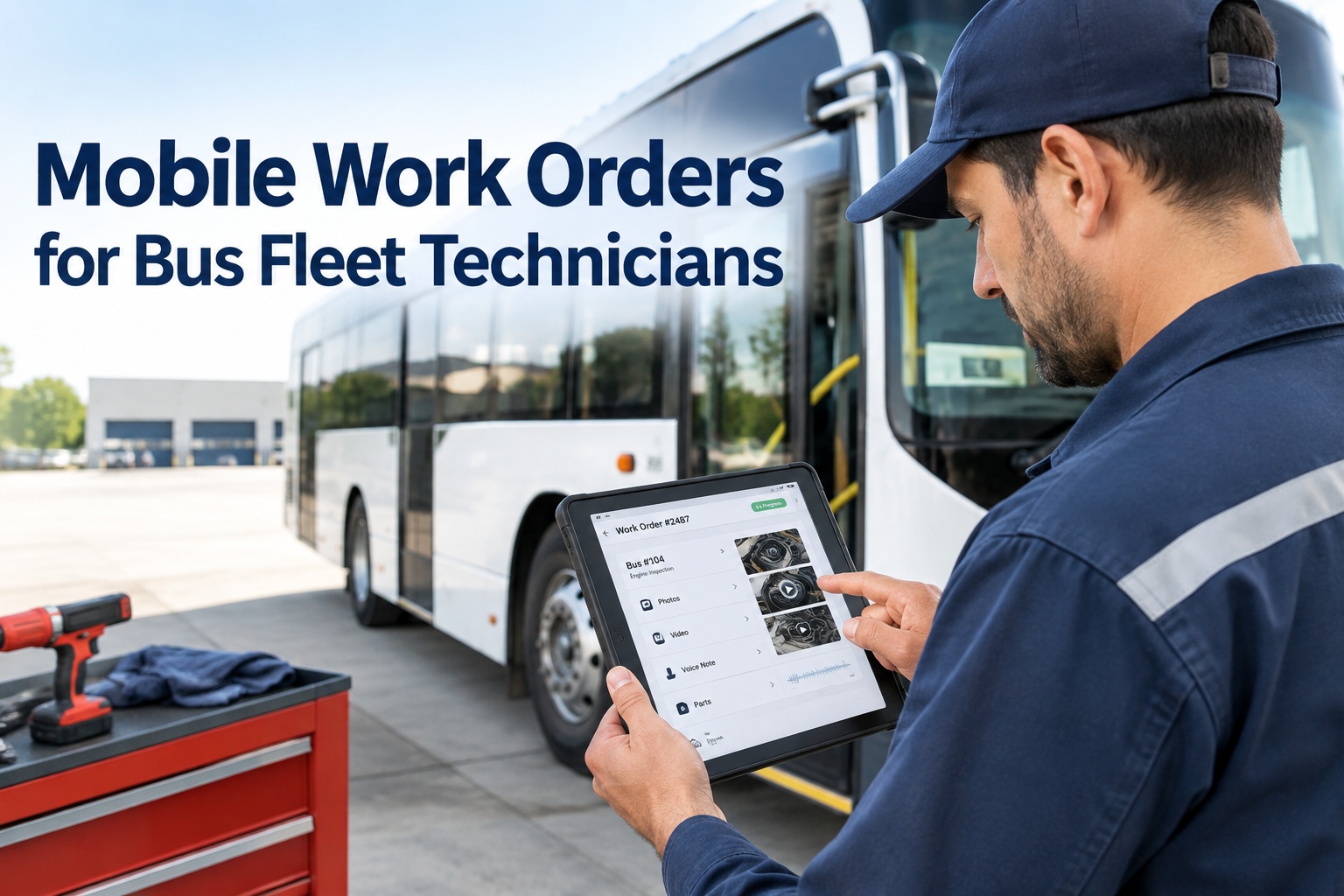
A technician mobile work order lets a bus mechanic document a repair from the bay itself — before-and-after photos, a video clip, voice-to-text notes, and the parts used — all attached to the right bus as they work. The result is a repair record complete enough that the next technician, an auditor, or a manager can see exactly what was found, what was done, and what it took, without chasing anyone down.
Mobile Work Orders for Bus Fleet Technicians
The best repair documentation is captured where the repair happens — not typed up later from memory. Put the work order in the technician's hand and the evidence writes itself.
Updated September 2026 · A practical guide, not legal advice.Paper work orders and after-the-fact data entry lose the two things that make a repair record valuable: the visual proof and the small details a technician only remembers in the moment. A mobile work order fixes that by moving the record to where the wrench is. Here is what a technician actually captures without breaking stride.
What the technician captures at the bus
Before & after photos
Shot on the phone as the repair starts and finishes, so the condition and the fix are both on the record.
Video clips
A short clip for anything a still cannot show — a noise, a leak under load, a stop arm that sticks.
Voice-to-text notes
Hands greasy? Speak the finding and it becomes a written note on the work order, no typing.
Parts consumed
Log the parts used against the job, so inventory and repair cost stay accurate without a second trip to a desk.
Findings & status
What was actually wrong versus what was reported, and the job moved to repaired, awaiting parts, or closed.
Tied to the bus
Everything above attaches to the correct bus asset automatically, so the record lands in one place, not a folder.
None of this adds work; it removes it. The technician documents once, at the bus, instead of remembering it for a form later — and the record is richer for having been captured in the moment. Start a free trial and put the work order in the tech's hand
The record the next technician actually needs
The real test of a work order is the handoff. A bus comes back with a recurring complaint; the tech who takes it should be able to see the full story of the last repair, not start from zero. A mobile-captured record makes that handoff complete.
For a recurring defect, that difference is everything. If the same brake complaint comes back on bus 17 a month later, the record shows what was replaced, what it looked like, and what the last tech suspected — so the pattern is obvious instead of invisible. Book a demo to see a full repair handoff on the bus record
Every repair becomes asset history
One repair is a task; a hundred repairs on the same bus are a story — if they are connected. When every mobile work order attaches to the bus asset, the vehicle builds a searchable history that answers the questions fleets actually ask: what keeps breaking, what did we spend, is this bus worth keeping.
See that bus 17 has had the same brake complaint three times, so it gets a root-cause look instead of a fourth pad swap.
Roll up parts and labor per bus, so a vehicle quietly costing more than it should shows up in the numbers.
Produce the photos, notes, and parts for any past repair on demand — for a warranty claim, an audit, or an incident review.
That history only exists if the documentation is connected in the first place. Records typed into a form and filed by date do not build a per-bus story; records captured on the work order and attached to the asset do. Start free and build real history on every bus
The two-platform problem: video in one place, repairs in another
Here is the gap that undermines even good documentation. Your cameras or MDVR catch an event — a harsh brake, a defect visible in footage — and it lives in the camera vendor's platform. Your repairs live in a separate maintenance system. So when you need to prove a detected defect was inspected, repaired, and closed, the evidence is split across two systems that were never connected, and the chain cannot be shown end to end.
BusCMMS is an AI-native, hardware-agnostic bus fleet operations platform that connects the camera or MDVR events you already capture to the maintenance workflow — no rip-and-replace. An event links to the correct bus asset, opens a work order, the technician captures evidence on the phone during the repair, and the completed record is preserved. The whole chain, from detection to closure, lives on one bus record. Book a demo to connect a camera event to a closed work order
What the regulations do and do not require
It is worth being precise here, because mobile work orders are an operational best practice, not a regulatory mandate. The rules govern the condition of the vehicles and the existence of records — not the app you use to create them.
This governs inspection, repair, and maintenance and the associated records — keeping vehicles in safe operating condition and being able to show the maintenance was done. It is directly relevant to why you document repairs and keep the history, and photos or video can strengthen that record. But no part of it requires mobile photos, video clips, or any particular CMMS workflow. How you capture and store the record is your operational choice; that it exists and is accurate is the point.
So the honest framing is simple: the regulations tell you to maintain the buses and keep the records; mobile work orders are just a far better way to produce records that are complete, accurate, and easy to retrieve. Verify how the requirements apply to your own operation. Start free and keep maintenance records complete and retrievable
Start a free BusCMMS trial and connect your first bus
Give your technicians mobile work orders that capture before-and-after photos, video clips, voice-to-text notes, and parts — all tied to the right bus and connected to your existing camera or MDVR events. Hardware-agnostic, no rip-and-replace. Connect your first bus in minutes.
Hardware-agnostic · Works with your existing cameras · One record per bus
Frequently asked questions
What is a technician mobile work order?
A technician mobile work order is a maintenance work order a bus mechanic can view and complete on a phone or tablet at the vehicle, rather than on paper or a desktop after the fact. It lets the technician capture before-and-after photos, short video clips, voice-to-text notes, the parts consumed, their findings, and the repair status directly from the bay or yard, with everything attaching to the correct bus asset. The benefit is a complete, accurate repair record captured in the moment, which produces a stronger asset history and a clear handoff for the next technician.
Why attach photos and video to a work order?
Because a still image or short clip proves the condition and the fix in a way that a text line cannot. Before-and-after photos show the component that was actually repaired; a video captures symptoms a photo misses, like a noise or a leak under load. Attached directly to the work order, this evidence becomes part of the bus's permanent record, which strengthens warranty claims, supports audits and incident reviews, and makes recurring defects visible over time. It also gives the next technician the full picture instead of a one-line summary, so repeat problems are diagnosed faster.
How does a camera or MDVR event become a work order?
In a unified workflow, an event from your existing camera or MDVR system is linked to the correct bus asset and used to open a maintenance work order automatically. The technician then completes that work order on a mobile device, capturing evidence during the repair, and the finished record is preserved on the bus. This closes the common gap where camera footage lives in one vendor platform while maintenance records live in another, making it hard to prove that a detected defect was inspected, repaired, and closed. Connecting the event to the work order keeps the whole chain on one record.
Do the regulations require mobile photos or video?
No. 49 CFR Part 396 governs vehicle inspection, repair, and maintenance and the associated records — it requires that vehicles be kept in safe operating condition and that maintenance records exist and are accurate. It does not require mobile photos, video clips, or any particular CMMS workflow. Mobile work orders with visual evidence are an operational best practice that produces stronger, more complete, and more easily retrievable records; they are a better way to meet the underlying recordkeeping expectation, not a separate legal requirement. Always verify how the requirements apply to your specific operation.
Do we need to replace our cameras to use this?
No. BusCMMS is hardware-agnostic and is designed to connect the camera or MDVR systems you already run to the mobile maintenance workflow, without a rip-and-replace deployment. It links an existing camera event to the correct bus asset and a work order, lets technicians capture photos, video, notes, and parts on the phone during the repair, and preserves the completed record. The goal is one connected record per bus — from a detected event through the completed repair — using your current hardware rather than requiring a new camera ecosystem.