A video telematics API is the interface that lets your bus fleet's camera and telematics system exchange vehicle, GPS, and video-event data with other platforms — maintenance, safety, dispatch — programmatically, instead of by hand. Webhooks are the push half of that: instead of your maintenance system asking "any new events?" every few seconds, the camera platform pushes a notification the instant an AI camera flags a harsh brake or a stop-arm pass, so a work order or safety review can start on its own. Get these two right and a camera event on Bus #14 becomes a tracked work order before the bus is back in the yard. Get them wrong — or build the integration once and never watch it — and you find out it broke three vendor updates ago, silently.
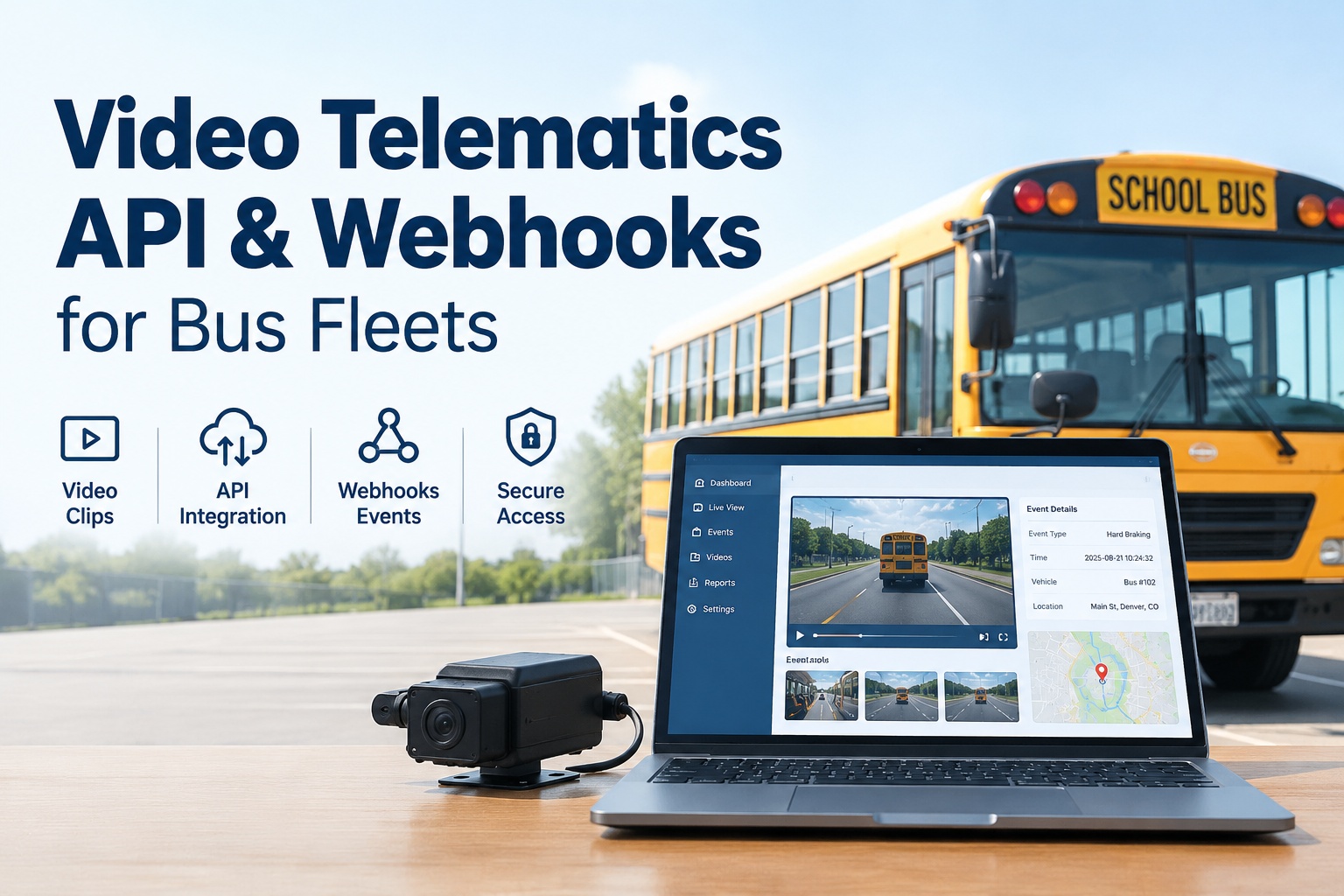
Video Telematics API & Webhooks for Bus Fleets
How event data, video clips, authentication, asset mapping, and webhooks connect your cameras to maintenance and safety workflows
- PushWebhooks vs. polling
- 1:1Asset-to-bus mapping
- SignedVerified payloads
What a Video Telematics API Actually Does
At its core, a video telematics API moves data between systems that would otherwise never talk to each other. Your camera platform knows a harsh-braking event happened on a specific bus at a specific GPS point at 7:42 a.m. Your maintenance system needs that to become a work order. Your safety system needs the clip attached to an incident record. Dispatch needs to know which route it was on. Without an API, someone copies all that by hand, or it simply never crosses over — and the event dies in a portal nobody checks.
The API exposes the pieces you need: vehicle and asset IDs, GPS coordinates, timestamps, event types, camera channels, and references to the video clips themselves. For a school district, transit agency, or charter operator, that's the difference between a wall of camera alerts and a fleet where a stop-arm event, a fatigue flag, or a collision warning automatically becomes something a person acts on. The goal isn't the data exchange for its own sake — it's the workflow it unlocks. You can see how video events connect to inspections, safety records, and work orders in a walkthrough.
REST API vs. Webhooks vs. Polling vs. Direct Video Access
These four terms get mixed up constantly, and choosing wrong is where integrations get slow, expensive, or brittle. Each does a distinct job.
You ask, it answers. Your system calls an endpoint to fetch events, look up a vehicle, or list clips. Best for on-demand queries and backfills — "give me all events for Bus #14 last Tuesday."
It tells you. The camera platform pushes a payload the moment an event fires. No waiting, no wasted calls. Best for triggering a work order or safety review the instant something happens.
You keep asking. Your system calls the API on a schedule to check for new events. Simple, but wasteful and delayed — and it burns rate limits. A fallback when webhooks aren't available.
Fetching the actual clip. A separate step: the event payload gives you a clip reference, and you retrieve the video via a time-limited URL. The footage itself, not just the metadata about it.
The practical pattern for a bus fleet: webhooks for real-time event notification, the REST API for lookups and backfilling anything a missed webhook dropped, and direct video access when a reviewer actually needs to watch the clip. Polling is the fallback you use only when a vendor doesn't offer webhooks. Mixing them correctly gives you speed without gaps. If you'd rather not architect this from scratch, you can start free and connect events without building the plumbing yourself.
Anatomy of a Webhook Event Payload
When an AI camera detects an event, the webhook delivers a payload describing it. Here's a representative example — field names vary by vendor, but the shape is consistent. Note that no credentials ever appear in the body; the signature in the header is what proves it's authentic.
Headers:
  X-Signature: sha256=9f2b...c1a4   // verify this
  X-Event-Id:  evt_8842190

Body:
{
  "event_id":    "evt_8842190",
  "event_type":  "harsh_braking",
  "asset_id":    "cam_00317",
  "vehicle_ref": "BUS-14",
  "route":       "Route-8",
  "timestamp":   "2026-09-11T07:42:15Z",
  "gps": { "lat": 39.9526, "lng": -75.1652 },
  "camera_channel": 2,
  "clip": {
    "clip_id":     "clip_55120",
    "status":      "ready",
    "retrieve_url":"https://.../clip_55120?exp=..."
  }
}
Read it top to bottom and you have everything a workflow needs: what happened (event_type), which asset and bus (asset_id, vehicle_ref), when and where (timestamp, gps), which camera (camera_channel), and how to get the footage (clip.retrieve_url). The event_id is your key for deduplication — more on that shortly. The retrieve_url is time-limited and will expire, so you fetch or copy the clip promptly rather than storing the link.
Key API & Webhook Fields
A scannable reference for the fields that matter most when wiring a bus camera integration.
| event_id | Unique event identifier — your key for idempotency and dedup |
|---|---|
| event_type | What fired: harsh_braking, stop_arm_pass, collision, distraction, etc. |
| asset_id | The camera or MDVR device ID — maps to a bus, not a bus itself |
| vehicle_ref | Your bus identifier, if the vendor stores it |
| timestamp | Event time in UTC (ISO 8601) — normalize to your timezone |
| gps | Latitude/longitude of the event for route and stop context |
| camera_channel | Which camera input captured it (interior, road, door, rear) |
| clip_id / retrieve_url | Reference to the video; the URL is time-limited and expires |
| signature (header) | HMAC to verify the payload is authentic — check before trusting |
Mapping a Camera Asset to the Right Bus — Without Duplicates
This is the single most common place a video integration quietly goes wrong. A camera or MDVR has its own device ID (asset_id) — that is not the same thing as your bus. If your integration treats every new asset_id as a new asset, you end up with a fleet record full of phantom "buses" that are really just cameras, and events landing on the wrong record. The fix is a deliberate mapping layer.
- 1
Maintain a mapping table
One row per camera: asset_id → your canonical bus ID. When a camera moves to another bus, you update one row, not your whole event history.
- 2
Resolve on ingest
Every incoming event looks up its asset_id in the map and attaches to the real bus record — never creating a new asset just because the device ID is unfamiliar.
- 3
Flag unknown assets
An unmapped asset_id is a signal, not a new bus. Quarantine it for review so a mislabeled camera doesn't silently spawn a duplicate.
This matters more on a bus fleet than on trucking, because cameras get swapped between buses to cover problem routes — a stop-arm camera might live on three different buses in a semester. If your mapping is solid, that reassignment is one edit; if it isn't, your event history fractures across duplicate assets and your reports lie. A platform that owns the bus asset record and treats cameras as attached devices sidesteps the whole problem, which is worth a demo to see mapping done cleanly.
Real Integration Workflows for Bus Fleets
The point of all this wiring is the workflows it enables. Here's what a well-built video telematics integration actually does on a school or transit fleet, day to day.
Event → work order
An AI camera detects a vehicle event with a probable mechanical cause; the webhook triggers a maintenance work order on the right bus automatically.
Attach video to an incident
A collision or passenger incident pulls the relevant clip via its retrieve_url and attaches it to the incident record as evidence.
Match event to bus & route
GPS and vehicle_ref place each event on the correct bus and route, so reports reflect reality instead of guesses.
Trigger a safety review
A fatigue or distraction event routes into a safety-review queue with the clip attached, ready for coaching — no manual hunting.
Every one of these ends in an action on a specific bus — a work order, an incident record, a coaching queue entry. That's the whole payoff of the API: turning a raw event into a routed, owned follow-up. The integration is plumbing; the workflows are the water.
The Hard Parts: Auth, Retries, Dedup, and Expiring URLs
A demo integration that works once is easy. A production one that survives real traffic, vendor quirks, and network failures is where the engineering lives. These are the details that separate the two.
Authentication
API keys or OAuth where supported. Keep keys server-side, never in a payload or client. Rotate them, and scope them to least privilege.
Webhook signatures
Verify the HMAC signature header on every webhook before trusting it. An unsigned or mismatched payload is discarded — this is how you block spoofed events.
Retries & idempotency
Vendors retry failed webhooks, so the same event arrives more than once. Use event_id to dedup — process once, ignore repeats. Return 2xx fast so retries stop.
Pagination & rate limits
REST backfills page through results; respect rate limits with backoff. Hammering the API during a catch-up gets you throttled or blocked.
Error handling
Queue failed deliveries and retry with backoff. A dropped webhook shouldn't lose an event — reconcile against the REST API to catch gaps.
Video URL expiration
Clip URLs are time-limited. Fetch or copy the footage to your own retention store promptly — don't save an expiring link and expect it to work next month.
Two of these bite hardest. Duplicate events — because retries are normal, not exceptional — will double-create work orders if you don't dedup on event_id. And expiring video URLs mean an evidence clip you "saved" is gone when you need it for a case, unless you copied the actual file. Both are cheap to handle correctly and expensive to discover in production.
The Failure Nobody Plans For: Building It and Walking Away
Here's the mistake that quietly kills more video integrations than any bug: a fleet builds it once, it works, everyone moves on — and then a vendor ships an API change and nothing catches it. Events stop flowing, work orders stop generating, and because there's no monitoring, nobody notices until someone asks why a camera event from six weeks ago never became a ticket.
- Pin an API version. Integrate against a versioned endpoint so a vendor's breaking change doesn't silently reshape your payloads overnight.
- Monitor webhook health. Alert when event volume drops to zero or signature checks start failing — that's your early warning, not a user complaint.
- Reconcile regularly. Periodically compare received webhooks against the REST API to catch anything the push channel dropped.
- Watch for deprecation notices. Vendor API changelogs are the thing nobody reads until an integration breaks. Assign an owner to track them.
An integration is a living system, not a one-time build. Versioning, authentication security, signature verification, retries, and dedup all need to keep working as the vendor evolves — and someone has to own watching them. This is exactly why fleets increasingly prefer a platform that maintains the camera and MDVR integrations for them, so a vendor API change is the platform's problem to absorb, not a silent gap in your safety records. You can start free and let the integration layer be maintained for you.
Where BusCMMS Fits: Events That Become Records
All of the above — webhooks, asset mapping, dedup, expiring URLs, version monitoring — is real work. BusCMMS exists so it becomes a workflow you use rather than an integration you babysit.
That's the role BusCMMS plays. BusCMMS is the AI-native bus fleet operations platform that connects video events with inspections, safety records, and maintenance workflows — while supporting the camera and MDVR infrastructure you already run, so there's no hardware to replace. Camera events land on the correct bus asset record (no duplicate assets), clips attach to incidents before their URLs expire, duplicate webhooks get deduped, and a vendor API change is maintained on the platform side instead of silently breaking your automation. A harsh-braking event becomes a work order; a stop-arm pass becomes a documented safety record; a fatigue flag becomes a coaching entry — all on one timeline per bus. No federal regulation requires any particular API or telematics integration; this is about running your fleet well, not checking a compliance box.
The Bottom Line on Video Telematics APIs
So, what is a video telematics API? It's the interface that lets your bus fleet's cameras and telematics exchange event, GPS, and video data with your maintenance, safety, and dispatch systems — with webhooks pushing events in real time, a REST API for lookups and backfills, and direct video access for the clips. Done well, it turns a camera event into a routed, owned follow-up on the right bus. Done carelessly — no signature checks, no dedup, no asset mapping, no monitoring — it becomes duplicate records, expired clips, and automation that broke without anyone noticing.
The fleets that get value from a video telematics integration aren't the ones who build the cleverest pipeline — they're the ones whose camera events reliably become inspections, safety records, and work orders, and stay that way after the vendor changes their API. That connection is the whole point, and it's exactly the gap BusCMMS was built to close while supporting the cameras and MDVRs you already own. If you'd like to see it working, see how BusCMMS connects video events to bus inspections, safety records, and work orders and bring the camera stack you already have.
What is a video telematics API?
A video telematics API is the interface that lets a bus fleet's camera and telematics system exchange vehicle, GPS, camera, and video-event data with other platforms like maintenance, safety, dispatch, and fleet management, programmatically instead of by hand. It exposes event data such as event type, asset and vehicle IDs, timestamps, GPS coordinates, camera channels, and references to video clips. Paired with webhooks, it lets a camera event automatically trigger a work order, attach a clip to an incident, or start a safety review on the correct bus.
What's the difference between a webhook and polling?
Polling means your system repeatedly calls the API on a schedule to check for new events, which is simple but wasteful and delayed, and it consumes rate limits. A webhook is the reverse: the camera platform pushes a payload to your endpoint the instant an event fires, so there's no waiting and no wasted calls. For real-time bus fleet workflows like triggering a work order the moment an AI camera flags an event, webhooks are strongly preferred, with polling used only as a fallback when a vendor doesn't offer webhooks.
How do you map a camera to the right bus without creating duplicates?
The key is understanding that a camera or MDVR has its own device ID (asset_id) that is not the same as your bus. The fix is a mapping table with one row per camera linking its asset_id to your canonical bus ID. Every incoming event resolves its asset_id against that map and attaches to the real bus record, never creating a new asset just because the device ID is unfamiliar. Unknown asset IDs get quarantined for review rather than auto-creating a phantom bus. This matters especially on bus fleets, where cameras get swapped between buses to cover problem routes.
Why do duplicate events and expiring video URLs cause problems?
Vendors retry failed webhook deliveries, so the same event routinely arrives more than once. If you don't deduplicate on the unique event_id, a single event can double-create work orders or safety records. Video clip URLs are also time-limited and expire, so if you save the link instead of fetching the actual footage to your own retention store, the evidence is gone when you need it for a case. Both are cheap to handle correctly with idempotency keys and prompt clip retrieval, but expensive to discover in production.
What's the biggest mistake fleets make with video integrations?
Building the integration once and never monitoring it. It works at launch, everyone moves on, and then a vendor ships an API change that silently reshapes payloads or renames a field, and the automation stops with no error and no alert. Nobody notices until an audit shows events that never became work orders. The fixes are pinning a versioned API endpoint, monitoring webhook health (alerting when event volume drops to zero or signatures fail), reconciling webhooks against the REST API, and assigning an owner to watch vendor deprecation notices. An integration is a living system, not a one-time build.