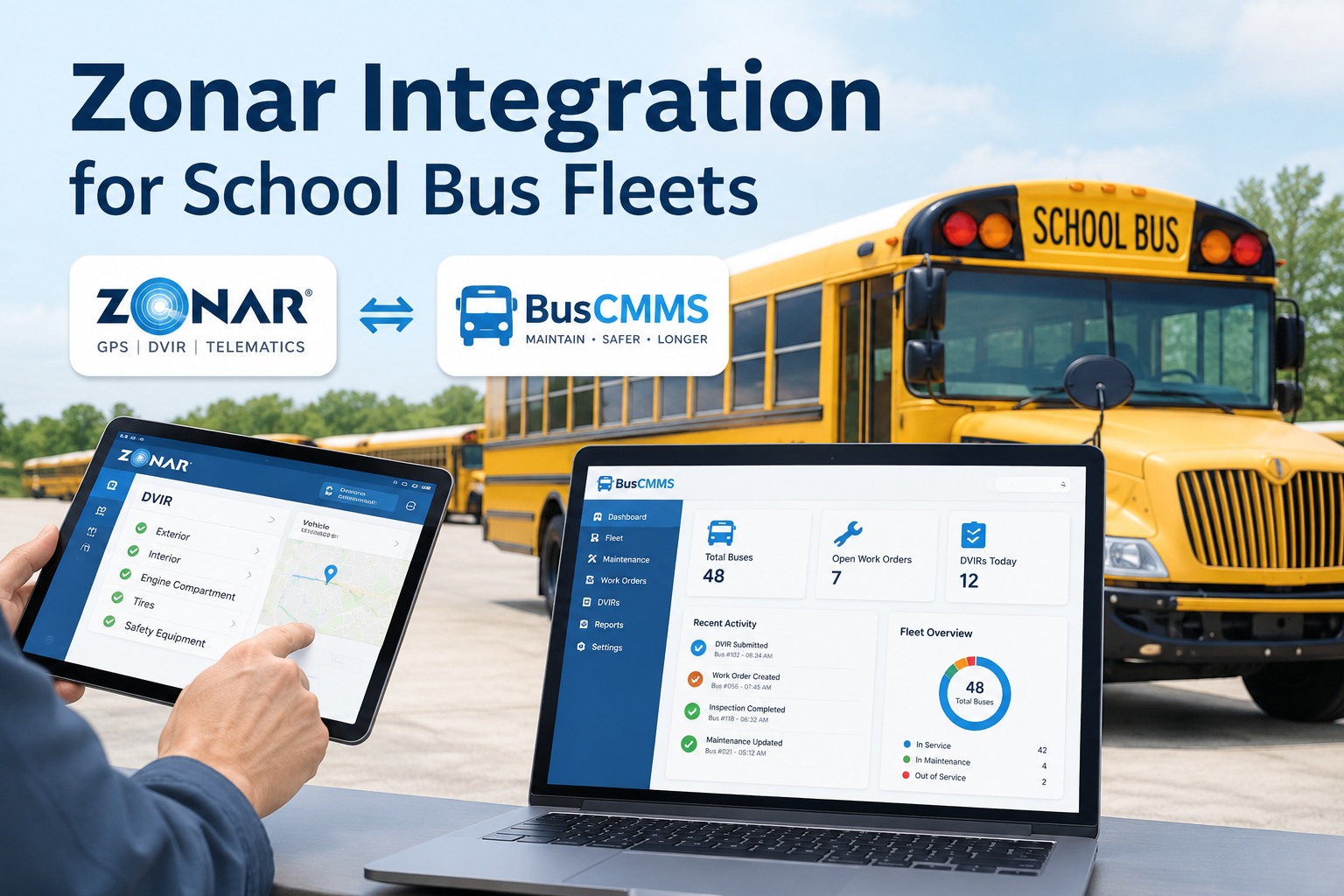
If your district already runs Zonar, your buses are generating a steady stream of good data, GPS tracks, engine fault codes, odometer readings, and EVIR inspection results, every single day. The problem is where that data goes next. Too often it lives in the telematics portal while your maintenance lives somewhere else entirely, so the same bus exists twice, inspections do not trigger repairs, and nobody has one full history per vehicle. A Zonar integration with BusCMMS closes that gap: the data Zonar already captures flows into one maintenance record, so an inspection becomes a work order and a fault code becomes a scheduled repair instead of a note in a second system. See a Zonar-to-BusCMMS data flow in a demo
Updated September 2026 · Integration capabilities depend on your Zonar products, plan, and API access; specifics are confirmed during setup. DVIR requirements (49 CFR 396.11 and 396.13) apply by operation and are summarized here for context.
Zonar Integration for School Bus Fleets
Zonar sees the road. BusCMMS runs the shop. Connect them and every bus has one record instead of two — inspection, location, diagnostics, and maintenance in the same place.
An integration is only as useful as what actually crosses between the systems. The point of connecting Zonar to BusCMMS is not to move data for its own sake — it is to turn things Zonar observes into things the maintenance shop can act on. Four data types do most of the work.
What connects, and what it becomes
Each of these is data Zonar already captures. The integration gives it a destination where it changes an outcome, rather than sitting in a dashboard nobody in the shop is watching.
The pattern is the same across all four: Zonar is the sensor, BusCMMS is the system of action. A fault code that used to be an email nobody opened becomes a work order with a due date. An EVIR defect that used to need re-keying into a maintenance tool becomes a repair the shop already sees. Book a demo to see fault codes and EVIR results become work orders
The problem it actually solves: the double bus
Here is the specific pain most districts running two systems know well. Bus 42 exists in Zonar as one asset and in your maintenance tool as another, entered by a different person, maybe with a different unit number or VIN format. Now you have two records for one bus, and neither is complete. The inspection history is in one, the repair history in the other, and reconciling them is a manual, error-prone chore nobody enjoys.
Asset matching is the heart of the integration for exactly this reason. Get each bus mapped once — Zonar asset to BusCMMS vehicle — and the double-bus problem disappears, along with the reconciliation work it created. Start free and give every bus a single matched record
How the integration is set up
Connecting the two systems is a short, ordered process, not an IT project that eats a quarter. The exact steps depend on your Zonar products and API access, which get confirmed during setup, but the shape is always the same four stages.
Authorize the data connection between your Zonar account and BusCMMS. This uses Zonar's API access rather than any manual export, so data keeps flowing after setup.
Map each Zonar asset to its BusCMMS vehicle, usually by VIN or unit number. This one-time reconciliation is what collapses the double records into a single identity per bus.
Decide what each data type does: which fault codes raise alerts, how odometer readings drive PM intervals, and how EVIR defects open work orders. This is where telematics data becomes shop workflow.
Confirm a test bus flows end to end, an inspection appears, a fault triggers an alert, the odometer updates, then switch the fleet on and let the data run.
Once it is live, the integration runs quietly in the background. Your drivers keep using Zonar exactly as they do today; the difference is that the shop now sees the results without anyone re-typing them. Book a demo to walk through setup on your own fleet
Common setup issues, and how to avoid them
Most integration friction comes from a handful of predictable places, and every one is easier to prevent than to untangle later. Knowing them going in makes for a clean setup.
A bus is "42" in Zonar and "Bus 042" or a full VIN in maintenance. Standardize on one identifier — VIN is safest — before matching, so every asset pairs cleanly on the first pass.
If a bus was manually created in both systems, matching can leave a stray duplicate. Clean up or merge duplicates as part of asset matching, not after data has started flowing into both.
Pulling every fault code as an urgent alert creates noise that gets ignored. Decide up front which codes and thresholds actually warrant a work order, so the shop trusts the alerts it gets.
The connection depends on API access being active on your Zonar plan. Confirm this early with your Zonar administrator so setup is not stalled waiting on a permission.
None of these is hard; they just reward a little planning. Sort out identifiers, duplicates, alert thresholds, and API access before you flip the switch, and the integration comes up clean. Start free and set up asset matching the right way
One record, not two systems side by side
The reason this integration matters is not novelty — it is that a school bus fleet running Zonar and a separate maintenance tool is really running two partial pictures of the same fleet. Zonar knows where the bus is and what its engine is saying; the maintenance side knows what was repaired and when. Neither alone can answer a simple question like "show me everything about bus 42 this year." BusCMMS is an AI-native bus fleet platform that connects telematics, inspections, maintenance, driver records, and video evidence on one record per vehicle. Feeding it Zonar's GPS, diagnostics, and EVIR data means the location and condition data lands next to the work orders and repair history, so the whole story of a bus lives in one place. A fault code becomes a scheduled repair, an EVIR defect becomes a tracked work order, and an audit or an incident review becomes a lookup, without anyone maintaining the same fleet twice. It reduces duplicate work and gives your team one source of truth, without replacing the Zonar hardware your drivers already use.
Put your Zonar data to work in BusCMMS
Connect the GPS, diagnostics, and EVIR inspection data Zonar already collects to BusCMMS, and get matched assets, inspections that open work orders, usage-based preventive maintenance, and one full history per bus, with no duplicate entry. Book a demo and we will walk a Zonar-to-BusCMMS data flow on your own fleet.
Works alongside your existing Zonar hardware · No duplicate asset entry · One vehicle record
Frequently asked questions
What does a Zonar integration with BusCMMS do?
It connects the data Zonar already collects on your buses — GPS location, engine fault codes and diagnostics, odometer and engine hours, and EVIR inspection results — to BusCMMS, so that data drives maintenance instead of sitting in a separate portal. In practice a fault code can raise a maintenance alert or work order, odometer readings can trigger usage-based preventive maintenance, and an EVIR defect can open a corrective work order tied to the specific bus. The goal is one maintenance record per vehicle rather than a telematics system and a maintenance system holding two partial, disconnected pictures of the same fleet.
Do I have to replace my Zonar hardware?
No. The integration is designed to work alongside the Zonar devices and EVIR workflow your drivers already use. Drivers keep performing inspections and the telematics keep reporting exactly as they do today; what changes is that the results flow into BusCMMS as maintenance records, work orders, and preventive-maintenance triggers instead of needing to be re-keyed into a second tool. You are adding a destination for the data, not swapping out the hardware that generates it.
How does asset matching work?
Asset matching maps each Zonar asset to its corresponding BusCMMS vehicle, so the two systems agree on a single identity for every bus. It is usually done by VIN or unit number as a one-time reconciliation during setup. This is the step that solves the common "double bus" problem, where the same vehicle exists as two separate records with mismatched identifiers. The cleanest results come from standardizing on one identifier, typically the VIN, and cleaning up any duplicate records before matching rather than after data has begun flowing.
Does Zonar EVIR data satisfy DVIR requirements?
EVIR is Zonar's electronic verified inspection system, and where DVIR requirements under 49 CFR 396.11 and 396.13 apply to your operation, an electronic inspection workflow can support meeting them — but whether a specific setup satisfies the rule depends on the operation, the vehicles, and how the records are retained. The integration's role is to carry inspection results into BusCMMS so they live on the vehicle record and can generate work orders, and so the history is retrievable. Confirm your specific DVIR obligations against the regulation and your own compliance requirements; the integration supports the workflow rather than making a compliance determination for you.
What do I need before setting up the integration?
Mainly three things: active API access on your Zonar plan, a consistent asset identifier (VIN is the safest choice) across both systems, and a quick cleanup of any duplicate vehicle records so matching is clean. It also helps to decide in advance which fault codes and thresholds should generate alerts, so the shop is not flooded with low-value notifications. With those in place, the setup follows four stages: connect the data source, match the assets, map data to actions, and verify a test bus before switching the whole fleet on. The specifics for your fleet are confirmed during setup, which is what a demo walks through.