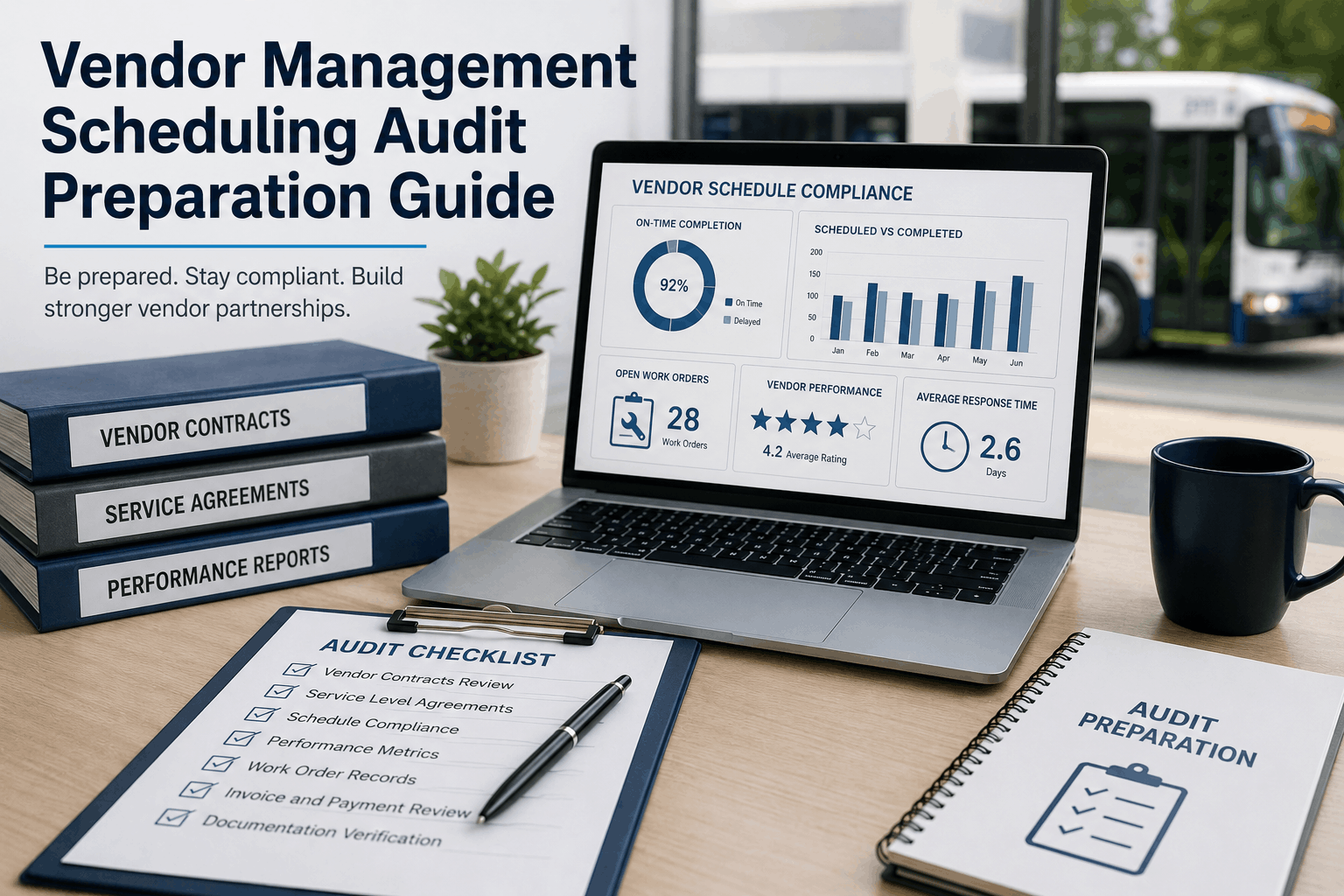
When a state auditor asks for vendor maintenance records covering the last fourteen months, most school districts scramble. The paperwork lives in three-ring binders, the contractor’s invoices are buried in an email inbox, and the school bus scheduling team cannot confirm whether a transmission rebuild was done on time or only after the route had already failed. BusCMMS turns vendor management from a paper chase into a single-pane audit trail. Every outside repair, every outsourced PM, and every parts receipt is tied to an asset, a work order, and a compliance clock — so when the FMCSA or state DOT asks for documentation, the transportation director pulls a report, not an all-nighter. This guide shows how proactive fleet maintenance scheduling with built‑in vendor oversight eliminates audit stress and keeps buses in service.
Pass Every Vendor Audit with One Click
BusCMMS auto‑logs vendor work, tracks warranties, and stores compliance documents — so your audit prep drops from days to minutes.
Why Vendor Management Is the Weak Link in Audit Preparedness
A school bus fleet often contracts out major engine overhauls, transmission services, and bodywork. Yet these vendor events are exactly what DOT auditors ask for first. Without a centralized fleet operations record, a district might pay for a brake job twice because the warranty was never tracked, or fail an audit because a vendor’s annual inspection certificate never made it into the bus file. BusCMMS captures every vendor transaction — from purchase order to invoice upload — and links it to the specific vehicle and compliance requirement, giving the fleet manager total visibility.
Common Vendor Scheduling Mistakes That Trigger Audit Flags
| Audit Risk | Root Cause | BusCMMS Solution |
|---|---|---|
| Missing annual inspection documentation | Vendor report never filed in bus folder | Auto‑attached to asset record on upload |
| Untracked warranty repairs | No system links vendor work to warranty period | Warranty clock starts from repair date, alerts before expiry |
| Duplicate payments for the same service | Paper invoices processed by different staff | Vendor work order closed only after invoice match |
| Vendor PM intervals misaligned with fleet schedule | Contractor performs service based on their calendar, not route needs | Shared work order triggers vendor dispatch during low‑demand windows |
| No proof of vendor technician qualifications | Certificates stored off‑site or expired | Vendor profile stores credentials with renewal reminders |
BusCMMS Vendor Management Features That Build Audit‑Ready Fleets
Create, assign, and track work orders sent to outside shops. Every status change — from dispatch to invoice approval — is timestamped and audit‑trail ready.
Attach scanned invoices, inspection certificates, and warranty statements directly to the vendor work order — searchable by bus number or compliance date.
BusCMMS records warranty start and end dates for every vendor repair, then alerts you 30 days before expiration so you can file claims while coverage is still active.
Overlay vendor service intervals onto your district route calendar. Schedule outsourced PMs during spring break or professional development days, not during active routes.
Track turnaround time, cost variance, and rework rate for every vendor. Use data — not memory — to decide which outside shops earn your fleet’s repeat business.
Select a bus and a date range, and BusCMMS compiles every vendor transaction, attached document, and compliance certification into a single PDF — ready for the auditor’s desk.
The Six‑Step Vendor Audit Preparation Workflow
Upload current service agreements, pricing schedules, and insurance certificates into each vendor’s digital profile, giving every fleet manager instant access.
Stop accepting paper tickets. Require every outside shop to submit work orders through BusCMMS or allow your staff to enter them upon bus return — capturing labor, parts, and compliance data.
Tag each vendor work order with the applicable regulation — annual inspection, brake certification, emergency exit check — so the system knows which records an auditor will request.
BusCMMS monitors every active warranty and service contract. A dashboard widget shows upcoming expirations 60, 30, and 7 days out, preventing missed claims.
Each month, pull a report showing all vendor work that required compliance documentation. Flag any missing attachments immediately — not during audit week.
Once a quarter, pick a random bus and pull its complete vendor and compliance record. If the report generates in under ten minutes, your fleet is truly audit‑ready.
We used to dread vendor audits — finding invoices was a treasure hunt. Now every outside repair lives in BusCMMS, with the invoice, warranty, and inspection certificate attached. Last month, our state auditor reviewed 12 buses in 90 minutes and left with zero findings.
Frequently Asked Questions
How does BusCMMS keep vendor compliance records organized for a DOT audit?
BusCMMS attaches every vendor invoice, inspection certificate, and warranty document to the specific vehicle work order, then indexes them by FMCSA regulation for instant retrieval.
Can we manage multiple vendors for the same bus fleet in BusCMMS?
Yes, you can create unlimited vendor profiles, each with its own contract terms, insurance records, and performance metrics, all visible on a single dashboard.
Does BusCMMS notify us when a vendor’s warranty is about to expire?
Absolutely, warranty expiration alerts appear on the fleet dashboard at 60, 30, and 7 days before the end date, so you can file claims while coverage is active.
What if a vendor refuses to use a digital work order system?
Your shop staff can quickly enter the vendor’s paper work order into BusCMMS upon bus return, ensuring the record is captured without requiring vendor tech adoption.
How does vendor scheduling improve school bus route reliability?
By aligning vendor PMs with route calendar gaps, BusCMMS ensures buses are serviced during low-demand periods, not pulled from active routes unexpectedly.
Can BusCMMS track vendor costs against our annual maintenance budget?
Yes, every vendor work order records parts, labor, and invoice totals, and the system aggregates them into the fleet cost‑per‑mile report for accurate budget tracking.
Is vendor management included in the free BusCMMS tier for small fleets?
Yes, the free tier for up to 75 buses includes full vendor work order management, document attachment, warranty tracking, and compliance reporting capabilities.
How does vendor performance scoring help our district save money?
BusCMMS compares turnaround time, cost accuracy, and rework rates across vendors, giving you objective data to negotiate better rates and drop underperforming shops.
Make Your Next Vendor Audit a Non‑Event
BusCMMS gives you the vendor documentation, warranty tracking, and compliance reporting infrastructure to pass every audit — starting at under three weeks implementation.