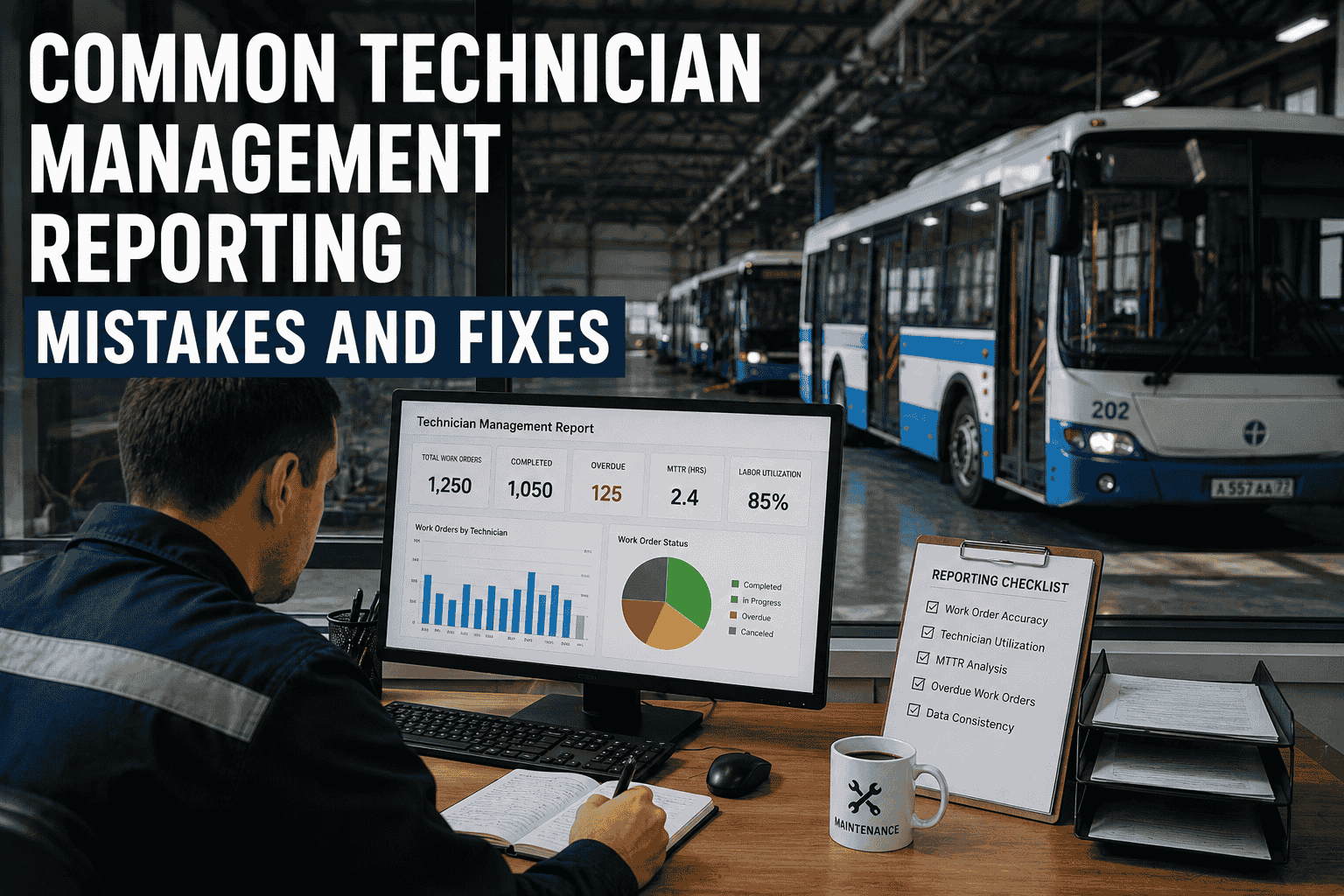
Technician management reporting often looks complete on paper, but many bus and transit fleets still make decisions using delayed, incomplete, or misleading maintenance data. A manager may know how many work orders were closed last month, but not which technician is overloaded, which repair categories are repeating, which jobs are taking longer than expected, or where labor hours are being lost. These gaps create hidden costs: delayed preventive maintenance, poor wrench-time visibility, repeated breakdowns, uneven workload distribution, and weak accountability. The real problem is not that fleets lack data. The problem is that technician data is often scattered across paper forms, spreadsheets, supervisor notes, and disconnected work order systems. This guide explains the most common technician management reporting mistakes, why they increase operating costs, and how a CMMS-driven reporting process helps fleets improve labor productivity, reduce downtime, and make technician performance easier to manage.
Learn how bus and transit fleets improve technician reporting, reduce labor waste, track maintenance KPIs, and lower operating costs with better work order visibility.
Many fleets measure technician productivity by counting closed work orders. This creates a false sense of performance because not all work orders are equal. Closing ten quick light replacements is not the same as completing two complex brake repairs. A team can look productive while the most important jobs remain delayed. Closed-work-order counts also hide backlog, rework, and jobs waiting on parts.
Fix: Track work orders by labor hours, repair category, priority, technician assignment, asset downtime, and completion quality. A better report shows what was completed, how long it took, whether the repair solved the issue, and whether the bus returned to service on time.
Technicians lose time to parts searches, unclear repair notes, duplicate paperwork, waiting for approvals, and walking back to a desktop to update records. If this time is not reported, managers assume labor shortages are the problem when the real issue may be workflow friction.
Fix: Track wrench time separately from administrative time. Mobile work orders, parts lookup, photo-based defect documentation, and digital closeout steps reduce non-repair time and make technician capacity easier to manage.
Repeat repairs are one of the clearest signals of poor maintenance visibility. If the same bus comes back for the same defect every few weeks, the fleet may be treating symptoms instead of solving the root cause. Without reporting, repeat repairs look like separate work orders instead of one ongoing failure pattern.
Fix: Tag repeat repairs by asset, system, failure code, technician, and repair category. A CMMS report should quickly show buses with recurring defects, components with repeated failures, and repair types that need root-cause review.
A monthly technician report is useful for leadership review, but it is too late for daily maintenance decisions. If a bus is waiting on parts, a technician is overloaded, or a high-priority repair is stalled, managers need to know today, not at the end of the month.
Fix: Use real-time dashboards for active work orders, overdue repairs, technician workload, parts delays, and buses out of service. Monthly reports should summarize trends, while daily dashboards should drive action.
Technician reporting can become unfair when it focuses only on individual output. A technician may appear slow because parts are unavailable, approvals are delayed, job notes are incomplete, or the bus has an unusually complex failure. Reporting should improve the system, not just rank employees.
Fix: Combine technician KPIs with process KPIs. Track labor hours, job complexity, parts availability, approval delays, rework, and asset downtime together. This gives managers a fairer and more useful picture of performance.
- Counts closed jobs only
- No repair complexity
- No parts delay tracking
- No repeat repair visibility
- No downtime impact
- Tracks labor by repair type
- Shows workload balance
- Flags parts and approval delays
- Identifies repeat defects
- Connects repairs to uptime
What technician KPIs should bus fleets track?
Why is counting closed work orders not enough?
How does CMMS improve technician reporting?
Can technician reporting reduce operating costs?
How often should managers review technician reports?
Technician management reporting should not simply prove that work was done. It should show where time is lost, which repairs are repeating, which buses are driving cost, and whether technicians have the information and parts needed to complete work efficiently. Fleets that fix reporting mistakes gain better labor visibility, stronger maintenance planning, and lower operating costs.