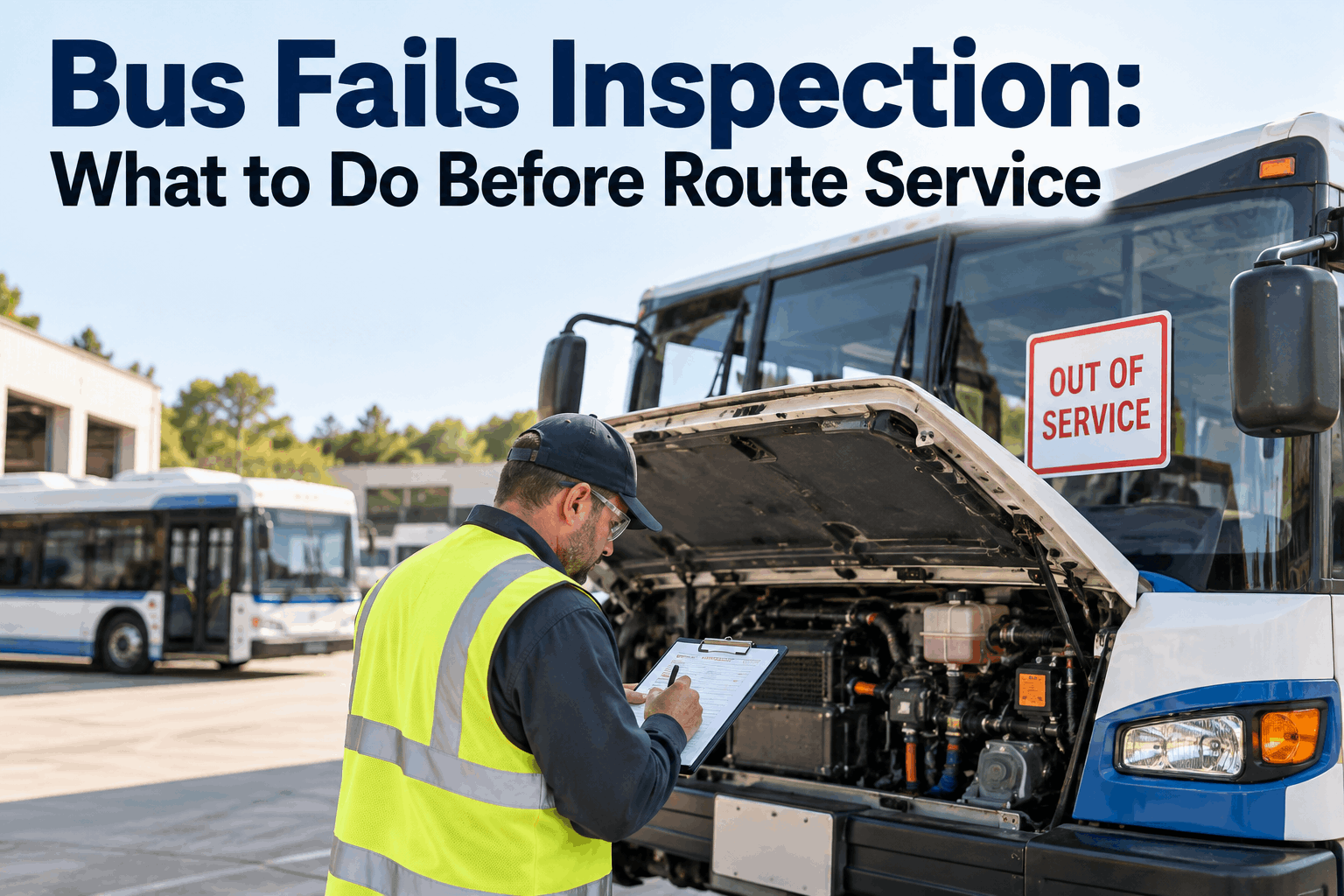
It's 6:40 a.m. The driver's pre-trip just failed a bus — a brake light out, or worse, spongy brakes — and that bus is due on a route full of kids in twenty minutes. When a bus fails inspection on route day, the pressure to just send it anyway is real, and it's exactly the wrong instinct. The right move is a fast, fixed sequence: pull it from service, get a replacement rolling, assign the repair, and document the whole thing — in that order, every time.
Bus Fails Inspection: What to Do Before Route Service
A failed pre-trip twenty minutes before a route is a scramble — but it's a solved one. Pull it, cover the route, fix it, document it, in a sequence that never puts a bad bus on the road.
First Move: Pull It, Don't Run It
When a bus fails inspection, the first decision is the only one that isn't negotiable: it comes out of service. Not "if we can find a replacement," not "just this once because we're short" — a bus with a genuine defect does not carry passengers, full stop. Under FMCSA rules, a defect that would affect safe operation must be corrected before the vehicle is dispatched, and for a school bus the stakes are children on board. The pressure to run it anyway is understandable on a short-staffed morning; giving in to it is how a brake-light writeup becomes a headline.
The Safety Line
A safety-critical defect — brakes, steering, tires, lights, doors, lifts — means the bus is done for the day until it's fixed and re-inspected. No judgment call, no exceptions for a tight morning.
The Legal Line
FMCSA requires defects affecting safe operation to be corrected before dispatch, and the DVIR record has to show it. Running a bus with a documented open defect is a violation waiting to be found at an audit or a scene.
There's a middle case worth naming: a minor, non-safety defect that doesn't affect safe operation may not require pulling the bus — but that call belongs to a qualified person against the DVIR standard, not to a dispatcher improvising under clock pressure. The safe default when a pre-trip fails is out of service until someone qualified says otherwise. For what typically trips a pre-trip in the first place, our 47-point school bus DVIR checklist lays out the inspection items. Book a demo to see a failed DVIR mark a bus out of service automatically.
The Response Sequence, Step by Step
Once the bus is out of service, the rest is a sequence you run the same way every time. Doing it in order — and fast — is what keeps a failed inspection from turning into a missed route or a lost defect.
Mark It Out of Service
Flag the bus out of service immediately so it can't be accidentally dispatched, and so the defect is on the record from minute one. This is the tag that protects everyone downstream.
Dispatch a Replacement
Get a spare bus assigned to the route right away — this is the clock that matters most, because riders are waiting. Know which spare is ready before you need it, not after.
Assign the Repair
Turn the failed inspection item into a work order and get it to the shop with the defect detail attached — so the tech knows exactly what failed instead of chasing a vague note.
Document the Chain
Capture the defect, the out-of-service action, the replacement, and eventually the repair and re-inspection — one connected record from failure to return-to-service.
The failure point in most fleets is the seam between steps — the defect gets called in verbally, the work order never gets written, or the paper DVIR slip goes in a pocket and never reaches the shop. Every handoff done by memory or paper is a place the process leaks. That gap between the driver's finding and the actual repair is common enough that it has its own failure pattern, which our piece on where DVIR-to-repair breaks down digs into. The fix is making each step trigger the next automatically instead of relying on someone to carry it across. Sign up free and turn a failed inspection into an auto-generated work order.
Route Continuity: Cover the Route Without Stranding Riders
Step two — the replacement — is the one riders actually feel. A failed inspection is invisible to a parent at a bus stop; a bus that never shows is not. Getting a spare rolling fast is the whole game on route continuity, and it comes down to knowing your options before the morning goes sideways.
Know Your Ready Spares
The fastest replacement is one you already know is available, fueled, and inspected. A live view of which spares are route-ready turns a frantic search into a quick assignment.
Reassign, Don't Improvise
Assign the spare to the route and the driver to the spare cleanly, so everyone knows what they're driving. Improvised swaps are how a second bus ends up on the wrong route.
Communicate the Change
A quick notice to the school, the base, or affected families about a bus swap or short delay turns a silent no-show into a managed, expected change.
The honest constraint here is the spare ratio: a fleet running with no ready spares has no good answer when a bus fails, and that's a fleet-planning problem no morning workflow can fully solve. But most fleets do hold spares — the failure is that nobody knows which one is actually ready to roll at 6:40 a.m., so the replacement takes thirty minutes it didn't need to. Knowing your ready spares at a glance is what compresses that window from a scramble to a swap. This is also why keeping spares genuinely route-ready — inspected, fueled, charged — matters as much as owning them. Book a walkthrough to see route-ready spares surfaced the moment a bus fails.
Document the Chain From Failure to Return
The last step is the one that's easiest to skip in the rush and most expensive to have skipped. When a bus fails inspection, the whole chain — the defect, the out-of-service call, the repair, and the re-inspection that put it back on the road — needs to be one connected record. That record is what protects the fleet at an FMCSA audit, an insurance review, or worst case, an incident investigation.
The Defect
What failed, who found it, and when — captured off the DVIR itself, not re-typed from memory later.
The Out-of-Service Action
A timestamped record that the bus was pulled — proof the defect wasn't ignored and the bus didn't run.
The Repair
The work order, parts, and labor that corrected the defect — tied to the original inspection item, not floating on its own.
The Return-to-Service
The sign-off and re-inspection confirming the defect was corrected before the bus carried passengers again — the record that closes the loop.
FMCSA's DVIR rules under 49 CFR 396.11 and 396.13 are built around exactly this loop: a driver reports a defect, it's repaired or certified as not needing repair, and there's a record of the correction before the vehicle goes back out. When those pieces live in one connected system, producing them for an audit is a lookup, not an archaeology dig through pockets and clipboards. When they live on paper across four people, a single missing slip is the gap an auditor finds. Our FMCSA-compliant DVIR template covers the record itself. Sign up free and keep the whole defect-to-return chain in one record.
How BusCMMS Handles a Failed Inspection
Because BusCMMS runs the digital DVIR and the work orders in one system, a failed inspection sets the whole response sequence in motion instead of relying on a dispatcher to carry each step by hand. The features below turn the 6:40 a.m. scramble into a tracked, repeatable handoff.
-
Digital DVIR With Defect Flags
Drivers complete the pre-trip on a mobile device; a failed item flags instantly and reaches maintenance in real time — no paper slip to lose.
-
Auto Out-of-Service
A failed safety-critical item marks the bus out of service so it can't be accidentally dispatched — the safety tag applied automatically, from minute one.
-
Auto Work-Order Generation
The failed inspection item spins straight into a work order with the defect detail attached, so the shop gets exactly what failed — no re-typing, no vague notes.
-
Fleet Availability View
See which buses are in service, out of service, and route-ready at a glance — so the replacement spare is a quick assignment, not a search.
-
Return-to-Service Sign-Off
Repair and re-inspection close the loop against the original defect, so a bus only goes back on the road when the record says it's fixed.
-
Audit-Ready Records
The full defect-to-return chain stays connected and timestamped for FMCSA and state DOT — producing it is a lookup, not a paper hunt.
The value is that each step triggers the next instead of waiting on a person to remember it. The DVIR failure marks the bus out of service, which spins the work order, while the availability view hands dispatch a ready spare, and the whole thing writes itself to the record as it goes. That's the difference between a failed inspection that's handled in five minutes and one that costs a missed route, a lost defect, and an audit gap three months later. Book a demo to see the failed-inspection workflow end to end.
The Dispatcher's View
That's the win condition on route day: a failed inspection that nobody outside the shop ever notices, because the bus came out of service, a ready spare rolled, and the record wrote itself. The failure was handled — not hidden, not rushed onto the road, just handled. Sign up free and make your next failed pre-trip a non-event.
The Bottom Line on a Bus That Fails Inspection
When a bus fails inspection before route service, the answer is a sequence, not a judgment call under pressure: pull it out of service first — safety and FMCSA both make that non-negotiable — then dispatch a ready spare to keep the route whole, assign the repair as a real work order with the defect attached, and document the full chain from defect to return-to-service. The scramble comes from doing those steps by memory and paper across four people; the fix is a system where the failed DVIR marks the bus out of service, opens the work order, surfaces a ready spare, and keeps the record itself. Do that, and a failed pre-trip stops being a crisis and becomes what it should be — a handled event the riders never notice, with a clean record that holds up long after the morning's over. Book a walkthrough to see the failed-inspection response on a fleet like yours.