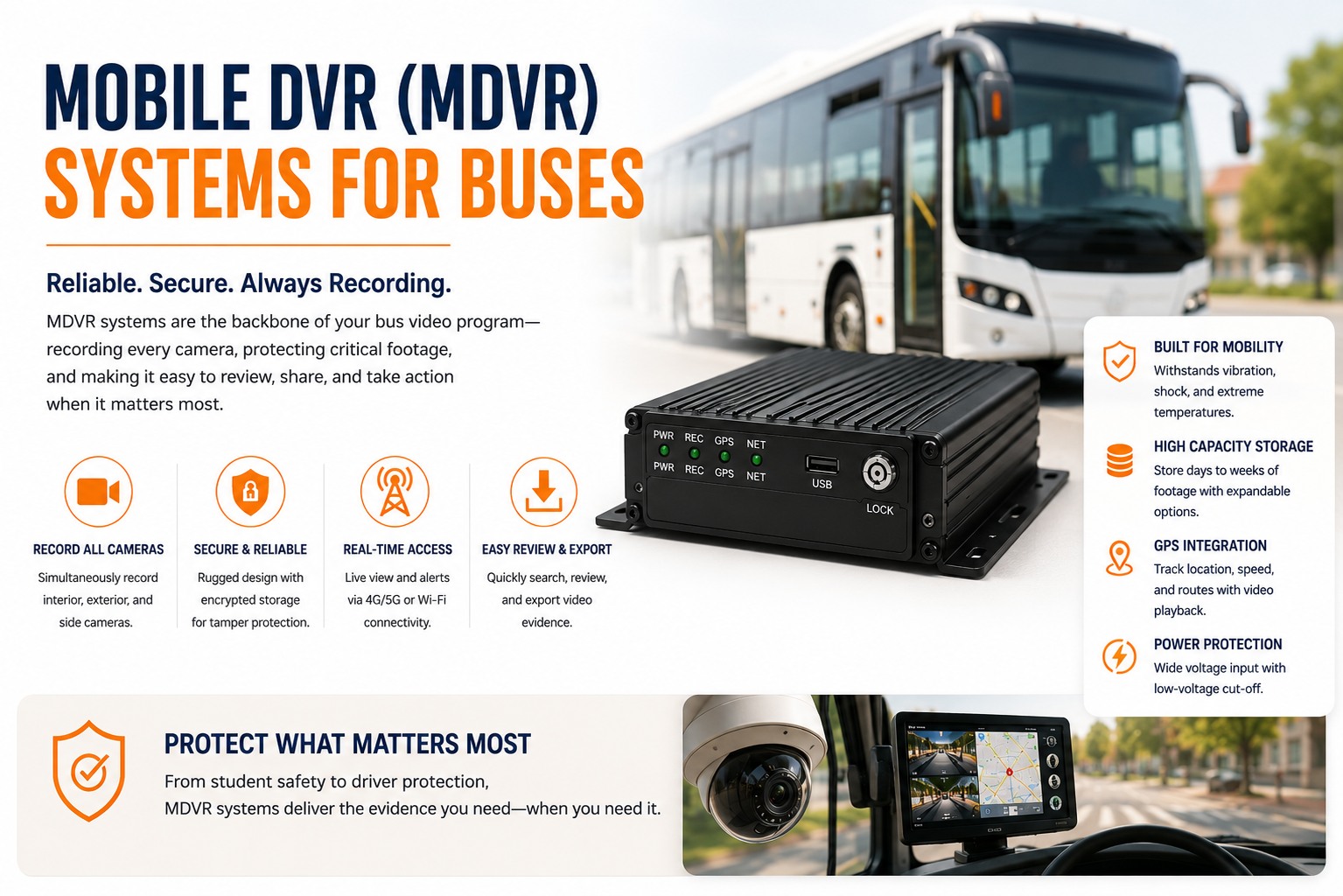
An MDVR is the box that actually makes a bus camera system work — every lens on the vehicle feeds into it, and it decides what gets recorded, how long it's kept, and whether it survives being read back after an incident. Fleet managers researching "bus MDVR" are usually deciding between two things: how many channels their bus actually needs, and whether the drive inside that box will still be readable in six months on a vibrating chassis. See MDVR footage tied to work orders in BusCMMS → book a demo.
Mobile DVR (MDVR) Systems for Buses
What the box inside every camera system actually does, why the drive matters more than the lens, and how an existing MDVR fleet can feed a modern platform without a rip-and-replace.
Channel Inputs
Physical ports accepting each camera feed — road, cab, door, aisle. Channel count sets the ceiling on total coverage.
Storage Drive
HDD or SSD, where footage actually lives until it's overwritten or pulled. The single biggest reliability variable on a bus chassis.
Encoder/Compression
Determines how much footage fits on the drive before older clips get overwritten — directly sets your effective retention window.
Connectivity Module
Handles GPS tagging and, on newer units, cellular/wifi offload to the cloud — the piece that determines onboard-only vs hybrid capability.
Channel Counts: Matching the Box to the Bus, Not the Other Way Around
Buying an 8-channel MDVR for a 4-camera bus wastes money. Buying a 4-channel unit for a bus that needs 6 leaves cameras unconnected.
MDVR units come in fixed channel counts — commonly 4, 8, or 16 — and the right choice depends entirely on how many camera feeds that specific bus actually runs, not a fleet-wide default. A short Type A bus with road, cab, and door coverage needs 3-4 channels. A longer Type C or D bus with a 360-degree surround system, interior aisle cameras, and a dedicated stairwell unit can need 8 or more. No single federal mandate governs MDVR channel counts or configuration; the compliance bar here is 49 CFR 396 maintenance record requirements and district policy, meaning this is purely a hardware-matching decision, not a regulatory one.
| Channel Count | Typical Bus Configuration |
|---|---|
| 4-channel | Type A mini bus: road, cab, door, one aisle view |
| 8-channel | Type C bus: road, cab, door, 2-3 aisle/interior, one rear zone |
| 16-channel | Type D bus with 360 surround system plus full interior coverage |
Buying oversized headroom "just in case" isn't free — unused channels still add cost without adding coverage. Get your bus-specific channel count checked → book a demo.
On-Board Recording vs Cloud Offload
Two different answers to "where does the footage actually live," and most fleets need both.
Purely on-board recording keeps everything on the MDVR's internal drive until someone physically pulls it or a technician downloads it via a wired connection — reliable, but slow to access, and vulnerable if the drive itself fails before anyone retrieves the footage. Cloud offload uploads flagged events (and sometimes continuous footage) automatically once the bus reaches wifi or has sufficient cellular signal, which means a stop-arm violation clip can be in a supervisor's queue the same shift instead of waiting for someone to physically access the bus. Most modern deployments run hybrid: full footage stays on-board as the primary record, while flagged events sync to the cloud automatically as a faster-access backup. Pure cloud-only isn't practical for buses that spend meaningful time outside connectivity range — the onboard drive remains the source of truth, with cloud sync as the convenience layer on top.
Hard Drive vs SSD: The Reliability Question That Actually Matters
A bus chassis vibrates constantly. That single fact should decide this spec.
Spinning platters and a read/write head — mechanically vulnerable to the constant low-level vibration of a bus chassis. Lower upfront cost, but higher failure rate over time in this specific application, and a failed drive typically means total footage loss, not partial corruption.
No moving parts to fail under vibration — the mechanically sound choice for a vehicle-mounted recorder. Higher upfront cost, but meaningfully lower failure rate on a bus specifically, which is where the "cheaper" HDD option often loses its cost advantage once you factor in mid-life replacement.
This is a spec worth pushing on directly with any vendor, because the failure mode of a bad drive choice isn't a slow degradation you catch early — it's total data loss discovered exactly when you need the footage most, after an incident. A drive that fails silently and gets swapped during routine maintenance is a wasted expense. A drive that fails right after an incident is a liability exposure.
The Failure Nobody Catches Until It's Too Late
An MDVR that isn't health-monitored is a box you're trusting blindly.
Here's the objection worth naming directly: MDVR units get installed and largely forgotten, with no routine check confirming the drive is still writing, the channels are all still connected, or the storage hasn't silently filled and stopped recording new footage. On a large fleet without automated health monitoring, it's common to find roughly a third of units with some kind of recording gap by the time anyone checks — usually discovered during an incident review, which is precisely the worst moment to learn the box wasn't actually capturing anything. A drive failure, a loose channel connector, or storage silently maxing out all produce the same outcome: nothing to pull when it matters.
The fix is treating MDVR health as a scheduled check, not a discovery. A platform that flags a non-recording channel or a near-full drive automatically — the same way it flags a mechanical fault code — catches the gap before an incident, not after. See automated MDVR health monitoring inside a bus-specific maintenance platform.
Feeding an Existing MDVR Fleet Into a Modern Platform
A fleet with older MDVR hardware doesn't need to rip it all out to get modern reporting.
A common concern is that older MDVR hardware locks a fleet out of the kind of AI-driven event detection and unified reporting newer camera systems offer. In practice, most existing MDVR units can integrate with a modern operations platform through their existing data outputs — GPS logs, event flags, and stored footage — without requiring a full hardware swap. BusCMMS reports serving 5,000+ bus fleets, with published figures of roughly 30% lower annual bus maintenance cost and an average four-month payback (buscmms.com, retrieved August 2026), much of which comes from connecting existing hardware into unified reporting rather than requiring fleets to replace working equipment before seeing any return.
A Scenario From a Real Bus Operation
Same MDVR hardware, before and after health monitoring caught what nobody was checking.
A transit agency running 60 buses had 8-channel MDVR units installed fleet-wide for several years, with no routine check on drive health beyond a technician noticing an obvious hardware fault during unrelated service work. After connecting the fleet's existing MDVR data into a platform running automated health checks, three units were flagged within the first month for drives approaching full capacity without cycling properly — a silent failure mode that would have resulted in zero new footage being recorded on those buses had it gone unnoticed. All three were fixed with a drive reset or replacement before any incident required footage that wouldn't have existed.
We assumed our MDVRs were fine because nobody was complaining. Turned out three units had basically stopped recording months earlier — storage full, not cycling like it was supposed to. We only found out because we started running automated health checks, not because anything obvious broke. That's the scary part: a silently full drive looks identical to a working one until you actually need the footage.
Not sure if your MDVR drives are actually still cycling correctly? That's worth checking before an incident forces the question. Talk to the team about an MDVR health audit →
Quick Spec Reference
Scannable on a phone during a vendor call.
| Spec | What to actually check |
|---|---|
| Channel count | Match to actual camera count on that bus, not a fleet-wide default |
| Storage type | SSD preferred over HDD for vibration resistance on a bus chassis |
| Recording model | Hybrid onboard + cloud offload for flagged events, not cloud-only |
| Health monitoring | Automated alerts for drive capacity and channel connectivity, not manual checks |
| Existing hardware | Confirm data output compatibility before assuming a rip-and-replace is required |
| Regulation status | No federal mandate; governed by 49 CFR 396 records and district policy |
Frequently Asked Questions
How many MDVR channels does a bus actually need?
Channel count should match the actual number of camera feeds on that specific bus rather than a fleet-wide default. A Type A mini bus with basic road, cab, and door coverage typically needs 3-4 channels. A Type C bus with additional interior or aisle cameras often needs 8. A Type D bus with a full 360-degree surround system plus interior coverage can require 16 channels. Buying more channels than a bus's camera count adds cost without adding coverage.
Is SSD storage worth the extra cost over a traditional hard drive?
Generally yes for bus applications. A traditional hard drive has moving mechanical parts that are more vulnerable to the constant low-level vibration of a bus chassis, and a failed HDD typically results in total footage loss. Solid-state drives have no moving parts to fail under vibration, and while they cost more upfront, the lower failure rate on a vehicle-mounted recorder often outweighs that difference once mid-life replacement costs for HDDs are factored in.
Should MDVR footage be stored onboard or offloaded to the cloud?
Most reliable deployments use a hybrid approach: full footage remains on the MDVR's onboard drive as the primary record, while flagged events sync automatically to the cloud once the bus reaches wifi or sufficient cellular signal. Pure cloud-only recording isn't practical for buses that spend meaningful time outside connectivity range, since the onboard drive needs to remain the dependable source of truth.
What's the most common MDVR failure that goes unnoticed?
Without automated health monitoring, it's common for a meaningful share of a fleet's MDVR units to have some kind of recording gap — a drive silently reaching capacity and failing to cycle, a loose channel connector, or a failed drive — without anyone noticing until an incident review requires footage that was never actually captured. A drive that silently stops recording looks identical to a working unit until footage is needed.
Does an older MDVR fleet need to be replaced to get modern reporting features?
Not necessarily. Most existing MDVR units can integrate with a modern operations platform through their existing data outputs, including GPS logs, event flags, and stored footage, without requiring a full hardware replacement. This allows fleets to gain unified reporting and health monitoring on hardware they've already invested in, rather than needing to justify a complete rip-and-replace before seeing any benefit.







