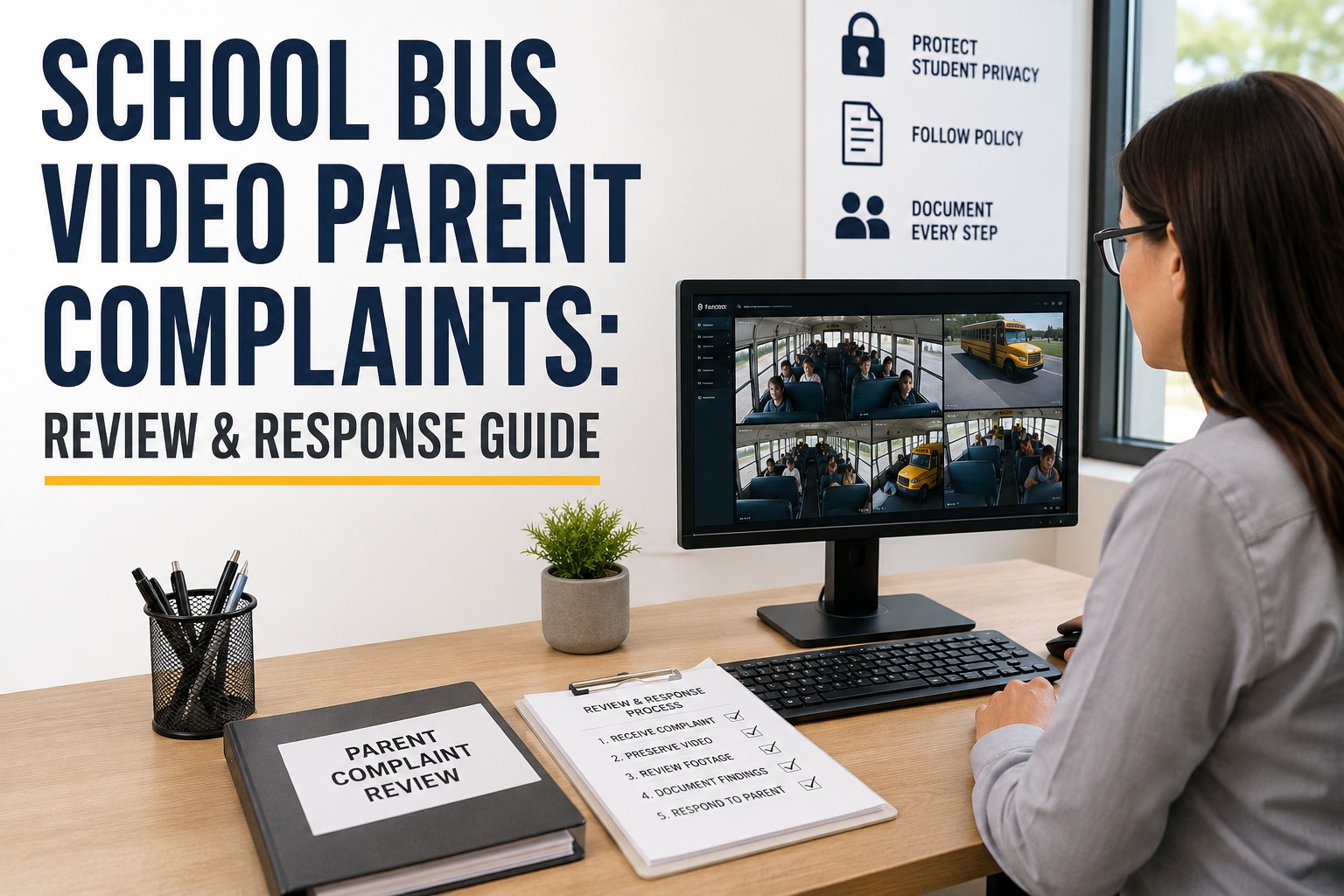
When a parent calls about something that allegedly happened on the bus, treat it as a documented evidence-review process, not a phone conversation: log the complaint, identify the exact bus and trip, preserve the footage before the system overwrites it, review the relevant segment, decide who is authorized to see it, document the findings, and respond in a way that respects student privacy. This guide walks that workflow end to end, including where FERPA actually applies to school bus video, what you can and cannot hand a parent, and how a clean evidence chain protects the district. It is general information, not legal advice; disclosure and retention turn on the facts and on your state and district rules. If you would rather see the workflow than build it from scratch, book a demo and we will walk a real complaint through it with you.
School Bus Video Parent Complaints: Review & Response Guide
The intake-to-response workflow districts use to preserve footage, apply FERPA correctly, protect every student in the frame, and document a consistent, defensible process.
Log the Complaint Before You Touch the Video
The instinct is to pull up the footage immediately. Resist it. A complaint logged before anyone reviews video is a clean record; one reconstructed afterward from memory is a liability. Capture the same fields every time, so two complaints handled by two different staff look identical on paper.
- Date & time of incidentApproximate is fine; it narrows the footage window.
- Route & bus IDThe two identifiers that find the right vehicle fast.
- Stop & trip directionMorning or afternoon run, and which stop.
- Nature of the allegationUnsafe driving, bullying, a boarding incident, an injury.
- Students & witnessesNames where appropriate, noted, not yet acted on.
- Requested action & urgencyWhat the parent wants, and whether safety is at stake now.
Logging first is not bureaucracy. It lets you show, later, that you took the complaint seriously from the first minute and handled it the same way as every other. That consistency is what an attorney, a board, or an upset parent will test. Book a demo to see complaint intake logged against the exact bus and trip.
Preserve the Footage First, Investigate Second
This is the step that saves districts, and the one most often skipped. Most bus camera systems record on a rolling loop and overwrite old footage automatically. Retention windows vary widely by district, system and storage size, so do not assume last Tuesday's clip is still there. The moment a complaint might require investigation, put a preservation hold on that segment before anything else.
- Complaint logged
- Hold placed same day
- Reviewed at leisure
- Complaint logged
- Waited for the meeting
- Footage gone
A preservation hold does not commit you to sharing anything or to any finding. It simply stops the clock so a human can look. Build the reflex into intake: the person who logs the complaint places the hold in the same sitting, not after the review, not after the meeting. Book a demo to see a one-click preservation hold on a flagged trip.
Find the Right Video Without Guesswork
Once the segment is preserved, you have to locate it, and this is where a scattered records setup costs hours. To pull the right clip you need the bus number, route, date, approximate time, trip direction, and often the specific camera channel, since a bus may run several at once. Match those against which vehicle was actually assigned to that route that day, which is not always the usual bus.
- 1Bus number & route
- 2Date & approximate time
- 3Trip direction, AM or PM
- 4Camera channel
- 5Vehicle assigned that day
When the bus, its route history, its camera events and its daily assignment all live in one record, finding the clip is a lookup, not a scavenger hunt across a dispatch spreadsheet, a camera portal and a paper substitution log. The time you save here is the time you do not spend past the retention window. Book a demo to see route, assignment and camera events on one bus record.
Decide Who Is Authorized to Review It
Not everyone who wants to see the footage should. Bus video showing students is sensitive, and who opens the clip matters as much as what is on it. Restrict review to personnel with a legitimate operational, safety, investigative or legal need, and log every access: who watched, when, and why. That record is what shows the district handled sensitive footage responsibly if the handling is ever questioned.
FERPA and Bus Video: What It Actually Says
Here is where districts get into trouble in both directions, by assuming all bus footage is a locked education record, or by assuming FERPA never applies. Neither is right. Under FERPA, an education record is information directly related to a student and maintained by the district. Bus surveillance video does not automatically start as an education record; per U.S. Department of Education guidance it becomes one when it is directly related to a specific student, for example when the district singles out and keeps a clip to discipline a student in it.
"Directly related" is the trigger
A clip kept because it has consequences for a specific student is that student's education record. Ambient footage of a full bus may not be.
Inspect and review, not a free copy
FERPA gives a parent the right to inspect a record directly related to their child. It generally does not require the district to hand over a copy.
Other students have rights too
When a clip is a joint record of several students, a parent may inspect only the information relating to their own child, per 34 CFR 99.12.
There is also a law-enforcement-unit exception, and state law and district policy layer on top, sometimes cutting the other way. Court rulings on whether specific bus videos are education records have gone different directions on the facts. So the honest answer to "does FERPA apply to this clip" is: it depends, and uncertain cases belong with your records officer or counsel, not a quick call at the intake desk. You can read the federal framework directly at the U.S. Department of Education's FERPA resources. Book a demo to see footage organized so authorized staff can apply your policy consistently.
What You Can Share, and Redaction
What a parent ultimately receives depends on the circumstances: the status of the footage, applicable FERPA requirements, your state law, district policy, and who else appears in the frame. Do not promise an unredacted copy at intake. A bus clip almost always shows other children, and each has privacy rights that survive the requesting parent's interest.
When a clip cannot be shown without exposing other students, redaction, such as blurring faces and removing identifying audio, may be required before any disclosure. Whether redaction is necessary and how it must be done is a determination for your legal and records framework, not a technical shortcut. In some situations, if a segment genuinely cannot be redacted without losing its meaning, it may not be disclosable at all. Book a demo to see how BusCMMS handles video safety events across the fleet once your complaint process is running.
When It Is a Public-Records Request, Not a Complaint
A parent asking "can I see what happened to my kid" and a formal public-records request are two different animals, and confusing them creates real exposure. A public-records request runs on your state's statute, with its own timelines, exemptions and procedures, and public-records obligations differ substantially from state to state. There is no generic national rule you can apply.
The practical safeguard is the same either way: preserve the footage the moment the request lands, before you even decide which track it belongs on, so the evidence still exists when the correct process catches up. Book a demo to see complaint and records requests preserved the same way from minute one.
Worked Example: An Unsafe-Driving Complaint, Start to Finish
A parent calls Monday morning: their child says the bus took a corner so hard on Friday afternoon that kids slid out of their seats. Here is the same complaint run through the whole workflow. Names and details are illustrative.
- 1
Logged, 8:15 AM Mon
Route 3, afternoon run, Friday, near the Elm St stop. Allegation: unsafe cornering. Urgency: safety, driver still active.
- 2
Preserved, 8:18 AM
Hold placed on Friday PM Route 3 footage before review. Retention window had two days left.
- 3
Located
Substitute bus 214 ran Route 3 that day. Forward and interior channels pulled by time and stop.
- 4
Reviewed by authorized staff
Transportation supervisor confirms a hard right turn; students shift noticeably. Access logged.
- 5
Privacy evaluated
Interior clip shows other students. Parent offered a review of the relevant segment under district policy, not a raw copy.
- 6
Documented & responded
Findings recorded, parent acknowledged same week, driver assigned coaching on cornering. Follow-up dated.
The complaint became a coaching action, not a lawsuit, because the process moved before the footage expired and every step was documented. If your fleet runs driver coaching, this is where it connects: the review feeds a real coaching session with the clip attached. Book a demo to see a complaint move from intake to a documented coaching follow-up.
Build the Evidence Chain and Write the Response
Everything above only protects the district if it is written down as it happens. An auditable evidence chain shows you followed a consistent process, and it is what you hand to counsel, the board or a records officer without a scramble.
- Complaint recordIntake fields, timestamped.
- Footage location & holdBus, channel, segment, preservation time.
- Review logWho watched, when, and why.
- FindingsWhat the footage did and did not show.
- Disclosure decisionWhat was shared, redacted or withheld, and why.
- Follow-up actionsCoaching, discipline referral, policy change, dated.
The response to the parent follows the same discipline: acknowledge the complaint, state the investigation status, share the findings that can appropriately be disclosed, describe the actions taken, name the privacy limits plainly, and set out next steps. Do not promise a finding or a copy before the review is done. A calm, documented response defuses far more complaints than a defensive one. Book a demo to see the evidence chain assembled automatically as you work, or sign up free and keep every complaint's evidence chain in one place.
Common Failures That Sink a Complaint Review
- Preserving too late. The single most common and most costly. The clip is gone before anyone looks.
- Assuming footage still exists. Rolling retention means last week may already be overwritten.
- Handing over raw video. Giving a parent an unreviewed clip that shows other students.
- Skipping the access log. No record of who watched leaves the district unable to show it was careful.
- Trusting the AI label alone. An event flag is a starting point for review, never the finding itself.
- Mixing review with a verdict. Reaching a disciplinary conclusion before the review and policy steps are done.
Notice that all six are process failures, not technology failures. A camera does not fix a district that has no consistent intake, no preservation reflex and no access log. That is worth sitting with before the next complaint comes in, because the next one always does. Book a demo to see the intake, hold and access steps built into one workflow.
Where AI Video Helps, and Where a Human Must Decide
AI video detection is genuinely useful for the search problem. It can flag potentially relevant safety events and cut the time you spend scrubbing hours of footage for the ten seconds that matter, which is exactly the pressure you feel against a shrinking retention window. What it cannot do is make the call.
- AI CAN SPEED UP
- Surfacing candidate events in a trip
- Jumping the reviewer to the relevant timestamp
- Flagging a hard-braking or cornering event to check
- A HUMAN MUST DECIDE
- Whether the event supports the allegation
- Whether FERPA applies to this clip
- What is shared, redacted or withheld
Treat every AI classification as a lead, not a conclusion. It has false positives, it does not know your district policy, and it cannot weigh one student's privacy against another's. Human investigation and policy-based decisions stay with people; AI just gets them to the right footage faster and preserves it. Book a demo to see AI events feed a human review and preservation step.
Document Your Retention and Preservation Policy
The whole workflow rests on one thing written down in advance: your retention and preservation policy. If nobody knows how long footage lives before it overwrites, the preservation reflex never fires in time. Retention windows vary by district, system and requirements, so document yours rather than assuming a number.
- Retention windowHow long each system keeps footage before overwrite, per your configuration.
- Preservation procedureWho places a hold, how, and how fast after a complaint.
- Complaint holdsHow a flagged segment is protected from the overwrite loop.
- Escalation pathWhen a complaint goes to records, counsel or law enforcement.
Align the policy with your system configuration, your records requirements and legal guidance, then make sure the people at the intake desk actually know it. A policy in a binder nobody has read does not preserve footage. Book a demo to see retention and hold rules applied per bus automatically.
Turn a Scary Complaint Into a Documented Process
A manual process works at low volume: one supervisor who knows every bus, a few complaints a year, footage pulled by hand. It breaks when the clip lives in the camera vendor's portal, the route assignment in a dispatch sheet, and the complaint in an email chain, so nobody can reconstruct the incident fast enough to beat the overwrite clock.
- Route & daily assignmentWhich bus, which channel
- Camera eventsJump to the moment
- Inspections & defectsWas it the driver or the bus?
- Access & findings logThe evidence chain, built as you go
That is the BusCMMS difference. In BusCMMS, a camera event lands on the same chronological record as the bus's inspections, defects, repairs and daily route assignment, so authorized staff can reconstruct an incident and assemble an investigation packet without chasing three systems. It does not make legal decisions for you, and it does not guarantee compliance, those stay with your policy and counsel, but it puts the evidence in one defensible place. BusCMMS reports customer results averaging around $2,800 in savings per bus annually alongside 95+% fleet availability, figures published from its own customers rather than independent audit.
A school bus video parent complaint is only frightening when the process is improvised. Log it, preserve the footage the same day, review it with authorized staff, apply FERPA and your state and district rules with care, document every step, and respond calmly. Do that consistently and the scary phone call becomes a routine, defensible workflow. Sign up free and handle your next complaint as a documented process, or book a demo to see the full intake-to-response workflow on your fleet.
Can a parent request school bus camera footage?
A parent can request it, and depending on the facts may have a right to inspect footage that is directly related to their own child. Under FERPA, when a bus video is an education record of their child, the parent generally has the right to inspect and review it, but FERPA usually does not require the district to provide a copy. Whether a specific clip is disclosable, and in what form, also depends on state law, district policy and the privacy rights of other students in the frame. Uncertain cases should go to the district's records officer or legal counsel.
How long is school bus camera footage kept?
There is no universal retention period. Most bus camera systems record on a rolling loop and overwrite old footage automatically, and how long that takes depends on the district, the system configuration and how much storage the recorder holds, often days rather than weeks. Because of that, a district should document its own retention window and preserve any potentially relevant footage as soon as a complaint arrives, rather than assuming last week's clip is still available.
Does FERPA apply to school bus video?
Sometimes. FERPA applies to education records, meaning information directly related to a student and maintained by the district. Bus surveillance video does not automatically start as an education record; per U.S. Department of Education guidance it becomes one when it is directly related to a specific student, such as a clip the district keeps to discipline a student in it. It is not correct to say all bus footage is a locked FERPA record, nor that FERPA never applies. There is also a law-enforcement-unit exception, and state law and court rulings vary, so treat borderline cases as legal questions.
Can a school district share bus video with parents?
It depends on the circumstances. A district can often let a parent inspect the segment involving their own child and can describe the findings and actions taken. What is harder is handing over a copy that shows other students, because those children have their own privacy rights, and that footage may require review and redaction, such as blurring faces and removing identifying audio, before any disclosure. Whether redaction is required and how it must be done is a determination under the district's legal and records framework, not an automatic promise made at intake.
How should a district handle a school bus video complaint?
Treat it as a documented evidence-review process. Log the complaint with date, route, bus, stop, allegation and requested action before reviewing anything. Place a preservation hold on the relevant footage the same day, because rolling retention can overwrite it. Locate the correct clip using bus, route, date, time, direction and camera channel. Have authorized staff review it and log the access. Apply FERPA, state law and district policy to any disclosure. Document the findings and disclosure decision, then respond to the parent with the findings that can appropriately be shared and the actions taken.