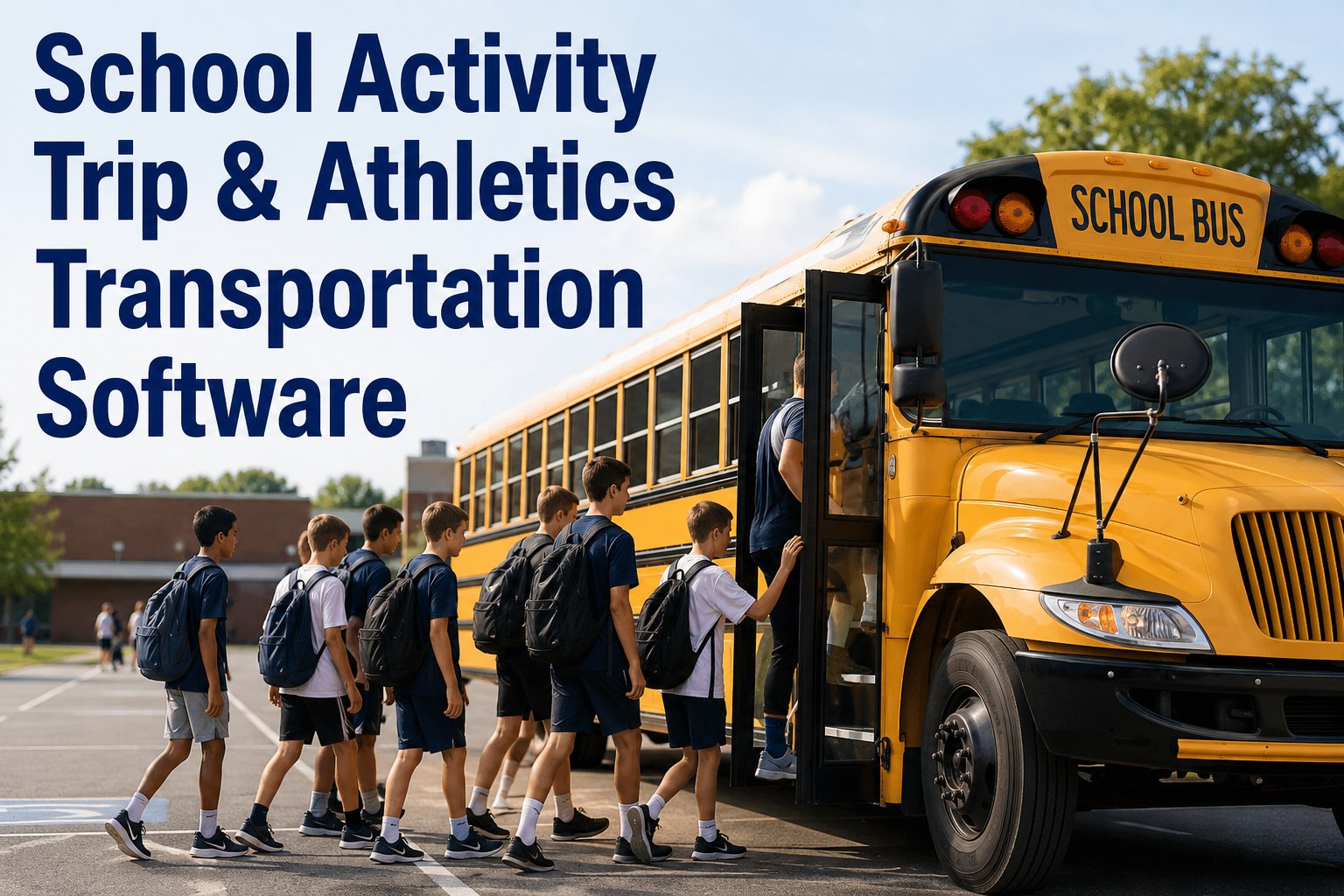
It’s Friday at 3:47 PM. Varsity basketball has a 6:30 AM Saturday departure for regionals three hours away. The assigned bus — number 47 — came off its afternoon route 20 minutes ago. Your dispatcher wants to know if it’s ready, your maintenance tech wants to know if last week’s brake complaint was ever closed, and your athletic director wants to know if the trip is still on. All three are checking three different systems. That’s the operational gap the right school activity trip transportation software closes. Book a 20-minute demo to see BusCMMS running on a district fleet the size of yours.
School Activity Trip & Athletics Transportation Software
BusCMMS gives K-12 districts and pupil transportation contractors one platform for the buses that go beyond the daily route — athletics, field trips, out-of-state runs. Works with the MDVR or AI cameras you already own.
Varsity Basketball
Regional Tournament · 3-hour trip · out-of-district
Activity Trips Aren’t Routine Routes
Weekday routes run on a metronome — same buses, same drivers, same times, same streets. Activity trips break every pattern. A tournament Saturday is a 200-mile round trip with a driver who was on the AM route Friday. A field trip is a bus off the daily rotation with 40 first-graders. The muscle memory that keeps routes on schedule doesn’t transfer — and neither does the system running it.
The Metronome
- Same bus, same driver, same time daily
- Fixed AM/PM window
- Predictable pre-trip cycle
- Route hazards known and mapped
- Same-day defect handoff at yard
The Exception
- Bus pulled from rotation for one job
- Irregular departure and return times
- Extended day, longer driver hours
- Unfamiliar destinations, some out of state
- Defect response window: hours, not overnight
Activity trips are where district transportation programs get exposed. A missed PM on a route bus gets caught tomorrow. A missed PM on the bus assigned to Saturday’s tournament gets caught by parents watching it limp back at 11 PM. Book a demo to see activity-trip readiness surfaced separately from route ops.
Works With Your Existing MDVR and AI Cameras
Most districts have already spent real money on cameras — MDVRs from Seon, Safe Fleet, REI, AngelTrax, or newer AI platforms. The last thing any transportation director wants to hear is that new software requires ripping all of that out. BusCMMS was designed the opposite way. If your existing hardware can push events out, BusCMMS ingests them and ties them to the correct bus record.
- SRCMDVR SystemSeon, Safe Fleet, REI, AngelTrax
- SRCAI CameraThird-party AI event feeds
- SRCTelematicsFault codes, odometer, GPS
This matters for pilots. A district can plug ten buses into BusCMMS on top of existing camera hardware and see the workflow in a few weeks — without a capital request, a board vote, or a hardware swap. Book a demo to see event ingestion from your specific camera system.
The Activity Trip Lifecycle, End to End
An activity trip isn’t an event — it’s a lifecycle. Assignment happens days before, verification happens day-of, dispatch at zero-hour, return hours later, closure the next business day. Miss the handoff at any stage and something breaks — usually visibly.
- 01
Assign
Trip request lands, bus selected from available fleet based on capacity and duration. Readiness snapshot attached to assignment.
- 02
Verify
Day-of readiness check: open defects, PM status, camera events since assignment, driver hours. Any red flag routes to the maintenance lead.
- 03
Depart
Pre-trip DVIR logged, driver signs off, bus record updated with trip in progress. Live status visible to dispatch.
- 04
Return
Post-trip DVIR captures anything that happened during the run. Any defect flag routes to the shop with trip context attached.
- 05
Close
Trip record closes with mileage, hours, and any incidents attached to the bus history — ready for the next assignment or the next audit.
That’s what fleet software should do for activity ops — not just log the trip, but carry the bus and its condition through every stage. Sign up free to try the trip-lifecycle view on your own coaches.
The Pre-Trip Save: Camera Event to Work Order
A district runs 120 buses, with 15 on activity trips over a busy weekend. Overnight, existing MDVR and AI cameras log 41 events. In a generic setup, those sit in a video portal until next week. In BusCMMS, the same events surface against the bus record before Saturday morning’s trip board goes out.
Bus 47 · Caught Before Tournament
- 01
Ingest
Existing MDVR pushes 3 harsh-braking events on Bus 47 from Thursday and Friday afternoon routes into BusCMMS event bus.
- 02
Correlate
Cross-referenced with recent driver DVIR — noted “rear brake grabbing at low speed” twice this week. Recurring flag confirmed.
- 03
Trip Impact
Bus 47 assignment to Saturday tournament flagged in the Verify step. Readiness card flips from OK to HOLD before AD is notified of substitution.
- 04
Resolve
Bus 33 reassigned to the tournament. Bus 47 into the shop Friday evening. Rear brake caliper serviced. Full history written back to bus record.
The tournament ran on time. The parents never knew there was a swap. That’s the outcome districts hire fleet software for. Book a demo to see this exact workflow on your fleet.
A Transportation Director’s View
That’s why the hardware-agnostic approach lands with districts — buying new fleet software never has to mean throwing away camera hardware the district paid for last year. Book a demo — bring your camera vendor name and we’ll show ingestion live.
A Note on Driver Hours and Out-of-State Trips
Activity trips push drivers into longer, irregular days, and out-of-state tournaments can shift a trip into a different regulatory context than a normal route. Federal HOS rules under 49 CFR Part 395 apply in specific circumstances — interstate operation, vehicle classification, whether the school-bus exemption at § 395.1 applies to the trip — but not identically to every activity trip. Verify applicability against current FMCSA rules and your state’s pupil-transportation requirements before treating any trip as covered or exempt.
What BusCMMS provides regardless is the vehicle-side record — DVIRs, defect resolution, PM history, and camera event history tied to the bus. When an insurance carrier or a parent question later asks “what was on that bus,” you have a record instead of a spreadsheet reconstruction.
Evaluation Checklist for Activity Transportation
Here’s the rubric a working transportation director would build for evaluating fleet software for activity operations — focused on what matters Friday afternoon, not on the demo call.
Hardware-agnostic event ingest
Works with your existing MDVR or AI camera platform — no rip-and-replace.
Activity-trip readiness view
A per-trip check on inspection, defects, PM, and recent events — not just route ops.
Bus-specific DVIRs pre-loaded
Stop arms, crossing gates, student mirrors, emergency exits — ready day one.
Recurring-defect clustering
Same failure across drivers and shifts auto-grouped, not left in one head.
Trip history preserved on the bus
Activity-trip records attach to the vehicle, not to a separate trip tracker.
10-bus pilot available
Try a real subset of your fleet before a district-wide commitment or capital request.
Most generic fleet tools score two of six. BusCMMS is built for all six, and for districts that want to test the fit first, a 10-bus pilot is a real option. Book a demo to talk about a 10-bus pilot for your district.
What is school activity trip transportation software?
School activity trip transportation software is the platform districts and pupil transportation contractors use to manage buses assigned to athletics, field trips, and extracurricular travel — alongside their regular routes. It handles trip assignment, day-of readiness verification (inspections, defects, PM, camera events), driver DVIRs, dispatch, return, and closure — keeping the lifecycle tied to the specific bus rather than scattered across spreadsheets and disconnected systems.
How can school districts manage athletic bus trips?
Districts manage athletic bus trips best when trip assignment, bus readiness, and maintenance status live on one platform. In BusCMMS, a trip request pulls available buses, attaches a readiness snapshot, verifies inspection and defect status day-of, captures pre- and post-trip DVIRs, and closes the trip back to vehicle history. Any issue that comes up flags automatically before the next assignment.
Can BusCMMS manage school bus maintenance for activity trips?
Yes. BusCMMS handles PM scheduling per bus, corrective work orders auto-generated from failed DVIRs or ingested camera events, parts and inventory, technician assignment, and full maintenance history — all tied to the school bus. Because activity-trip and route data share the same asset record, a maintenance director sees the full picture on any bus assigned to a tournament: what’s open, what’s overdue, what’s flagged.
Can BusCMMS work with existing school bus cameras and MDVR systems?
Yes. BusCMMS is hardware-agnostic on the camera side. Districts can keep existing MDVR platforms (Seon, Safe Fleet, REI, AngelTrax) or existing AI cameras, and BusCMMS ingests events from those systems into the bus record. That means a district can pilot BusCMMS on top of hardware it already owns — no rip-and-replace, no capital request, no board vote for new cameras.
What should a school district look for in activity-trip transportation software?
Look for hardware-agnostic camera event ingestion (works with existing MDVR or AI platforms), a trip-readiness view separate from route ops, bus-specific DVIR templates pre-loaded with school items (stop arms, student mirrors), recurring-defect clustering, trip history attached to the vehicle, and a pilot pathway that doesn’t require district-wide rollout on day one. Federal HOS and out-of-state requirements apply in specific circumstances under 49 CFR Part 395 — verify applicability for your operation.