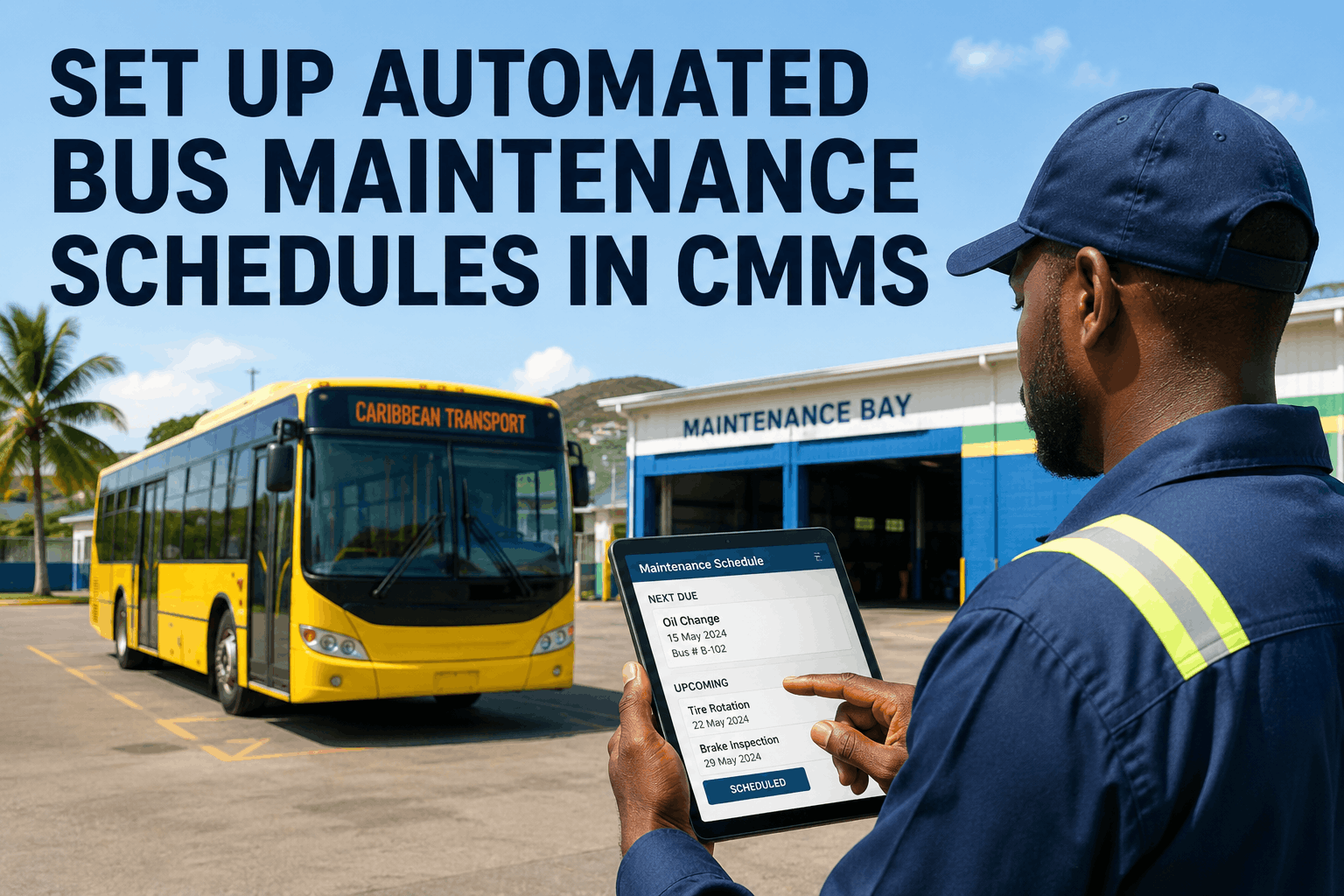
A Texas charter operator with 38 buses spent four hours every Monday morning manually building that week's maintenance schedule — cross-referencing paper odometer logs, a whiteboard calendar, and a technician availability sheet updated by hand on Fridays. They missed 23 PM services in one quarter because a bus returned from an extra charter run 900 miles over its service window and nobody updated the sheet. Three of those missed services produced failures. One produced a $9,400 roadside breakdown on I-35 with 44 passengers onboard. When they finally configured automated PM scheduling in BusCMMS, that Monday morning ritual took eleven minutes. Zero missed services in the following six months. This guide shows you exactly how to configure the same system — step by step, trigger by trigger — for your own fleet.
Complete configuration guide covering PM trigger types, interval logic, multi-vehicle batch scheduling, seasonal overrides, and technician auto-assignment — built specifically for U.S. bus fleets using BusCMMS.
Before configuring your automated bus maintenance schedule, it helps to understand exactly why manual systems fail — because the failure modes of paper schedules and spreadsheets are predictable and consistent across every U.S. fleet that has abandoned them. The core problem is not that maintenance managers do not know what needs to be done. They do. The problem is that manual scheduling requires a human to bridge the gap between what the odometer says, what the calendar says, what the shop capacity is, and what the technician availability looks like — simultaneously, accurately, and without ever missing a beat. That is not a process gap. It is a systems design problem.
When a bus runs an extra 900 miles on a charter run, a spreadsheet does not update. When a technician calls in sick and three PMs get pushed, no system automatically reschedules them against the next available slot and rechecks parts availability. When a bus sits through a 12-week summer break, no paper calendar fires a fluid check. When your DOT annual inspection window opens 30 days out, nobody gets an alert unless someone manually checked the compliance log last Tuesday. Every one of these scenarios is a missed PM waiting to happen — and each missed PM is a gamble with a statistically predictable outcome: 3–9 times the repair cost of the scheduled service, plus potential FMCSA compliance exposure and liability.
The solution is not a better spreadsheet. It is removing the human tracking layer entirely and letting the system — fed by live telematics data, OEM service intervals, and your fleet's actual historical wear patterns — generate, assign, and track every PM automatically. That is what this guide walks you through. BusCMMS is the only purpose-built bus CMMS platform that delivers this configuration pre-loaded for bus operations, including federal and all 50-state compliance schedules, without requiring your maintenance manager to build the logic from scratch.
Every automated PM schedule in a CMMS is anchored to a specific asset. Before you configure a single trigger, every bus in your fleet needs a complete asset record in the system. This is not busywork — the quality of your asset data determines the accuracy of every PM that fires for the next decade. A missing VIN means telematics cannot sync odometer data. A wrong model year means OEM interval templates assign the wrong service windows. An incomplete engine type classification means the system cannot differentiate diesel Class A intervals from CNG or electric bus service profiles.
For each bus, your asset record in BusCMMS should include: unit number, VIN, year, make, model, engine type (diesel, CNG, propane, electric), transmission type, current odometer reading, engine hours, acquisition date, in-service date, assigned route or depot, and any existing warranty terms that affect which services are dealer-required. BusCMMS imports bulk asset data via CSV upload — meaning a fleet of 50 buses does not require 50 manual entries. Export your existing spreadsheet, map the columns to BusCMMS fields, and the system populates the entire asset registry in a single import. Once assets are loaded, BusCMMS auto-assigns each bus a PM profile matched to its engine type, immediately pre-populating interval templates from OEM baseline data.
For fleets migrating from paper or a legacy system, this is also the moment to capture current odometer readings with precision. If your odometer data is stale by even 500 miles, the first mileage trigger will fire late. BusCMMS connects to your telematics provider — including Samsara, Verizon Connect, Geotab, and others — and begins pulling live odometer updates automatically from the moment the integration is activated. From that point forward, your PM schedules run on actual vehicle data, not estimates.
The trigger is what causes your CMMS to fire a work order. BusCMMS supports four trigger types that can be combined in any configuration for each PM task: mileage, engine hours, calendar date, and fuel consumption. The system uses "whichever threshold arrives first" logic — meaning if a bus hits its 5,000-mile mileage trigger at week 10 of a 90-day calendar cycle, the work order fires at week 10, not at day 90. If the bus only accumulated 2,800 miles by day 90, the calendar trigger fires instead. No human decision required either way.
For standard U.S. school bus and transit fleets, here is how to configure trigger types by PM class. Class A services — oil and filter changes, safety inspections, fluid level checks, light and tire inspections — should be configured with a dual trigger: 5,000–7,500 miles OR 90 days, whichever comes first. Class B services — brakes, belts, hoses, steering, suspension, chassis lubrication — use 10,000–15,000 miles OR 6 months. Class C services — transmission, coolant system, DOT annual inspection, wheel bearings — use 30,000–50,000 miles OR 12 months. Class D major overhauls use 100,000+ miles OR manufacturer-recommended interval.
Engine-hour triggers are configured separately for buses in severe-duty operation — frequent stop-and-go, idling-heavy routes, or mountain terrain. A city transit bus may idle 4–6 hours per shift while accumulating only 80–100 miles. Engine hours tick regardless of distance, making hour-based triggers more accurate for oil life on high-idle routes. BusCMMS lets you set an engine-hour trigger alongside mileage and calendar — so the oil change fires when any threshold hits first, no matter which one gets there fastest for each individual bus.
See trigger configuration live in BusCMMS — book a 20-minute demo
A PM trigger fires a work order. A PM template determines what is in that work order. The difference between a generic "PM — complete" checkbox and a component-by-component task list is the difference between a 70% PM completion rate and a 92%+ rate. BusCMMS PM templates break every service into individual line items — each requiring a discrete pass/fail entry, measurement field where applicable, and photo capture for documentation. A technician cannot mark the Class A service complete while skipping the steering and suspension items. Every component has its own closure requirement.
BusCMMS ships with pre-built PM templates for all major U.S. school bus makes — Blue Bird, Thomas Built, IC Bus, Starcraft — covering Class A through Class D intervals. These templates are built from OEM service specifications and FMCSA requirements, not generic fleet maintenance checklists. Each template includes job steps, estimated labor time per task, a default parts list with quantities, and component-specific measurement fields (brake lining thickness in millimeters, kingpin play in eighths of an inch, steering wheel free play in inches). When your fleet's actual wear data accumulates in the system, BusCMMS surfaces patterns that suggest interval adjustments — if brakes on your mountain routes consistently reach wear limits at 8,200 miles instead of 10,000, the system flags it and you can update the trigger without rebuilding the template.
For fleets with custom service requirements — dual rear-axle coaches, wheelchair lift-equipped buses, CNG or propane conversions, or electric buses added through the EPA Clean School Bus program — BusCMMS template builder lets you add custom tasks, measurement fields, and photo requirements to any PM class without affecting the base template for other buses. Your Class A for a Blue Bird Vision diesel can differ from your Class A for a Lion Electric C bus while both share the same trigger logic and work order automation flow.
One of the most damaging failure modes of automated scheduling — even in CMMS systems — is generating work orders without accounting for shop capacity. If six buses hit their 5,000-mile trigger in the same week and your shop has two bays and three technicians, scheduling all six simultaneously puts 20% of your fleet offline at once while creating a backlog that pushes everything else out. BusCMMS addresses this through batch scheduling logic with shop capacity constraints — you define the maximum concurrent PMs your shop can handle, and the system staggers work order release dates automatically to stay within that limit.
Batch scheduling in BusCMMS works at two levels. At the fleet level, the system groups buses by PM class due date and distributes work orders across available shop days, respecting the technician count and bay availability you have configured. At the route level, the system avoids scheduling PMs for buses on the same route on the same day — preventing the scenario where your Route 12 and Route 15 buses are both in the shop when the morning run starts. For multi-depot fleets, work orders are routed to the correct depot automatically based on the bus's assigned location, with standardized templates ensuring the same service quality at every location regardless of which technician performs the work.
The drag-and-drop scheduling board in BusCMMS lets your maintenance planner visualize the entire week's PM queue, technician assignments, and bay utilization in a single view. When a technician calls in sick or a bus needs to stay on route for an emergency run, the planner drags the affected work order to a new slot — the system automatically recalculates downstream scheduling impacts and adjusts parts reservation dates accordingly. According to BusCMMS platform data, this approach saves maintenance planners an average of 60% of the time previously spent on weekly schedule builds, translating to roughly 6–8 recovered planning hours per week for a 50-bus fleet.
A work order without an assigned technician is a PM that will not get done on time. Manual assignment — the maintenance manager reviewing every generated work order and deciding who gets it — is the scheduling bottleneck that automated CMMS is designed to eliminate. BusCMMS auto-assignment logic routes each work order to the appropriate technician based on three factors: certified skill level required for the task, current workload and open work order count, and depot or location assignment. A Class B brake inspection goes to a technician with brake certification. A DOT annual inspection goes to your state-certified inspector. A standard Class A oil change goes to whoever has the lightest current load.
To configure technician auto-assignment in BusCMMS, each technician profile requires: skill certifications (brake, electrical, engine, transmission, DOT inspection, wheelchair lift), depot assignment, standard shift hours, and maximum concurrent work order load. The system will never auto-assign more open work orders to a technician than their configured capacity — preventing the rushed-service problem where a technician working seven open work orders skips inspection items to keep pace. According to BusCMMS data, the best-practice ratio for a bus fleet is one maintenance planner for every 15–20 technicians on manual systems; with auto-assignment, that same planner effectively manages 25–30 technicians without additional administrative time.
When a technician is unavailable — vacation, sick day, training — BusCMMS auto-assignment falls back to the next available qualified technician at the same depot, or flags the work order for planner review if no qualified resource exists. This fallback logic is what prevents the "it's assigned to Mike but Mike is out all week" failure mode that turns a scheduled PM into a missed PM. Every auto-assignment is logged with a timestamp, and technicians receive mobile push notifications for newly assigned work orders — no paper routing sheets, no verbal assignments that get forgotten.
U.S. school bus fleets face a scheduling challenge that commercial and transit fleets do not: hard operational blackout periods where buses must achieve maximum availability regardless of what the PM calendar says. The first week of school is the most operationally critical week of the year. A bus scheduled for a Class B brake service on August 20 — technically correct by mileage — cannot go offline on the first day of school. BusCMMS seasonal override logic solves this by allowing fleet managers to define advance PM windows: any service due within a specified number of days before a blackout period is automatically pulled forward and completed before that window opens.
Configuring a back-to-school PM advance in BusCMMS takes three inputs: the blackout start date (first day of school), the advance window in days (typically 14–21 days), and the PM classes to include in the advance pull-forward (typically Class A and B). The system identifies every bus with a PM due within the blackout window, pulls those work orders forward to the pre-blackout period, staggers them against shop capacity, and generates the full assignment queue automatically. Performing a brake inspection 800 miles early — completing it at 9,200 miles instead of 10,000 — is operationally sound and falls well within manufacturer tolerances. What you are trading is a minor efficiency loss on one service cycle for guaranteed fleet availability during your most critical operational week.
The same seasonal override logic applies to summer idle periods. Buses that will sit for 10–14 weeks over summer without accumulating significant mileage need a return-to-service inspection before the fall term begins — regardless of where the mileage trigger sits. BusCMMS summer return inspection templates cover fluid checks, brake inspection after extended storage, tire pressure after temperature cycling, battery and electrical system checks, HVAC system verification, and a full DVIR sign-off — all auto-generated as a single work order queue 10 days before buses re-enter service, ensuring that every bus returning to routes has been physically inspected by a technician before it carries a single student.
Federal and state compliance requirements run on calendar-based windows that must be layered onto your PM automation independently of mileage triggers. FMCSA 49 CFR 396.17 requires annual vehicle inspections for all passenger-carrying vehicles. FMCSA 49 CFR 396.11 requires driver DVIR completion after every shift. State school bus inspection certifications vary by state — some require semi-annual inspections, some quarterly safety checks, some specific brake and steering certifications tied to state-defined intervals. Manual tracking of these requirements across a fleet of 30, 50, or 200 buses is the compliance exposure point that most U.S. fleets underestimate until an audit arrives.
BusCMMS ships with pre-loaded compliance schedules for all 50 U.S. states — including DOT annual inspection windows, state school bus inspection deadlines, and FMCSA DVIR requirements. At asset import, each bus is automatically enrolled in the correct compliance schedule for its home state. The compliance dashboard surfaces every upcoming deadline across the entire fleet, with 30-, 60-, and 90-day alert windows that fire to the maintenance manager, fleet supervisor, and designated compliance officer before any deadline expires. When an audit arrives, BusCMMS generates a complete audit-ready documentation package in a single click — every inspection record, every work order, every technician signature, timestamped and permanently stored.
For multi-state operators — charter companies, transportation network operators, or school districts with buses crossing state lines — BusCMMS tracks compliance requirements by the state in which each bus operates, not just where it is registered. A bus assigned to Texas routes that crosses into Oklahoma for athletic events is tracked against both states' inspection requirements. This level of compliance granularity is available only in purpose-built bus CMMS platforms — generic fleet tools built for trucking or light vehicles do not carry state-specific school bus inspection data for all 50 states out of the box.
See BusCMMS compliance scheduling and 50-state inspection tracking in detail
Configuring your automated bus maintenance schedule is a starting point, not an endpoint. The real value of a CMMS over manual scheduling is that it accumulates data on every PM event — completion time, technician, parts consumed, components failed, measurements recorded — and surfaces patterns that let you continuously improve your interval accuracy. A fleet running generic OEM intervals at setup will, within 6–12 months of BusCMMS operation, have enough actual wear data to know whether those intervals are correct for its specific routes, climates, and duty cycles.
BusCMMS tracks PM completion rate as a primary KPI on the maintenance supervisor dashboard — updated in real time, broken down by PM class, bus type, technician, and depot. Industry benchmark is 70–75% average across U.S. fleets; top-performing fleets using automated scheduling consistently achieve 92% or higher. Each 10% improvement in PM completion rate reduces reactive repairs by 18–25%, according to BusCMMS fleet data. Your target in the first 90 days of operation is to move from wherever your current completion rate sits to above 85% — achievable in most fleets through trigger automation alone without any interval changes.
For interval tuning, BusCMMS wear trend reports show you the distribution of component conditions at each PM event across your fleet. If brake inspections consistently find lining at 30–40% remaining at the 10,000-mile Class B interval, your interval may be too short for your routes and you can extend it. If inspections regularly find lining at 5–10%, you should shorten the interval. This data-driven approach to PM interval optimization is what separates fleet maintenance programs that improve over time from those that run the same schedule for a decade regardless of actual vehicle behavior.
The configuration steps in this guide take most fleets two to three days to complete — asset import on day one, trigger and template configuration on day two, compliance schedule review and technician profile setup on day three. After that, the system runs without requiring a maintenance manager to manually build a schedule ever again. The value is not just the time saved; it is the elimination of human memory and attention as the mechanism keeping your fleet safe and compliant. A CMMS that still requires a human to remember to check it is not automated scheduling. It is a digital reminder system — and reminder systems fail exactly when you are busiest. BusCMMS does not remind you that a PM is due. It generates the work order, assigns it, tracks it to closure, and flags you only when something needs a human decision. That is the difference between 70% PM completion and 92%.
How long does it take to set up automated PM scheduling in BusCMMS?
What telematics systems does BusCMMS integrate with for live odometer sync?
Can BusCMMS handle different PM intervals for diesel, CNG, and electric buses in the same fleet?
How does BusCMMS prevent scheduling too many PMs at once and overwhelming the shop?
What happens to my PM schedule when a bus runs extra charter miles and hits its trigger early?
Does BusCMMS include pre-built PM templates or do I have to build them from scratch?
How does automated technician assignment work in BusCMMS?
Is BusCMMS compliant with FMCSA and state school bus inspection requirements?
Can I configure seasonal overrides so PMs are advanced before the school year starts?
Setting up automated bus maintenance scheduling in BusCMMS is an eight-step configuration process that takes two to three days and runs without manual intervention for years afterward. Asset registry with telematics sync. Dual-trigger PM configuration by service class. Per-component PM templates with measurement fields and photo capture. Batch scheduling with shop capacity logic. Technician auto-assignment by skill and workload. Seasonal overrides for back-to-school and summer return. Pre-loaded compliance schedules for all 50 states. PM completion rate tracking with interval tuning over time. Configure those eight layers correctly and your fleet moves from the 70–75% industry average PM completion rate to the 92%+ performance of top U.S. fleets — without adding staff, without building more spreadsheets, and without betting a $9,400 roadside breakdown on whether someone remembered to update the mileage log.
See every configuration step live in BusCMMS — book a free 20-minute demo today







