Bus Body Damage Repair Workflow | Fleet Repair Guide
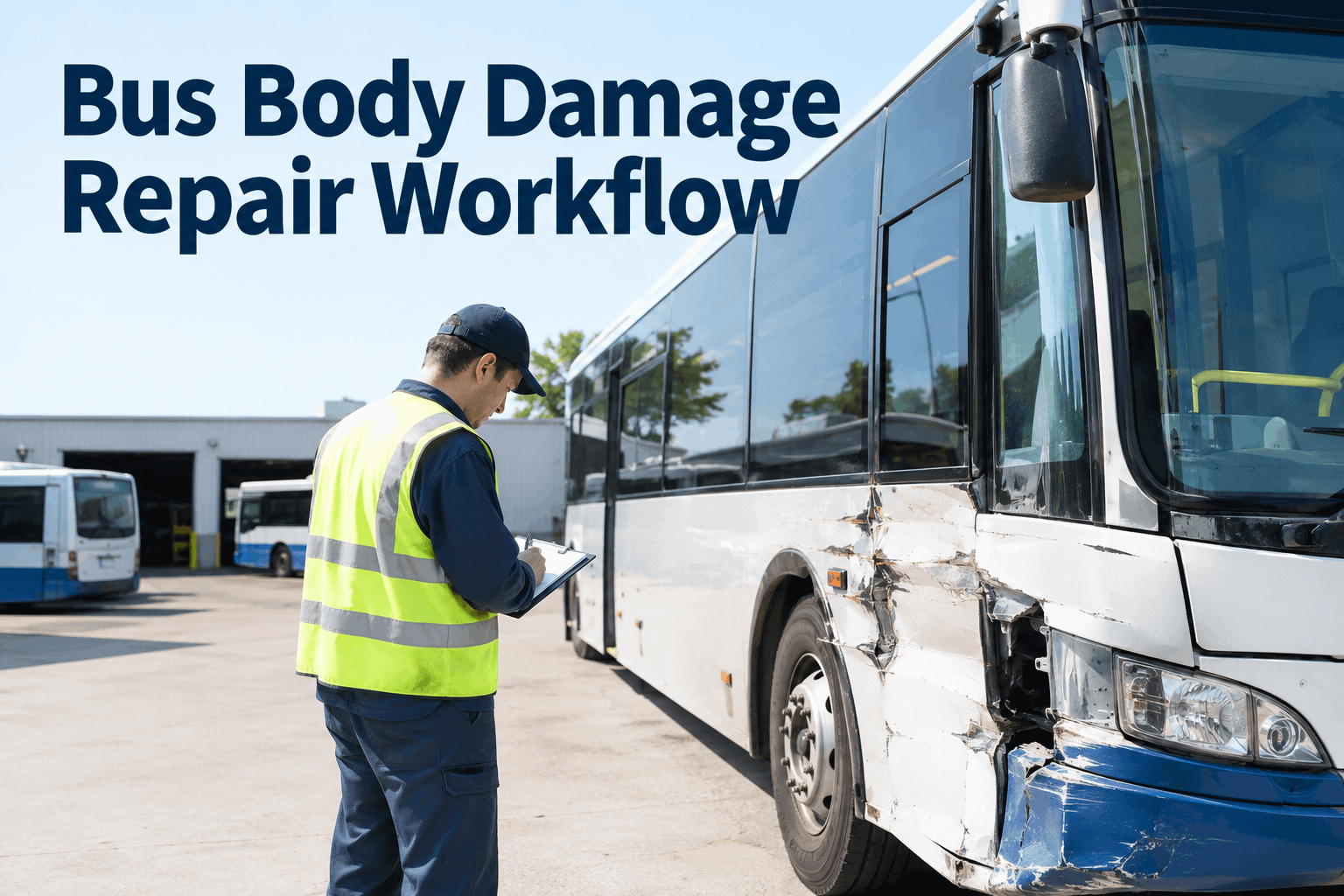
A bus gets dinged in a parking lot or takes a real hit on the road, and the damage itself is rarely the problem — the problem is everything after. The estimate sits with a vendor, the work order lives in someone's email, and nobody can say with certainty whether Bus 118 is actually cleared to roll tomorrow morning. Here's how to run bus body damage repair as a workflow instead of a guessing game.
BODY DAMAGE & ACCIDENT REPAIR WORKFLOW
From Reported Damage to Return-to-Service — On One Record
Work orders, vendor estimates, repair status, and the clearance that puts a bus back on the road — tracked per vehicle, visible across the shop.
The real risk isn't the damage — it's a bus returning to service without anyone confirming the repair actually holds. A dent is cosmetic. A bus cleared back onto a route without a documented inspection is a liability nobody signed off on. Close that gap — start free with BusCMMS.
Where Bus Repairs Stall Without a Tracked Workflow
Every body repair moves through the same basic stages — but without a system holding it together, each handoff is where things go quiet. The bus doesn't get fixed slower because the body shop is bad at its job. It sits longer because nobody owns the step between stages.
Damage Reported
Driver or technician flags the damage. Without a work order opened immediately, this often lives in a text message or a verbal handoff.
Estimate Requested
Vendor is contacted for a quote. This is the single most common stall point — an estimate request with no follow-up date attached.
Repair In Progress
Bus is at the shop or the vendor is on-site. Without status updates logged against the bus, "in progress" could mean day one or day nine.
Repair Completed
Vendor marks the job done — but "done" and "verified" are not the same thing, and that distinction gets lost without a separate check.
Return to Service
Bus is cleared and back on the schedule — the one step that should never happen without a documented sign-off.
How Many Buses Are Sitting Out of Service Right Now?
See how BusCMMS turns every damage report into a tracked repair work order — from the first estimate to the sign-off that puts the bus back on the road — walked through on your own fleet.
Estimate and photos sit in a separate email thread
Repair status comes from a phone call, if it comes at all
No record of who approved the estimate or when
Completion is taken on the vendor's word alone
Insurance or audit requests mean digging through old emails
With BusCMMS
Estimate, photos, and vendor notes attached to the work order
Status updates logged against the bus as the repair moves
Approval and cost history time-stamped and traceable
Completion requires an internal verification step
Full repair history exports in minutes for any request
The Return-to-Service Checklist: What Must Be Confirmed Before a Bus Goes Back on Route
This is the one step worth slowing down for. A repair that looks finished and a bus that's actually safe to run are two different questions — and conflating them is how a bus ends up back on a route with an unresolved issue. Build this gate into every repair — start free.
Repair matches the approved estimate — scope completed is the scope that was quoted and authorized, with any changes documented.
Adjacent components checked — lights, glass, doors, and panels near the impact area inspected, not just the obvious point of damage.
Internal inspection logged — a technician, not just the vendor, confirms the repair before the bus is marked ready.
Photos of the completed repair attached — the after state is documented the same way the damage was.
Work order formally closed — with a named sign-off, not an assumption that silence means the bus is fine.
Bus released and visible as available — dispatch sees the status change the moment it's cleared, not after someone remembers to mention it.
Expert Perspective: The Repair Isn't the Risk — The Handoff Is
Almost every delayed or disputed bus repair I've seen traces back to a handoff, not the actual bodywork. The vendor says it's done, that message reaches one person by phone, and three days pass before anyone updates the schedule — or worse, the bus goes back on a route because someone assumed "done" meant "cleared." Those are two different facts and they need two different confirmations. The fleets that avoid this don't have faster body shops. They have a rule: no bus returns to service without someone internal signing off that the repair was checked, not just completed. That one gate, enforced every time, is what keeps a fender bender from turning into a liability question six months later.
Conclusion: A Repair Isn't Finished Until It's Confirmed
Bus body damage is routine — parking lot scrapes, low-speed collisions, the occasional real accident. What separates a fleet that handles it well from one that doesn't isn't the severity of the damage, it's whether the repair is tracked from report to return-to-service on one record, or scattered across phone calls, emails, and a vendor's word. A work order that follows the bus through estimate, repair, and verification means nobody has to reconstruct what happened after the fact — the record already shows it. Walk through your repair workflow with a BusCMMS specialist — book a demo. If you can't say right now how many buses are mid-repair and when they're expected back, that's the clearest sign the workflow needs a system behind it. Start your free BusCMMS account and open your next repair work order today.
Track Every Repair From Damage Report to Return-to-Service
BusCMMS keeps vendor estimates, repair status, inspection sign-off, and work order history on one bus record — searchable across your whole fleet.
It's the tracked path a damage event follows from the moment it's reported through estimate, vendor repair, internal inspection, and formal clearance back to service — all logged against the specific bus rather than split across calls and emails.
How is this different from body damage documentation or claims tracking?
Damage documentation focuses on capturing evidence — photos, video, and the record a claim needs. A repair workflow picks up from there and tracks the active repair itself: vendor coordination, status, and the sign-off that returns the bus to service.
Who should approve a bus returning to service after repair?
A named internal reviewer — not the vendor alone — should confirm the completed repair matches the estimate and that adjacent components were checked before the bus is marked available for dispatch.
How do I track repairs happening at an outside body shop?
Attach the vendor's estimate, photos, and status updates directly to the bus's work order as the repair progresses, instead of leaving that information in a separate email thread only one person can access.
How long does it take to start tracking repair workflows in BusCMMS?
Most fleets open their first damage work order the same day they sign up. Vehicle rosters and prior repair history typically import within a couple of weeks for larger fleets.