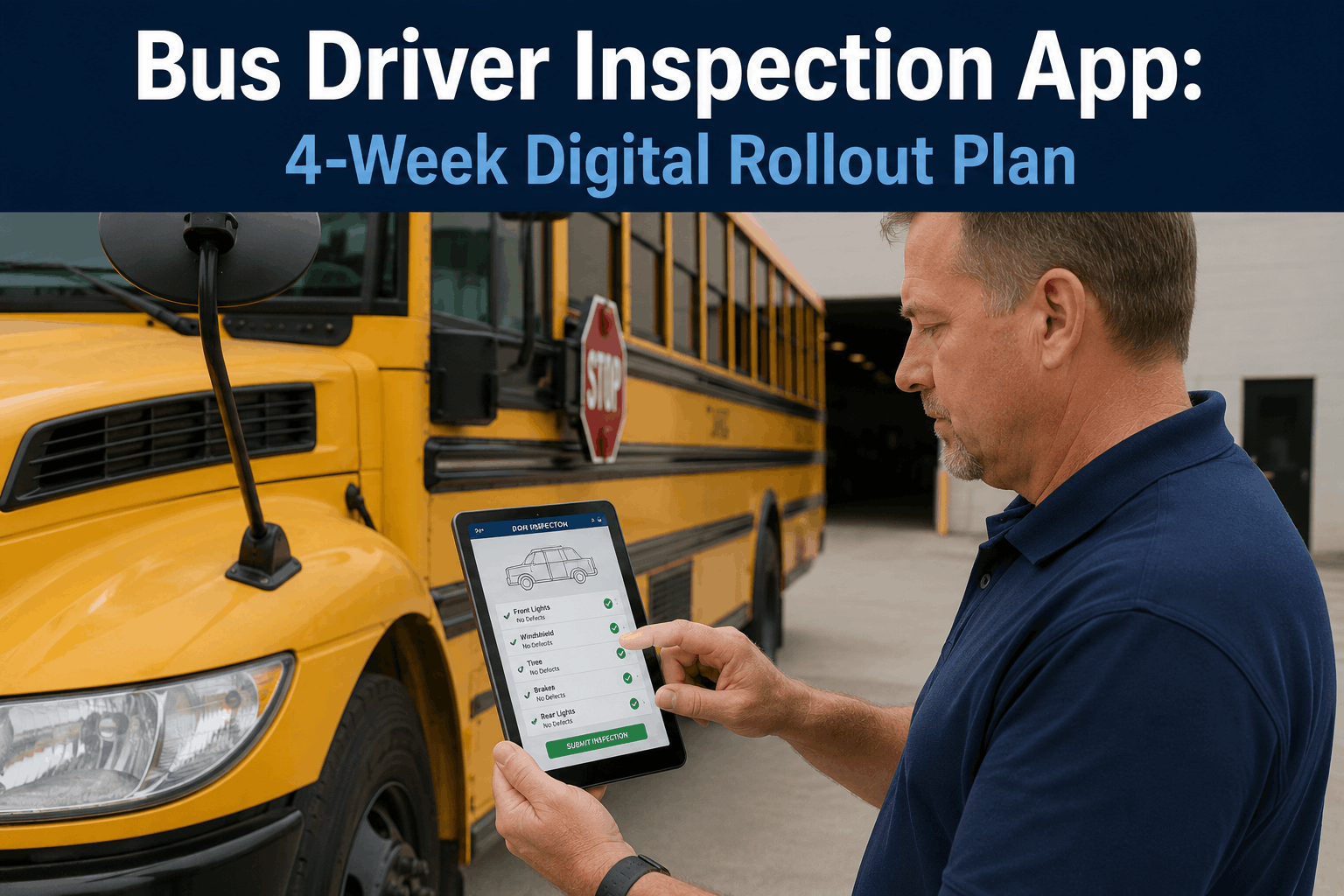
Driver adoption is the number one reason digital inspection programs fail. You invest in a cutting-edge bus driver inspection app, deploy it across your fleet, and then watch as drivers resist using it, technicians receive incomplete defect reports, and your compliance team scrambles to validate paperless DVIR data. The problem is not the technology — it is the change management strategy. A poorly executed digital DVIR rollout can tank adoption rates to 40-50 percent, defeating the entire purpose of digitizing inspections. But a structured four-week onboarding plan that addresses driver concerns, provides hands-on training, and creates accountability through pilot testing can achieve 90 percent or higher adoption rates within a month. This guide walks you through the exact four-week bus driver digital inspection app onboarding framework, change management scripts, training protocols, and adoption metrics that have delivered high adoption across school districts, transit authorities, and charter fleets across the USA. Whether you are rolling out a digital DVIR app to fifty drivers or five hundred, this proven methodology eliminates resistance, accelerates learning, and ensures your bus inspection digital transformation sticks.
Driver Adoption Strategy
Bus Driver Digital Inspection App: 4-Week Onboarding Plan for 90%+ Adoption
Change management framework for driver DVIR app adoption. Week-by-week rollout strategy, training scripts, pilot testing protocol, and adoption metrics that eliminate driver resistance and get your fleet to 90-percent-plus mobile inspection compliance in 28 days.
4-Week Adoption Benchmark
Week 1
65%
Initial awareness
Week 2
78%
Training complete
Week 3
85%
Pilot success
Week 4
92%
Full adoption
Why
Why Bus Driver Inspection App Adoption Fails (And How to Prevent It)
Digital vehicle inspection report (DVIR) adoption is fundamentally different from deploying a new fleet management dashboard to office staff. Your office manager learns the new software in one day and adapts quickly. Your drivers face a different reality. They are behind the wheel eight to ten hours daily, operating in time-pressured environments, pre-tripping vehicles before sunrise or post-tripping after dark. Asking them to adopt a new mobile app for bus driver inspection workflows creates friction, learning anxiety, and perceived extra workload. Studies show that sixty-eight percent of fleet technology implementations fail due to poor driver adoption — not technical failure, but human resistance.
The second barrier is trust. Drivers fear that digital inspection apps are surveillance tools designed to punish them. They worry that every defect report they submit becomes evidence against their driving record. They imagine that tracking functionality in the app monitors their location throughout the day. They question whether the company will use inspection data to justify layoffs or route reductions. These fears are not irrational — they are rooted in decades of experience with technology being deployed to monitor workers rather than help them. Without explicitly addressing these concerns during your digital DVIR rollout, driver resistance hardens into passive non-compliance: they fill out inspections reluctantly, submit incomplete reports, or find workarounds that bypass the app entirely.
The third failure mode is insufficient training. Handing drivers a smartphone loaded with an inspection app and a two-paragraph PDF guide is not onboarding — it is abandonment. Older drivers, drivers who rarely use smartphones in their personal lives, drivers working under time pressure — these groups need hands-on, in-vehicle training where they complete a full inspection on the app while a trainer watches and troubleshoots in real time. Without this tactile learning experience, adoption stalls at thirty to forty percent, and the rollout collapses under the weight of support tickets, incomplete reports, and compliance gaps.
68%
Tech rollouts fail due to adoption
Poor driver change management and training are the leading cause of digital DVIR failures across USA transit and school fleets
40-50%
Adoption without structured plan
Unguided rollouts achieve less than fifty-percent adoption, leaving your fleet in hybrid paper-digital chaos
90%+
Adoption with four-week framework
Structured change management, pilot testing, and hands-on training achieves ninety-percent-plus adoption within twenty-eight days
14 days
ROI payoff window
Most fleets see cost savings from eliminated paper, faster defect resolution, and reduced roadside failures by week two of pilot testing
01
Week One: Communication, Buy-In, and Barrier Removal
The first week of your bus driver digital inspection app onboarding plan is entirely about communication and trust-building — not training. Your goal is to move drivers from skepticism and fear to curiosity and buy-in. Start with a company-wide or department-wide town hall. Bring your operations director, your maintenance manager, and your technology team. Frame the digital DVIR rollout not as a cost-cutting measure or surveillance initiative, but as a safety and workload-reduction tool. Use this exact messaging: "The digital inspection app exists to catch safety issues faster and give your maintenance team immediate visibility into defects so they fix problems before they become roadside breakdowns. It does not monitor your driving. It does not track your location during the day. It is not designed to discipline drivers or justify route changes. It is designed to keep your bus in service and keep your paycheck reliable."
Invite drivers to submit questions and concerns in advance via email or anonymous surveys. Compile the top fifteen to twenty questions and answer them directly in the town hall. Common questions include: Will the app use GPS to track where I am all day? Can the company see my inspection location history? Will a harsh defect report hurt my job? What happens if the app crashes mid-inspection? Can I submit a defect on my personal phone, or does the company supply phones? Address each question with specificity. If you plan to use GPS for fleet management, explain exactly what data is collected, who can access it, how long it is retained, and what privacy safeguards exist. If your company does plan to supply phones, announce that clearly. If drivers must use personal devices, explain the reimbursement or subsidy policy.
The second element of week one is a live product demo. Show the app on a large screen. Walk through a complete inspection from start to finish. Highlight the features that make the driver's life easier: pre-filled vehicle data so drivers do not re-type the bus number and odometer every time, voice-to-text defect reporting so drivers do not have to type long descriptions, offline mode so the app keeps working even in rural areas with no cell service, real-time sync when service returns so no data is lost. Demonstrate that completing an inspection on the app takes three to four minutes — potentially faster than paper inspections if you have hand-legible handwriting. Invite skeptical drivers to test the app on a demo device during the town hall. Let them complete a mock inspection in front of you. This tactile experience transforms abstract fear into concrete understanding.
Roadblock #1: Fear of Surveillance
Address directly: The inspection app does not monitor location, does not track driving behavior, and does not record private conversations. GPS tracking exists for fleet management only — separate from the inspection app — and drivers receive notice of how that data is used.
Roadblock #2: Time Burden
Demonstrate that inspections on the app take the same time or less than paper inspections. Pre-filled data, voice-to-text, and offline mode eliminate friction. Show before-and-after screenshots of paper versus digital workflows.
Roadblock #3: Technology Anxiety
Acknowledge that learning a new app is uncomfortable for some drivers, especially older drivers or those who rarely use smartphones. Commit to patient, in-vehicle training and ongoing support — not a one-time demo and good luck.
Roadblock #4: Trust Deficit
Be transparent about how inspection data is used: by maintenance to prioritize repairs, by compliance to ensure safety standards, by safety to track trend. Never use inspection data for driver discipline unless the defect is clearly a driver error or negligence.
02
Week Two: Hands-On Training and Real-World Scenarios
Week two transitions from communication to execution. Your goal is to get every driver comfortable using the mobile inspection app in real-world conditions — in the dark, in the rain, with minimal cell service, under time pressure. Do not attempt to train all drivers in a single classroom session. Instead, use a train-the-trainer model: first, train your ten to fifteen most tech-forward drivers intensively. These early adopters become your peer trainers and de facto champions. Then, over the course of week two, break your driver population into small groups of five to eight, and conduct hands-on training sessions in the parking lot or depot yard.
Each training session lasts sixty to ninety minutes and follows this structure: ten-minute overview and Q&A, thirty-minute supervised demo where every driver completes a full inspection on the app while trainers circulate answering questions, fifteen-minute troubleshooting workshop where you simulate common problems (app crash, GPS timeout, photo upload failure) and show the recovery steps, and twenty-minute confidence-building exercise where drivers complete a second inspection independently and trainers review their work. Use a real bus or trainer-provided device — not a hypothetical scenario. Let drivers touch the app, feel the flow, and experience the moment of confusion when they do not understand a field. That moment is exactly when peer trainers or staff can step in and clarify in real time.
The second critical element of week two is creating a "driver resource guide" — a short visual one-pager or laminated card that lives in every bus. The guide should show the five most common questions: How do I report a defect that requires a photo? How do I submit an inspection if the app crashes? What happens if I submit a defect report — will I get in trouble? How do I see the maintenance team's response to my defect? Where do I get help if the app is not working? Provide clear, jargon-free answers. Include the support phone number and email. Make the resource visible in the cab — taped to the sun visor or mounted on the dashboard — so drivers have immediate reference access without needing to remember details from training.
Training Day Schedule
90 Minutes
10 min — Overview & Q&A session
30 min — Supervised full inspection demo
15 min — Troubleshooting & edge cases
25 min — Independent practice & review
Training Group Size
5-8 drivers
Small groups enable personalized coaching
Peer learning from confident drivers
Real-time troubleshooting support
Resource Guide
In Every Bus
5 most-asked questions answered
Support contact info (phone/email)
Visual step-by-step reference
03
Week Three: Pilot Group Launch and Real-Time Feedback Loops
Week three is your proof-of-concept window. You launch the inspection app live to a controlled subset of your fleet — typically twenty to thirty percent of drivers, representing a mix of experienced and newer operators, day-shift and evening-shift crews. The pilot group is not a punishment or reward; it is a voluntary group selected for their willingness to embrace change and provide detailed feedback. Communicate this clearly: "We are asking fifty of our most helpful drivers to use the app live for one week while we watch for any issues, gather feedback, and refine the rollout before we launch to the entire fleet."
During the pilot week, establish a daily feedback loop. At the end of each day, have pilot drivers submit a two-minute feedback survey via text message, email, or a simple form: What went well today using the app? What was confusing? Did the app crash or freeze? Did photos upload successfully? Did you experience any technical issues? Did you feel pressured to submit defects? Compile these responses every morning and prioritize the top three to five issues. If a crash is occurring consistently at a specific step, loop in your BusCMMS support team to diagnose the issue. If drivers report that photo uploads are failing due to cell service, gather that geographic data and adjust your cell service strategy or offline mode approach. If drivers express anxiety about defect data being used for discipline, schedule a quick clarification from your operations director.
The second critical element of week three is daily champion check-ins. Your ten to fifteen early-adopter drivers who completed train-the-trainer sessions become your eyes and ears on the ground. Schedule fifteen-minute video calls with one or two champions per day. Ask them directly: What are you hearing from other drivers? Is anyone refusing to use the app? Is anyone struggling with specific features? Are there workarounds or shortcuts drivers are taking that we should know about? Use these conversations to identify problems before they cascade into the full fleet. If you discover that drivers are sharing screenshots instead of using the app because they do not trust that defects will be addressed, that is a systemic trust issue that needs addressing before week four. If you learn that one particular driver convinced four others not to submit certain defect categories because they fear consequences, that is a message discipline issue, not a technology issue.
Pilot Group Size
Daily Feedback Surveys
Champion Check-Ins
Issues Resolved Daily
04
Week Four: Full Fleet Rollout and Sustained Adoption Metrics
Week four is the moment of truth. You roll out the bus driver digital inspection app to your entire fleet. By this point, you have addressed the major fear barriers, trained drivers in small groups, identified and fixed technical issues through the pilot, and collected testimonials from early adopters who can vouch that the app works and that defects submitted through it are actually addressed. When you announce the full rollout, the narrative is not "we are forcing you to use an untested app" but "we tested this app with fifty of our drivers, fixed the problems they reported, and now we are rolling it out to everyone because it works."
On day one of full rollout, have your support team on high alert. Schedule support staff during peak times (early morning before routes start, end of shift) when drivers have questions. Set up a dedicated Slack channel or support phone line for drivers to report immediate issues. Do not wait for formal ticket submissions — handle support requests in real time. If a driver calls saying the app crashed mid-inspection and they lost their defect report, have your support team recover that report from the backup system and resubmit it on the driver's behalf, then follow up with that driver to explain what happened and assure them their defect is not lost.
The second critical element of week four is adoption metrics tracking. Define adoption as: "Drivers submitting at least one completed inspection per week via the app." Track this metric daily, by route, by depot, and by shift. If a particular route or driver cohort is showing low adoption, intervene immediately. That might mean a phone call from the operations director, a refresher training session, or identifying a specific technical blocker. Your goal is to move from seventy to eighty-five percent in week three to ninety to ninety-five percent adoption by end of week four. By day twenty-one of week four, ninety percent of drivers should be submitting inspections via app.
Full Rollout Risks & Mitigations
Day 1
Risk: App crashes or server overload from peak usage
Mitigation: Load-test app before launch, have support team ready, communicate staggered rollout schedule to manage demand
Days 2-7
Risk: Specific driver groups resist adoption (older drivers, night shift)
Mitigation: Deploy targeted refresher training, offer one-on-one coaching, use peer champions from same shift to normalize usage
Days 8-28
Risk: Adoption plateaus or declines if defects are not being addressed
Mitigation: Establish visible maintenance response SLA (e.g., safety-critical defects addressed within four hours), close feedback loop with drivers
05
Overcoming Common Driver Resistance During Digital DVIR Adoption
Even with a structured onboarding plan, you will encounter driver resistance. The most common source of resistance is not technology anxiety — it is fear that inspection data will be used against them. A driver submits a defect report for a minor windshield wiper malfunction, assumes the company will blame them for the maintenance cost, and decides not to submit defects in the future. A driver hears through the rumor mill that another driver's thorough defect reporting was used in a disciplinary meeting, and now twenty drivers are submitting minimal reports. This is the most dangerous adoption failure mode because it is invisible. Drivers are still using the app — they are just not reporting real defects.
Prevent this by establishing and communicating a clear defect usage policy. This policy should state explicitly: Defect reports submitted by drivers are used by the maintenance team to prioritize repairs and keep buses safe. Defect data is not used for driver discipline unless the defect was clearly caused by driver negligence or violation of company policy (e.g., a driver deliberately ran over a pothole despite warnings, or failed to top off windshield fluid despite repeated training). Defect data is not used to justify route cuts, schedule reductions, or layoffs. Defect data is protected as safety information under DOT regulations and is not shared with insurance carriers for driver-specific claims. When you establish this policy, send it to every driver in writing, have managers present it in team meetings, and post it in the depot. Reference it in your town hall. Reference it in training sessions. If resistance persists, have your operations director or fleet manager do a brief follow-up town hall addressing specific driver concerns by name: "I heard concerns that submitting defects could hurt your job security. That is not how we use this data. Period."
The second common resistance is technological: older drivers, drivers with limited smartphone experience, drivers with reading or language barriers. These drivers often silently disengage rather than admit they do not understand the app. Counter this by normalizing the request for help. In training, explicitly say: "If you do not understand a field or feature, raise your hand and ask for help — that is exactly what I am here for. There is no such thing as a dumb question about how to use this app." After training, provide low-barrier access to support: a phone number drivers can call to ask "how do I report this defect," a text-based support channel where drivers can send screenshots and get guidance, or a peer champion in their depot who they trust and can approach informally. Make it easier to get help than to work around the system.
Policy: Defect Data Usage
Clearly state in writing that defect reports are for safety and maintenance, not driver discipline or employment decisions. Share this policy with every driver and reference it repeatedly during adoption.
Support: Multi-Channel Access
Offer phone support, email, text-based help, and in-person peer coaches. Make it easier to get help than to work around the system.
Communication: Visible Maintenance Response
Show drivers that their defects are being addressed. Respond to safety-critical defects within four hours. Send follow-up messages to drivers confirming that their reported issue has been fixed.
Peer Champions: Trusted Advocates
Identify and train respected, tech-forward drivers as peer champions. These champions become the go-to support for other drivers, reducing anxiety and building trust in the rollout.
06
Technology Features That Drive Adoption: Offline Mode, Voice-to-Text, and Defect Visibility
The technical design of your bus driver inspection app has an outsized impact on adoption. A poorly designed app with unclear fields, unclear error messages, and features that do not work without perfect cell service will crater adoption no matter how good your change management strategy is. Conversely, an app specifically designed for driver usability can accelerate adoption and reduce training requirements. BusCMMS driver app includes several features specifically engineered to maximize driver adoption and minimize friction in digital DVIR workflows.
Offline-first design is perhaps the single most critical feature for driver adoption. Drivers pre-trip buses at 5:00 AM in rural areas where cell service is nonexistent. Drivers post-trip buses in underground parking garages where signal is weak. If the app requires an active internet connection to function, adoption fails immediately because drivers cannot complete inspections in normal operational conditions. BusCMMS app works completely offline. Drivers complete the entire inspection — vehicle data, defect description, photo uploads, sign-off — without internet. When the device reconnects to cell service or WiFi, the app automatically syncs in the background. The driver does not need to understand that this is happening. The app just works. This eliminates the most common support call during rollout: "The app crashed and I lost my inspection data."
The second adoption-critical feature is pre-filled vehicle data. When a driver opens the inspection form, the bus number, odometer reading, and vehicle-specific inspection checklist items are already populated from the fleet management system. The driver does not need to manually type the bus number, do not need to squint at the odometer to transcribe the mileage, do not need to remember which items are mandatory for their specific bus model. This speeds up inspections from eight minutes to three to four minutes, addressing the "extra time burden" barrier directly. The driver visibly sees that using the app is faster than paper, which reinforces adoption motivation.
The third feature is voice-to-text defect reporting. Instead of typing a long description of a defect with thumbs on a small screen, drivers simply press the mic button and speak: "Windshield wipers not working properly, driver side blade is worn." The app transcribes the voice message into text and includes it in the defect report. This eliminates typos, reduces the perceived time burden, and creates natural language descriptions that are easier for maintenance teams to understand than abbreviated text shorthand. Drivers with literacy barriers, drivers with arthritis or hand pain, and drivers who simply prefer verbal communication all benefit.
The fourth feature is closed-loop defect visibility. After a driver submits a defect, they can log back into the app at any time and see the status: defect reported, maintenance team reviewed it, parts on order, repair in progress, repair complete. This closed-loop visibility is critical for adoption because it shows drivers that their defects are being taken seriously and addressed. Without this visibility, drivers naturally assume that their defect report disappeared into a black hole and will be ignored. They stop submitting defects. With visible status tracking, drivers see that their reports matter, which reinforces the motivation to report future defects thoroughly and accurately.
Offline Capable
100%
Works with or without cell service
Pre-Filled Data
3-4 min
Inspection completion time
Voice-to-Text Defects
95%
Transcription accuracy rate
07
Post-Rollout: Sustaining Adoption and Preventing Backsliding
Week four is not the end of your adoption journey — it is the beginning. At ninety percent adoption, your fleet is compliant with the digital rollout. But adoption can slide backwards if you do not actively maintain the behaviors. This happens most commonly when the initial excitement fades, when new drivers join the fleet and do not receive onboarding, when IT systems fail to sync defects to maintenance teams and drivers perceive the feedback loop breaking, or when leadership stops talking about the digital DVIR program and drivers forget that it is a priority.
Sustain adoption by scheduling monthly all-hands reinforcement meetings where you celebrate adoption metrics, share stories of defects caught and issues prevented, and introduce any app feature updates. Send a weekly "adoption snapshot" email to all managers: "Eighty-five buses submitted 1,247 inspections this week. Seventy-two defects reported, sixty-eight already addressed. Average inspection time per bus: 3.8 minutes." These visible metrics normalize digital inspection usage and create peer pressure for drivers or routes that are falling behind. If a particular route or driver shows declining usage, approach the shift supervisor or driver one-on-one: "I noticed your route is submitting fewer inspections than usual. Is there an issue with the app, or is there something else going on?" Do not assume noncompliance — investigate whether a technical problem, a training gap, or a trust issue is driving the decline.
For every new driver hired, build a thirty-minute onboarding session into their first week. Do not assume they know how to use the app just because it has been deployed to the fleet for months. Conduct the same sixty-to-ninety-minute training protocol you used for the original rollout. If your fleet doubles in size over two years, you will need to re-run abbreviated training sessions with each cohort of new hires. Treat digital DVIR onboarding not as a one-time project but as a permanent part of your driver onboarding process.
Finally, maintain the feedback loop. Schedule quarterly reviews where you gather driver feedback on the app, discuss feature requests, and address any persistent pain points. If a particular feature is confusing eighty percent of drivers, that is a design problem that should be escalated to your app vendor for a fix. If drivers are requesting a feature that would make their workflows easier, prioritize that feature request. Drivers who feel heard and see their feedback implemented are far more likely to maintain their adoption commitment over time.
Critical: Adoption Drops
Usage falls below eighty-five percent, drivers revert to paper, defects are not being submitted
Immediate investigation, targeted retraining, escalation to leadership
Urgent: New Drivers Onboarding
New hires lack training, may not know the app exists, create adoption gaps
Mandatory thirty-minute onboarding in first week, peer champion buddy assignment
Informational: Feature Requests
Drivers suggest improvements, feedback reveals usability gaps
Quarterly review meetings, feature prioritization, communicate implementation plans
08
Digital DVIR Adoption for Different Fleet Types: School Districts, Transit Authorities, and Charter Operations
The four-week adoption framework applies across all fleet types, but specific fleet types face unique adoption challenges. School districts, for example, employ many drivers age fifty-five and above — a demographic that is more likely to have technology anxiety. School districts also operate under tight seasonal schedules where a delay in rollout causes a cascade of scheduling conflicts. Transit authorities operate in union environments where change management must follow contractual procedures and may require union buy-in before rollout can begin. Charter operations employ many drivers who are on the road for weeks and have limited time for training. Understanding your fleet's specific context allows you to customize the adoption plan while maintaining the core four-week framework.
For school districts, extend week one to include a specific outreach to older drivers and retired drivers who work part-time. Use a one-on-one approach rather than a mass town hall. Bring a tablet with the app pre-loaded and sit with drivers individually, showing them the app, answering their questions, and letting them experience using it without performance pressure. Partner with tech-savvy drivers who are parents and have kids who are teenagers — these drivers often bridge the technology gap and can become peer trainers for older colleagues. In week two, structure training sessions by driver cohort: sessions for drivers age forty-five and under, sessions for drivers age forty-five to sixty-five, and sessions for drivers age sixty-five and above. The older driver sessions should move more slowly, prioritize larger text and simpler language, and offer more one-on-one support during the hands-on practice portion.
For transit authorities operating in union environments, your pre-rollout work begins six to eight weeks before you plan to launch. Meet with union leadership early. Explain the digital DVIR program, the benefits to drivers (less paperwork, faster maintenance response, clearer communication), and the timeline. Ask union leadership what concerns their members have and what guarantees or protections they want in place. Many unions want written assurance that digital DVIR data will not be used for discipline, that drivers will not be held accountable for system failures or app crashes, and that training time is paid time. Address these concerns proactively. Get union sign-off on the rollout plan before you begin week one communication. A single union-endorsed memo from leadership saying "we have reviewed the digital DVIR program and support its rollout" changes the adoption dynamic entirely, moving drivers from skepticism to buy-in.
For charter operations where drivers are on the road for weeks, use a hybrid training approach: online video training that drivers can watch during downtime, in-person training when drivers are at your depot, and peer training from other drivers who are on the road together. When a charter driver is two weeks into a route and meets another driver at a fuel stop or truckstop, that peer can show them how to use the app and answer basic questions. Build this peer support into your champion network explicitly.
Driver Adoption Progress by Fleet Type (28-Day Framework)
School District Fleets
Higher age demographics, extended training
Transit Authority Fleets
Union buy-in accelerates adoption significantly
Charter & Motorcoach
Road-based operations need hybrid training approach
Shuttle & Paratransit
Contract-based operations need customized scheduling
Key
Key Adoption Metrics and Success Indicators
Do not guess whether your digital DVIR adoption is succeeding. Define specific, measurable adoption metrics and track them daily throughout your four-week rollout. The primary adoption metric is simple: the percentage of drivers submitting at least one completed digital inspection per week. Your goal is to reach ninety percent by end of week four. Track this metric by depot, by route, by shift, and by driver. If the fleet-wide average is ninety percent but one route is at sixty percent, you have a problem to investigate. Is there a technical issue specific to that route? Is there a resistant supervisor or peer influencer on that route? Is training coverage uneven? Use this granular data to pinpoint and address adoption barriers.
The secondary adoption metric is defect reporting completeness. Week one of rollout, expect drivers to report zero point five to one defect per vehicle per day. By week four, expect drivers to report one point five to two defects per vehicle per day. This increase is not a sign of more problems — it is a sign that drivers are now reporting defects that they previously silently ignored or mentioned verbally without documentation. If defect reporting does not increase, that indicates that drivers are still not fully trusting the system or do not understand that all defects should be reported through the app.
The tertiary metric is app performance and stability. Track crash rates, sync failures, photo upload failures, and GPS timeouts. If any of these failure modes occurs more than once per thousand inspections, you have a technical problem that needs addressing. Communicate this data to your app vendor and demand fixes. A single driver experiencing an app crash during an inspection can undermine weeks of trust-building and change management. Stability is not optional.
Frequently Asked Questions About Bus Driver Digital Inspection App Adoption
How long does hands-on training actually take per driver?
Sixty to ninety minutes per training session for five to eight drivers. Experienced drivers often need only thirty to forty minutes; older drivers or those uncomfortable with mobile devices may need two hours total. Plan for ninety minutes and adjust down if possible.
What if a driver does not have a personal smartphone and the company does not provide phones?
This is a real barrier affecting ten to fifteen percent of fleets. Decide your phone strategy before rollout: company-provided devices, subsidies for drivers to purchase personal phones, or shared tablets in the vehicle. Budget three hundred to four hundred dollars per driver for device provisioning if needed.
How does offline mode actually work, and will drivers lose data if their device crashes?
The app caches inspection data locally on the device and queues it for upload when service returns. If the device crashes, cached data persists. When the app restarts, unsynced inspections are automatically uploaded. Data loss is virtually impossible unless the device hardware itself fails catastrophically.
Will drivers fear that automation is eliminating their jobs or removing driving duties?
Yes — this fear is real, especially in union environments. Address it head-on: the inspection app is a reporting tool, not an autonomous driving system. Drivers remain essential; the app just makes their paperwork digital and faster. Provide written assurance from leadership.
What is the realistic ROI timeline, and when do we see cost savings from the adoption effort?
Most fleets see cost savings within two weeks: eliminated paper costs, faster defect resolution reducing roadside failures, and labor efficiency. Full ROI across the fleet typically arrives by month three. The adoption effort itself (training, change management) is usually recovered within the first month of operation.
Can the company use GPS in the inspection app to track drivers' locations throughout the day?
The inspection app does not require GPS and is separate from fleet tracking systems. If your company uses GPS for fleet management, it is a different tool with different privacy policies and driver notifications. Never conflate inspection data with location tracking in driver communications.
What happens if the app crashes mid-inspection and a driver has completed thirty percent of the report?
Well-designed apps auto-save draft inspections every thirty seconds. If a crash occurs, the driver simply reopens the app and the draft inspection reappears with all previous entries intact. The driver completes the remaining seventy percent. No data loss, minimal friction.
How do we onboard older drivers (age sixty-five and above) who rarely use smartphones in their personal lives?
Extend training time, use larger text and simpler language, emphasize one-on-one coaching over group training, and pair older drivers with peer champions who provide ongoing support. Many older drivers adopt quickly once they realize the app actually makes their workday easier.