Pull up your current bus incident report form. Count how many of these six items appear as labeled, required fields: date of accident, city and state, driver name, number of injuries, number of fatalities, hazardous materials involved. These are the six fields required by 49 CFR 390.15 -- the federal accident register regulation. If your form is missing any of them, every incident you have documented in the past three years is technically non-compliant. Most generic bus incident report templates downloaded from the internet were designed for insurance purposes in the 1990s. They have a space for the driver name and a text box for "description of accident." They do not have a post-accident drug testing documentation section, no structured witness record, no photo log, and no supervisor authorization trail. FMCSA auditors rejected one fleet's entire accident file during a compliance review because the forms did not include the required register fields. This page shows you exactly what an FMCSA-ready bus incident report template must contain in 2026 -- and how BusCMMS digitizes every section with automatic timestamps, GPS photo capture, testing deadline alerts, and accident register auto-population.
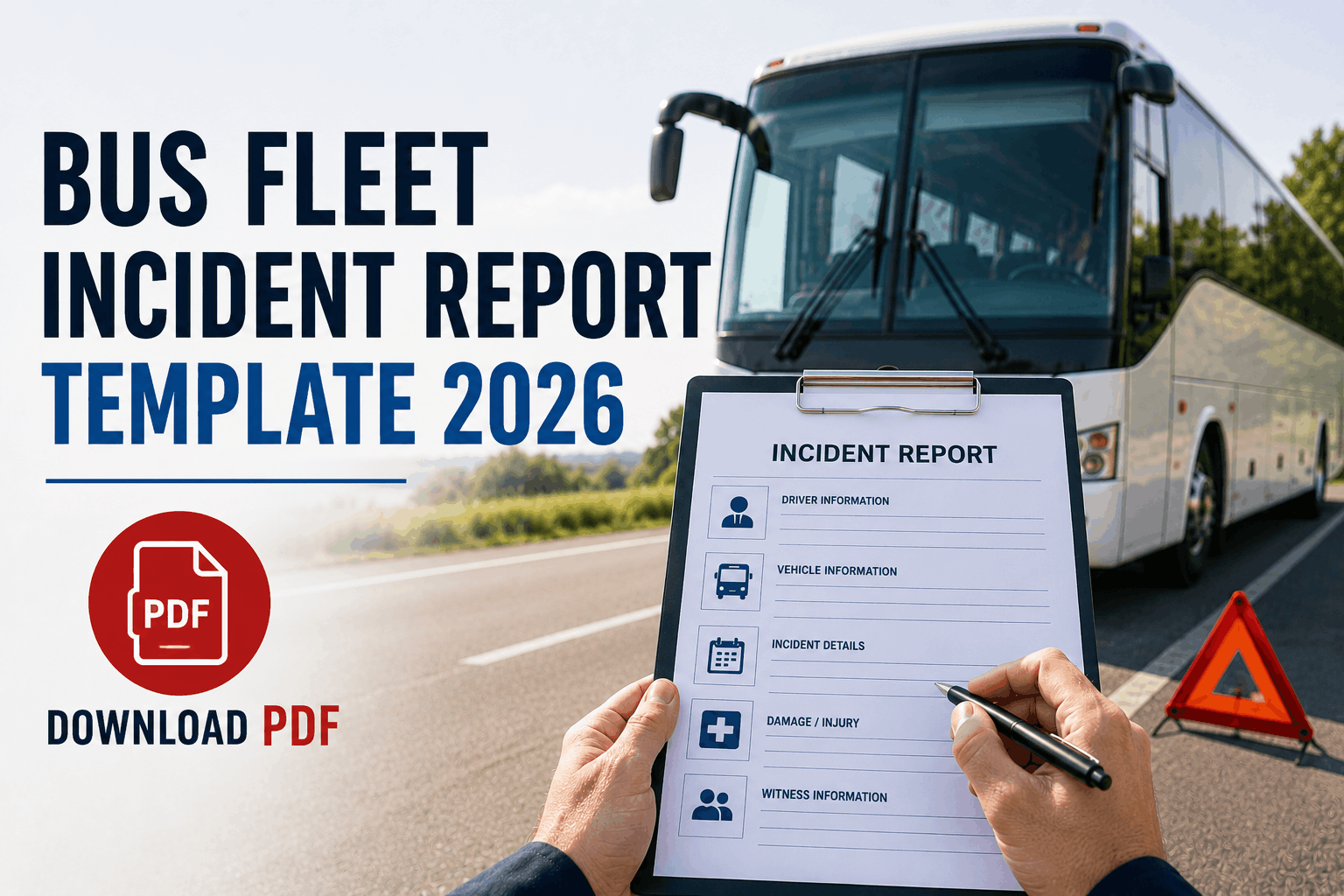
Bus Fleet Incident Report Template 2026 (FMCSA-Ready)
What every bus incident report must include to satisfy 49 CFR 390.15, pass post-accident drug testing requirements, and hold up in civil litigation. Free guide with every required section explained.
BusCMMS Incident Reporting Covers Every Required Field -- Automatically
Every field in an FMCSA-ready incident report is a guided entry point in BusCMMS. GPS and timestamps are automatic. Testing deadlines appear as countdown alerts. Accident register fields auto-populate from incident data. What takes 45 minutes on paper takes 8 minutes on BusCMMS -- and the record is audit-ready from the moment it closes.
Why Generic Bus Incident Report Templates Fail FMCSA Review
Generic incident forms downloaded from the internet were designed for insurance claims -- not federal recordkeeping. They share four structural gaps that cause compliance failures across fleets of every size:
Missing 49 CFR 390.15 Fields
No Drug Testing Section
No Structured Witness Records
No Photo Evidence Log
What an FMCSA-Ready Incident Report Template Must Include
An FMCSA-compliant bus incident report requires specific sections in a specific sequence. Each section serves both a regulatory function and a litigation defense function. Here is what every section must contain and why it matters -- run it on paper, or digitally in BusCMMS where every field is guided, timestamped, and automatically retained for 5 years.
Exact time, GPS coordinates, road conditions, incident type
Every FMCSA accident register entry requires date, city, and state -- but a litigation-ready incident report needs more: the exact time of impact (not the time the report was completed), GPS coordinates or the nearest intersection, road and weather conditions at the time, and the type of incident (collision, rollover, pedestrian, property damage). Time of impact establishes the FMCSA drug and alcohol testing clock. GPS coordinates support the police report and insurance claim. These fields must be completed at the scene -- not reconstructed hours later from memory. BusCMMS captures GPS location automatically when the incident report is opened on the driver's phone.
Unit number, VIN, CDL, HOS status, citation status
Vehicle documentation must include: bus unit number and VIN (required for the FMCSA accident register), license plate and state, odometer at time of incident, and whether the vehicle was drivable or required towing. Driver documentation must include: full name (required for accident register), CDL number and state, hours on duty at time of incident, total hours since last 10-hour break, whether the driver received a citation, and the citation number and offense if issued. The citation status is the trigger for FMCSA post-accident testing in non-fatal incidents -- it must be documented accurately and promptly. BusCMMS pre-populates vehicle and driver information from fleet records when the incident report is created.
Trigger determination, collection times, delay documentation
This is the section missing from virtually every generic template -- and the one FMCSA auditors examine most closely. It must include: which of the three testing triggers applies (fatality, medical treatment away from scene plus citation, or vehicle towed plus citation), the name and title of the person who made the trigger determination, the time testing was initiated, the collection site used, the time the alcohol test was completed, the time the drug specimen was collected, and written documentation of why either test was delayed past 2 hours (alcohol) or 32 hours (drug). Per 49 CFR 382.303, this documentation must be maintained and submitted to FMCSA upon request. BusCMMS walks supervisors through the three trigger scenarios step by step and displays countdown alerts at 90 minutes and 7 hours from incident time.
Structured rows for every person -- not a text box
Passenger documentation requires a separate row for each person on the bus: full name, contact phone, seat location, and injury status at the scene (received treatment, declined treatment, no injury noted). This is your evidence for any subsequent claim from a passenger who says they were on the bus or that their condition was not documented. Witness records require name, contact phone, their position at the time of incident, and whether they provided a written statement. Other party records require driver name and license, vehicle make/model/plate/VIN, and insurance company and policy number. Each of these has a separate structured row -- not a shared text field. BusCMMS requires completion of all passenger fields before the incident report can be submitted.
The six required fields, post-incident action checklist, and authorization trail
The FMCSA accident register section consolidates the six 49 CFR 390.15 required fields in one clearly labeled block: date, city and state, driver name, injuries, fatalities, and hazardous materials involved. This section doubles as the accident register entry -- completing it satisfies the federal recordkeeping requirement without separate data entry. The post-incident actions log captures: time insurer was notified and claim number received, ELD hold request confirmation, driver written statement obtained, and bus dispatch hold placed. Supervisor sign-off with a dated signature establishes management review and creates the authorization trail that FMCSA auditors and plaintiff attorneys look for. BusCMMS captures supervisor sign-off digitally with authentication credentials and a timestamp that cannot be backdated.
Generic Template vs FMCSA-Ready Template vs BusCMMS Digital
Not all incident documentation approaches provide the same level of FMCSA compliance and litigation protection. Here is how the three options compare across every critical element of post-accident recordkeeping.
| Documentation Element | Generic Paper Template | FMCSA-Ready Template | BusCMMS Digital |
|---|---|---|---|
| 49 CFR 390.15 required fields | Often missing -- 2 of 6 avg. | All 6 fields explicitly labeled | Auto-populated from incident data |
| Drug testing documentation | Not included | Full trigger + deadline section | Decision tree + countdown timer |
| Photo documentation | Not included | Structured photo log | GPS + timestamp embedded automatically |
| Passenger records | Single text box | Structured rows per passenger | Digital form, required fields enforced |
| Witness documentation | Blank line or text box | Structured rows with contact fields | Unlimited entries, searchable |
| Supervisor sign-off | No sign-off section | Signature line with date | Digital, timestamped, authenticated |
| Testing deadline tracking | No deadline reminders | Deadline note in testing section | Countdown alerts at 90 min and 7 hrs |
| Accident register | Separate manual entry required | Included as dedicated section | Auto-populated at report submission |
| Record retention | Physical file, loss risk | Requires physical filing system | Digital, 5-year retention, searchable |
| FMCSA audit export | Manual search, 45+ minutes | Depends on filing system | Complete record in 60 seconds |
What FMCSA Auditors Check in Accident Records
FMCSA compliance reviewers follow a documented examination checklist for accident records. Understanding which elements get the most scrutiny helps prioritize which sections of your incident report template to strengthen first.
"We were using a two-page form from an industry association that was over a decade old. When the compliance reviewer pulled our records, every single incident file was flagged -- missing the hazardous materials field, injury counts left blank on zero-injury incidents instead of showing zero, and no drug testing documentation section at all. We redesigned our template using the FMCSA requirements as the baseline, added the testing section and witness rows, then moved everything into BusCMMS six months later. The follow-up review found zero documentation deficiencies in any incident record."
Frequently Asked Questions: Bus Incident Report Template 2026
What fields are required by 49 CFR 390.15 in every bus accident record?
Why must a bus incident report include a drug testing section?
What are the three FMCSA post-accident testing triggers?
How long must bus incident reports be retained?
Can a generic bus incident form downloaded from the internet satisfy FMCSA requirements?
Does an incident report need a supervisor sign-off to be FMCSA compliant?
What is the difference between an incident report and an accident register?
How does BusCMMS improve on a paper incident report template?
Every Section. Every Field. Every Deadline. Covered in BusCMMS.
The five sections in this guide are guided entry points in BusCMMS Incident Reporting. GPS and timestamps automatic. Testing deadlines tracked with alerts. FMCSA accident register auto-populated. Supervisor sign-off digital and timestamped. 5-year retention built in. Documentation that takes 45 minutes on paper takes 8 minutes in BusCMMS.
The Template That Meets FMCSA Standards.
The Platform That Makes It Automatic.
Five sections. Every required field. Drug testing documentation built in. Use it on paper today. Move it into BusCMMS tomorrow -- with GPS, timestamps, and auto-population included from day one.