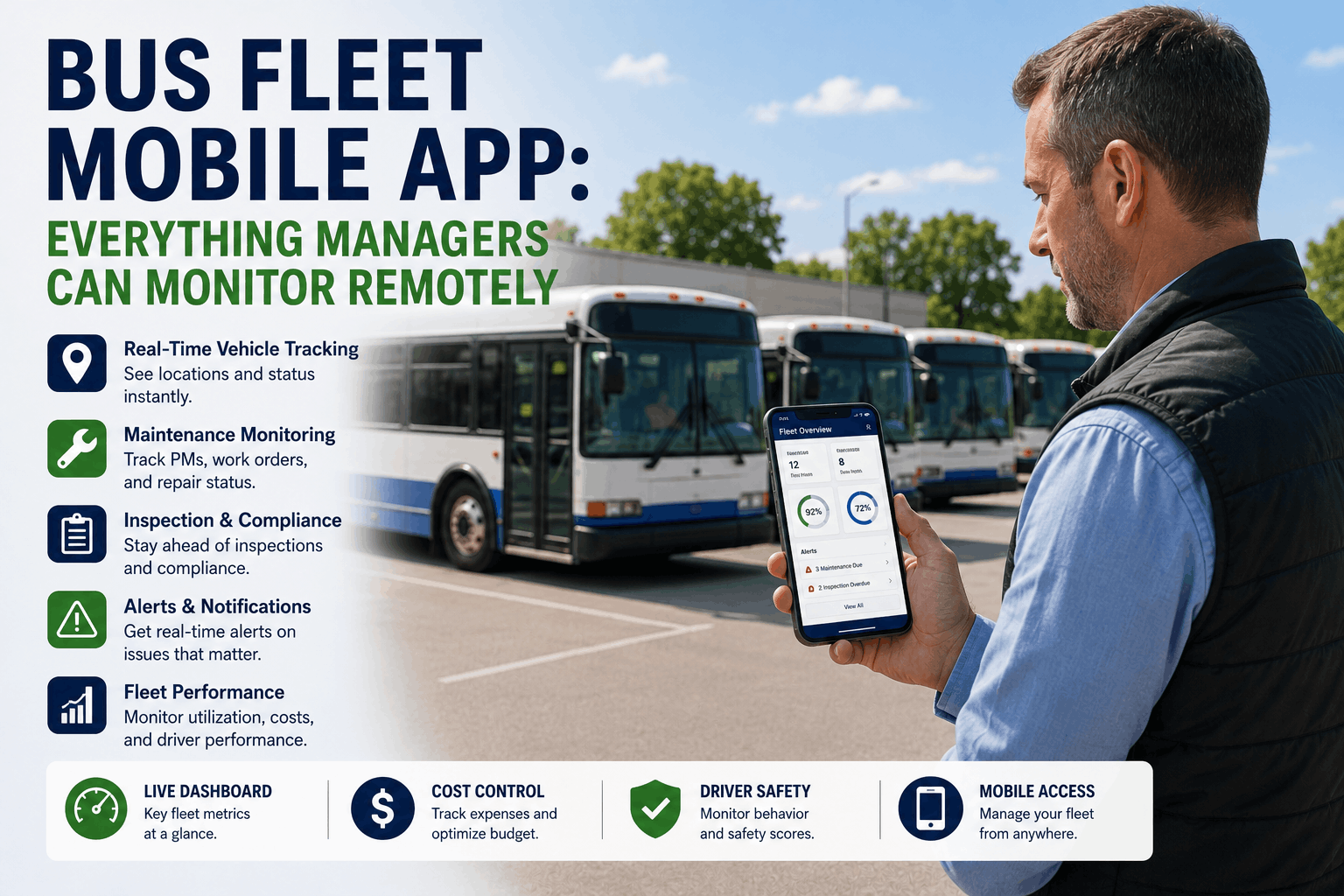
Your 52-bus fleet is scattered across three counties. You're sitting in a budget meeting downtown when your phone buzzes with an alert: Bus #14 just flagged a brake fault code and is being routed to the maintenance bay. Simultaneously, you see that your PM-overdue alert for Bus #27 cleared — the technician completed the service and logged it in the system 10 minutes ago. And you notice that Driver #43's certification expires in 28 days, so the system already auto-created a reminder to pull their medical examination. None of this required a phone call to the maintenance office, a check of spreadsheets, or a manual review of compliance files. It all appeared in real time on your phone because BusCMMS was built for mobile-first fleet management. The difference between a fleet manager who is perpetually behind on information and a fleet manager who operates proactively is not luck or staffing. It is visibility. And in 2026, that visibility lives on your phone. This article shows you exactly what you can monitor remotely, what data flows into your mobile dashboard in real time, and how remote visibility becomes the operational foundation that prevents cascading failures before they cost you $14,000 on a roadside tow.
Mobile Fleet Operations
Bus Fleet Mobile App: What Managers Monitor Remotely in 2026
Real-time vehicle status. Overdue PM alerts. Open work orders. Incident feeds. Driver qualification tracking. Maintenance compliance dashboard. Everything that keeps your fleet running, visible from your phone — no office required.
Fleet Dashboard at a Glance
What Real-Time Fleet Visibility Means for Your Operations
Before mobile fleet management, a transportation director or fleet manager received information on a delay. A driver reported a mechanical issue — you heard about it after the breakdown happened and a tow truck was already dispatched. A PM service was due — you discovered it was overdue three weeks later during your monthly compliance review. A work order sat open — you didn't know progress was stalled until the bus was grounded and routes had to be redistributed.
Real-time fleet visibility changes that dynamic fundamentally. Information flows from vehicles and the shop to your phone in minutes, not days. A brake fault code detected by the vehicle's onboard diagnostics hits your phone seconds after it's recorded. An open work order that hasn't been touched in 24 hours generates an escalation alert to the shop foreman. A PM interval that triggers fires a notification to the assigned technician and a backup alert to you if nobody acknowledges within 2 hours. You are no longer managing by exception — discovering problems only after they become crises. You are operating proactively, with enough lead time to address issues before they cascade.
78%
Faster problem response
Real-time alerts reach fleet managers 15 minutes after issue detection vs. hours with manual notification
45%
Reduction in unplanned downtime
Preventive intervention from mobile alerts prevents 45% of roadside breakdowns that would otherwise strand a bus
63%
Improvement in PM compliance
Automatic PM alerts and status tracking improve preventive maintenance completion from 68% to 97% within 6 months
$34K
Average annual savings per 50-bus fleet
Cost reduction from prevented breakdowns, optimized scheduling, and extended component life through predictive maintenance
Fleet Status Dashboard — Vehicle Health at a Glance
The fleet status dashboard is your command center. It shows every bus in your fleet color-coded by status: green (in service, fully compliant), yellow (issue flagged but not critical), red (safety-critical alert, bus grounded), and grey (scheduled maintenance, temporarily out of service). Tap any bus to drill down into that specific vehicle's status: current location (if GPS-enabled), mileage, last PM completion date, next PM due date, open work orders, current driver qualification status, and any active alerts or defects.
The dashboard refreshes every 60 seconds. A new brake fault code? Red. A work order closed? Bus moves from yellow to green. A driver clocks off their shift? Mileage updates and the system recalculates next PM interval. For fleet managers on the road or in back-to-back meetings, this single screen answers the question every transportation director gets asked: "What's the status of our fleet right now?" — in seconds, not 20 minutes of phone calls to the maintenance office.
Real-Time Vehicle Status
Every bus displays its current operational status: in-service, maintenance, or out-of-service. Tap for details: mileage, fuel level, engine hours, last driver, current location, and any active alerts. Status updates every 60 seconds from telematics and maintenance system data.
Fleet-Wide Compliance Score
One number shows your fleet's overall DOT/FTA compliance: percentage of buses with current annual inspections, PM compliance rate, driver qualification status, and DVIR defect closure rate. Drill down by compliance area or by individual bus.
Unplanned Downtime Tracking
The app tracks buses that went from in-service to out-of-service unplanned (breakdowns, unexpected defects) vs. buses removed from service for scheduled maintenance. Trend analysis shows whether your fleet's unplanned downtime is improving or degrading over time.
Maintenance Cost Burn
Real-time tracking of year-to-date maintenance spending by bus, by category (parts, labor, external vendors), and by maintenance type (PM vs. corrective). Spot high-cost vehicles and trending increases in maintenance expense.
Preventive Maintenance Tracking — Never Miss a Service Again
PM scheduling in BusCMMS's mobile app is not a list of upcoming services buried in a spreadsheet. It is a live, prioritized view of what needs to happen and when. The PM tracking screen shows three sections. First: "Due Today or Overdue" — buses that hit their PM interval in the last 24 hours and services that should have happened but didn't. Second: "Due This Week" — buses approaching their PM interval so the shop can load parts and schedule labor in advance. Third: "Upcoming (7–30 Days)" — planning visibility so you can manage workload without surprises.
Tap any PM item to see the full job plan: which technician is assigned, what parts are required, estimated labor hours, and any prerequisites (like route completion before the bus can come into the shop). As the technician works through the service, the app updates in real time — you watch parts get checked off, labor time logged, and sign-off completed. When the service is done, the app auto-calculates the next PM interval for that bus and updates the dashboard. No manual re-entry. No spreadsheet to update. The system manages the entire PM lifecycle from trigger to completion to next-interval calculation.
Due Today / Overdue
3 buses
Bus #14 — 25,000-mi service (2 days overdue)
Bus #27 — Oil change (due today)
Bus #41 — 50,000-mi service (scheduled for tomorrow)
Due This Week
7 buses
6 oil changes, 1 tire rotation — estimated 12 labor hours, $450 parts
Next Week
2 buses
Brake inspection, air filter service
Open Work Orders — Drill Into Progress and Bottlenecks
Every open work order in your system appears in the mobile app with real-time status. Work orders are color-coded by priority: red (safety-critical, blocking the bus from service), yellow (important but not blocking), and blue (routine maintenance that can wait). Tap any work order to see: what the issue is, which technician is assigned, what parts have been ordered and their ETA, labor time spent so far, and any notes from the technician about blockers or delays.
The critical feature is work order aging. If a work order has been open for more than 48 hours without progress, it auto-escalates in the mobile app — you get a notification, the shop foreman gets a notification, and the work order's background color changes to alert you that something is stalled. This prevents the silent failure mode where a work order sits in the queue for a week with nobody noticing: no parts arrived, the technician is overbooked, or the customer backed off authorizing the repair. Mobile escalation surfaces these delays in real time instead of discovering them weeks later when a bus that should have been fixed is still grounded.
Open Work Orders
Overdue (48+ hrs)
Waiting on Parts
In Progress
Your Fleet Visibility Lives in Your Pocket
See every bus, every work order, every compliance issue, and every alert in real time on your phone. No syncing delays. No data gaps. Just accurate, current operational visibility — whether you're at the office, on the road, or in a meeting across town.
Real-Time Incident Reporting and Defect Tracking
When a driver notices a defect during pre-trip inspection, they submit it through the mobile app — not on paper, not through a voice message, not in an email. The defect report includes the issue description, photos (automatically timestamped), the bus ID, the date and time, and the driver's identification. The defect instantly appears in your mobile dashboard and auto-routes to the shop foreman. If the defect is safety-critical (brake system, steering, emergency equipment), you get an immediate mobile alert with the option to ground the bus from service automatically — preventing it from departing with a documented defect.
The defect then generates a work order automatically, links to the vehicle's permanent record, and becomes part of your compliance documentation for DOT audits. From the mobile app, you can track the defect's resolution: parts ordered, labor time logged, closure documentation. When the repair is complete, you see "closed" status in the app and the bus returns to in-service status. The entire defect lifecycle — from initial report to resolution to closure — is documented in the system and visible on your phone in real time.
Recent Incidents (Last 7 Days)
Today, 8:47 AM
Bus #14 — Brake Fault Code (P1)
Grounded • Work order #447 open • Diagnostic in progress
Yesterday, 2:15 PM
Bus #31 — Low tire pressure warning
Resolved • Tires re-inflated • Passed pressure recheck
3 days ago, 7:30 AM
Bus #22 — Windshield wiper fluid low
Resolved • Fluid topped off • Verified working
Driver Qualification Tracking and Certification Management
Every driver in your system has a mobile-accessible qualification file. The app shows current CDL status, medical certificate expiration date (with red flag if expired or within 30 days), Clearinghouse query history, drug/alcohol testing status, annual MVR pull dates, and any training certifications required for your operation. From the mobile app, you can see at a glance: which drivers have current certifications, which are approaching expiration, and which are out of compliance and need to be removed from service immediately.
The app sends automated alerts when any driver's certification approaches expiration — 45 days before medical cert expires, 30 days before CDL renewal, 60 days before annual Clearinghouse query window closes. These alerts reach you on your phone so you can proactively coordinate driver renewals instead of discovering compliance gaps during a DOT audit or when a driver can't pick up a route because their cert expired.
Fully Compliant
38 drivers
All certifications current
Expiring Soon
4 drivers
Action required within 30 days
Non-Compliant
0 drivers
Removed from service automatically
Mobile Notifications and Alerts — Push, Not Pull
Instead of logging into the app every hour to check status, BusCMMS sends proactive notifications to your phone. A brake fault code is detected — you get a push notification within seconds. A work order sits open for 48 hours — you get escalation notification. A driver's medical cert expires in 30 days — you get reminder notification. A PM service is due today and hasn't been scheduled — you get an alert. These notifications are categorized by severity: critical alerts (safety issues, groundings) come as phone notifications. Urgent alerts (overdue PM, expiring certs) come as notifications + email. Informational alerts (routine completions) show in the app dashboard only.
This push-notification approach changes fleet management psychology. You are not required to remember to check the app. The app reminds you about what matters — and calibrates the urgency so you don't get alert fatigue. Critical issues get your phone to buzz. Important but non-emergency items show in your next app review. Routine updates live in the dashboard history for your records.
Critical
Brake fault • Engine overheat • Bus grounding • Driver cert expired • Safety defect
Push notification + SMS + email
Urgent
PM overdue • Cert expiring in 30 days • Work order age 48+ hrs • Annual inspection due
Push notification + email
Informational
PM completed • Work order closed • Routine update logged • Compliance confirmed
In-app notification only
Offline Capability — Full Access Even Without Cell Service
One of the most valuable features of BusCMMS's mobile app for fleet managers is offline mode. When you lose cell service (underground parking, rural areas, airplanes), the app doesn't become useless. It continues to display the last-synced fleet data — vehicle status, open work orders, PM schedules, driver information — giving you access to critical information even offline. When service returns, the app automatically syncs any changes and updates. This matters enormously for transportation directors traveling to remote facilities, driving through areas with spotty coverage, or who need to reference fleet data during a meeting where cell service is deliberately disabled.
"I was managing a 45-bus fleet before BusCMMS using spreadsheets and phone calls. I'd get alerts through email — hours after they happened — and by then it was usually too late to prevent whatever problem had developed. After we implemented the mobile app, I have real-time visibility into every bus, every work order, and every compliance item. When Bus #12 threw a fault code, I saw it on my phone 40 seconds after it was detected. I called the shop, they had the bus in the bay within an hour, and it never left service. That prevented a mid-route breakdown that would have cost us $12,000 in towing and route disruption. The mobile app pays for itself in one prevented breakdown. I can't imagine managing a fleet without it anymore."
— Operations Manager, 45-bus school district, Texas
Mobile Analytics and Reporting — Decisions Backed by Data
Beyond real-time operational visibility, the mobile app includes analytics and reporting capabilities that let you understand trends in your fleet. Which buses have the highest maintenance costs? Which technicians complete work orders fastest? What is your fleet's average time from work order creation to closure? How is your PM compliance trending month over month? Your mobile app surfaces these insights in visual format — charts, trending indicators, and benchmarking data — so you can spot problems that wouldn't be visible from individual data points.
Generate compliance reports from the mobile app in seconds: 12-month maintenance history, PM compliance score, driver qualification status snapshot, incident log. These reports are formatted for DOT audits and FTA triennial reviews, exportable as PDF, and ready to submit to regulators or insurance carriers. A compliance document assembly that used to take 60 hours of manual work now takes 3 minutes from your phone.
Fleet Performance Analytics (Last 90 Days)
Average Maintenance Cost / Bus
vs. prior quarter: +12%
PM Compliance Rate
vs. prior quarter: +6%
Unplanned Downtime Hours
vs. prior quarter: -18%
Avg Work Order Cycle Time
vs. prior quarter: -1.1 days
The difference between a fleet that runs smoothly and a fleet that is perpetually dealing with crises is not maintenance expertise or technician quality. Both of those matter. But what separates high-performing fleets from struggling ones is visibility. When a fleet manager can see a problem 40 minutes before it becomes a disaster, they can intervene. When they see it 12 hours later, they are already managing the fallout. BusCMMS's mobile app is built on the principle that real-time visibility is not a luxury — it is the operational foundation that enables everything else to work.
Whether you are managing a 20-bus route operation or a 200-bus regional fleet, your phone is now your command center. Schedule a mobile app demo to see exactly what visibility into your fleet looks like when it arrives on your phone in real time.
Complete Fleet Visibility on Your Phone — No Office Required
Real-time fleet status, PM tracking, open work orders, incident reports, driver compliance, and mobile analytics — all accessible from your phone. Offline mode works when cell service doesn't. Push notifications alert you to critical issues before they escalate. Live demo shows you exactly what fleet management looks like in 2026.
How real-time is the mobile app data? What's the sync latency?
Core fleet status data (vehicle location, PM status, work order updates) syncs every 60 seconds. Critical alerts (brake faults, safety issues) appear within seconds of detection. Historical data (completed work orders, past incidents) syncs continuously in the background — no manual refresh required by the user.
Can technicians submit work updates from the mobile app while working on a bus?
Yes — technicians use the BusCMMS mobile app to access work orders, log labor time, mark parts consumed, take photos of completed work, and sign off when finished. Updates sync to your fleet manager dashboard in real time, giving you visibility into maintenance progress throughout the day.
Does the mobile app work offline? What happens without cell service?
Yes — the app caches the last-synced fleet data and continues to function offline. You can view vehicle status, work orders, PM schedules, and driver information without internet. When service returns, the app auto-syncs and updates with any changes that occurred while you were offline.
Can I customize which alerts I receive? Do I get overwhelmed by notifications?
Fully customizable alert settings let you choose which notification types reach your phone, which go to email, and which stay in-app only. Notification routing prevents alert fatigue — critical safety issues come as push notifications, urgent items as email, and routine updates as in-app only.
Can multiple fleet managers access the same account? Do you see each other's actions?
Yes — multiple users (fleet manager, transportation director, shop foreman) can have concurrent access. Role-based permissions determine what each user can view and modify. All actions are logged and timestamped, creating an audit trail of who made what change and when.
Does BusCMMS integrate with GPS/telematics? Can I see real-time bus locations?
BusCMMS integrates with major telematics providers (Geotab, Samsara, Verizon Connect) to receive real-time vehicle location, speed, and fault codes. If you already have telematics hardware installed, the mobile app displays live bus locations and vehicle diagnostics. If not, you get maintenance and compliance data only.
Can drivers submit incident reports through the mobile app? How does that flow to me?
Yes — drivers have access to a simplified mobile app where they complete pre-trip/post-trip inspections, submit defect reports with photos, and log incidents. These reports flow directly to your fleet manager dashboard, auto-create work orders, and generate compliance documentation for your records.
How quickly can I generate a compliance report from the mobile app for an audit?
DOT and FTA compliance reports are generated in 2-5 minutes from the mobile app — no data assembly required. Reports include 12-month maintenance history, PM compliance, driver qualification status, DVIR documentation, and annual inspection records — all formatted for regulatory submission.