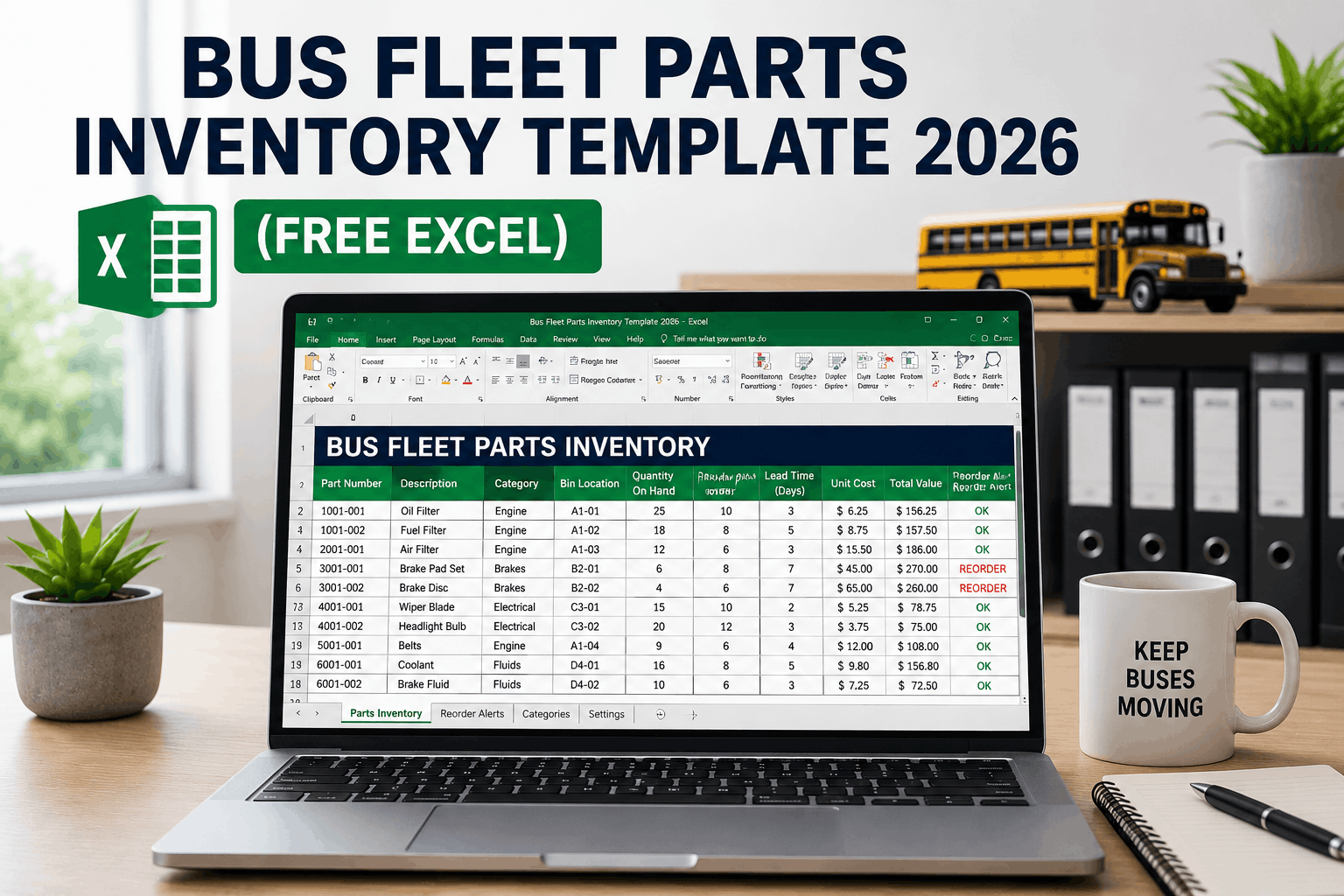
A 45-bus Tennessee charter operator maintained their parts inventory on a handwritten spreadsheet for twelve years. Part numbers were abbreviated, quantities were updated monthly when the manager had time, and reorder points were guesses based on vague memory of "how many we usually keep." When their primary brake supplier extended lead time from 3 days to 8 days without notification, they did not know it — and they ran out of brake chambers on a bus scheduled for a cross-country charter four days before departure. Emergency freight cost $2,100 to overnight a single part from an out-of-network vendor at premium pricing. The entire situation was preventable with a structured parts inventory template that tied actual lead times to minimum stock levels, tracked part consumption history, and flagged reorder points automatically before stockouts occurred. A bus fleet parts inventory template is not a convenience — it is the operational foundation that separates controlled costs from emergency spending, stockouts from availability, and budget predictability from month-to-month surprises. This guide provides a complete parts inventory template for bus fleets in 2026, ready to use in Excel, and fully compatible with BusCMMS import for fleets ready to move from spreadsheets to automated systems.
Bus Fleet Parts Inventory Template 2026: Free Excel Template for Part Tracking
A complete bus fleet parts inventory template in Excel format with part number, description, bin location, quantity on hand, minimum stock level, reorder point, lead time, supplier, unit cost, and automatic reorder alert logic. Ready to download, ready to use, and fully compatible with BusCMMS CMMS import.
Why Bus Fleets Use Parts Inventory Templates
What This Bus Fleet Parts Inventory Template Includes — And Why Every Field Matters
A properly structured bus fleet parts inventory template contains twelve essential fields that capture every data point a fleet manager needs to track parts effectively and optimize reordering decisions. The template is designed to work standalone in Excel for fleets still using spreadsheets, and to migrate seamlessly into BusCMMS for fleets ready to move to automated CMMS management. Each field serves a specific purpose in the reorder decision logic and cost control framework.
Part Number is the unique identifier — using the OEM part number whenever available, with cross-reference fields for alternative supplier numbers. Fleets with mixed OEM and aftermarket parts use OEM as primary with supplier alternates noted separately. Description is a plain-language summary that allows a technician or parts manager to identify the part visually without referencing the OEM spec sheet. Bin Location is the physical storage address in your storeroom using a consistent format (Aisle-Rack-Shelf-Position format recommended). Quantity On Hand is the real-time count — the most frequently updated field, and the one that triggers reorder decisions. Current Unit Cost is the landed cost including freight and any supplier markup — critical for calculating inventory value and total cost of ownership decisions.
Minimum Stock Level is the lowest quantity you permit on hand before a reorder is triggered — calculated from the min-max framework (safety stock + average daily usage × lead time). Maximum Stock Level defines the target quantity after a reorder is placed and received — minimum + economic order quantity. Lead Time (in business days) is the actual time from PO placement to parts receipt at your facility — not the supplier's stated lead time, but your documented historical experience. Reorder Point is the formula: if Quantity On Hand drops below Minimum, trigger reorder. Supplier Name is the primary vendor for that part. Safety Stock represents the buffer you carry to protect against demand variability and supplier delays. Economic Order Quantity (EOQ) is the quantity that minimizes total ordering and carrying costs per unit.
Bus Fleet Parts Inventory Template — 12 Essential Fields
Part Number
OEM part number or SKU — primary unique identifier Example: 18-7246, T500-AIR-FILTER-OEMDescription
Plain-language name — what the part is and its function Example: Air Filter, Engine; Brake Chamber Front RH; Oil Pressure SensorCategory
Part classification — Tier 1/2/3/4 by criticality Example: Safety-Critical, Operational, Consumable, PeriodicBin Location
Physical storeroom address — Aisle-Rack-Shelf-Bin format Example: A-02-C-04, B-01-A-12, D-03-B-06Unit of Measure
How the part is counted — each, case, gallon, pound Example: Each, Case of 12, Gallon, OunceQuantity On Hand
Current stock count — updated with every issuance Example: 8 units, 24 units, 45 gallonsMinimum Stock Level
Reorder trigger point — calculated from safety stock + demand × lead time Example: 4 units (safety stock 2 + average daily usage 0.4 × 5 day lead time)Maximum Stock Level
Target inventory after reorder — minimum + EOQ Example: 20 units (4 minimum + 16 EOQ)Lead Time (Days)
Actual procurement time from PO to receipt — historical average Example: 1 day, 3 days, 7 days, 14 daysPrimary Supplier
Vendor name and contact information Example: NAPA Supply, Blue Bird Dealer, Transmission Specialist IncUnit Cost
Landed cost per unit including freight and markup Example: $12.50, $185.00, $1,250.00Reorder Alert
Formula: IF(Quantity On Hand < Minimum, "REORDER", "") Example: Shows "REORDER" when stock drops below minimum thresholdParts Inventory Template Ready to Download — Use Immediately or Import to BusCMMS.
A structured Excel parts inventory template for bus fleets — with all 12 essential fields configured, formulas pre-built, and full compatibility with BusCMMS import. Start tracking your parts inventory today using spreadsheet, or move to automated CMMS management whenever you are ready.
How to Build Your Min-Max Stock Levels Using the Bus Fleet Parts Inventory Template
The most critical calculation in any bus fleet parts inventory template is the minimum and maximum stock level — because these numbers drive every reorder decision and determine whether you face stockouts or carry excess inventory. The formula is straightforward, but the inputs require actual data from your fleet operations. For fleets building a template from scratch, use conservative starting points based on industry benchmarks, then refine based on your actual consumption history after six months of tracking.
Minimum Stock Level = (Average Daily Usage × Lead Time in Days) + Safety Stock. For example, if your fleet uses 2 air filters per week on average (0.4 filters per day), your lead time from your primary supplier is 5 business days, and you want a safety stock buffer of 2 filters to protect against demand variability or late delivery, your minimum would be (0.4 × 5) + 2 = 4 filters. Maximum Stock Level = Minimum + Economic Order Quantity (EOQ). If your minimum is 4 and your economic order quantity for this part is 12 units, your maximum is 16 filters. The template uses these two numbers to set the reorder logic: when on-hand quantity drops below minimum (4), an automatic reorder alert fires.
For parts where you do not yet have 12 months of consumption history — especially Tier 1 safety-critical components — use the BusCMMS reference table for your fleet size as a starting point. A 50-bus fleet reference typically recommends: Tier 1 brake chambers at minimum 4 units, maximum 8 units; air filters at minimum 8, maximum 24; engine oil at 50 gallons minimum, 150 maximum. These conservative estimates ensure you do not face safety-critical stockouts while you are building actual consumption data. After six months of work orders tracked in your parts inventory template, you will see which starting points were too high or too low and can adjust accordingly.
Min-Max Calculation Example — Using the Template
PART: Air Filter (Engine)
Average Daily Usage: 0.4 units | Lead Time: 5 days | Safety Stock: 2 units
The Four Tier Criticality Classification — How to Categorize Parts in Your Inventory Template
Not all parts are equally important for fleet operations. A stalled vehicle due to a missing safety-critical brake chamber is a fleet-grounding emergency. A delayed routine maintenance service due to a missing air filter is an operational inconvenience. A missing office supply is a non-event. A properly structured bus fleet parts inventory template separates parts into four criticality tiers that determine stock level aggressiveness, reorder urgency, and inventory holding tolerance.
Tier 1 — Safety-Critical, Long Lead: Brake components, steering linkage, air compressors, wheel end assemblies. These parts ground the bus immediately upon failure and have lead times exceeding 5 business days. Stock these conservatively at 10–14 days of safety buffer. You are trading capital tied up in inventory for the guarantee that a safety-critical failure never results in a grounded bus due to parts unavailability. Tier 2 — Operational-Critical, Short Lead: Filters, belts, hoses, light components, fluid seals. These parts are needed frequently and the bus cannot operate normally without them, but lead times are typically 1–3 days from local distributors. Stock these at 5–7 days of safety buffer — you are accepting slightly higher risk in exchange for lower inventory carrying costs. Tier 3 — Planned Maintenance, Predictable: Engine oil, transmission fluid, coolant, grease, PM kit contents. These parts are consumed at predictable rates tied to your PM schedule. Stock these in alignment with your PM schedule — if you perform oil changes on 8 buses per week, you need enough oil to serve 8 + a one-week buffer.
Tier 4 — Periodic or Low-Frequency: Specialty components, body panels, model-specific parts, obsolescence candidates. Stock these minimally and order on-demand. These parts represent capital waste if they sit on the shelf unused — every month of carrying cost (20–30% annually) compounds the cost of keeping low-turnover items in inventory. A parts inventory template should flag Tier 4 items with slow-moving inventory reports (no consumption in 90+ days) so they can be returned to vendors for credit or disposed of appropriately.
Safety-Critical / Long Lead
Brake chambers, air compressors, steering, wheel seals 10–14 days safety bufferOperational-Critical / Short Lead
Filters, belts, hoses, light bulbs, coolant thermostat 5–7 days safety bufferPlanned Maintenance / Predictable
Oil, transmission fluid, coolant, grease, PM supplies Aligned to PM schedulePeriodic / Low-Frequency
Specialty parts, body panels, model-specific items Minimal — order on-demandFrom Excel Template to BusCMMS Automation — Migration Path for Bus Fleet Parts Tracking
A properly structured parts inventory template in Excel is a complete, functional parts tracking system for small to mid-sized fleets. Excel provides control, transparency, and the ability to customize formulas and reports. For fleets ready to move beyond spreadsheet management, BusCMMS accepts direct import from your Excel template — mapping each column to the corresponding CMMS field — and then adds automation that spreadsheets cannot deliver: real-time updates from work order parts consumption, automatic reorder triggers and PO generation, multi-location inventory visibility, integration with accounting systems, mobile app access for technicians, and predictive analytics based on consumption trends.
A bus fleet parts inventory template structured for CMMS migration contains all the data your CMMS needs at import time. Your template columns map directly to BusCMMS fields: Part Number → Part Number, Description → Description, Bin Location → Location, Quantity On Hand → On-Hand Quantity, Minimum → Minimum Stock Level, Maximum → Maximum Stock Level, Lead Time → Lead Time Days, Supplier → Primary Vendor, Unit Cost → Current Cost, Category → Criticality Tier. The migration process typically takes 2–3 business days for a 1,000–2,000 part catalog: data validation to catch duplicates and data quality issues, field mapping from your template to BusCMMS, import execution, and a 30-minute post-import review where your team validates that parts appear in the correct locations and that minimum-maximum thresholds are sensible.
After CMMS go-live, your parts inventory no longer depends on manual spreadsheet updates. When a technician closes a work order in BusCMMS, the parts consumed are automatically deducted from on-hand quantity in real-time. When on-hand drops below minimum, an automatic reorder alert fires to your configured approver. When a parts receipt is logged, the system updates inventory, triggers a quality check against the PO, and posts the cost to the correct GL account in your accounting system. The parts inventory template was your transition vehicle — it let you structure and validate your data before going live with automation. After go-live, BusCMMS becomes the system of record.
"We started with a handwritten parts log that was completely inaccurate. We moved to Excel using a simple template that tracked part numbers, quantities, and basic reorder points — and overnight we cut stockouts by 60% just because we finally had visibility to what we actually had in stock. After running that template for six months, we migrated to BusCMMS using the same template structure, and the system immediately became 10x more powerful. Reorders started firing automatically. Work order parts consumption was deducted in real time. Inventory accuracy hit 97% within 30 days. The template got us from chaos to control. CMMS got us from control to automation. Both steps mattered equally."
Start With a Template. Migrate to Automation When Ready.
This bus fleet parts inventory template in Excel is a complete, functional parts tracking system — ready to download and use immediately. Or use it as your starting point for CMMS migration. BusCMMS imports directly from the template format, transforming your spreadsheet into an automated system with real-time inventory updates, automatic reorder triggers, mobile access, and integration with your accounting system — all without re-entering your data.
Frequently Asked Questions: Bus Fleet Parts Inventory Template and Spreadsheet Tracking
Can I use this parts inventory template with any CMMS or only with BusCMMS?
The template is designed for BusCMMS import but the field structure is industry-standard — most modern CMMS platforms accept Excel import with columns mapped to system fields. BusCMMS handles the mapping automatically during import; other systems may require manual column matching during setup. Contact your CMMS vendor about import format requirements.
How often should I update the quantities in my Excel parts inventory template?
Ideally, quantities should be updated every time a part is issued or received — real-time or daily at minimum. Weekly updates are acceptable for low-turnover parts; monthly updates are the maximum lag before inventory accuracy deteriorates. BusCMMS eliminates this manual update burden by pulling consumption data from work orders automatically and updating inventory in real-time.
What is Economic Order Quantity (EOQ) and how do I calculate it for the template?
EOQ is the order quantity that minimizes total ordering and holding costs combined. Simplified formula: EOQ = Square Root of (2 × D × S / H), where D=annual demand, S=cost per order, H=annual holding cost per unit. For fleet parts, use vendor-supplied information or start with quantities that arrive naturally (case packs for filters, bulk quantity discounts from suppliers) and refine after you observe your consumption patterns.
Should I use OEM part numbers or supplier-assigned SKUs in my parts inventory template?
Use OEM part numbers as the primary identifier whenever possible — they are universal across suppliers and survive vendor changes. Add supplier SKU as a secondary cross-reference field so you can order from your preferred vendor without confusion. This protects you if you switch vendors or need to source from an alternate supplier during a shortage.
How do I track slow-moving inventory in the Excel template to identify obsolete parts?
Add a "Last Issued Date" column to your template and a "Days Since Issue" formula that counts the number of days since that part was last pulled from inventory. Flag any part with no issuance in 90+ days as slow-moving. Review quarterly and return slow-moving parts to vendors for credit or dispose appropriately. This prevents capital waste in inventory sitting unused.
Can I use this template to track parts for multiple bus types or different makes/models?
Yes — add a "Bus Type" or "Model Compatibility" column to your template showing which bus makes/models use each part. This is especially important for specialty parts. When parts are BusCMMS-linked to PM templates, the system uses this compatibility field to auto-populate parts lists for specific buses — ensuring technicians pull the correct version of a part for their vehicle.
What is the typical accuracy of parts inventory using an Excel template vs. automated CMMS tracking?
Excel template accuracy typically stabilizes at 75–85% depending on discipline (frequency of updates and count audits). BusCMMS automated tracking with real-time consumption deduction from work orders achieves 95%+ accuracy within 30–60 days of go-live. The difference is automatic updates versus manual entry — humans miss transactions; systems do not.
How should I handle parts that have multiple suppliers or alternative part numbers in the template?
Create a single template row for the part using the OEM part number as the primary identifier, then add a "Supplier Alternatives" column listing alternate SKUs and vendors. This consolidates inventory (you track total on-hand regardless of source) while maintaining flexibility to order from multiple vendors if your primary supplier is backordered. BusCMMS supports this structure with supplier routing rules during reorder.
Fleet Parts Management Expert Perspective
A bus fleet parts inventory template is deceptively powerful. Most fleet managers assume they need sophisticated software to track inventory effectively, but the reality is simpler: a properly structured spreadsheet with the right formulas catches 80% of the problems that hamstring manual inventory operations. What matters is structure, not software. The template enforces discipline — you cannot avoid updating quantities because the reorder formula depends on accurate data. You cannot bypass the min-max framework because the alert logic is built in. You cannot misplace a part because the bin location field is mandatory. A $0 template with discipline beats a $10,000 software system with chaos every time. That said, once you have structured your data in a template, the upgrade to CMMS automation becomes a natural next step. You have proven that the structure works; now let automation handle the updates and calculations you were doing manually.
The Bottom Line
A bus fleet parts inventory template in Excel is a complete, functional system for tracking parts, managing reorders, and controlling costs — immediately accessible, zero implementation cost, and fully functional for fleets of any size. The 12-field structure captures every data point needed to make intelligent reorder decisions, identify slow-moving inventory, and prevent stockouts. The min-max formulas automate the reorder logic so you never miss a deadline. The tier criticality classification ensures you stock safety-critical parts conservatively while accepting lower inventory on low-risk items. For fleets ready to upgrade to automated CMMS management, the same template structure migrates directly into BusCMMS — transforming your spreadsheet into a system with real-time updates, automatic reorders, mobile access, and integration with accounting systems. Start with the template. Migrate to automation when you are ready. Either way, your parts inventory stops being a source of surprises and starts being a managed resource that supports fleet operations predictably.
See how BusCMMS imports and automates your parts inventory template — book a demo
Free Bus Fleet Parts Inventory Template. Ready to Use. Ready to Upgrade.
Download this structured Excel template with 12 essential fields, built-in reorder formulas, and criticality tier classification — ready to use immediately for spreadsheet-based tracking or as your migration path to BusCMMS automated inventory management. No credit card. No setup fees. Start tracking your bus fleet parts inventory today.