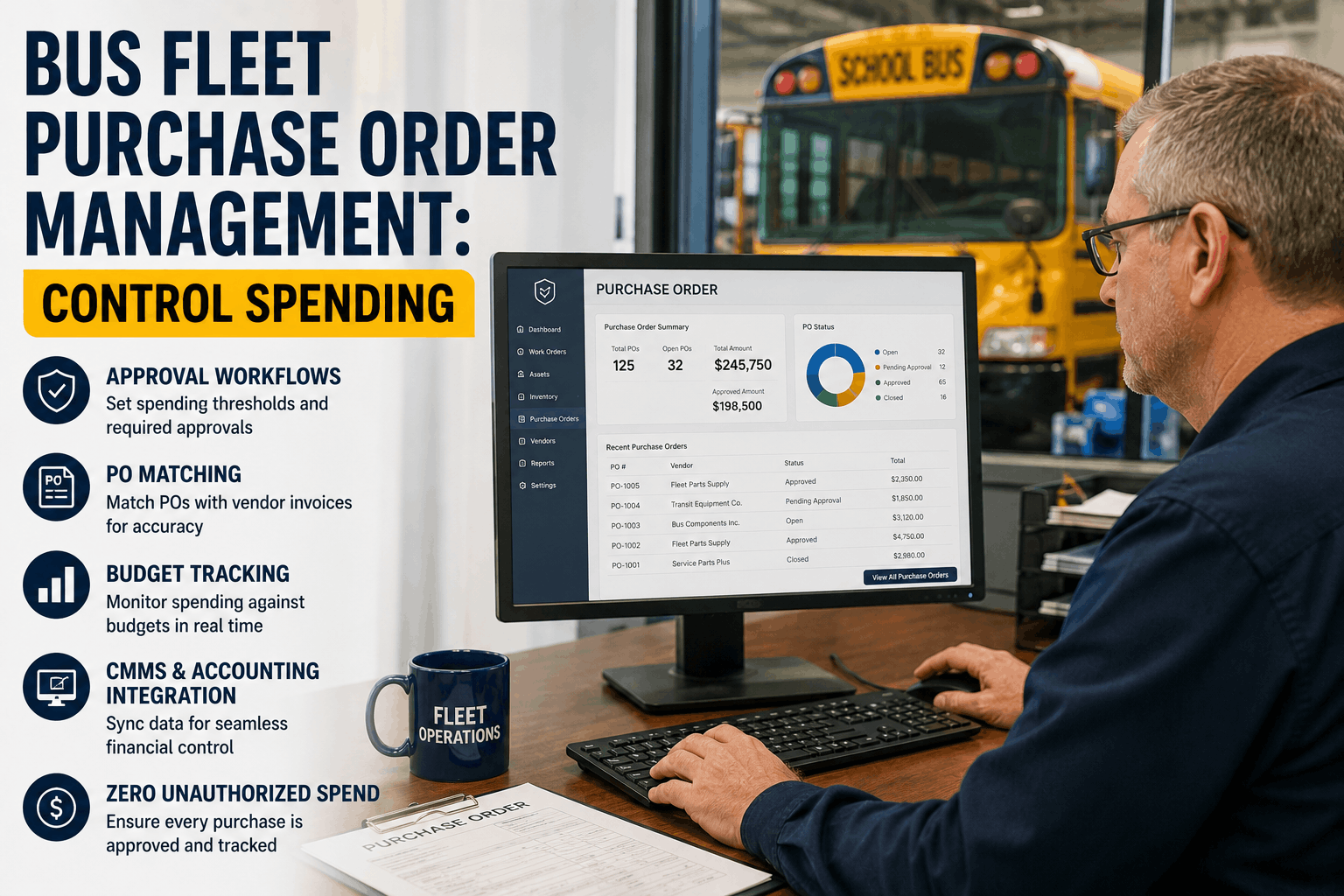
Last month, your shop foreman authorized a $3,400 parts replacement without a purchase order. The parts arrived, the work was done, and the invoice hit your finance desk two weeks later. Nobody knew to question it because there was no approval workflow, no budget commitment tracking, and no PO-to-invoice matching. The expense got coded to maintenance, the receipt was filed, and $3,400 left your fleet's operational budget with zero visibility into whether it was necessary, whether it was competitively priced, or whether it aligned with your annual parts budget. Multiply this by 15–20 instances across a 50-bus fleet in a year, and you have $50,000–$70,000 in maintenance spending happening outside any control structure. Purchase order management in bus fleet operations is not an accounting paper exercise. It is operational control. A well-configured PO system in your CMMS means no repair work gets authorized without explicit approval, no parts get ordered without budget verification, and every dollar spent is traced to a work order, a bus, and a justification. The difference between fleets that control maintenance spending and fleets that react to it is a structured PO workflow. This article shows you how to implement one.
Procurement Control Guide
Bus Fleet Purchase Order Management: Control Spending at Every Level
Stop approving maintenance spending after the fact. Implement PO-driven purchasing with approval thresholds, budget tracking, vendor matching, and CMMS-accounting integration that eliminates unauthorized spend.
The Problem
Why Bus Fleets Lose Control of Maintenance Spending
Bus fleet maintenance spending is inherently reactive. A driver reports a defect. The technician diagnoses the issue and determines repairs are needed. The shop foreman decides whether to authorize the work. And somewhere in that process — usually without formal documentation — a decision is made to spend money. Without a PO system, that spending decision happens at the shop floor level with zero budget oversight, no approval workflow, and no documentation trail until the vendor invoice arrives days or weeks later.
The consequences compound across a fleet. Authorized spend that wasn't budgeted. Duplicate orders from multiple technicians not knowing what parts are already on order. Emergency repairs that bypass preferred vendors because there's no structured procurement process. Parts purchased at retail prices because nobody created a corporate discount agreement. By the time finance sees the invoices, it is too late to question the decisions — the work is done, the parts are installed, and the expense is realized.
1
No Approval Workflow
Technicians decide what parts are needed. Shop foreman approves or doesn't based on intuition. No budget check, no spending threshold, no documentation that approval actually happened.
2
Budget Blindness
Maintenance managers have no real-time visibility into what's been committed vs. what's been spent. Year-end budget overruns are discovered too late to correct.
3
Vendor Control Loss
Any technician can call any vendor. No enforcement of preferred vendors, no consolidated ordering for volume discounts, no contract terms enforcement.
4
No Audit Trail
When an auditor asks "why did you spend $8,000 on that repair instead of $5,000?", you have no documented justification. No approval trail. No comparison of quotes.
The Solution
PO-Driven Purchasing Control in BusCMMS
A structured purchase order system embeds approval workflows and budget controls into the procurement process. Every repair that requires parts or vendor work starts with a work order in your CMMS. That work order automatically calculates estimated parts cost and labor hours based on your job plan. When the cost threshold is exceeded — say, $500 — a purchase order is automatically created or flagged for approval by the appropriate manager. The PO captures the vendor quote, the bus involved, the work being performed, and the authorization signature. Vendor parts prices are validated against your preferred vendor agreements and pricing contracts. If a vendor's quote exceeds negotiated pricing, the PO flags the discrepancy before it's approved. Only after the PO is approved can the technician proceed with ordering parts or scheduling the vendor work.
This is not bureaucracy slowing down urgent repairs. This is control that identifies $3,000 cost savings on a single repair because the PO process compared three vendor quotes and caught that one vendor was charging 40% markup. This is the system that prevents duplicate parts orders because the PO process checks what's already on order before committing to a new purchase. This is the approval trail that demonstrates to auditors and insurance carriers that your fleet operates with systematic spending controls.
PO-Driven Purchasing Workflow
1
Work Order Created
Defect reported via DVIR or technician diagnostic. System auto-populates estimated cost based on job plan (parts + labor hours × rates).
2
Budget Check
Estimated cost checked against annual maintenance budget and YTD spend. If within threshold, auto-approved. If over, flagged for manager approval.
3
Vendor Selection
Technician selects vendor or parts supplier. System displays your preferred vendor rates and contract terms for comparison.
4
Quote Validation
Vendor quote checked against negotiated pricing. If quote exceeds contract terms, system alerts and may require approval at higher level.
5
PO Generation
PO automatically generated with work order details, bus info, parts list, cost, and approval status. Sent to vendor directly.
6
Receipt & Invoice Matching
Parts received checked against PO (3-way match: order, receipt, invoice). Discrepancies flagged before payment. Invoice approved based on matched data.
Key Features
PO Control Features That Protect Your Budget
Implement these specific PO controls in your fleet CMMS to eliminate unauthorized spending.
1. Approval Thresholds by Role
Technician can approve repairs up to $250 without escalation. Shop foreman approves $250–$2,000. Fleet manager approves $2,000–$10,000. Director approves $10,000+. System enforces these limits automatically — a technician cannot approve a $3,000 repair even if they try.
2. Budget Allocation by Bus / Category
Allocate annual maintenance budgets by bus (Bus #14 gets $8,000/year) or by category (Brake repairs = $25,000, Engine repairs = $40,000). System blocks PO approval if it would exceed allocated budget for that bus or category.
3. Preferred Vendor Enforcement
Define preferred vendors and their negotiated pricing. If technician requests a quote from a non-preferred vendor, system flags it and displays the preferred vendor's price for comparison. Can block PO to non-preferred vendors if set to mandatory.
4. Cost Comparison & Approval
Before PO is generated, system automatically collects quotes from multiple vendors (if configured) and displays side-by-side. Technician or foreman selects the best option. Approval is on the lowest-cost option unless explicitly overridden with justification.
5. Three-Way Invoice Matching
PO (original order), Goods Receipt (what arrived), Invoice (what you owe) are matched automatically. Discrepancies (ordered 4 parts, 3 arrived; quoted $500, invoiced $650) are flagged before payment. Only matched invoices are approved for payment.
6. Spend Forecasting & Analytics
Real-time dashboard shows YTD maintenance spend vs. budget by bus, by category, by vendor. Forecast year-end spending based on current burn rate. Alerts fire if YTD spend is tracking 15%+ over budget.
Stop Flying Blind on Maintenance Spending
PO control in BusCMMS gives you real-time visibility into what's been authorized, what's been committed, and what's been spent. Budget forecasting, vendor enforcement, and approval workflows built into every purchasing decision.
"Before we implemented PO control in BusCMMS, our maintenance spending was all over the place. A work order for $2,500 in brakes would be approved at the shop and nobody at the office would know. We'd discover it on the invoice. Once we turned on purchase order management with approval thresholds and budget tracking, everything changed. Now any repair over $1,000 requires my approval, and I can see exactly what's been authorized, what's committed, and what's been spent — all in real time on my phone. We discovered we were paying 35% more to one vendor than our preferred vendor, and we'd never noticed because there was no centralized procurement. The PO system paid for itself in 60 days just from consolidating vendors and enforcing negotiated pricing."
Implementation Path
Implementing PO control does not require new spreadsheets or manual workflows. BusCMMS automates the entire PO lifecycle: from work order creation through budget checking, vendor selection, quote validation, PO generation, receipt matching, and invoice approval. Most fleets complete PO configuration in their first week and see measurable spending control within the first month. Schedule a demo to see how BusCMMS embeds purchasing control into your daily maintenance workflow.
Control Every Dollar Spent on Fleet Maintenance
Approval thresholds. Budget allocation. Preferred vendor enforcement. Invoice matching. Real-time spend analytics. All automated in one system — no separate procurement software required.
Frequently Asked Questions
Does PO control slow down emergency repairs? What if a bus breaks down on the road?
Emergency repairs can bypass PO approval with documented justification — you set the parameters. A roadside breakdown can be authorized immediately; the PO is generated retrospectively and reconciled when the invoice arrives. Non-emergency repairs still go through normal approval workflow.
How do you handle vendor quotes in a PO system? Do vendors submit quotes directly?
Technicians request quotes from vendors, or vendors submit quotes through your PO system. BusCMMS tracks all quotes received, compares them side-by-side, and displays total cost vs. preferred vendor pricing before the technician selects which vendor to use.
Can PO approval thresholds be customized by role or by bus type?
Yes — you can set different approval thresholds for different roles, different bus types, different maintenance categories, and different time periods. A critical system (brake) might have lower approval thresholds than a non-critical system (interior cosmetics).
What happens if actual invoice cost differs from the PO quote?
BusCMMS flags the discrepancy during three-way matching (PO vs. receipt vs. invoice). Small variances (usually 5%) auto-approve. Large discrepancies require approval before payment. You can set tolerance thresholds per vendor or per category.
Does BusCMMS integrate with accounting systems for automated invoice payment?
Yes — BusCMMS exports approved POs and matched invoices to QuickBooks, Xero, NetSuite, and other accounting platforms. Matched, approved invoices can auto-flow to accounts payable in your accounting system with no manual re-entry.
How do you enforce preferred vendors if technicians can still call any vendor?
BusCMMS displays preferred vendor pricing prominently when a technician requests a quote. If configured to mandatory, the system blocks PO approval to non-preferred vendors unless a manager overrides with documented justification.
Can you see PO history and spending analytics for the entire fleet in real time?
Yes — the PO analytics dashboard shows spending by bus, by category, by vendor, by date range. Compare actual spend vs. budget by any dimension. Export reports for your finance team or insurance audits.
What if you need to cancel or modify a PO after it's been issued to the vendor?
BusCMMS tracks all PO changes with version history — what was changed, who changed it, and when. The original vendor is notified of cancellations or modifications. Change audit trail is maintained for compliance documentation.