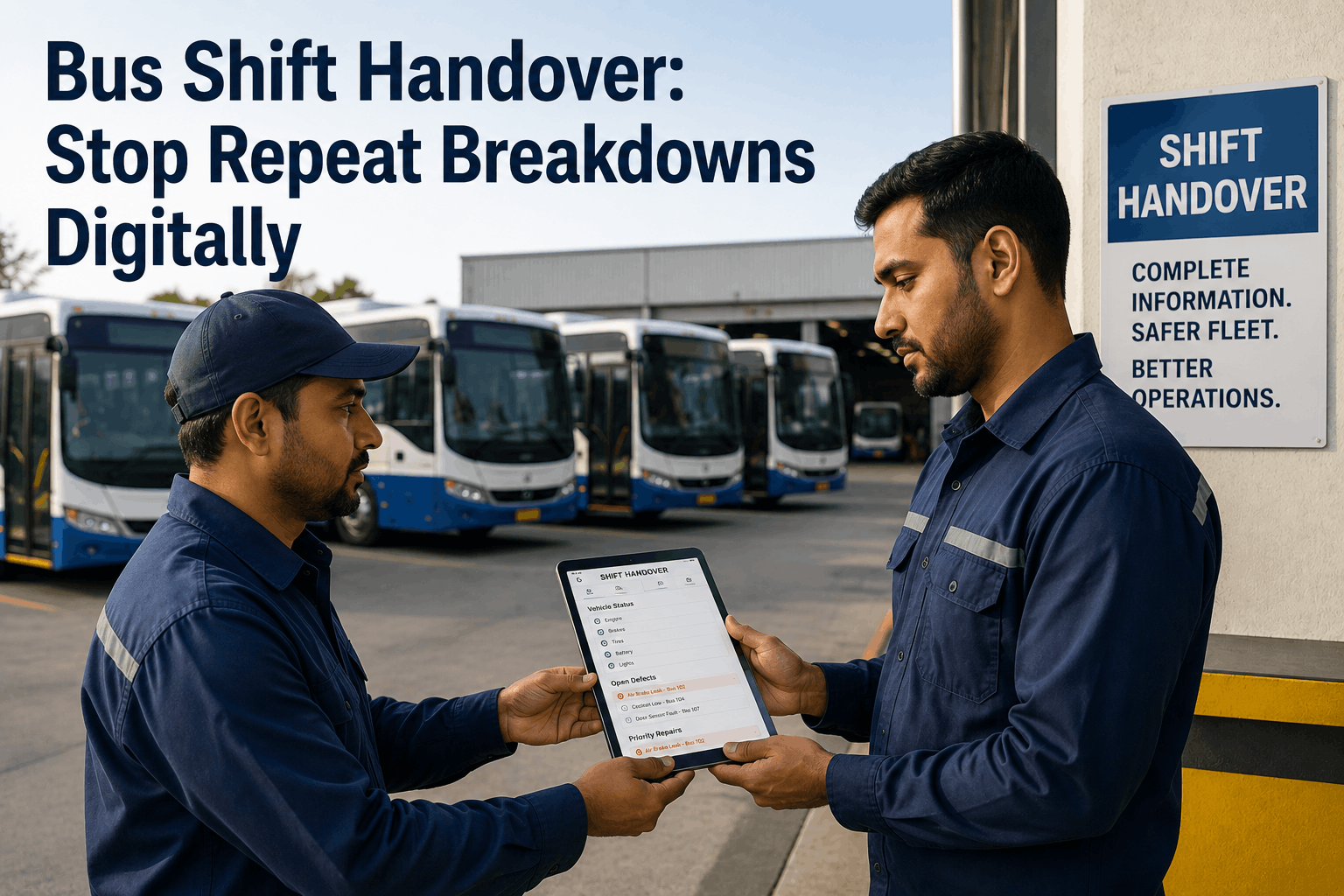
When the morning shift leaves and the afternoon crew walks in, a bus maintenance shop has roughly 10 minutes to transfer everything the incoming team needs to keep the fleet moving. In most shops running paper handover logs, that transfer is incomplete before the outgoing technician is in the parking lot. Open work orders get described verbally. Parts delays exist only in the head of the person who called the supplier. Mid-repair buses sit in ambiguous states where the new shift cannot tell whether the vehicle is waiting for a part, waiting for approval or ready to return to service. According to BusCMMS fleet data, poor shift handovers contribute to nearly a quarter of repeat bus repairs -- the same defect gets repaired twice because the second technician did not know the first had already diagnosed and partially addressed it. The solution is not a better paper log. It is a digital shift handover system where work order status, vehicle dispatch readiness, parts on order, priority repair queue, and ongoing repair notes transfer automatically between shifts in BusCMMS -- with no verbal handoff required, no information lost, and no repeat repair caused by a gap in shift-to-shift communication. This guide covers what must transfer at every bus shop shift change, why paper fails at each step, and exactly how to build the shift handover workflow in BusCMMS so your teams can operate as if they share a single continuous shift.
Bus Fleet Shift Handover: Stop Repeat Breakdowns With a Digital Handover System
Paper shift logs leave your incoming crew blind to open work orders, parts delays, and priority repairs. BusCMMS transfers all critical vehicle and job status between shifts automatically -- no verbal handoff, no information lost, no repair done twice.
Repeat repairs -- the same defect diagnosed and repaired twice because two shifts did not communicate -- are the most expensive and preventable cost in a multi-shift bus maintenance operation. Each repair done twice represents 100% wasted labor, 100% wasted parts, and a vehicle pulled from service for a second unnecessary maintenance event. The five failures below are the root causes that BusCMMS digital shift handover eliminates. Sign up free to see how BusCMMS resolves each one from day one.
Work in Progress with No Status Marker
A technician partially repairs a brake issue -- replaces the pad, identifies a worn caliper, and orders the caliper before their shift ends. No note in any system. The incoming shift finds the bus in the shop, identifies the same brake issue, orders a second caliper, and begins the same diagnosis from scratch. The caliper arrives twice and the vehicle is tied up twice as long. BusCMMS work order status codes mark every in-progress repair with its exact stage: parts ordered, diagnosis complete, awaiting approval, repair 60% complete -- visible to every shift from the first login of their day.
Missing Part Information at Shift Start
A part was ordered at 2 PM and is scheduled to arrive at 8 AM the next morning. The night shift technician does not know it is coming and reassigns the bus to a route to clear the shop -- the bus leaves before the part arrives, returns 6 hours later, and now the morning that was planned for the repair is lost. BusCMMS links every parts order to its work order and the vehicle record -- the incoming shift sees what parts are expected, on which buses, before they begin their first task of the day.
Vehicle Readiness Ambiguity
At shift change, the dispatch board shows 12 buses available. Three of them are actually waiting for parts. Two are in a state of diagnosed-but-not-repaired. The dispatcher sends a parts-waiting bus on a route based on the paper sheet showing it "available." Road call happens 40 miles from the depot. BusCMMS fleet status is live and reflects actual vehicle condition -- not the last person to update a whiteboard. Incoming supervisors see every bus in one of five unambiguous states: In Service, Available, In Shop, Waiting for Parts, or Dispatched Hold.
Unread Driver Defect Reports
A driver submits a DVIR noting a soft brake pedal during the afternoon run. The afternoon shift is already busy with three active repairs. The DVIR sits in a paper stack. Night shift starts without seeing it. The bus is cleared for morning service. The morning driver reports the same soft brake -- now after the bus has made two additional runs. BusCMMS routes every DVIR defect flag to the active supervisor's dashboard with a push notification. Unactioned defects remain flagged and visible to the incoming shift until a work order is created and assigned.
Lost Supervisor Notes on Priorities
The outgoing supervisor tells the incoming supervisor verbally: "Focus on Unit 47 first, the school board needs it back by 7 AM." The incoming supervisor gets pulled into a road call within 20 minutes of arriving. Unit 47 is not touched until 5 AM when someone notices it is flagged for an early return. BusCMMS shift-level priority flags let supervisors mark specific vehicles and work orders as high-priority with a note -- visible to every technician and the incoming supervisor at login, not dependent on anyone remembering a verbal instruction.
The chart below shows how reliably each type of critical information transfers between shifts under a paper handover system versus a BusCMMS digital handover. The performance gap explains why repeat repairs concentrate at shift boundaries in paper-based shops. Schedule a demo to see the BusCMMS shift dashboard in a live fleet environment.
A shift handover in a bus maintenance shop is complete only when every incoming technician knows the status of every bus in the fleet and every job in the queue. These are the 7 data categories that must transfer at every shift change -- and the BusCMMS feature that makes each one automatic.
Open Work Order Status and Stage
Every open work order must show its current stage: diagnosis complete, parts ordered, repair in progress at percentage, or awaiting supervisor approval. Incoming technicians cannot continue work they cannot see. BusCMMS work orders carry full status, all technician notes, and all photos from every prior shift as part of the persistent work order record.
Vehicle Dispatch Readiness Status
Every bus in the fleet must have an unambiguous status visible to incoming dispatch and maintenance: available for service, in shop for planned maintenance, in shop awaiting parts, holding for inspection, or under dispatch hold. Ambiguous or outdated vehicle status is the direct cause of on-road breakdowns that could have been prevented by keeping a troubled bus in the shop for one more shift.
Parts on Order -- Vehicle and ETA
The incoming shift must know which vehicles are waiting for parts, what parts are on order, and when delivery is expected. This determines which buses can be worked on and which are appropriately held. Parts information that exists only in a supplier email or in the outgoing supervisor's memory is functionally invisible to the new shift and leads to buses being incorrectly released to service or incorrectly held in the shop.
Priority Repair Queue
Which buses must be ready by what time and why -- the school board route that needs Unit 47 by 7 AM, the charter that needs three buses serviced before Friday morning, the transit route that loses a bus to annual inspection at the end of the week. Priority information that transfers verbally at shift change evaporates within 30 minutes of the incoming team becoming absorbed in immediate shop work. BusCMMS supervisor priority flags keep this visible regardless of verbal handoff.
Unactioned Driver Defect Reports
Any DVIR defect flag submitted during the outgoing shift that has not yet been evaluated or assigned must be visible to the incoming shift before the fleet moves. A driver-reported defect is a safety observation that requires a maintenance response -- a defect that passes through a shift change without action has effectively been ignored for the duration of that shift, which creates compliance and safety exposure in addition to the operational risk.
Work in Progress with Partial Completion Notes
Any repair that was started but not completed by the outgoing shift -- particularly multi-step repairs involving disassembly -- needs detailed notes on what was removed, what was found, what was done, and what remains. A vehicle returned from partial disassembly without notes cannot be safely or efficiently continued by a technician who has no knowledge of what was found when the system was opened. This is the scenario most commonly responsible for repeat diagnosis and wasted labor hours.
Fleet Manager Instructions and Shift Priorities
Beyond individual job priorities, the incoming shift needs to know if there are fleet-level constraints active: a fuel card limit that restricts certain work orders, a budget freeze on parts over a certain threshold, a vendor who is coming to pick up a vehicle for warranty work at a specific time, or a customer communication that is pending the completion of a specific repair. These instructions belong in a system all shift members can see, not on a whiteboard that may be erased before the new shift reads it.
BusCMMS is built for multi-shift bus operations. The platform works across all shifts with role-based access so every team member sees exactly the information relevant to their role -- technicians see their assigned work orders, supervisors see the complete fleet board, and incoming shifts see a clear status picture from the moment they log in. Here is how to configure the shift handover workflow in BusCMMS in five steps.
Configure role-based access for each shift
In BusCMMS team management, create a user group for each shift (Morning Shift, Afternoon Shift, Night Shift). Assign each technician, supervisor, and dispatcher to their shift group. Set role-specific permissions: technicians see and update work orders assigned to them; supervisors see all open work orders and the fleet status board; dispatchers see vehicle readiness status only. BusCMMS supports organizing staff into location or department-based groups for efficient permission and workflow management.
Define work order status codes for shift handover clarity
Configure BusCMMS work order statuses to match your shift handover needs. At minimum: Open (not started), Diagnosed (root cause identified, repair not begun), Parts Ordered (waiting for parts from supplier), In Progress (repair active -- notes required on current stage), Shift Hold (intentionally paused for incoming shift), and Completed (ready for return to service). A work order marked Shift Hold with technician notes is a complete handover in itself -- the incoming technician opens BusCMMS and sees exactly where to pick up.
Set up supervisor shift dashboard as the first screen at login
Configure the BusCMMS supervisor dashboard to show -- as the first view at login -- fleet status board, all open work orders sorted by priority flag, unactioned DVIR defects, parts arrivals expected that shift, and any vehicles with dispatch holds. This gives the incoming supervisor a complete situational picture in under 2 minutes without any conversation with the outgoing team. BusCMMS analytics allow sorting work orders by technician, team, asset, or location so the dashboard matches exactly how your shop is organized.
Train technicians on the end-of-shift work order update protocol
The digital shift handover only works if technicians update their work orders before leaving. Establish a 5-minute end-of-shift protocol: every work order the technician touched that shift must have a current status code and a brief note if the status is anything other than Completed. The note does not need to be long -- "caliper replaced, torque verified, brake bleeding complete, recommend test drive before service" is sufficient. BusCMMS mobile app makes this a 90-second task from the technician's phone. Most technicians build this into their shutdown routine within two weeks.
Generate shift summary report and verify completeness
Before the outgoing supervisor leaves, generate the BusCMMS shift summary report -- a PDF of all work order activity, fleet status changes, parts received, DVIR defects, and any vehicles with outstanding flags. This report can be shared with the incoming supervisor before the outgoing team departs, sent to fleet management automatically, and retained as a timestamped record of shift activity. BusCMMS generates this report in seconds from the analytics dashboard -- no manual compilation of paper logs or spreadsheet exports.
"We were running three shifts and the handover was a whiteboard and a 10-minute meeting that nobody actually attended fully. The same buses were being pulled back into the shop after one shift because the next crew did not know what the prior shift had done. Since we set up BusCMMS shift handover -- status codes, notes protocol, supervisor dashboard -- our road calls dropped and the first thing anyone does at the start of their shift is open BusCMMS on their phone. The morning supervisor knows exactly what the night shift did before she walks through the shop door."
Generic CMMS platforms track work orders and PM schedules across multiple asset types. They do not provide bus-specific shift handover workflows, live fleet status boards showing vehicle dispatch readiness alongside maintenance status, DVIR-to-work-order defect routing that persists across shift boundaries, or pre-built shift summary reports for fleet supervisors. BusCMMS is built for bus fleet operations specifically -- which means multi-shift maintenance visibility, role-based access for shift teams, and live fleet status that reflects actual vehicle condition rather than last-updated spreadsheet entries. According to BusCMMS, the platform works across all shifts with role-based access and handoff reporting, designed specifically for 24-hour transit operations that cannot afford information gaps between teams.
Your Next Shift Starts With Complete Information or It Starts Blind. BusCMMS Chooses For You.
Live fleet status board. Open work orders with full notes. Parts on order per vehicle. DVIR defect queue. Priority flags visible to all teams. Shift summary report in seconds. Role-based access for every team member. Available from day one -- no setup delay. Trusted by 500+ fleet owners.







