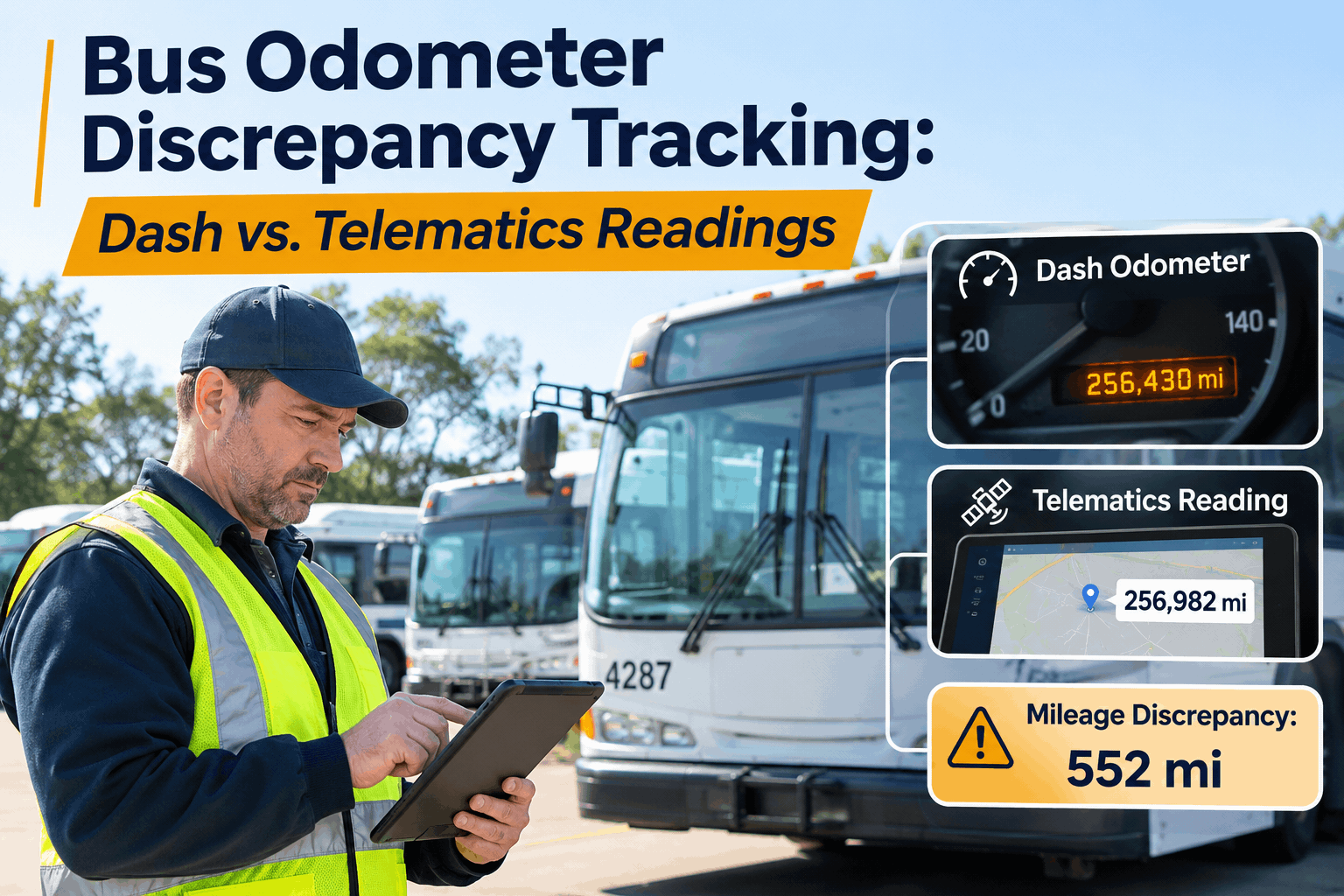
Pull up one bus three ways and you may get three different mileages: the dash, the telematics feed, and the last service record. Your PM intervals run on those numbers, so a bus on the wrong one is serviced too early or sails past a due oil change. Bus odometer discrepancy tracking is how you catch the mismatch and document the fix. You can see how verified mileage drives PM per bus in a demo.
Bus Odometer Discrepancy Tracking: Dash vs. Telematics Readings
Dash, telematics and service records rarely agree to the mile — and your PM schedule can only run on one. Here is how to find the discrepancy, pick the reading you trust, and log the correction.
Why a Mileage Mismatch Wrecks Your PM Schedule
A preventive maintenance program is only as accurate as the meter readings that drive it. Feed it a wrong number and every mileage-based interval on that bus shifts — in one of two expensive directions.
Service too early, waste money
A reading that runs ahead of real miles triggers PM before it's due — you burn labor, parts and shop time on service the bus didn't need yet.
Service too late, risk failure
A reading that lags real miles means the due date comes and goes unseen — the bus runs past its interval, and that's where breakdowns and safety gaps live.
Trust erodes fleet-wide
Once a few buses show mismatched mileage, nobody fully trusts the PM due list — and a schedule people second-guess is a schedule that slips.
The point isn't which source is "right" everywhere — it's having one verified reading per bus that your PM schedule actually runs on.
Where the Discrepancy Actually Comes From
Most mileage mismatches aren't anything sinister — they come from busy people, mismatched systems and hardware changes. Knowing the pattern tells you which one you're looking at, and how to fix it.
Manual entry errors
A reading keyed in by hand — a transposed digit, a wrong unit, a guess. The most common source, and the easiest to miss until it compounds.
GPS vs ECM difference
GPS-estimated distance and the engine's own odometer are not the same number — GPS distance can drift from the dash value over time.
Device swaps & resets
A telematics unit replaced or re-installed can stop syncing or restart its count, throwing off every interval calculated from it.
Unit & source conflicts
Miles mixed with kilometers across devices, or two systems both writing readings, leaves records that disagree by a consistent, tell-tale ratio.
A one-off gap is usually a bad entry; a gap that repeats on the same bus points at a source or device problem worth chasing down.
How to Resolve a Mileage Discrepancy
When the numbers disagree, you don't guess — you work a short sequence that ends in one verified reading and a documented correction. Run it the same way every time and the mismatch stops being a mystery.
Compare the sources
Line up dash, telematics and last service reading side by side. See how big the gap is and whether it's random or a consistent pattern.
Pick the trusted source
For most buses the dash or ECM odometer is the reference of record. Confirm it against a physical read when the gap is large or repeating.
Correct the record
Update the bus to the verified reading so the PM schedule recalculates from an accurate number, not the bad one.
Log what and why
Record the correction, the source you trusted, and the reason — so the next person sees a documented fix, not another unexplained jump.
That last step is the one teams skip — and it's what separates a tracked correction from a mystery that resurfaces. You can sign up free and log a verified reading with its correction per bus, or book a demo to see it end to end.
Your Mileage Reconciliation Checklist
Run this against how you handle mileage today. Each item is a gap that lets a bad reading drive your PM — and each is something a bus-built system turns into a verified, documented, per-bus record.
- One reading of record per busA single verified mileage the PM schedule runs on, not three competing ones.CRITICAL
- Sources compared, not assumed equalDash, telematics and service readings checked against each other, not trusted blindly.CRITICAL
- Readings updated on a regular cadenceMileage refreshed often enough that PM triggers on current miles, not weeks-old data.VERIFY
- Corrections logged with source & reasonEvery mileage fix documented, so a jump reads as a correction, not an error.VERIFY
- Repeating gaps flagged for investigationA mismatch that recurs on one bus chased to its device or source cause.VERIFY
- Mileage history kept per busA record of readings and corrections over time, so PM accuracy is auditable.VERIFY
The two critical items — one reading of record and sources compared — are what keep PM honest, the same accuracy that underpins any transit and shuttle fleet maintenance program; book a demo and we will set mileage verification up around your fleet.
How BusCMMS Keeps PM on Verified Mileage
Tying maintenance to a verified reading — and keeping the correction trail — is exactly what a purpose-built bus CMMS does. It holds the number of record, schedules from it, and documents every change.
Verified mileage record per bus
One reading of record for each vehicle that the PM schedule runs on — not three sources quietly competing.
Mileage-based PM scheduling
Service intervals triggered off the verified reading, so PM fires on real miles and no bus drifts past its due date.
Logged corrections & history
Every mileage correction recorded with its source and reason, building an auditable history per bus.
One number, verified and documented, driving the whole PM schedule. To set it up around your fleet, book a demo and bring a few buses with mismatched readings.
A PM Planner's Take
Key Takeaways on Odometer Discrepancy Tracking
Bus odometer discrepancy tracking protects the one thing every mileage-based PM depends on: an accurate number. Four things to carry back to the shop.
PM rides on the reading
A wrong mileage means PM too early or too late — both cost you.
Know the cause
Entry error, GPS drift, device swap or unit conflict — each has a fix.
Pick one of record
Choose the trusted source per bus and run PM on that single number.
Document the fix
A logged correction turns a suspicious jump into an auditable record.
Compare your sources, pick the reading you trust per bus, correct the record, and log why — and a dash-versus-telematics mismatch stops quietly distorting your PM intervals and becomes a documented, auditable fix. Your maintenance schedule is only as good as the number it runs on; odometer discrepancy tracking is how you keep that number honest.