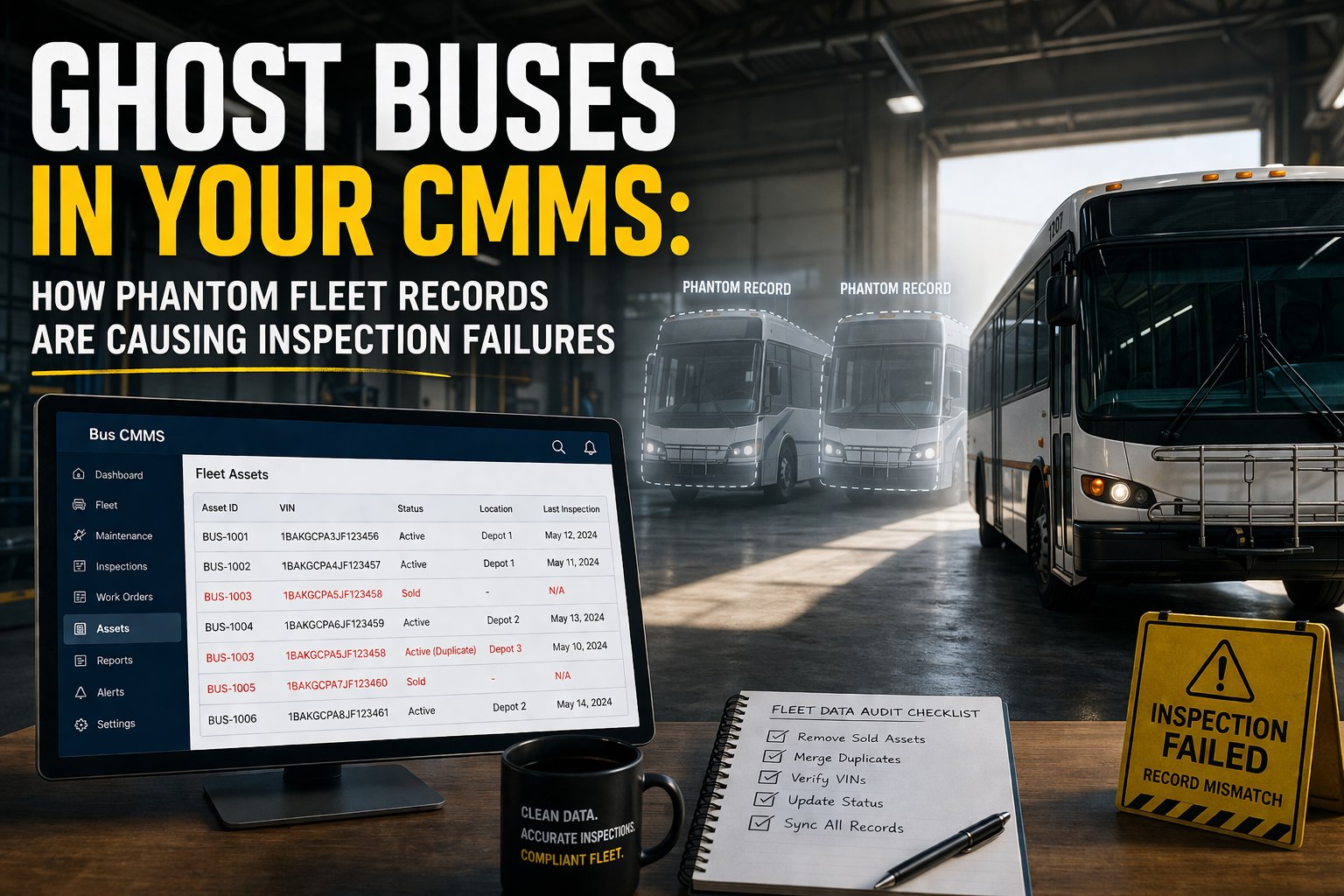
Your CMMS says you have 52 buses. Your yard has 47. Three were sold last year — but their PM schedules are still firing work orders. One was totaled in February — but it just triggered a brake inspection that someone spent 20 minutes looking for before realizing the bus doesn't exist. And bus #31? It's in there twice — two records, two PM schedules, double the parts cost allocation, and an inspection history that splits across both entries so neither one passes a DOT audit. These are ghost buses. And they're silently wrecking your compliance, your costs, and your sanity .
Ghost Buses in Your CMMS: How Phantom Fleet Records Are Causing Inspection Failures
Sold buses still generating work orders. Duplicate records splitting inspection history. Phantom assets inflating your fleet count. Here's how to find them, fix them, and prevent them.
What Ghost Buses Look Like in Your System
What Ghost Buses Are Actually Costing You
Ghost buses aren't a nuisance — they're a compliance liability, a cost inflator, and an audit failure waiting to happen. Here's the real damage:
Inspection Failures
$2,000+/violation
DOT auditor asks for maintenance records on Bus #31. You pull up the file — but half the inspections are logged on a duplicate record you didn't know existed. Incomplete file = automatic violation.
Inflated Costs
10–15% budget waste
Ghost buses absorb parts allocations, labor charges, and PM costs. Your cost-per-bus report says $28K — but 5 of those "buses" don't exist. Real cost per bus: $31K. You're hiding your own problem.
Wasted Labor
4–8 hrs/month
Your mechanic gets a work order for a bus that was sold 8 months ago. They walk the yard, can't find it, come back to the office, ask you. Twenty minutes gone — repeated monthly for every ghost.
Bad Decisions
Invisible
Your fleet dashboard says 92% availability. But 5 of those "available" buses are phantoms. Real availability: 86%. You're making staffing and route decisions based on buses that don't exist.
5 Types of Ghost Buses (And How They Got There)
1
The Sold Bus
Bus was sold, traded, or auctioned — but nobody deactivated it in the CMMS. It still fires PM work orders, appears on fleet reports, and counts toward your vehicle total. Most common ghost type.
How it got there: The person who sold the bus isn't the person who manages the CMMS. No handoff process exists.
2
The Duplicate Entry
Same bus entered twice — once as "Bus 31" and once as "B-31" or with a slightly different VIN. Inspections split between both records. Neither file is complete. DOT auditor sees gaps.
How it got there: Different staff entered the same bus at different times. No VIN validation or duplicate check at entry.
3
The Totaled Bus
Bus was in an accident and written off — but the insurance process took 4 months. During that time, PM schedules kept firing. Now the bus is gone but the record and its open work orders remain.
How it got there: No status field for "out of service pending disposal." The CMMS only knows Active or nothing.
4
The Loaner / Temp Bus
A temporary replacement bus was added during a peak period. The lease ended 6 months ago. The record stayed. It's still showing as part of your fleet count and absorbing PM triggers.
How it got there: No defined offboarding process for temporary assets.
5
The Wrong-Data Bus
The bus exists — but with the wrong VIN, wrong mileage, or wrong fuel type. PM triggers fire at wrong intervals. Inspection records don't match the physical vehicle. Auditor sees mismatch.
How it got there: Manual data entry with no validation. Typo on day one, compounding errors ever since.
BusCMMS prevents every one of these ghost types. VIN validation blocks duplicate entries at creation. Asset lifecycle statuses (Active, Out of Service, Sold, Totaled, Temporary) control which buses fire PM schedules and appear on fleet reports. When you mark a bus as Sold, its PM schedules stop immediately, its work orders close, and its records archive — but remain accessible for DOT's 14-month retention window. No bus becomes a ghost because the system won't let it.
See how asset lifecycle statuses prevent ghosts — book a 20-min demo
The 30-Minute Ghost Bus Audit
You can find every ghost in your fleet in 30 minutes. Here's the process:
1
Pull your CMMS asset list
Export every active bus record — VIN, unit number, status, last inspection date, last work order date.
2
Walk the yard and count physical buses
Mark each bus you physically see. Any bus on the list but not in the yard = potential ghost.
3
Check for duplicate VINs
Sort by VIN. Any VIN appearing twice = duplicate record. Merge the records and consolidate inspection history.
4
Flag zero-activity buses
Any bus with no work order or inspection in 90+ days is either a ghost or a bus with dangerously deferred maintenance. Both need attention.
5
Deactivate, archive, or correct
Sold/totaled → mark as Sold (PMs stop, records archive). Duplicates → merge into one record. Wrong data → correct VIN, mileage, fuel type.
In BusCMMS, this audit takes 10 minutes instead of 30. The dashboard flags buses with zero activity in 90+ days. VIN validation highlights duplicates automatically. Asset status controls (Active / Out of Service / Sold / Totaled) are built into every bus record — one dropdown change stops PM schedules, closes open work orders, and archives the record while preserving compliance history. You don't hunt for ghosts. The system surfaces them for you.
Your CMMS Should Prevent Ghosts, Not Create Them
BusCMMS uses VIN validation, asset lifecycle statuses, activity flagging, and duplicate detection to ensure every record in your system matches a physical bus in your yard. Purpose-built for bus fleets — not adapted from factory software.
"We migrated from spreadsheets to BusCMMS and discovered 7 ghost buses in a 48-bus fleet — 3 sold, 2 duplicates, 1 totaled, 1 loaner that left 5 months ago. Our cost-per-bus dropped 11% overnight just by removing phantom records from the denominator. Our DOT audit two months later was the cleanest we've ever had."
Every ghost bus in your system is a work order your mechanic wastes time on, a cost report that lies to you, and an inspection record that will fail a DOT audit. The audit takes 30 minutes. The fix takes 10 minutes in BusCMMS. The cost of ignoring it compounds every single month.
I audit fleet CMMS data for districts and charter operators. Every single fleet I've audited — every one — has ghost buses. The average is 8–12% of the fleet count. A 50-bus fleet typically has 4–6 phantom records. These aren't edge cases. They're the norm in any system that doesn't enforce lifecycle tracking.
The real danger isn't the wasted PMs or the inflated cost reports — it's the DOT audit. When an auditor asks for complete maintenance records on every active bus and your list includes buses that don't exist anymore, you've just demonstrated that your maintenance program isn't under control. That's not a finding they ignore. That's a finding that triggers deeper investigation into everything else.
Ghost buses are in your system right now. Sold buses still firing PMs. Duplicates splitting inspection history. Totaled buses absorbing cost allocations. They inflate your fleet count, waste your mechanic's time, corrupt your cost reports, and — most critically — create gaps in your DOT compliance records that auditors will find.
BusCMMS prevents ghosts with VIN validation at entry, asset lifecycle status controls, duplicate detection, and zero-activity flagging. When you sell a bus, one status change stops everything — PMs, work orders, fleet counts — while preserving the compliance history auditors need. Your CMMS should match reality. BusCMMS makes sure it does.
Clean your fleet data and keep it clean — sign up free today
How Many Ghost Buses Are Hiding in Your Fleet Right Now?
The average fleet has 8–12% phantom records. BusCMMS finds them automatically and prevents new ones from appearing. Start with a free audit — add your fleet and see what surfaces.
What are ghost buses in a CMMS?
Ghost buses are vehicle records in your CMMS that don't correspond to physical buses in your fleet. They include sold or traded buses that were never deactivated, duplicate entries for the same physical bus (often with slight VIN or naming variations), totaled vehicles still generating work orders, returned loaners still counted as fleet assets, and records with incorrect VIN or data that don't match the physical vehicle. Every ghost corrupts your fleet count, cost reports, PM schedules, and compliance records.
How many ghost buses does a typical fleet have?
Based on fleet audits, the average fleet has 8–12% phantom records. A 50-bus fleet typically has 4–6 ghost entries. Fleets that migrated from spreadsheets or paper often have higher rates — sometimes 15–20% — because the migration imported historical records without status verification. Fleets that have been using the same CMMS for 5+ years without a data audit tend to accumulate 1–2 new ghosts per year as buses are sold, traded, or retired without updating the system.
How do ghost buses cause DOT inspection failures?
Two ways. First, duplicate records split a bus's inspection history across two entries — so neither record shows complete compliance. When an auditor pulls the file, they see gaps that look like missed inspections. Second, ghost buses inflate your active fleet list. When the auditor requests maintenance records for all active vehicles and your list includes buses that don't physically exist, it demonstrates that your maintenance program isn't under systematic control — which triggers deeper investigation across all compliance areas.
How does BusCMMS prevent ghost buses?
Four mechanisms: VIN validation at entry prevents duplicate records (the system won't create a bus with a VIN that already exists). Asset lifecycle statuses (Active, Out of Service, Sold, Totaled, Temporary) control which buses appear on reports and fire PM schedules. Zero-activity flagging surfaces buses with no work order or inspection in 90+ days. And when you change a bus to "Sold" status, PM schedules stop immediately, open work orders close, fleet counts update, and the compliance history archives — all from one dropdown change.
How long does a ghost bus audit take?
Manually: about 30 minutes. Export your CMMS asset list, walk the yard to count physical buses, check for duplicate VINs, and flag zero-activity records. In BusCMMS: about 10 minutes. The dashboard highlights zero-activity assets, VIN validation flags duplicates, and the fleet count reconciliation report shows any mismatch between system records and actual fleet size. Most fleets find and fix all their ghosts in a single session.







