When something goes wrong on a bus — a medical emergency, an altercation, a collision — the ability to see what's happening in real time can change how dispatch responds. But live view isn't a magic window: bandwidth, privacy law, and recording rules all shape when it actually helps and when it doesn't. This page covers when a bus live view camera genuinely aids emergency response, its real limits, and how to build procedures that hold up.
Live View and Emergency Response on Buses
Know when live bus camera view helps an emergency — and when it doesn't — and let BusCMMS tie every event, response, and clip to the right bus record.
- Event→ alert → response
- RealLimits, named honestly
- 1 recordEvent, response, clip
- 1Event detected
- 2Dispatch alerted
- 3Live view checked
- 4Right help sent
What Live View Actually Is — and Isn't
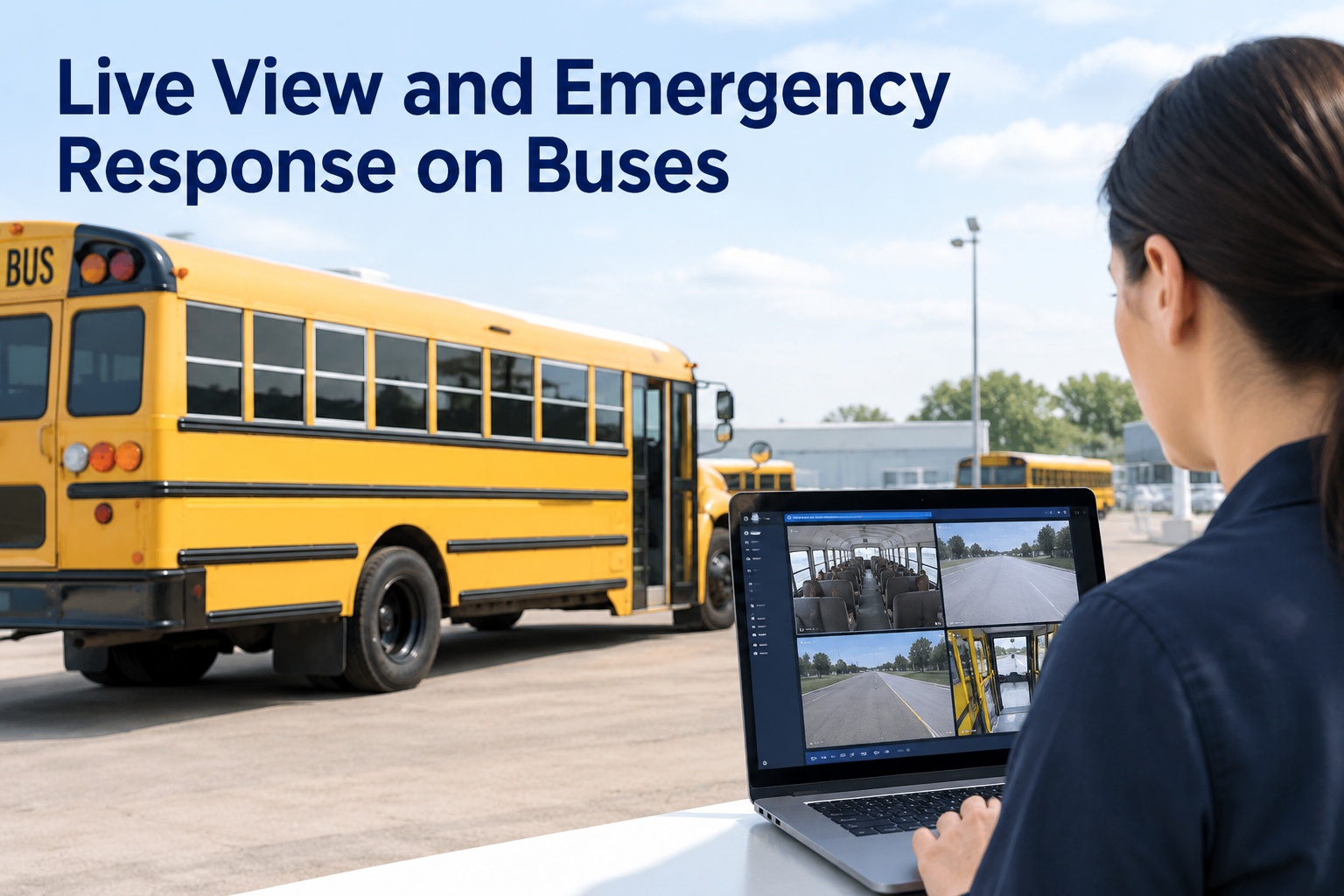
Live view is the ability to see a bus's camera feed in near-real time from the back office — useful the moment an emergency is unfolding, when knowing what's actually happening on board shapes the right response. It's the difference between "a bus reported an incident" and "we can see the situation and send exactly the right help."
What it isn't: a practical way to watch every bus, all the time. Streaming continuous video from a whole fleet is a bandwidth and privacy problem, not a safety strategy. Live view earns its place as an on-demand, event-driven tool — you pull a specific feed when something warrants it, not a wall of monitors nobody watches. Seeing how that fits a real safety programme is worth a walkthrough of event-driven safety response.
When Live View Genuinely Helps
Live view isn't for everyday monitoring — it's for the specific moments where seeing changes the decision. These are where it earns its keep.
Medical emergency
Seeing a rider in distress helps dispatch brief EMS accurately — what's happening, where on the bus, how urgent — before responders arrive.
Onboard altercation
Confirming the nature and severity of a conflict helps decide whether it needs a supervisor, law enforcement, or a calm call to the driver.
Collision or breakdown
Assessing a scene remotely — injuries, position, hazards — helps send the right resources and reassure the driver they're not alone.
Security & safety threat
When a driver signals a threat, a verified view helps escalate correctly and coordinate with responders rather than acting on partial information.
The common thread: each is a high-stakes moment where a verified picture beats a garbled radio call, letting dispatch send the right help fast. That's the genuine value — not surveillance, but better decisions in the seconds that matter. You can start free and connect events to your response workflow.
The Real Limits — Named Honestly
Any vendor who sells live view as flawless is skipping the hard parts. These constraints are real, and a good programme designs around them instead of pretending they don't exist.
Bandwidth & connectivity
Live video needs a strong cellular connection. On a rural route or in a dead zone, the feed may lag or drop — exactly when you might need it most. Plan for it.
Privacy & consent
Onboard audio in particular triggers state wiretap and two-party consent laws. Who can view a live feed, and when, must be defined by policy, not left to whoever's on shift.
Recording vs. viewing
Watching a feed live is not the same as capturing usable evidence. Make sure the event is recorded and preserved — a live glance you didn't save is gone.
It's one input, not the whole response
Live view informs a decision; it doesn't make it. Trained people and clear procedures still run the emergency — the camera is a tool, not the plan.
Naming these isn't discouraging — it's what separates a programme that works from a demo that impresses. Design for spotty connectivity, set clear access and consent rules, always preserve the recording, and keep trained humans in charge. That discipline is where a demo shows the connected workflow.
Privacy, Consent & Recording: The Checklist
Before any live-view or recording programme goes live, work through these with your legal and administrative teams. Skipping them is how a safety tool becomes a legal problem.
Audio consent law
Several states require all-party consent to record audio. Confirm your state's rule before enabling microphones, and decide whether audio is on at all.
FERPA where it applies
If footage captures student education records, FERPA considerations apply. Loop in whoever owns FERPA compliance before setting access and release rules.
Who can view, and when
Restrict live-view access to defined roles under defined triggers — an emergency, not curiosity — with a record of who accessed what.
Retention policy
Define how long footage is kept and how incident clips are preserved before routine overwrite — written policy, not a default setting.
There's no single federal rule that governs all of this — it varies by state and district — so the safe path is deliberate written policy that your legal team signs off on. A platform that logs who accessed footage and preserves incident clips against the bus record makes that policy enforceable rather than aspirational.
The Response Flow That Works
Live view only helps if it sits inside a clear procedure. Here's the sequence that turns a camera feed into an effective, documented response.
- 1
Event is detected
An AI event, a driver alert, or a call flags that something's wrong on a specific bus — the trigger that starts the response, tied to that vehicle.
- 2
Dispatch is alerted
The right person is notified fast, with the bus, route, and location already attached — no scrambling to figure out which bus and where.
- 3
Live view is checked (if warranted)
Under policy, an authorised role pulls the feed to verify the situation — connectivity permitting — to inform, not replace, the decision.
- 4
Right help sent, event recorded
The correct response goes out, and the event, the action taken, and the preserved clip all land on the bus record for follow-up and documentation.
Live view without that documentation is a glance you can't prove — capturing the event, the response, and the footage as one record is what protects the district and improves the next response.
How BusCMMS Supports Emergency Response
BusCMMS isn't a live-streaming service — it's the platform that makes an emergency actionable and documented, working with the camera systems you already run. Here's where it fits.
Events tied to the bus
A safety event lands on the specific bus's record with route and location, so dispatch knows exactly which vehicle and where — instantly.
Response & clip preserved
The action taken and the recorded footage are preserved against the record — so a live glance becomes a documented, defensible event.
Access & retention control
Role-based access and retention against each bus record help you enforce the privacy and consent policy you set, not just hope people follow it.
Hardware-agnostic
Works with the cameras and MDVRs you already run, so your emergency workflow connects without a rip-and-replace.
That's the role BusCMMS plays. The AI-native, hardware-agnostic platform ties safety events, dispatch response, and preserved footage to one bus record — so an emergency is fast to act on and fully documented afterward. It supports the camera systems you already run and helps you enforce access and retention. To see it on your fleet, book a walkthrough of connected emergency response.
The Bottom Line on Live View for Buses
A bus live view camera genuinely helps in the high-stakes moments — medical emergencies, altercations, collisions, threats — where a verified picture lets dispatch send the right help fast. But it's an on-demand, event-driven tool, not a wall of always-on monitors, and its real limits — bandwidth, privacy law, recording, and the need for trained people — have to be designed around, not ignored.
Handle it honestly: use live view for the moments that warrant it, respect consent and retention rules, and always preserve the event to the record. That turns a camera feed into a documented, defensible response — which is exactly what BusCMMS is built to support. If you're ready to connect your events and footage to a real response workflow, start free, and verify the laws that apply to your operation before you deploy.
What is a bus live view camera?
A bus live view camera lets authorised staff see a bus's camera feed in near-real time from the back office, typically during an emergency. Its value is in high-stakes moments, a medical emergency, an altercation, a collision, or a security threat, where seeing the actual situation helps dispatch send the right help fast. It is best used as an on-demand, event-driven tool that you pull when something warrants it, not as continuous surveillance of every bus, which is impractical on bandwidth and problematic on privacy.
When does live view actually help emergency response?
In the specific moments where seeing changes the decision. During a medical emergency, a live view helps dispatch brief EMS accurately before they arrive. In an onboard altercation, it helps decide whether to send a supervisor or law enforcement. In a collision or breakdown, it helps assess injuries and hazards remotely to send the right resources. And when a driver signals a threat, a verified view helps escalate correctly. In each case a verified picture beats a garbled radio call, letting the right help go out faster.
What are the limits of live view on buses?
Four are worth naming honestly. Bandwidth and connectivity: live video needs a strong cellular signal, so feeds can lag or drop on rural routes or in dead zones. Privacy and consent: onboard audio in particular triggers state wiretap and two-party consent laws, so access must be governed by policy. Recording versus viewing: watching a feed live is not the same as capturing usable evidence, so the event must be recorded and preserved. And live view is one input, not the whole response, trained people and clear procedures still run the emergency.
What privacy and consent rules apply to bus cameras?
Several states require all-party consent to record audio, so confirm your state's rule before enabling microphones. If footage captures student education records, FERPA considerations may apply, so involve whoever owns FERPA compliance in access and release decisions. Beyond that, you should restrict live-view access to defined roles under defined triggers with a record of who accessed what, and set a written retention policy for how long footage is kept and how incident clips are preserved. There is no single federal rule covering all of this, so build deliberate written policy with your legal team.
How does BusCMMS help with emergency response?
BusCMMS is not a live-streaming service; it is the platform that makes an emergency actionable and documented. A safety event lands on the specific bus's record with route and location so dispatch immediately knows which vehicle and where, the response taken and the recorded footage are preserved against that record, and role-based access and retention help you enforce your privacy and consent policy. Because it is hardware-agnostic, it works with the cameras and MDVRs you already run, connecting your emergency workflow without a hardware swap.