School district fleet software has to hold the entire operational life of a bus — every DVIR entry, defect, PM service, work order, camera event, and repair verification — in one chronological record the director, shop supervisor, superintendent, and board can query from their own angles. That’s different from what generic trucking software does. And it’s the difference between a fleet you can defend at a board meeting and one you can only apologize for. Book a 20-minute demo to see BusCMMS running on a school district fleet the size of yours.
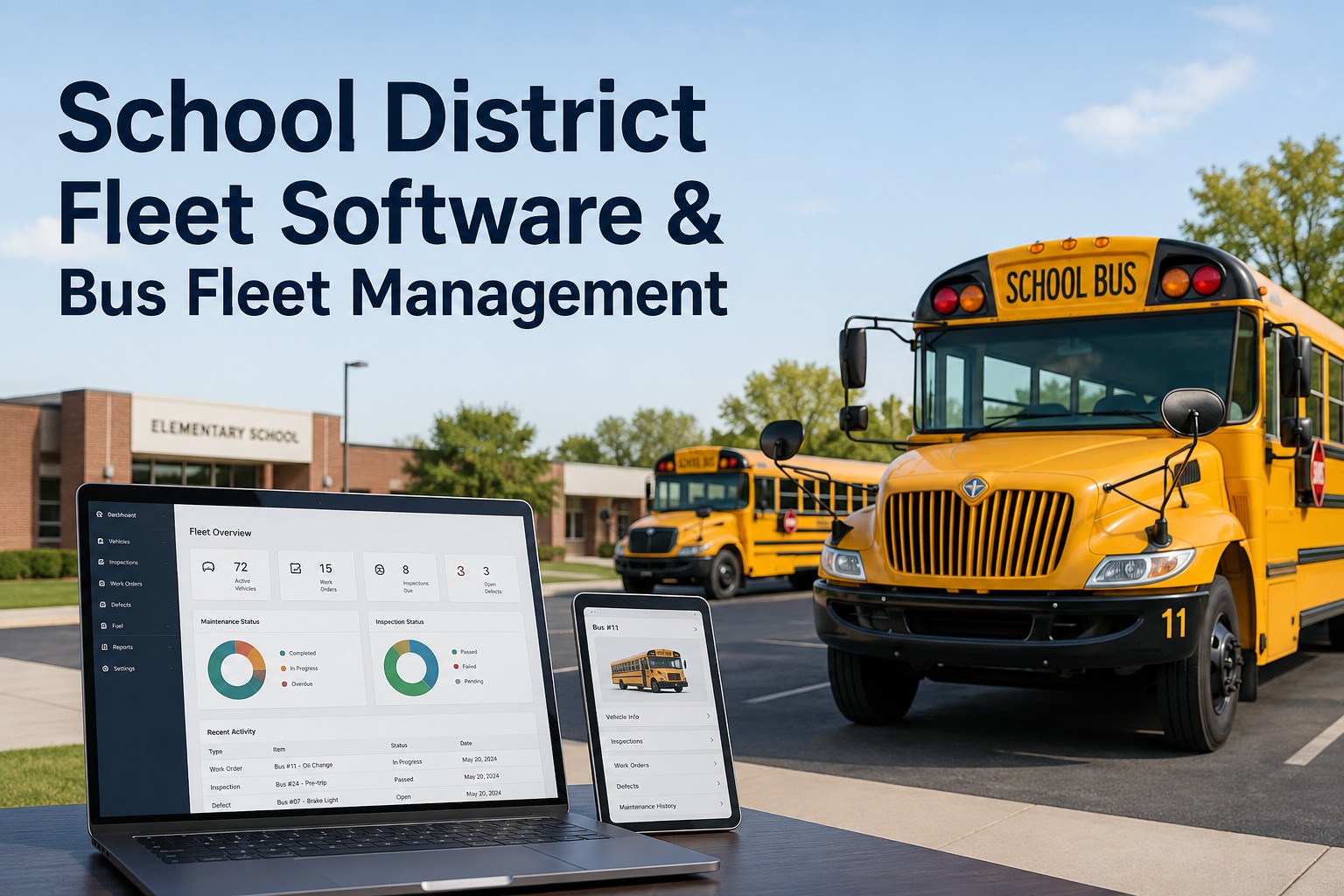
School District Fleet Software & Bus Fleet Management
BusCMMS gives district transportation departments one platform for bus inspections, PM scheduling, defect closure, work orders, parts, camera events, and the chronological asset timeline that board reports and shop planning both pull from.
- SEP 03PM-AAnnual state safety inspection passed
- OCT 18DEFECTStop-arm actuator sluggish, WO-2214
- NOV 12CAMStop-arm passing incident, evidence pack
- JAN 22PM-BMid-year PM, brake pads replaced
- MAR 04DEFECTPassenger door seal, WO-2489
- TODAYREADYIn-service, 2 open items on watch
Same Data, Four Roles — Four Different Views
A district fleet lives in four operational conversations at once. The director watches availability and cost drift. The shop supervisor runs technician workload and overdue PM. The superintendent needs a readiness picture that fits on one slide. The board wants fleet condition and safety trends they can defend. Same data, four different organizations. The wrong software builds four reports. The right one filters one source into four role-appropriate views.
-
TRANSPORTATION DIRECTOR
Availability & Cost Drift
Fleet availability today, open defects, MTBF trend, cost per mile, spare-bus utilization — the operational scorecard.
-
SHOP SUPERVISOR
Workload & Overdue PM
Technician assignments, parts on order, overdue preventive services, work orders by priority — the shop-floor picture.
-
SUPERINTENDENT
Readiness Summary
One-slide fleet readiness, safety incidents this month, buses ready for AM run, notable events — the briefing view.
-
SCHOOL BOARD
Fleet Condition & Safety
Fleet age distribution, capital replacement outlook, safety trends, and budget performance — the governance packet.
Same data, four filters. When PM completion drops, the shop supervisor sees it Monday morning, the director sees it in the monthly scorecard, and the superintendent sees it in the quarterly briefing — without three separate spreadsheet builds and without the numbers disagreeing. Book a demo to see role-based views on a live district dashboard.
Summer Maintenance: Ten Weeks, One Hundred Buses
Summer is when the district fleet actually gets rebuilt for the next year. It’s also the season most districts still run on a shop whiteboard and a spreadsheet. That worked at 40 buses. It stops working somewhere north of 80. Buses that need heavy work don’t surface until August, parts nobody ordered in June arrive after school starts, and the readiness picture is a group phone call the last week of break.
Software doesn’t do the work — the shop does. But when the plan is a live board pulling asset history, meter readings, PM intervals, open defects, and parts requirements automatically, surprises stop showing up in August. Buses needing engine work land on the plan in the first week of June. Parts orders arrive in time. The last-week panic call becomes a status meeting with numbers. Book a demo to see summer readiness planning on your fleet’s data.
The Fleet-Health Strip Every Director Should See Monday Morning
Most district fleet reporting is monthly. The metrics that actually matter are daily. A transportation director walking into the office Monday needs four numbers on one screen — what percent of the fleet is available for AM run, how many defects were opened over the weekend, how PM completion trended last week, and where cost per mile is running against budget. Everything else can wait for the monthly.
This is what fleet analytics is supposed to do — not produce a 20-tab spreadsheet, but tell the person running the operation what changed and where to look. The 18 open defects on this strip? Two clicks away is the list of specific buses, prioritized, with photos and assigned techs. Same platform holds camera evidence for the safety events that make district board packets: NASDPTS’s 2025 one-day survey documented 67,258 illegal passes of stopped school buses across 36 states and DC (a survey observation, not an official national annual count) — every one of those on a district-camera-equipped bus is a bus record entry your fleet software should tie to route, date, and shift. Book a demo to see stop-arm evidence tied to the asset timeline.
A 100-Bus June Planning Cycle, Start to Finish
Here’s the workflow that separates district fleet software from a maintenance-log spreadsheet. Last week of school, transportation manager opens the summer readiness plan for the 100-bus fleet. The system has already sorted every bus by PM due date, open defects, meter reading, and repair history. The manager’s job isn’t to build the plan — it’s to review it, adjust priorities, and release work orders.
100-Bus District · June Planning Cycle
- 01
Auto-Assessment
System pulls PM status, open defects, mileage or engine hours, and repair history for every bus. 22 flagged as heavy-work priority, 41 as routine PM, 37 as light-touch.
- 02
Parts & Labor Plan
Required parts auto-listed against inventory. Order suggestions generated for what’s not on the shelf. Technician hours estimated by work order category.
- 03
Weekly Execution
Kanban board tracks each bus through Assess → Assigned → In Shop → Verified → Ready. Weekly review meeting runs off the live board, not a snapshot spreadsheet.
- 04
First-Day Readiness
By mid-August, superintendent sees 97 of 100 buses in READY column. The 3 remaining have specific parts on order with expected dates. No August surprise.
Each bus that moves through the plan updates its own timeline — so when the September board meeting asks about the summer program, the answer is a one-click export showing every work order, part, and verified return-to-service per bus. Not a story. Evidence. Sign up free to try summer readiness planning on your own fleet.
A District Transportation Director’s View
That’s the operational payoff of a bus-first platform where inspections, PM, defects, work orders, parts, and camera events all sit against the same coach record. Summer stops being a scramble. Board meetings stop being defensive. And the transportation department stops being the office that only gets called when something goes wrong. Book a demo to see the transportation director’s dashboard live.
School District Fleet Software Evaluation Checklist
Here’s the rubric a working transportation director would build for evaluating district fleet software — focused on what matters at the Monday shop meeting, the summer planning review, and the fall board briefing.
One-record asset timeline
DVIRs, defects, PM, work orders, parts, camera events on one chronological bus history — not four disconnected systems.
Bus-specific DVIRs pre-loaded
Stop arms, crossing gates, lifts, student mirrors, emergency exits — ready day one, not built by your team.
Summer readiness planning
Live plan pulling PM due, open defects, and repair history — not a whiteboard rebuilt every June.
Role-based dashboards
Director, shop supervisor, superintendent, board — each sees their own view from the same source.
Camera event integration
Stop-arm, incident, and driver-safety events attach to bus, route, and shift — works with existing MDVR or AI hardware.
Board-ready exports
Fleet condition, safety trends, cost performance packaged for board meetings — no analyst overnight.
Most generic fleet tools score two of six. BusCMMS is built for all six — because district transportation was designed into the platform. This page is fleet-management and software guidance and does not substitute for state pupil-transportation legal or regulatory requirements. Book a demo to walk the district evaluation live.
What is school district fleet software?
School district fleet software is the platform transportation departments use to manage the entire operational life of a bus fleet — DVIRs, PM, defects, work orders, parts, camera events, and the chronological asset history that board reports, superintendent briefings, and shop planning all pull from. Unlike generic trucking software, it models bus-specific assets (stop arms, crossing gates, lifts, student mirrors), seasonal readiness workflows like summer maintenance, and the role-based reporting that districts need for governance and budgeting.
What should school bus fleet management software include?
At minimum: digital DVIRs with bus-specific templates pre-loaded, preventive maintenance scheduling by mileage or engine hours, automatic work-order routing from failed inspections, parts and inventory tracking, chronological asset timeline per bus, camera event integration from existing MDVR or AI systems, role-based dashboards for director/shop/superintendent/board, and audit-ready exports for state pupil-transportation reviews. Summer readiness planning and cost-per-mile tracking are what separate serious district platforms from generic maintenance logs.
How does software help with summer bus maintenance planning?
The right platform builds the plan by pulling asset history automatically — PM due dates, open defects, meter readings, repair history, and parts requirements — then sorts every bus into work categories. A kanban board tracks each bus through Assess → Assigned → In Shop → Verified → Ready across the summer. Instead of a June whiteboard and August panic, the director sees live readiness weekly and knows exactly which buses will be cleared before school starts.
Are school district buses covered by FMCSA regulations?
Not uniformly. Under 49 CFR §390.3(f), “school bus operations” — defined narrowly as home-to-school and school-to-home transport — are generally exempted from most FMCSRs, and government-entity transportation like school districts has an additional exemption at §390.3(f)(2). But CDL requirements and drug/alcohol testing always apply to school bus drivers, and state pupil-transportation regulations, inspection rules, and stop-arm statutes almost always apply on top. Verify applicability with counsel.
Can BusCMMS give a school district board-ready reports?
Yes. BusCMMS packages fleet condition, safety trends, cost performance, PM completion, and readiness metrics into exportable board views. Reports pull from the same underlying bus records that drive shop planning and director dashboards, so numbers agree across every conversation — board packet, superintendent slide, monthly scorecard, weekly shop meeting. That’s the difference between a fleet a district can defend at governance and one that requires an analyst to reconstruct the story every quarter.