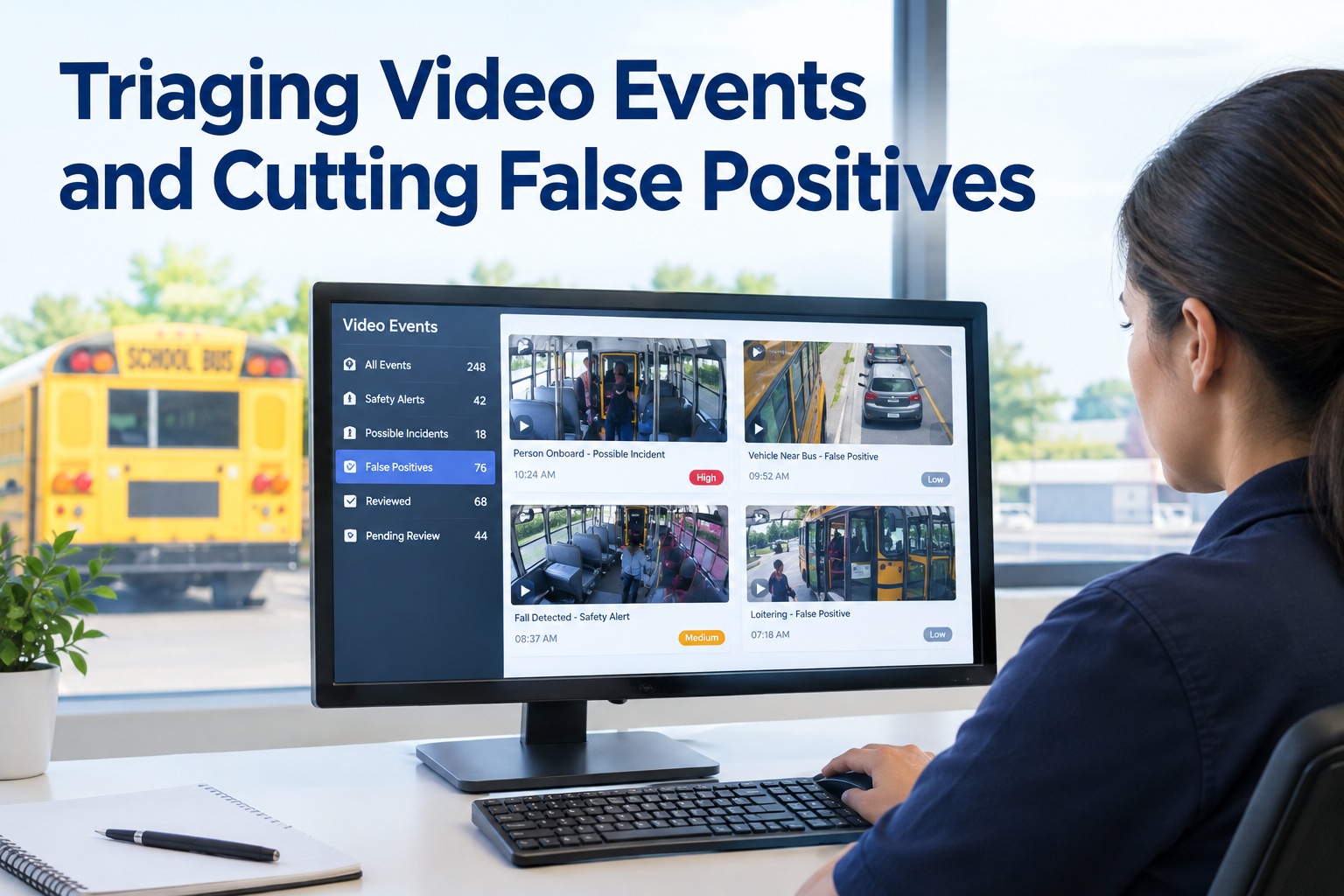
An AI camera that flags everything is as useless as one that flags nothing. Bury a safety team under hundreds of alerts — most of them a shadow, a pothole, or a harmless glance — and the real events drown in the noise until nobody reviews the queue at all. Video event triage is the fix: filter the false positives, prioritise what's left, and turn a flood of alerts into a short list that needs a human.
Triaging Video Events and Cutting False Positives
Turn a flood of AI camera alerts into a short, prioritised review queue — and let BusCMMS route every real event to coaching, a work order, or the record it belongs on.
- FilterNoise before review
- 3 tiersPriority & SLA
- EveryReal event actioned
The False-Positive Problem That Kills Safety Programmes
AI cameras are eager. They flag a harsh brake for a pothole, a "distraction" for a driver checking a mirror, a "near-miss" for a shadow. Each false positive is minor — but pile up hundreds a week and the queue becomes unmanageable. The team can't tell signal from noise, so review slows, then stops.
That's how a promising safety programme quietly dies: not from bad cameras, but from alert fatigue. When staff learn most alerts are junk, they stop trusting the queue — and the one real event that mattered gets ignored with the noise. Triage keeps the programme alive by making the queue trustworthy again. Seeing that in practice is worth a walkthrough of the event review workflow.
Where False Positives Come From — by Event Type
You can't cut false positives you don't understand. Different event types misfire for different reasons — and knowing the cause is how you tune each one instead of just turning it off.
The pattern: most false positives come from a model tuned for a generic vehicle running on a bus's real-world route — stops, students, city traffic. That's why the fix isn't disabling detection; it's tuning it to bus conditions, event type by event type. Getting that tuning right per event is exactly where a bus-specific platform helps — you can start free and see event review tuned for buses.
The Triage Funnel: 4 Stages From Alert to Action
Triage isn't one step — it's a funnel that narrows a flood of raw alerts into a handful of events worth a human's time. Each stage removes noise the next stage shouldn't have to see.
- 1
Capture raw alerts
Every AI detection comes in — harsh braking, distraction, near-miss — tagged by type and tied to a bus. Nothing is lost, but nothing is trusted yet.
- 2
Auto-filter the obvious noise
Tuned thresholds and rules drop the clear false positives before a human ever sees them — the pothole brakes, the mirror-check "distractions."
- 3
Prioritise what's left
Surviving events are ranked by risk, so a possible collision sits at the top and a minor following-distance flag waits — the queue reviews itself in the right order.
- 4
Route to action
Each real event goes somewhere: driver coaching, a maintenance work order if it caused damage, or a documented safety record — never a dead-end clip.
The magic is in stages two and three. Auto-filtering means humans only ever see plausible events, and prioritisation means they see the dangerous ones first. A team that used to wade through hundreds of alerts now works a short, ranked list — and actually gets through it. That's the difference between a queue that gets worked and one that gets abandoned, and it's what a demo shows on your own events.
Priority Tiers and Review SLAs
Not every real event deserves the same urgency. A tiered system tells the team what to review immediately, what can wait, and what just gets logged — so effort matches risk.
Possible collision, pedestrian near-miss, hard safety event. Review immediately — a short SLA measured in minutes to hours.
Repeated harsh braking, confirmed distraction, following-distance patterns. Review within the coaching cycle — days, not minutes.
Minor, borderline, or single events. Logged for pattern-tracking, reviewed only if they recur — no individual action needed.
The point of tiers is focus. Without them, a critical event and a minor one sit in the same undifferentiated pile, and the team either over-reviews everything or misses the one that mattered. With clear tiers and SLAs, urgent events get eyes fast and low-priority ones don't waste anyone's time — the queue works the way a safety team actually should.
Tuning Detection Without Going Blind
The lazy fix for false positives is to turn sensitivity way down — but then you miss real events too. Good tuning is a balance, adjusted per event type, and reviewed over time as you learn what your fleet actually generates.
Tune by event type
Harsh-braking sensitivity, distraction thresholds, and near-miss rules each need their own setting — one global dial can't fit them all.
Use feedback to improve
When a reviewer marks an event false, that signal should sharpen future filtering — the system learns your fleet's real patterns over time.
Watch the balance
Track false-positive rate and missed events together. Cutting noise is only a win if you're not also silencing real safety events.
Review periodically
Routes, seasons, and drivers change. Tuning isn't set-and-forget — a quarterly check keeps the queue accurate as conditions shift.
The goal is a queue you can trust: few enough false positives that the team keeps reviewing, sensitive enough that real events still surface. That balance is a moving target, which is why tuning and reviewer feedback have to be part of the workflow, not a one-time setup. When the system learns from every "false" mark, the queue gets sharper every week.
How BusCMMS Turns Alerts Into Action
Triage is only worth it if the surviving events actually go somewhere. That's where BusCMMS closes the loop — every real event lands on the right bus record and routes to the right follow-up.
Prioritised review queue
Events arrive filtered and ranked by risk, so your team works a short, ordered list instead of a wall of raw alerts.
Event-to-coaching routing
A confirmed coachable event routes straight into a coaching record with the clip attached — no re-entry, no lost follow-up.
Damage to a work order
An event that caused damage opens a maintenance work order on that bus — so safety and the shop share one record, not two systems.
Hardware-agnostic input
Takes events from the AI cameras and MDVRs you already run, so triage improves your existing setup without a hardware swap.
That's the role BusCMMS plays. The AI-native, hardware-agnostic platform filters false positives, ranks surviving events by risk, and routes each to coaching, a work order, or a safety record on the right bus — so triage ends in action, not a dead-end clip. It works with the cameras you already run and sharpens as reviewers mark events. To turn your alert flood into a workable queue, book a walkthrough of event triage and routing.
The Bottom Line on Video Event Triage
An AI safety programme lives or dies on whether its queue is trustworthy. Too many false positives and the team tunes out; too little sensitivity and real events slip through. Triage threads that needle — filter the obvious noise, prioritise what's left by risk, tier by urgency, and route every real event to a follow-up.
Do that, and a flood of alerts becomes a short, ranked list your team actually works — and every genuine event turns into coaching, a repair, or a record. That's exactly what BusCMMS is built to deliver, on the cameras you already own. If you're ready to cut the noise and act on what matters, start free, and consider the maintenance-record and district policies that apply to your operation.
What is video event triage?
Video event triage is the process of turning a flood of AI camera alerts into a short, prioritised list of events worth a human's time. It works as a funnel: raw alerts are captured, obvious false positives are automatically filtered out, the surviving events are ranked by risk, and each real event is routed to an action such as driver coaching, a maintenance work order, or a documented safety record. The goal is a queue the team actually trusts and works, instead of hundreds of alerts nobody reviews.
Why do AI bus cameras produce so many false positives?
Because most detection is tuned for a generic vehicle, while a bus runs a very specific real-world route full of stops, students, and city traffic. Harsh-braking alerts fire on potholes and normal stops, distraction alerts flag mirror checks and glances at students, near-miss alerts trigger on shadows and spray, and following-distance alerts fire in unavoidable stop-and-go traffic. Each event type misfires for its own reason, which is why the fix is tuning detection to bus conditions event type by event type, not simply turning detection off.
How do you reduce false positives without missing real events?
By tuning carefully rather than just lowering sensitivity across the board, which would silence real events too. Adjust thresholds per event type since one global dial can't fit harsh braking, distraction, and near-miss detection at once. Use reviewer feedback so that marking an event false sharpens future filtering, and track false-positive rate and missed events together so cutting noise never quietly hides real safety events. Because routes, seasons, and drivers change, review the tuning periodically rather than treating it as a one-time setup.
How should safety events be prioritised?
Use tiers matched to urgency. Critical events such as a possible collision or pedestrian near-miss need immediate review under a short SLA. Coachable events such as repeated harsh braking or confirmed distraction can be reviewed within the normal coaching cycle over days. Minor or borderline single events can simply be logged for pattern-tracking and reviewed only if they recur. Tiers keep a critical event from sitting in the same undifferentiated pile as a minor one, so urgent events get eyes fast and low-priority ones don't waste the team's time.
How does BusCMMS help with event triage?
BusCMMS filters obvious false positives, ranks the surviving events by risk, and presents your team a short, ordered review queue instead of a wall of raw alerts. From there it routes each real event to the right follow-up: a confirmed coachable event goes into a coaching record with the clip attached, an event that caused damage opens a maintenance work order on that bus, and everything lands on the right bus record. Because it is hardware-agnostic, it takes events from the AI cameras and MDVRs you already run and gets sharper as reviewers mark events.