Your shop floor doesn't stop for software training. You've got buses to turn, PMs to complete, and a transportation director asking why the new CMMS has been "in implementation" for three months with half your team still scribbling on paper work orders. Meanwhile, that 30-year veteran mechanic just told his entire bay that he's "too old for this computer stuffand now you've got a resistance problem spreading faster than a coolant leak.
Here's the reality most CMMS vendors won't tell you: implementation failure rates run between 50-70%, and the primary cause isn't bad software. It's poor user adoption. Studies show that companies with comprehensive training programs achieve 30% faster adoption rates and significantly fewer data entry errors. The difference between success and a $50,000 software shelf ornament often comes down to a single afternoon done right.
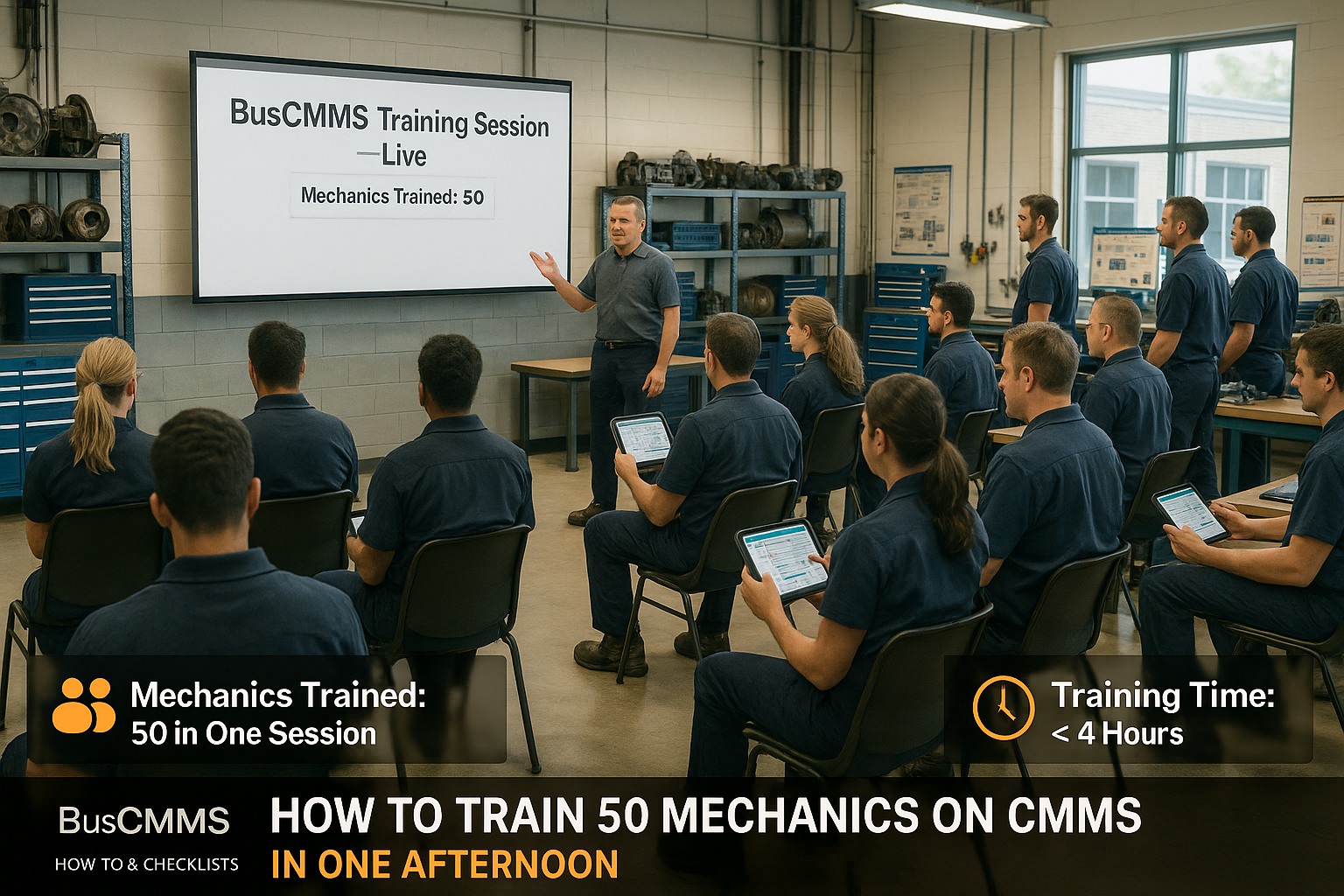
This guide gives you the exact framework to train 50 mechanics—from your most tech-savvy younger techs to your most skeptical senior wrench-turners—in a single four-hour session. No theory. No death-by-PowerPoint. Just a battle-tested agenda, hands-on exercises, and the change management strategies that actually work when you need adoption by Monday.
Why Most CMMS Training Fails (And How to Fix It)
Before we dive into the agenda, you need to understand why so many training sessions produce nothing but frustrated mechanics and abandoned software. The typical vendor approach—two days of feature demonstrations followed by a "call us if you have questions"—fails for predictable reasons that have nothing to do with your team's intelligence or willingness to learn.
The Three Training Killers
Feature overload instead of workflow focus: Mechanics don't need to know every button in your CMMS. They need to know exactly three things on Day One: how to receive a work order, how to log what they did, and how to close it out. Everything else is noise that creates confusion and resistance.
Training wrong roles together: When supervisors, parts clerks, and floor technicians sit through the same generic presentation, content feels irrelevant to half the room. Your brake specialist doesn't care about inventory reorder points, and your parts manager doesn't need to see how to log labor hours.
Ignoring the "what's in it for me" question: If mechanics don't see how the system makes their day easier—not just management's day—they'll find workarounds, skip steps, and eventually stop using it entirely. Adoption that feels like compliance instead of improvement dies within weeks.
The fix isn't more training time. It's smarter training structure. Research from fleet management software implementations shows that technicians achieve operational proficiency within 60-90 days with proper change management support—but that 60-90 day window only opens if the first session creates momentum instead of resistance. Your one-afternoon training isn't about making experts. It's about making believers who see immediate value.
Pre-Training Preparation: The 48 Hours Before
A successful training afternoon actually starts two days earlier. Skipping preparation is like starting a brake job without checking if you have pads in stock—you'll get halfway through and everything stops. Here's your pre-training checklist that ensures your session runs smoothly and your mechanics arrive ready to engage rather than resist.
48-Hour Pre-Training Checklist
- Create individual user accounts for every mechanic attending (avoid generic logins that kill accountability)
- Load 3-5 real work orders from your shop into the training environment—use actual buses they recognize
- Pre-assign one "champion" per 8-10 mechanics who's already comfortable with the system
- Test all devices—tablets, shop floor terminals, WiFi connections—the morning before
- Print one-page quick reference cards (login, work order basics, who to call for help)
- Brief shop supervisors on their role: visible support, not sideline observers
- Prepare 3 "wins" you'll announce—specific problems the CMMS will solve that mechanics care about
- Set up the training space with adequate seating, power outlets, and visibility to screens
The champion selection deserves special attention. You need mechanics who are respected by peers—not necessarily the youngest or most tech-savvy, but people whose opinions carry weight on the shop floor. When veteran mechanic John says "this actually saves me time," it matters more than any vendor demo ever could. Identify these influencers, bring them in a day early for preview training, and give them ownership of helping their peers succeed.
Your communication matters too. Send a brief message 48 hours before that addresses the elephant in the room: "This isn't about adding paperwork to your job. It's about getting rid of the paper that's been slowing us down. Thursday afternoon, we're going to show you exactly how." Frame the session as problem-solving, not compliance enforcement.
The 4-Hour Training Agenda That Actually Works
This agenda has been refined through dozens of fleet implementations. It respects your mechanics' time, maintains engagement through hands-on activity, and builds skills progressively. Resist the temptation to "cover more"—depth beats breadth every time when you need people using the system tomorrow.
0:00-0:15 — Opening: The Problem We're Solving
Don't start with software. Start with pain points your mechanics already feel: the time wasted hunting for vehicle history, the frustration when parts aren't in stock because nobody tracked usage, the callbacks from incomplete repairs because there was no checklist. Make the problem vivid and personal. Then introduce the CMMS as the solution to problems they already recognize.
0:15-0:30 — The 3 Things You'll Master Today
Set clear, limited expectations. By the end of this session, every person will be able to: (1) Log in and find their assigned work orders, (2) Complete and close a work order with proper documentation, (3) Know exactly who to ask when they get stuck. That's it. Everything else is bonus. This reduces anxiety and gives a clear finish line.
0:30-1:00 — First Login: Everyone Hands-On
Every mechanic logs in to their own account on their own device. Champions circulate to help anyone struggling. The goal is 100% of the room successfully logged in and viewing the main dashboard before moving forward. Celebrate this small win—"Everyone in this room just took the first step. The hard part is already done."
1:00-1:20 — Receiving and Understanding a Work Order
Walk through the work order screen using a real example from your fleet. Show where to find: vehicle identification, reported problem, assigned priority, any special instructions. Keep it simple—"This is where you find out what's wrong. This is how you know it's assigned to you. This is where you see if it's urgent."
1:20-1:40 — Logging Work: The 4-Field Formula
Teach the essential documentation pattern that captures value without overwhelming: (1) What you found, (2) What you did, (3) Parts used, (4) Time spent. Demonstrate filling each field using the sample work order. Emphasize that good notes help the next person—including themselves—when this bus comes back in six months.
1:40-2:00 — Hands-On Exercise #1
Every mechanic completes the sample work order in the training system. Champions assist. The exercise uses a familiar scenario: brake inspection with pad replacement. Walk through the room verifying completion. Anyone who finishes early helps a neighbor.
Need a CMMS that your mechanics will actually use? BusCMMS is designed for fleet maintenance teams—intuitive mobile interface, one-tap work order updates, and the kind of training support that makes your one-afternoon session a success.
Getting Started Book a DemoA real break matters. Mechanics should step away from screens, grab coffee, use the restroom. Champions use this time to identify anyone who seemed lost during the first exercise and note them for extra attention in Hour 3. Brief supervisors on how the room is tracking.
2:15-2:35 — Scenario Stations
Split the room into groups of 8-10, each with a champion. Each group works through a different scenario: PM service, emergency repair, parts request, warranty claim documentation. Rotate scenarios if time permits. This creates variety and shows how the same core skills apply to different situations.
2:35-2:55 — The "What If" Session
Open the floor for questions with a twist: frame them as "what happens when..." scenarios. What happens when the tablet dies mid-job? What if I need a part that's not in the system? What if I disagree with the diagnosis on the work order? Address real objections with real answers. This builds confidence that the system can handle their actual work.
2:55-3:15 — Hands-On Exercise #2
Independent work order completion without guidance. Each mechanic receives a new scenario and works through it solo. Champions observe but don't assist unless specifically asked. This builds self-sufficiency and reveals who needs additional support.
3:15-3:30 — Quick Wins Review
Show the immediate benefits they've already experienced: "You just accessed vehicle history in 10 seconds that used to require digging through filing cabinets. You documented a repair that will save the next tech 30 minutes of diagnosis. You ordered a part without walking to the office." Make the value tangible and immediate.
3:30-3:45 — The Support System
Clearly communicate who helps with what: Champions handle quick questions on the floor. Supervisors handle workflow issues. IT handles login problems. Vendor support handles system bugs. Post this hierarchy visibly in the shop. No one should feel stuck without knowing exactly who to ask.
3:45-4:00 — Commitment and Close
End with a concrete next step: "Starting tomorrow morning, every work order goes through the system. No exceptions, no paper backup. We're doing this together, and there's no such thing as a dumb question for the next 30 days." Distribute quick reference cards, thank the group for their time, and make supervisors visible and available as people leave.
Handling Resistant Senior Mechanics
Let's address the toughest challenge directly: the veteran mechanic who's been turning wrenches for 25 years and sees your CMMS as an insult to their experience. This resistance isn't stubbornness—it's fear of looking incompetent after decades of being the expert. Handle it wrong, and you've got an influential voice actively undermining adoption across your shop.
The Psychology of Veteran Resistance
Experienced mechanics resist new technology because their expertise is tied to existing methods. When you change the system, you're implicitly questioning the value of everything they've learned. The solution isn't convincing them the old way was wrong—it's showing them the new way makes their expertise more visible and valuable.
Pre-training strategy: Meet with your most influential veterans individually before the group session. Ask for their help: "You know this shop better than anyone. I need your input on how we make this work." When they raise objections, listen without defending. Then ask them to reserve judgment until they've tried it. You're not asking for buy-in; you're asking for a fair shot.
During training: Pair senior mechanics with champions who are peers, not younger techs who might feel condescending. Acknowledge their experience publicly: "Mike's forgotten more about these engines than most people will ever learn. That knowledge is exactly what we want captured in this system so it doesn't walk out the door when he retires." Frame the CMMS as preserving their expertise, not replacing it.
Post-training: Give veterans a specific role in the ongoing rollout—perhaps reviewing work order quality or mentoring newer techs on documentation standards. Ownership creates investment. When they find something that doesn't work well, treat it as valuable feedback rather than criticism. The fastest way to convert a skeptic is making them part of the solution.
Post-Training: The Critical First 30 Days
Your training afternoon opened the door. The next 30 days determine whether your team walks through it or drifts back to old habits. Research shows that structured follow-up during implementation is what separates successful adoptions from abandoned software. Here's your post-training playbook.
Week 1: High-Touch Support
Champions should circulate actively during every shift. Supervisors should review work order quality daily and provide immediate, constructive feedback. Hold a 15-minute standup on Day 3 to address emerging questions—don't let confusion compound. Target metric: 100% of work orders flowing through the system with no paper fallback.
Week 2: Identify and Address Gaps
Review system usage data: who's logging in consistently, who's completing work orders correctly, who's struggling. Address individual gaps with targeted coaching—not group retraining that wastes everyone's time. Look for patterns: if multiple mechanics make the same mistake, it's a training gap, not a user problem.
Weeks 3-4: Normalize and Recognize
Reduce champion intensity as proficiency builds. Start using CMMS data in routine conversations: "I see Bus 247 had three unscheduled repairs last month—what's going on there?" This normalizes the system as the source of truth. Publicly recognize mechanics who've embraced the change, especially veterans whose adoption influences others.
Adoption Tracking: Metrics That Matter
You can't improve what you don't measure. Track these leading and lagging indicators to know whether your training is producing lasting change or temporary compliance.
| Metric | Target | What It Tells You |
|---|---|---|
| Daily Login Rate | 100% of active mechanics | Basic system engagement |
| Work Order Completion Rate | 95%+ same-day closure | Workflow adoption |
| Data Completeness | All 4 required fields populated | Documentation quality |
| Mobile Close-Out Rate | 80%+ from shop floor devices | Real-time usage vs. end-of-day catch-up |
| Support Ticket Volume | Declining week-over-week | Growing self-sufficiency |
| PM Completion Rate | 95%+ on schedule | System driving behavior (lagging) |
Review these metrics weekly for the first month, then monthly thereafter. Share results with the team—not as a scorecard for judgment, but as evidence that the system is working. When mechanics see that on-time PM completion jumped from 75% to 95% because the CMMS prevented missed services, the value becomes undeniable.
Common Mistakes Fleets Make Rolling Out CMMS
Learn from others' expensive mistakes. These are the implementation errors we see repeatedly, along with the fixes that could have saved months of frustration and thousands in lost productivity.
Mistake #1: Running Paper and Digital in Parallel
"We'll let people use paper until they're comfortable" sounds reasonable but guarantees failure. Parallel systems mean double work, and humans always choose the easier path. Set a hard cutoff: after training day, paper work orders don't exist. Yes, there will be friction. Yes, it's necessary.
Mistake #2: Training Everyone the Same Way
Your parts clerk needs different skills than your diesel tech. Role-based training respects people's time and ensures relevance. If content doesn't apply to someone's daily work, they'll check out—and you've lost them.
Mistake #3: Expecting Perfection Immediately
Incomplete work orders and missed fields are normal in Week 1. The goal is progress, not perfection. Correct errors constructively without creating fear. A mechanic who's afraid of "doing it wrong" will avoid using the system entirely.
Mistake #4: Ignoring the Supervisors
If supervisors aren't using CMMS data in their daily management, mechanics get the message that it's optional. Every morning lineup should reference the system. Every performance conversation should include CMMS metrics. Model the behavior you expect.
Mistake #5: One-and-Done Training
Your afternoon training is the beginning, not the end. Plan for refresher sessions at 30, 60, and 90 days. Cover advanced features once basics are solid. Introduce new capabilities as they're added. Training is ongoing, not an event.
Training 50 mechanics on CMMS in one afternoon isn't about creating software experts. It's about creating believers who see immediate value in their daily work. When your brake specialist realizes they can pull complete vehicle history with two taps instead of a 20-minute filing cabinet expedition, adoption stops being about compliance and starts being about convenience.
The framework in this guide works because it respects mechanics' time, addresses their real concerns, and builds skills through doing rather than watching. Your job isn't to make people use the software. It's to show them why they'd want to—and then make it easy enough that resistance feels like more work than adoption.
Ready to see how BusCMMS makes training easier? Our platform is designed for rapid adoption—intuitive interfaces, built-in training resources, and the kind of mobile experience that turns skeptics into advocates.
Getting Started Book a DemoFrequently Asked Questions
Q: How long does it really take to train mechanics on CMMS?
A: Core work order functions—receiving, completing, and closing jobs—typically require 1-2 hours of hands-on training for technicians. The 4-hour framework in this guide includes additional time for scenario practice, Q&A, and building confidence. Most mechanics achieve operational proficiency within 60-90 days with ongoing support.
Q: What's the biggest reason CMMS training fails?
A: Low user adoption, which stems from training that focuses on features instead of workflows mechanics actually use. When training doesn't answer "what's in it for me?" from the mechanic's perspective, resistance builds. Successful training connects every click to a real problem the system solves.
Q: How do I handle mechanics who refuse to use the system?
A: Address resistance before it hardens. Meet with skeptics individually to understand their concerns—often it's fear of looking incompetent, not actual opposition. Give them a role in improving the system. Set clear expectations that the CMMS is required, not optional, but provide abundant support during the transition.
Q: Should we allow paper work orders during the transition?
A: No. Running parallel systems guarantees failure because people default to the familiar. Set a hard cutoff after training: all work orders go through the CMMS with no paper backup. Yes, there will be friction. That friction is necessary for adoption to take root.
Q: What adoption rate should we expect after training?
A: Target 100% login compliance and 95%+ work order completion through the system within 30 days. If you're seeing significantly lower numbers, the issue is usually support gaps, unclear expectations, or supervisors not modeling system use. Track metrics weekly and address gaps immediately.
Q: How do we maintain momentum after the initial training?
A: Plan refresher sessions at 30, 60, and 90 days. Use CMMS data in daily management conversations. Publicly recognize adoption champions. Introduce advanced features once basics are solid. Training isn't an event—it's an ongoing process that builds proficiency over time.
Q: What role should supervisors play in CMMS adoption?
A: Critical. If supervisors don't use CMMS data in their daily management, mechanics receive the message that it's optional. Every morning lineup should reference the system. Every performance conversation should include CMMS metrics. Supervisors must model the behavior they expect from their teams.







