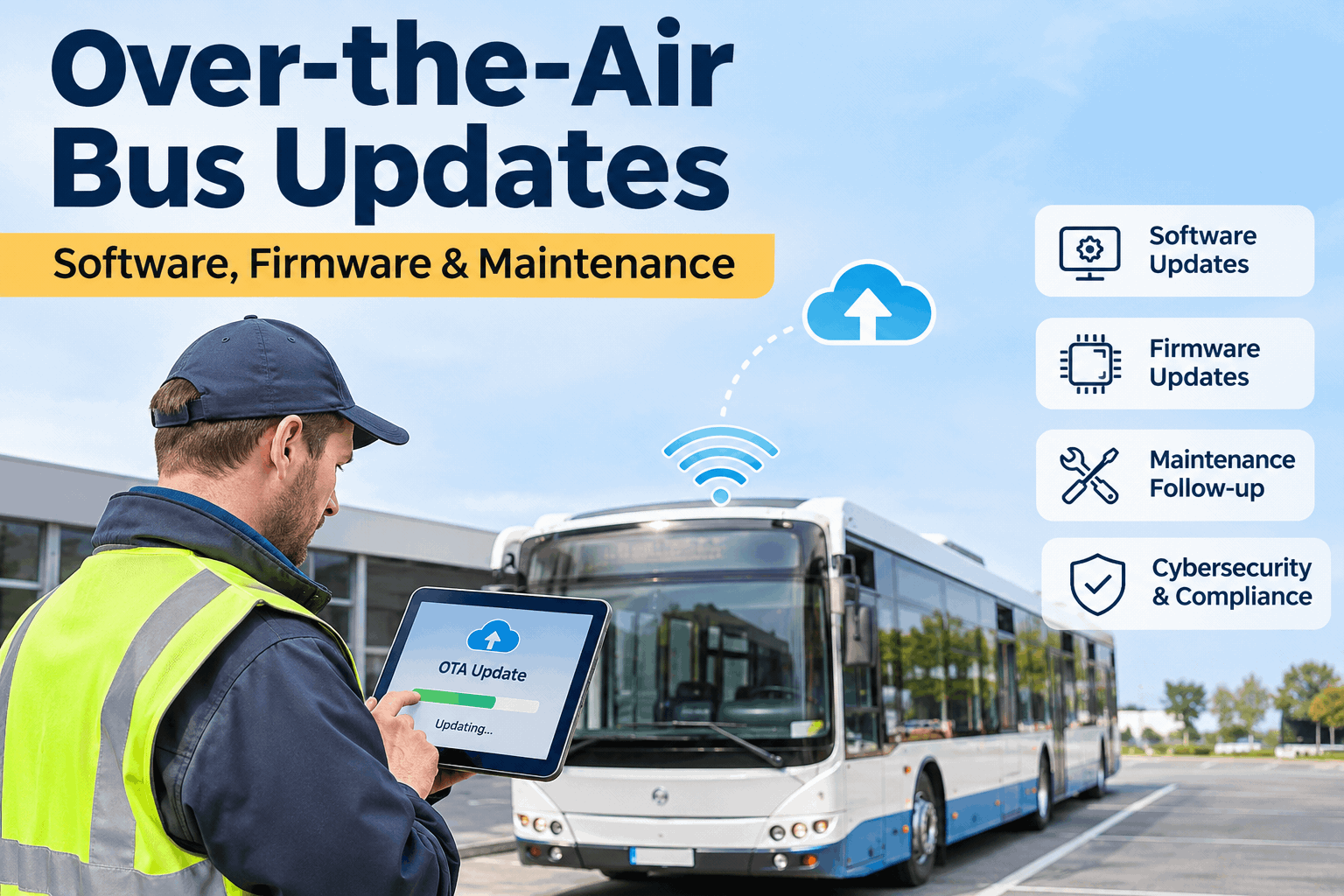
A bus can now get a software fix while it sits in your yard overnight — no tech, no shop visit, no plugging in. Over the air bus updates are a genuine win for uptime, but they create a quiet problem: the vehicle changes and your maintenance records don't. If you can't say which firmware each bus is on or whether a recall remedy actually landed, you've traded downtime for a blind spot you can close in a short demo.
Over-the-Air Bus Updates: Software, Firmware & Maintenance
OTA updates change your buses without a shop visit. Here's what that means for your maintenance records — and how to keep a clean, auditable trail of every version and fix.
What OTA Updates Change About Bus Maintenance
The update itself gets easier. The record-keeping gets harder. Here's the shift, side by side.
Bring the bus in
- Schedule downtime, pull the bus off a route
- Tech plugs in; an update can take up to an hour
- A work order gets written — you have a record
Pushed to the bus
- No shop visit, minutes not hours, no lost route
- Firmware changes while the bus sits parked
- No work order by default — no record
The uptime gain is real — fleets stop putting off ECM updates just because they'd mean downtime. The catch is that last line: the one thing the old way always produced, a paper trail, is exactly what OTA skips.
The Upside Is Real — So Is the Blind Spot
When software changes with no shop visit, three questions get hard to answer fast — and all three are ones an auditor, a recall notice, or a warranty claim will ask.
Which version is each bus on?
Across mixed model years, updates roll out in waves. Without a log, you're reading dashboards one bus at a time.
Did the recall remedy land?
When the fix is a software version, "applied" isn't enough — you need proof the right VIN got the right version.
Is follow-up still needed?
Some updates require a physical check after — an FTA advisory may say keep monitoring even once the software is in.
None of this is a reason to avoid OTA — it's a reason to put a record behind it. You can see firmware versions tracked per bus in a demo so these questions take a click, not an afternoon.
OTA Isn't Just Convenience — It's How Recalls Arrive Now
For U.S. transit and school fleets, the software update has quietly become the recall remedy. When NHTSA and the FTA flag a defect, the fix is often a firmware version — and you're expected to confirm it, VIN by VIN.
The fix is a version number
On real bus recalls, the remedy reads "version X or above" — confirmed on the dashboard. Your record has to capture that version, not just "done."
It lands unevenly across your roster
Hardware revision, software version, and build date decide which buses enroll in which wave — so one recall can apply differently across your model years.
The watch doesn't end at "installed"
An FTA safety advisory may tell agencies to keep monitoring even after the software is in — follow-up you need to schedule and document.
Connectivity is also why cybersecurity frameworks like the UN's R155 and R156 (European in origin, not U.S. mandates) now treat OTA as a controlled process — one more reason the update needs a signed, dated record on your side. You can sign up free and start a recall-remedy log that holds up at your next review.
What to Record for Every OTA Update
Whether the update is a recall fix, a calibration, or a parameter change, capture these every time. The first three are the audit trail; the rest protect uptime and warranty.
- Firmware version before and afterThe actual version numbers — "updated" without them proves nothing.MUST LOG
- Date applied and the exact VIN or busWhich bus, which day — so a rollout wave is traceable per vehicle.MUST LOG
- Recall or campaign reference, if anyTie the version to its NHTSA or FTA campaign number for clean proof.MUST LOG
- Post-update verificationConfirm the version on the dashboard — that the right fix actually took.STRONG PLUS
- Any required physical follow-upMonitoring or a check the advisory calls for after the software is in.STRONG PLUS
- One exportable record for auditEverything above, pullable for an FTA review or warranty claim.STRONG PLUS
If you can produce this for any bus on demand, an OTA update stops being a blind spot and starts being documented maintenance. You can book a demo and see the whole record built automatically.
How BusCMMS Keeps the Record
BusCMMS doesn't push the update — your OEM or telematics provider does that. It does the part that protects you: turning a silent software change into a tracked, auditable piece of your maintenance history.
Firmware version per bus
Store the current software and firmware version on every unit, so you can answer "which version?" fleet-wide in one view.
Updates logged as work orders
Record each OTA update and recall remedy with VIN, version before and after, and date — the work order a silent update never writes itself.
Verification & follow-up tasks
Schedule the post-update checks an advisory calls for, so "keep monitoring" becomes a tracked task, not a sticky note.
Telematics integration
Updates often arrive through the telematics device — BusCMMS connects to providers like Samsara and Geotab so the data lands where the record lives.
Audit-ready recall records
Recall-remedy completion by VIN and version, exportable for an FTA triennial review or a warranty claim.
One view across the fleet
Diesel, CNG, and electric buses, multiple makes — update status and versions in a single dashboard instead of scattered portals.
New to the category? Our complete guide to what a bus CMMS does covers the basics, and transit agencies can see how BusCMMS supports passenger transit fleet operations. When you're ready, book a demo and bring your trickiest recall.
A Few Numbers Worth Knowing
Where OTA stands for a U.S. bus fleet planning its record-keeping today.
As more of your fleet updates itself, the value shifts from doing the update to proving it was done — the part that lands on your desk.
A Shop Foreman's Take
Key Takeaways on Over-the-Air Bus Updates
OTA is a real uptime win — as long as the record keeps up with the software. Four things to hold onto.
The bus changes, records don't
An OTA update writes no work order by default — that's the gap to close.
Recalls arrive as versions
The remedy is often a firmware number you must confirm per VIN.
Capture version before and after
"Updated" proves nothing; the two version numbers and a date do.
Log it like any repair
A work order per update turns a blind spot into documented maintenance.
Treat over the air bus updates as maintenance events that deserve a record, not background noise — capture the version, the VIN, and the verification every time, and your connected fleet stays auditable instead of mysterious. The update is the easy part now; the record is the part that's yours to own.