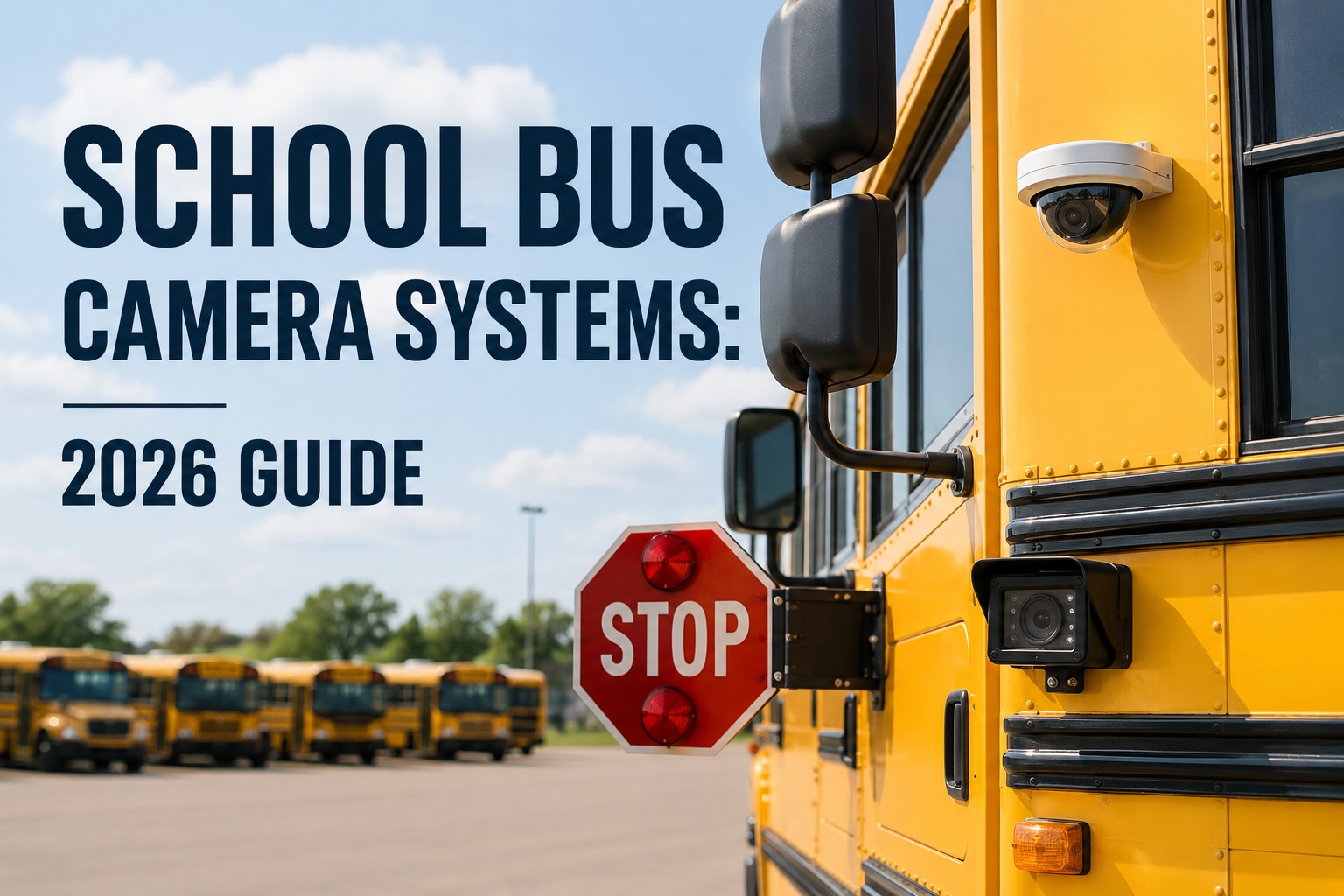
A modern school bus carries 4-8 cameras across 6 distinct types — stop-arm, rear/backup, forward dash, driver-facing, interior passenger, and crossing-arm. Bus fleet dash cam adoption jumped from 15% in 2019 to 68% in 2025. This 2026 buyer's guide covers what each camera does, RFP evaluation criteria, video retention reality and where fleet operations software fits in the multi-vendor camera ecosystem. See BusCMMS unify multi-vendor camera events into one bus record → book a 20-min demo.
The 6-Camera Stack on a Modern School Bus
Every camera on a school bus solves a specific problem in a specific location. Understanding the full stack is step one for any evaluation, RFP, or camera modernization program.
The 6 Camera Types Explained
One bus. Six purpose-built cameras. Each solves a different fleet problem. Buyers who understand all six before writing an RFP get much better vendor responses.
Not every district needs every camera. A small rural fleet running short daylight routes may skip interior cameras entirely. A large urban district running twilight routes through dense traffic likely runs the full stack. What matters at the buyer's-guide stage is understanding what each camera actually does — because vendor pricing, RFP language, and installation planning all flow from that understanding.
STOP-ARM CAMERA
CROSSING-ARM CAMERA
FORWARD DASH CAMERA
DRIVER-FACING CAMERA
INTERIOR PASSENGER CAMERA
REAR / BACKUP CAMERA
Most 2026 school bus fleets run 3-5 of these 6 camera types depending on route type, student population, and budget. The full stack of all 6 is becoming standard in urban districts. See BusCMMS log all 6 camera types per bus with event routing → book a demo.
Camera Spec Comparison Table
Six camera types side-by-side across the five specs that matter most for RFP evaluation. Print this and hand it to procurement.
Vendor spec sheets are optimized to make their systems look best. This apples-to-apples comparison uses the specs districts actually evaluate on. Image quality drives evidence acceptance. Field of view drives coverage completeness. Storage type drives retention flexibility. Retention drives compliance and audit readiness. AI capability drives event prioritization — the difference between reviewing 5 flagged events per week versus 500 raw clips.
Once specs are locked, evaluation moves to storage, retention, and integration. Every one of those is a business decision as much as a technical one. See BusCMMS integrate with all major camera vendors via event webhooks → book a demo.
The 2026 School Bus Camera RFP Checklist
Six requirement categories every camera RFP needs to cover. Skip a category and you get vendor responses you cannot compare apples-to-apples.
A camera system RFP that only lists hardware specs invites vendor proposals that vary wildly on the parts that actually matter operationally — storage, retention, AI capability, and integration. Districts that issue RFPs organized around these six categories get proposals that are directly comparable, and they avoid the classic problem of picking the cheapest hardware only to discover 18 months later that reviewing footage requires logging into a portal no one on staff knows how to use. This checklist works for districts issuing formal RFPs and for smaller districts running informal vendor evaluations.
HARDWARE
- Camera resolution per unit (1080p minimum)
- Night vision / infrared support
- Weather rating (IP69K for exterior)
- Impact / vandal resistance
- Warranty length (10-year is achievable)
SOFTWARE & PORTAL
- Web + mobile portal for video review
- User role permissions
- Video export formats (MP4, evidence-sealed)
- Search by bus, driver, event type, date
- Multi-camera synchronized playback
STORAGE & RETENTION
- Cloud vs local DVR storage
- Retention window (typically 30-120 days)
- Event-triggered clip retention (often indefinite)
- Storage upgrade path
- Deletion policy alignment with district policy
AI CAPABILITIES
- Harsh braking / acceleration detection
- Stop-arm violation detection accuracy
- Driver distraction / phone use detection
- Real-time alert delivery
- Event prioritization / severity scoring
PRIVACY & CYBERSECURITY
- Video encryption in transit + at rest
- User access audit logs
- Student privacy compliance (FERPA-aware)
- Chain-of-custody for evidence
- Data breach notification protocol
INTEGRATION & SUPPORT
- API / webhook access for CMMS integration
- GPS + telematics integration
- Camera-health monitoring feeds
- Installation support (turnkey vs district-installed)
- Maintenance and firmware update policy
Districts that write RFPs covering all six categories get proposals they can actually compare on merit rather than just headline price. Sign up free and get the full RFP-ready checklist template →
Video Retention & Student Privacy Reality
The most under-planned part of every camera program. Retention windows, access permissions, and deletion policies need to be defined before the first camera goes live.
Video retention rules for school bus camera systems vary by jurisdiction and district policy. There is no single federal number that applies universally. Typical school bus retention windows range from 30 to 120 days for continuous footage, with event-triggered clips (accidents, stop-arm violations, DVIR-flagged incidents) often saved indefinitely. Cloud-based systems like Samsara offer flexible retention plans that can extend beyond the local DVR window. What matters at the RFP stage is not just how long footage is kept — but who can access it, how deletion is enforced, and how student privacy is protected under state and local requirements including any applicable FERPA-related considerations.
- Access permissions: Named users only. No shared logins.
- Audit trail: Every video view logged with user + timestamp.
- Parent inquiry policy: Written procedure for footage requests.
- FERPA alignment: Student identification handling in accordance with district policy.
- Chain of custody: Sealed evidence packaging for law enforcement.
- Deletion enforcement: Automatic per retention window; no manual overrides.
A camera program without a written retention and privacy policy is a liability event waiting to happen. Define both before the first bus is equipped. See BusCMMS log every camera event access with user-level audit trail → book a demo.
The Multi-Vendor Coordination Problem
Most 2026 districts run cameras from 2-3 different vendors. Each vendor has its own portal. That is where the operational pain lives.
Here is the reality inside most 2026 school bus fleets: BusPatrol or Verra Mobility operates the stop-arm camera program on a violator-funded model. AngelTrax, Safety Vision, or Seon runs the interior and exterior camera hardware installed by the district. Samsara or Lytx runs the AI dash cam for driver coaching and telematics. Three vendors, three dashboards, three sets of camera-health alerts, three separate exports for incident review. Nobody has time to check three portals every day, so camera-health signals get missed and defects surface only when something goes wrong. The unification problem below is why fleet-operations software matters more than any individual camera in the stack.
BusPatrol / Verra Mobility
Stop-arm violation program · violator-funded · own portal
AngelTrax / Safety Vision / Seon
Interior + exterior camera hardware · district-owned · own portal
Samsara / Lytx / SmartDrive
AI dash cam + telematics · SaaS · own portal
All camera events, camera-health alerts, defects, and video links flow into one chronological asset timeline per bus — alongside inspections, DVIRs, work orders, parts, fuel, and maintenance history.
The camera vendors do camera things well. The unification of 3 vendors into 1 operational view is what closes the gap. See BusCMMS unify BusPatrol + AngelTrax + Samsara events into one bus record → book a demo.
Where BusCMMS Fits the Camera Ecosystem
Six specific capabilities purpose-built for districts running multi-vendor camera programs.
Multi-Vendor Event Unification
Camera events from BusPatrol, Verra Mobility, AngelTrax, Safety Vision, Seon, Samsara, Lytx, and Motive all flow into one bus timeline via event webhooks.
AI Event Prioritization
High-risk events (severe braking, stop-arm violations, camera hardware faults) auto-flagged for review. Low-risk noise routed to background log.
Camera Health Monitoring
Lens fogging, cable failures, DVR errors, monitor failures surface as work orders automatically — no need to check 3 vendor portals daily.
e-DVIR Camera Inspection
Every camera type in the stack becomes a named DVIR inspection item. Driver flags create instant work orders per bus.
Video Evidence to Asset History
DVR clips from incidents link directly to the bus asset timeline, driver record, work order, and any inspection or maintenance action taken.
Board + Audit-Ready Reporting
Monthly camera program summary: events per bus, health uptime, review response time, closed work orders. One-click export for superintendent and state audits.
We are a 72-bus district with a full camera stack: BusPatrol on stop-arm, AngelTrax on interior and rear, Samsara on driver-facing and forward dash. Three portals. Three exports for every parent inquiry. Three separate camera-health inboxes I stopped checking after the third week. In 2024 an incident review revealed we had a Samsara driver-facing camera flagged offline for 40 days on the bus involved — nobody caught it because everyone assumed someone else was monitoring that portal. We put BusCMMS underneath the whole stack six months later. Every camera health alert from every vendor now becomes a work order on the correct bus record. Every event has a unified timeline. Every parent inquiry pulls video from whichever camera captured it — without me having to remember which vendor covers which angle. Twelve months in: zero cameras offline for more than 48 hours. Camera program went from operational liability to operational asset.
Deep-dive spokes from this hub: stop-arm cameras, rear and backup cameras, and forward dash cams.
Frequently Asked Questions
What is a school bus camera system?
A school bus camera system is the complete stack of video cameras installed on a single bus to capture events for safety, incident documentation, driver coaching, student behavior, and enforcement. A modern 2026 school bus camera system typically includes 4-8 cameras across up to six distinct types: stop-arm cameras (capturing vehicles illegally passing the extended stop arm), crossing-arm cameras (front blind-zone visibility during pickup and drop-off), forward dash cameras (windshield-mounted, road-facing for collision documentation), driver-facing cameras (above windshield, capturing driver attention and coaching data), interior passenger cameras (ceiling-mounted, covering seat rows for student behavior), and rear or backup cameras (covering the 40-foot blind zone behind the bus). The system also includes onboard storage (local DVR or cloud), a driver monitor, wiring, GPS integration, and vendor software portals for review and event management. Bus fleet dash cam adoption jumped from 15% in 2019 to 68% in 2025, driven by AI-enabled event detection, FTA grant eligibility, and insurance premium reductions of 15-45% on AI-enabled fleets.
What cameras should a school bus have?
Not every district needs every camera. Small rural fleets running short daylight routes may skip interior cameras entirely. Large urban districts running twilight routes through dense traffic typically run the full stack. The 2026 baseline recommendation for most school buses is at minimum forward-facing dash cam plus rear/backup camera. From there, most fleets add stop-arm cameras (especially in states that authorize automated enforcement, providing violator-funded revenue), driver-facing cameras for coaching and fatigue prevention, interior passenger cameras for behavior documentation and parent inquiry response, and crossing-arm cameras for front-zone student visibility during loading and unloading. The full 6-camera stack is becoming standard in urban districts. Evaluation should be driven by fleet-specific factors: student population density, route type (rural vs urban), state stop-arm enforcement authorization, insurance requirements, and past incident history. A camera RFP should cover all six categories — hardware, software and portal, storage and retention, AI capabilities, privacy and cybersecurity, and integration and support.
How much does a school bus camera system cost?
Cost varies widely by camera count, image quality, storage type, AI capability, and installation model. Entry-level 1-4 camera interior systems from vendors like SD4FHD run $650-$1,050 per bus for the hardware itself. Full multi-camera stacks with AI-enabled dash cams, cloud storage, and vendor software portals typically run $2,000-$5,000+ per bus in capital investment for district-owned deployments, plus ongoing SaaS subscription fees. Vendor-operated stop-arm programs (BusPatrol, Verra Mobility) often deploy at $0 upfront under a violator-funded model where the vendor takes a percentage of citation revenue — typically 30-70% depending on contract terms. Insurance offsets vary by carrier but AI-enabled fleets see 15-45% premium reductions, and ROI on the full camera stack is typically 12-18 months when accident reduction (40%), liability cost reduction (50%), and incident resolution acceleration (70%) are all factored in. Warranty length also affects total cost of ownership — 10-year camera warranties are achievable from quality vendors.
Are school bus cameras required?
Federal camera requirements on school buses are limited and depend on vehicle weight class. FMVSS No. 111 Rear Visibility (49 CFR 571.111) requires rear visibility systems only on vehicles with a gross vehicle weight rating of 10,000 pounds or less — which covers most Type A school buses but exempts most Type B, C, and D buses. No federal standard universally mandates stop-arm cameras, interior cameras, dash cameras, or crossing-arm cameras on school buses. However, a growing number of states have adopted enabling legislation authorizing automated stop-arm camera enforcement (26 states as of July 2025 per NCSL, with vendor sources citing up to 30 in 2026 following recent legislation in Oregon, Nevada, Kentucky, and Massachusetts). Some states have separate mandates for specific camera types on school buses. School district policies and insurance carrier requirements often set additional camera requirements beyond state law. Always verify current federal, state, and district requirements against primary regulatory sources rather than vendor summaries.
How long should school bus camera footage be retained?
There is no single federal retention period that applies universally. Typical school bus camera retention windows range from 30 to 120 days for continuous footage, with event-triggered clips (accidents, stop-arm violations, DVIR-flagged incidents, hard braking events) often saved indefinitely. The most common retention window is 60-90 days, which balances storage cost against typical investigation and parent-inquiry windows. Cloud-based systems like Samsara offer flexible retention plans that can extend beyond local DVR limits. What matters more than the retention number itself is the operational policy around it: who can access footage (named users only, no shared logins), audit trail requirements (every video view logged), student privacy protections (FERPA-aware handling), chain of custody for law enforcement evidence, and deletion enforcement (automatic per retention window, no manual overrides). Always verify specific retention requirements with district legal counsel and your state education agency, and align the vendor-configured retention setting with district written policy before the first camera goes live.
How can school districts manage camera events and maintenance?
Through a unified fleet operations layer that sits underneath every camera vendor and consolidates all camera events, health alerts, and maintenance actions into one bus record. Most 2026 school districts run cameras from 2-3 vendors simultaneously: BusPatrol or Verra Mobility for the stop-arm violation program (violator-funded), AngelTrax or Safety Vision or Seon for interior and rear camera hardware (district-owned), and Samsara or Lytx or SmartDrive for AI dash cam and telematics. Three vendors means three portals, three sets of camera-health alerts, and three separate video export workflows. Nobody has time to check three portals every day, so camera-health signals get missed and defects only surface when something goes wrong. BusCMMS pulls camera events from all major vendors via event webhooks, applies AI-assisted prioritization (routing high-risk events for immediate review while sending low-risk noise to the background log), auto-generates work orders from camera hardware faults, ties every camera type to e-DVIR inspection items, links video evidence to the correct bus asset timeline and driver record, and generates board-ready audit reports. One 72-bus Pacific Northwest district reported cutting camera-offline exposure from 40 days to under 48 hours after unifying BusPatrol, AngelTrax, and Samsara feeds through this layer — same cameras, different operational model.